
Horio
Hours Tracker & Timesheet
Designed for iPhone, iPad, iPod touch
In-app purchases
- Age rating4+
- CategoryBusiness
- DeveloperKevin Francois
- LanguagesFrench+ 5 more
- Size48.1 MB
Links to the official App Store page
Download.org hosts no file of Horio. The button opens its official App Store page, published by Kevin Francois. Listing last checked on Nov 20, 2026.
Screenshots

About
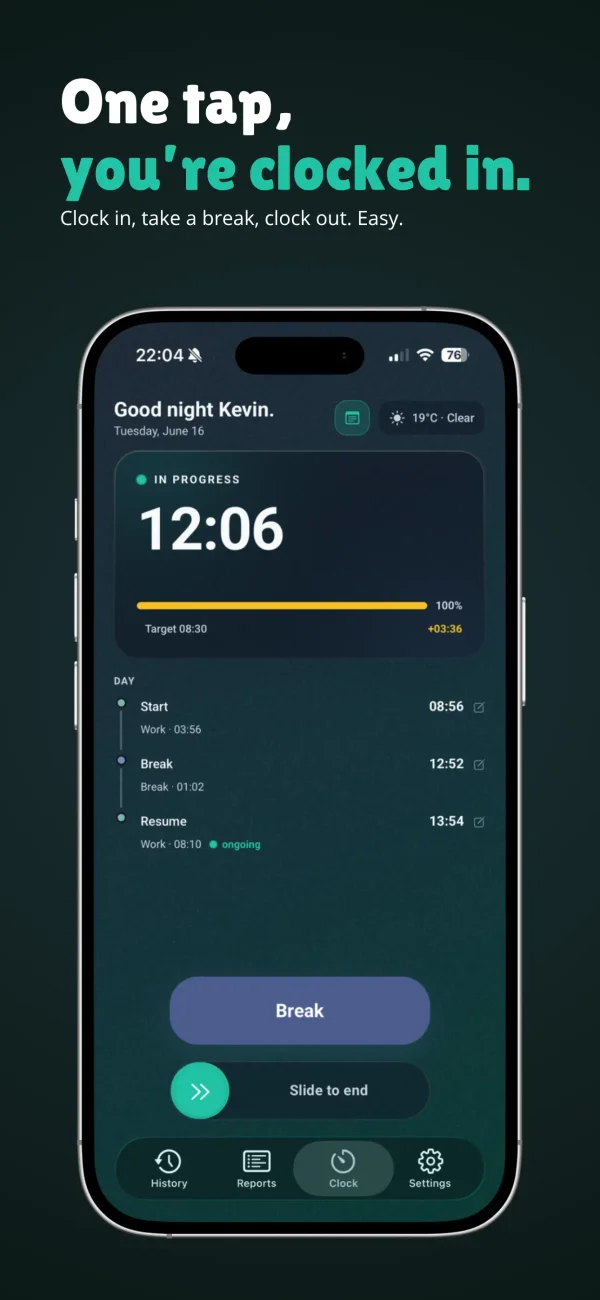
Track your work hours in one tap. No account, no ads, fully offline.
Clock in and out, keep an eye on your breaks and overtime — and export everything to PDF or CSV.
A TIME CLOCK IN YOUR POCKET
• turn your phone into a personal time clock
• record clock-in, break, return and end of day in one tap
• watch your hours build up in real time
• your overtime adds up on its own
A SCHEDULE THAT FITS YOU
Three modes, depending on how you work:
• Fixed schedule — a regular weekly plan
• Flexible schedule — a daily target you set as you go
• Weekly rhythm — a total number of hours to reach each week
Create several schedules, give each one a color, and apply them to any period you like.
STAY IN CONTROL OF YOUR DAYS
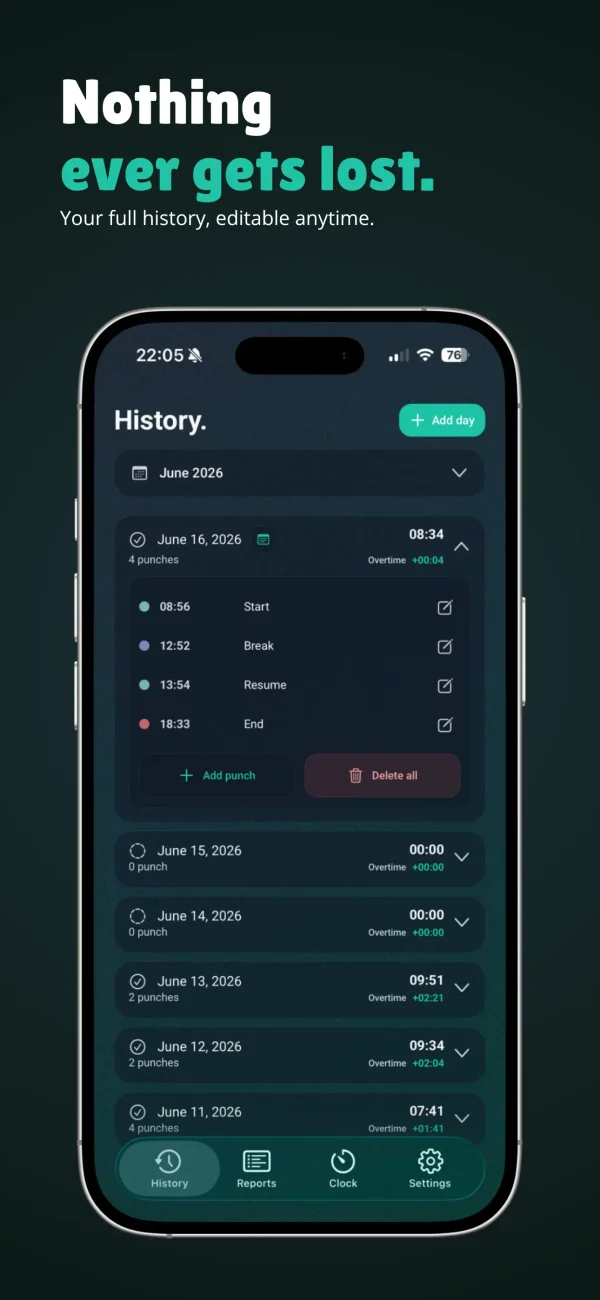
• open a past day and correct it
• add a forgotten entry in seconds
• label your days: leave, recovery, absence…
• note what matters: a task, an incident, a client detail, an expense
• missing workdays are detected automatically
ANALYZE AND EXPORT
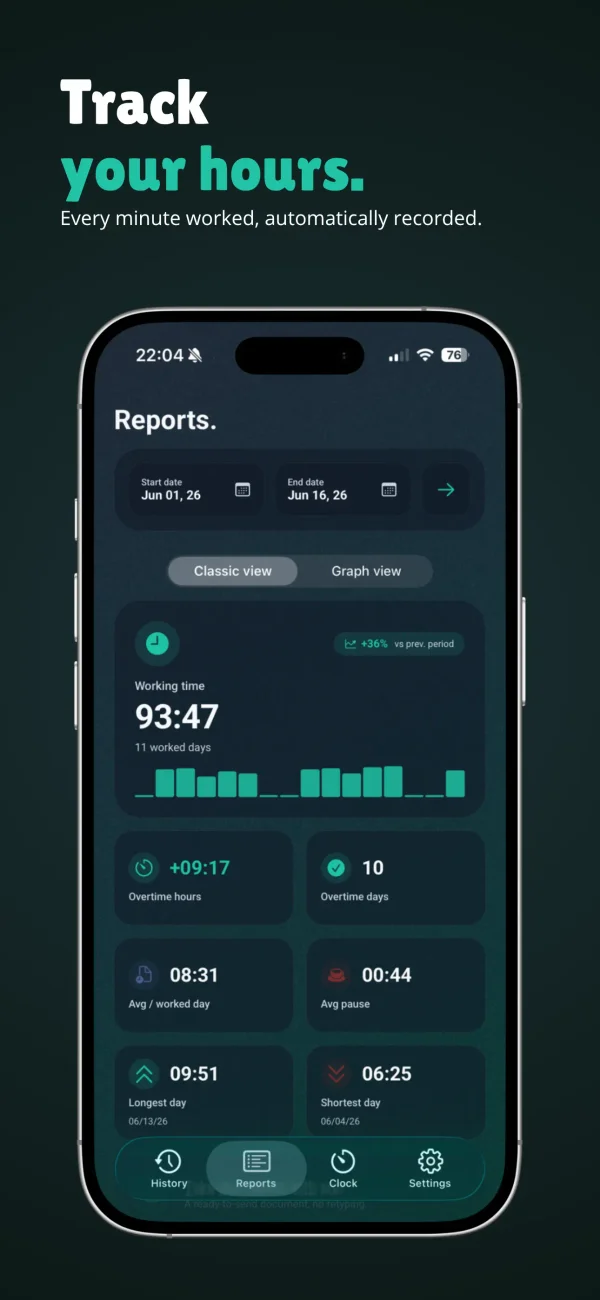
• total hours worked, averages, longest day, overtime
• detailed charts over any period you choose
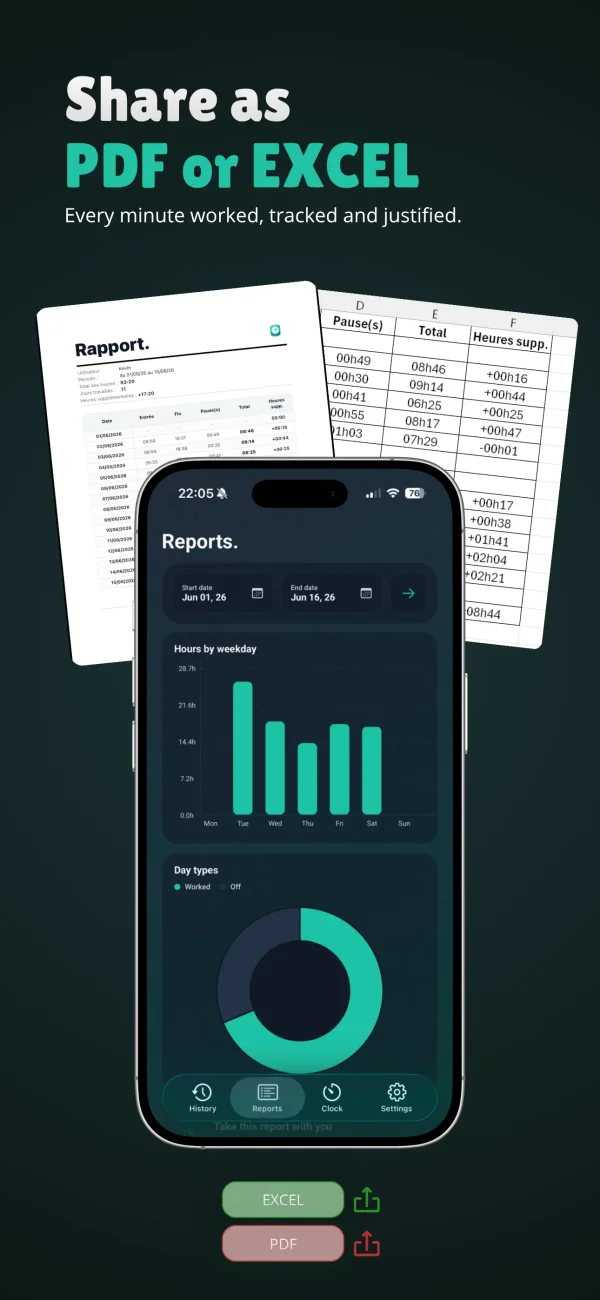
• PDF report ready to send, notes included
• CSV export for Excel and Google Sheets
YOUR DATA IS YOURS
• everything stays on your device
• no account required, no advertising
• the app works entirely offline
• cloud backup exists, but it stays optional
ALSO INCLUDED
• Home Screen and Lock Screen widgets to see your day at a glance
• break and end-of-day reminders
• lock the app with Face ID or your fingerprint
• light, dark or automatic theme, 12- or 24-hour format
• today's weather on the Clock tab (optional)
• English, French, Spanish, German and Italian
FREE TO CLOCK IN, PREMIUM FOR MORE
Daily clocking, schedules, reminders and widgets are free, with no time limit.
Premium unlocks the full history, detailed statistics and PDF and CSV exports — as a monthly or yearly subscription, or a one-time lifetime purchase.
Terms of Use: https://tempstravail.com/en/cgu
Privacy: https://tempstravail.com/en/privacy
What’s new
Version 1.2.0 · Aug 31, 2026
Temps Travail is now Horio: new name, new logo, same data. And your workdays now have notes.
NEW
• Day notes: a task, an incident, a client detail, an expense — with a location if you want one. Find them all in the notebook and export them to PDF.
• German and Italian, on top of French, English and Spanish.
• Full iPad support.
IMPROVEMENTS
• Clearer reports, PDF export with a proper A4 layout.
• Redesigned fixed-schedule screen.
• Consistent widgets, translated into all five languages.
FIXES
• Your premium purchases stay active even offline.
• Days still in progress no longer skew report totals.
• The widget handles the switch to the next day correctly.
App privacy
What Kevin Francois declares on the App Store about how this app handles data.
-
Data linked to you
May be collected and linked to your identity.
- Purchases
- Location
- Contact info
- User content
- Identifiers
Privacy practices may vary, for example with the features you use or your age.
Information
- Seller
- Kevin Francois
- Category
- Business
- Version
- 1.2.0
- Updated
- Aug 31, 2026
- Released
- May 1, 2026
- Size
- 48.1 MB
- Requires
- iOS 15.1 or later
- Age rating
- 4+
- In-app purchases
- Yes
- Languages
- French, German, English, Spanish, Italian, Dutch
- Copyright
- © 2026, François Kevin
You might also like
-
 Work Time Tracker & TimesheetClock in, log hours & payroll
-
 Work Timer – Suivi HeuresProductivity
-
 Work Time Tracker: Track hoursworking days
-
 Working time litetimesheet tracker and manage
-
 iTimeSheet: Hours & InvoicesTime tracking made easy
-
 Clocky – Work Hours TrackerEvery hour counts
-
 Calcul Heures TravailBusiness
-
 Hours Tracker: Planck TimeTimesheet & Pay Calculator
-
 calcul heure de travailProductivity
-
 La BadgeuseProductivity