Hourfall: Screen Time Tracker
Live App Usage & Focus Timer
Designed for iPhone
In-app purchases
- Age rating4+
- CategoryProductivity
- DeveloperOleksandr Hnatiuk
- LanguagesEnglish+ 13 more
- Size10.6 MB
Links to the official App Store page
Download.org hosts no file of Hourfall: Screen Time Tracker. The button opens its official App Store page, published by Oleksandr Hnatiuk. Listing last checked on Nov 12, 2026.
Screenshots


About
Not everyone responds well to app blockers. For many people, hard limits feel frustrating, easy to ignore, or difficult to stick to. Hourfall takes a different approach.
Instead of locking you out, Hourfall helps you build awareness in the moment. By showing your app usage live while you are actively using it, it becomes easier to notice when a quick check is turning into wasted time and make a conscious choice to stop.
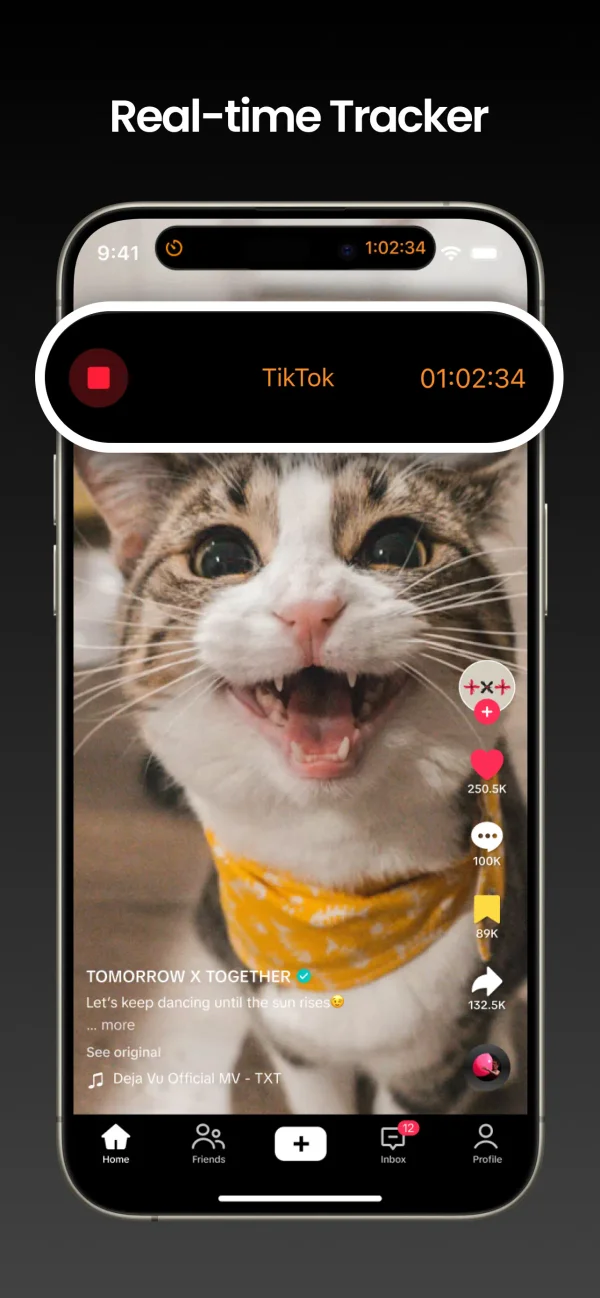
Track app usage live
See your active app time in real time, right when it matters most. That immediate feedback makes it easier to notice when a quick check is turning into a long scroll.
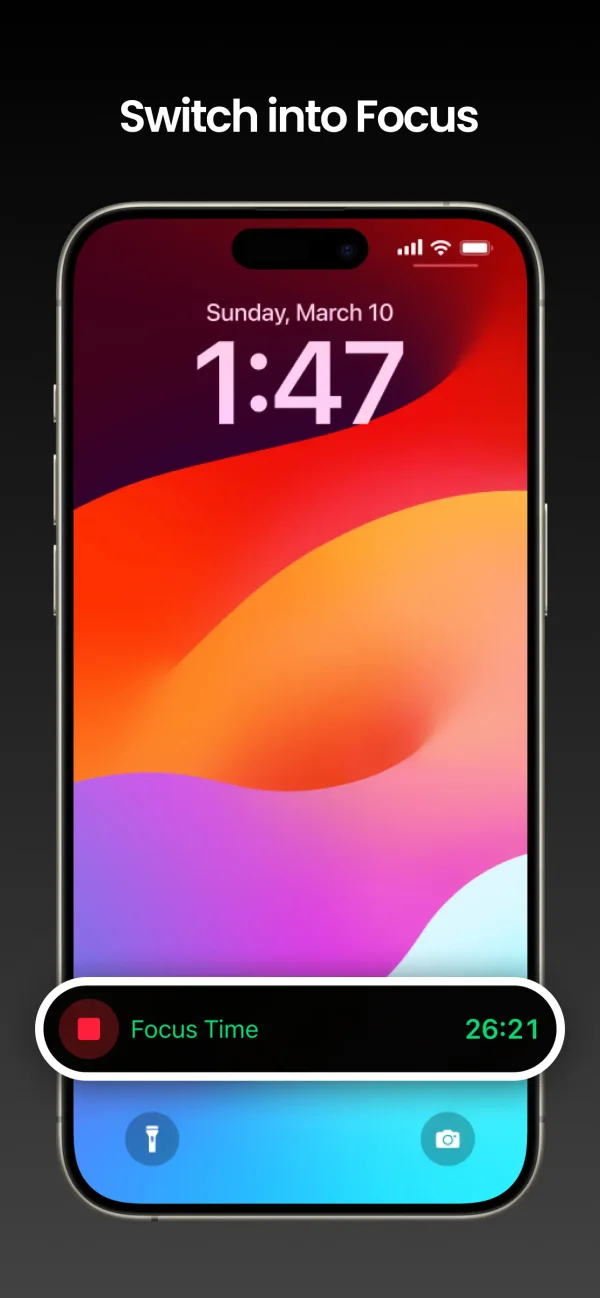
Switch into focus fast
When you are ready to stop, start a built-in focus session and move directly into deep work, study, or uninterrupted time.
See wasted time vs. saved time
Your dashboard gives you a simple view of how much time was lost to distraction and how much time you intentionally protected for focus.
Review your habits over time
Explore daily and weekly stats to spot patterns, identify your biggest distractions, and measure your progress.
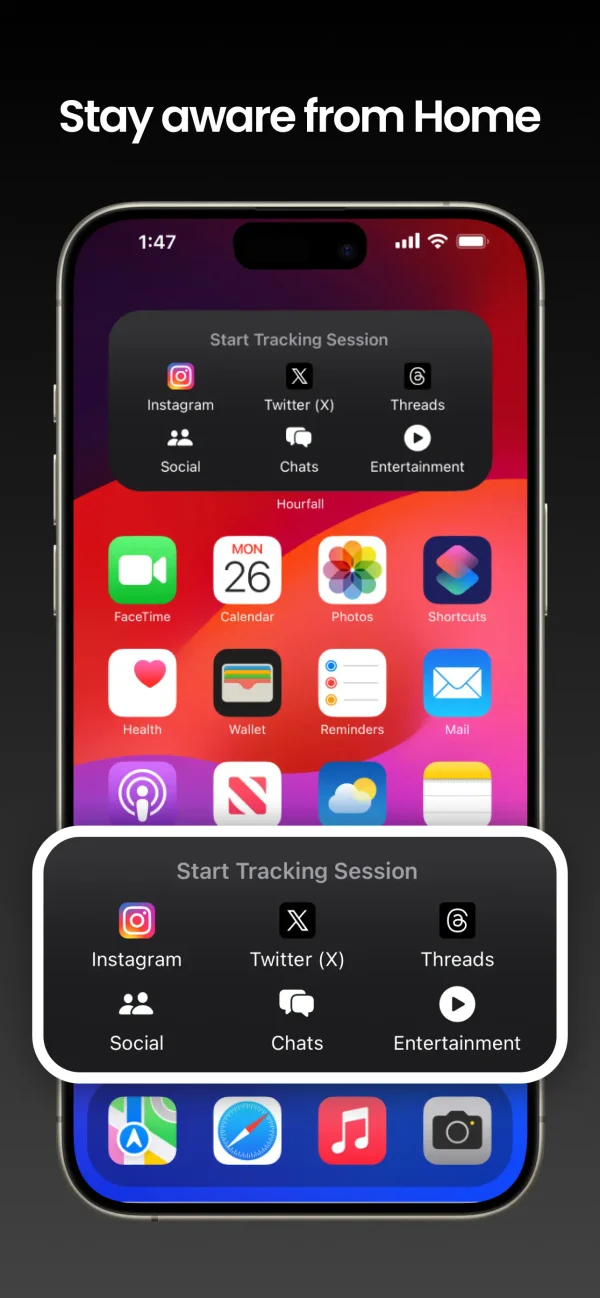
Stay aware from your Home Screen
Use widgets and quick actions for faster access to your stats, sessions, and daily progress.
Fits your routine
Customize time boundaries and session behavior so tracking works the way your day actually works.
Private by design
Your usage data stays on your device. Hourfall processes tracking locally, so your personal habits stay private.
Whether you want to reduce doomscrolling, study with fewer interruptions, or build stronger focus habits, Hourfall helps you notice more, scroll less, and use your time with more intention.
Privacy Policy and Terms of Use
Privacy Policy: https://typhoon-flyingfish-ac0.notion.site/Privacy-Policy-3567ffa20dfe8005b6c1c3f29ae48e72
Terms of Use: https://www.apple.com/legal/internet-services/itunes/dev/stdeula/
App privacy
What Oleksandr Hnatiuk declares on the App Store about how this app handles data.
-
Data not collected
The developer does not collect any data from this app.
Privacy practices may vary, for example with the features you use or your age.
Information
- Seller
- Oleksandr Hnatiuk
- Category
- Productivity
- Version
- 1.0
- Updated
- Jul 2, 2026
- Released
- Jul 2, 2026
- Size
- 10.6 MB
- Requires
- iOS 17.0 or later
- Age rating
- 4+
- In-app purchases
- Yes
- Languages
- English, Dutch, French, German, Indonesian, Italian, Japanese, Korean, Portuguese, Simplified Chinese, Spanish, Traditional Chinese + 2 more
- Copyright
- © 2026 Oleksandr Hnatiuk
You might also like
-
 StayStill: Screen Time ControlBlock Apps. Stay Focused.
-
 Kindling Spark – ADHD FocusStart when your brain won’t
-
 ThoughtTrace: Brain Dump NotesHandwritten Paper Journal Scan
-
 ScreenMinus: Screen TimeYour screen time, scored
-
 Dayli: Earn Your TimeTurn Goals Into Free Time
-
 Screen Time Limit: ScrollLessBlock Apps, Stop Doomscrolling
-
 Social Media Timer - AlarmLimit Screen Time - Reduce App
-
 Daily Glow RemindersDaily Reminders & Routines
-
 Solis - Screen TimeProductivity
-
 AppKeeper -Screen Time ControlBlock Apps, Reclaim Time