Screen Time Limit: ScrollLess
Block Apps, Stop Doomscrolling
Designed for iPhone, iPad
Free · In-app purchases
- Age rating4+
- CategoryProductivity
- Developerabdullah zubeyir ceylan
- LanguagesEnglish+ 32 more
- Size32.7 MB
Links to the official App Store page
Download.org hosts no file of Screen Time Limit: ScrollLess. The button opens its official App Store page, published by abdullah zubeyir ceylan. Listing last checked on Nov 23, 2026.
Screenshots
About
ScrollLess is a screen time limit app that helps you stop doomscrolling — for real.
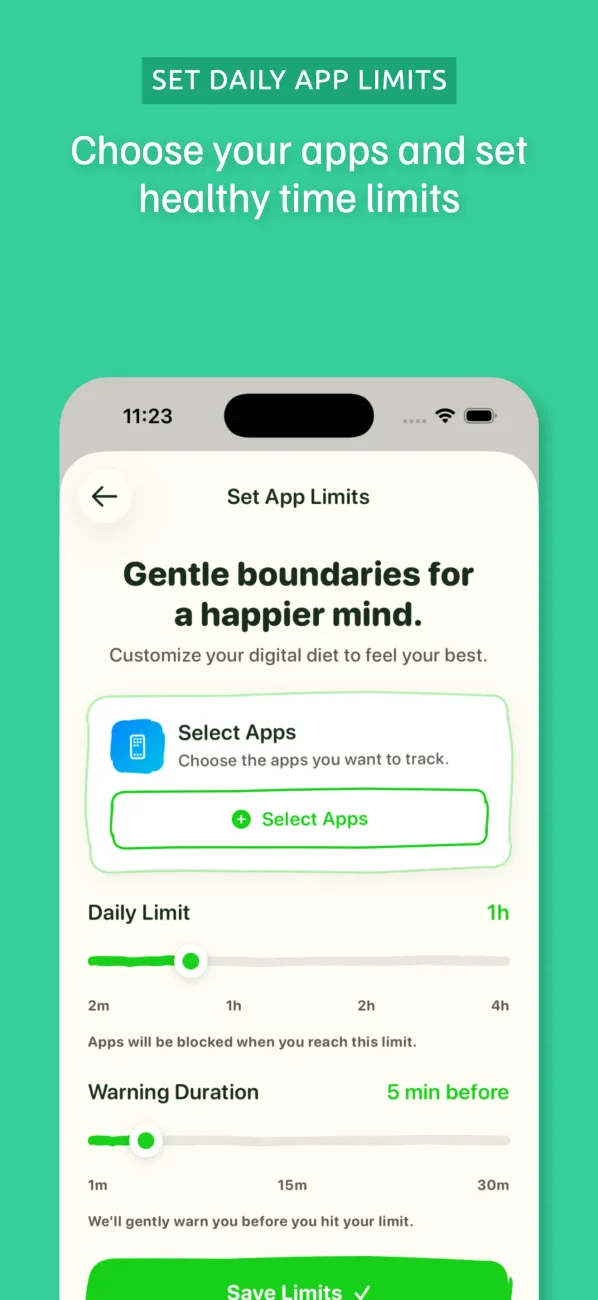
Pick the apps that pull you in: social media, short videos, games, anything. Choose how much time you want to spend on them each day. When your time is up, ScrollLess locks them until tomorrow.
HOW IT WORKS
• Select the apps and categories you want to limit
• Set a daily time limit that feels right
• Get a heads-up a few minutes before you reach it
• When time runs out, a lock screen stops the scroll
15 MORE MINUTES, ONLY WHEN IT MATTERS
Life happens. From the lock screen you can take 15 more minutes, up to 3 times a day. Every break is a small pause to ask yourself: is this scroll really worth it?
STRICT MODE
For days with no excuses. While Strict Mode is on, tracking can't be turned off, your limit can't be raised and apps can't be removed until tomorrow.
BUILT ON SCREEN TIME
• Uses Apple's Screen Time framework on your iPhone
• Your app usage data stays on your device
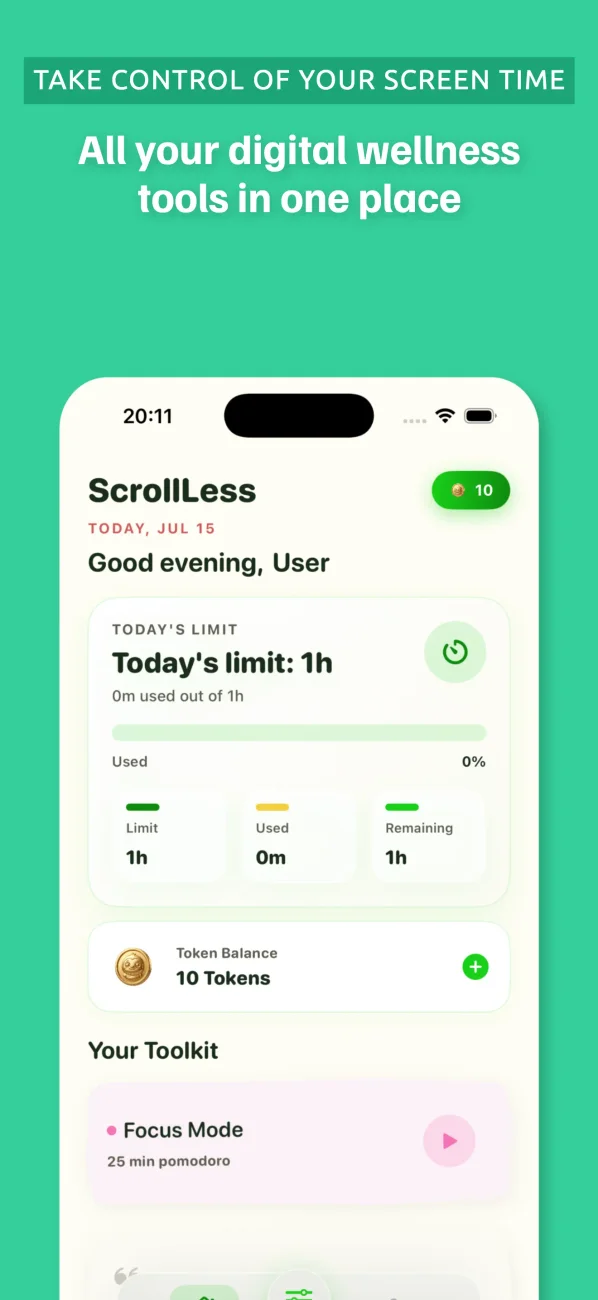
• See today's usage and time left at a glance
• Focus Mode timer for deep work
• Turn off all tracking anytime (unless Strict Mode is on)
ScrollLess Pro unlocks daily limits, the lock screen, extra-time breaks and Strict Mode.
Scroll less. Live more.
Terms of Use (EULA): https://www.freeprivacypolicy.com/live/ec02595b-90a0-4187-b1ac-50f4ffcab52c
Privacy Policy: https://www.freeprivacypolicy.com/live/ec92399e-b7a3-48de-8020-590aeaccc8f2
What’s new
Version 3.4 · Nov 1, 2026
Now you see your own numbers before you decide anything.
• Setup shows yesterday's Screen Time: the total, a breakdown by category, your most used apps, plus pickups and notifications
• Set your first limit during setup, so you start with a limit that's already running
• Your home screen now counts how many days in a row you stayed under your limit
• Fixed: the free trial reminder could go missing if you turned tracking off
App privacy
What abdullah zubeyir ceylan declares on the App Store about how this app handles data.
-
Data not collected
The developer does not collect any data from this app.
Privacy practices may vary, for example with the features you use or your age.
Information
- Seller
- abdullah zubeyir ceylan
- Category
- Productivity
- Version
- 3.4
- Updated
- Nov 1, 2026
- Released
- Mar 20, 2026
- Size
- 32.7 MB
- Requires
- iOS 17.6 or later
- Age rating
- 4+
- Price
- Free
- In-app purchases
- Yes
- Languages
- English, Arabic, Catalan, Croatian, Czech, Danish, Dutch, Finnish, French, German, Greek, Hebrew + 21 more
- Copyright
- © 2025 Azc Inc.
You might also like
-
 Scrollless - Screen Time BlockStop Doomscrolling
-
 Budli: Screen Time PetApp Blocker & Focus Buddy
-
 Anti Screen TimeLess Screen Time. No Fights.
-
 Screen Time & Focus: PausoraApp Blocker, Study & Detox
-
 App Blocker: StayBriefScreen Time & Focus Timer
-
 Hourfall: Screen Time TrackerLive App Usage & Focus Timer
-
 Aergia - Screen Time ControlPause before opening apps
-
 Scrappy: Screen Time Guard DogApp Blocker & Focus Friend
-
 PawLock: Screen Time BlockerApp Lock, Focus & Pomodoro
-
 Luma: Earn Your Screen TimeFocus Timer, Blocker & Habits