- Age rating4+
- CategoryEducation
- DeveloperDhananjay Suresh
- LanguagesEnglish+ 6 more
- Size5.5 MB
Links to the official App Store page
Download.org hosts no file of Hum AAC. The button opens its official App Store page, published by Dhananjay Suresh. Listing last checked on Nov 17, 2026.
Screenshots
About
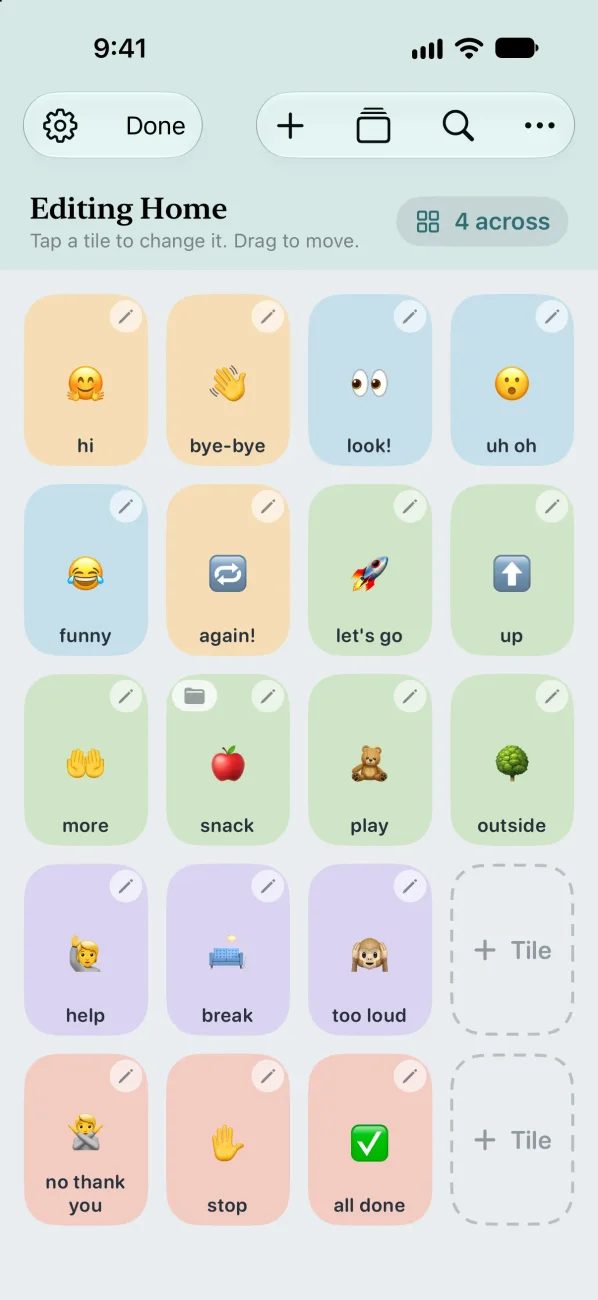
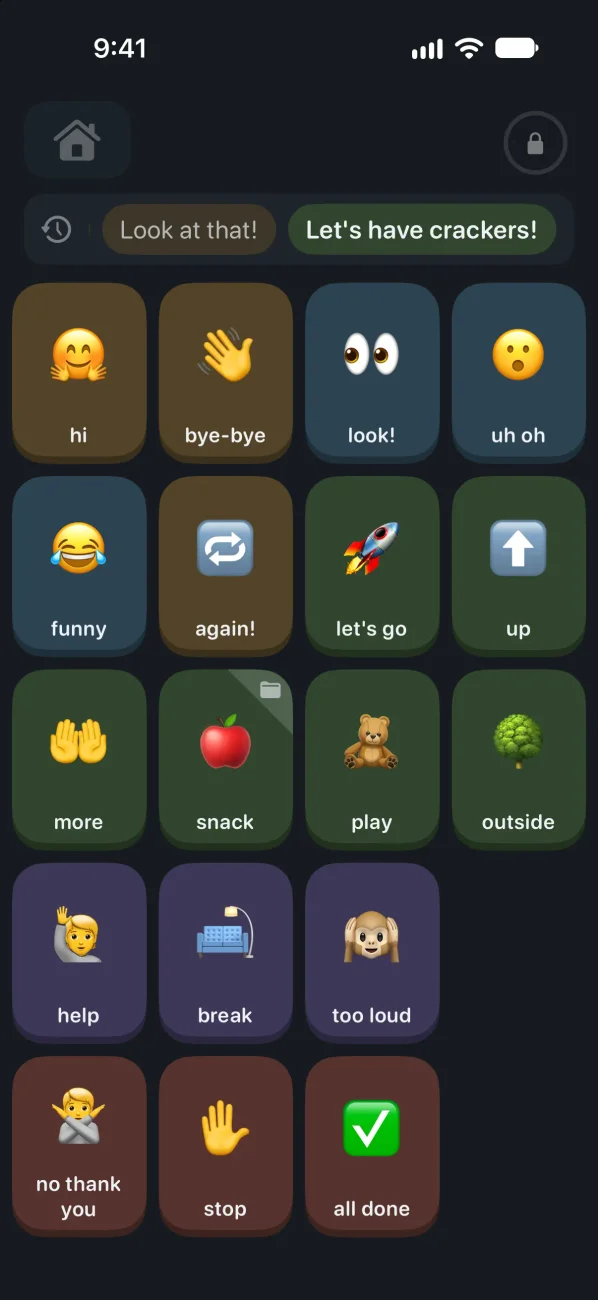
Hum is an AAC (augmentative and alternative communication) app for anyone, at any age. I made it for my daughter, who is a gestalt language processor (GLP): she learns language in whole phrases. I wanted an app that’s easy to customize, free for as many people as possible, and that lets her stim by tapping the same tile again and again. I hope it’s useful for your family too!!
FOR THE PERSON USING HUM
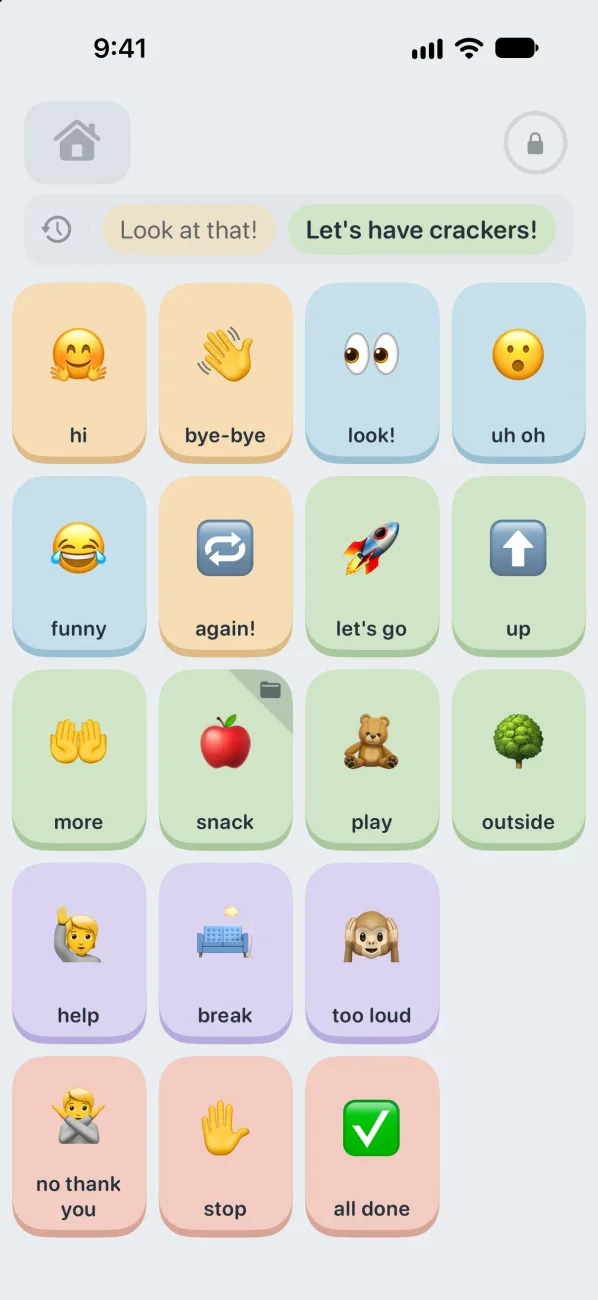
• Big, clear tiles. One tap says the whole phrase right away, even when tapped again and again.
• "No thank you", "Stop", "All done", "Help" and "Too loud" are the same size as every other tile. You decide where they go.
• Tiles never move by themselves, so it's easy to learn where everything is. • A history box shows what was said, so you can follow along.
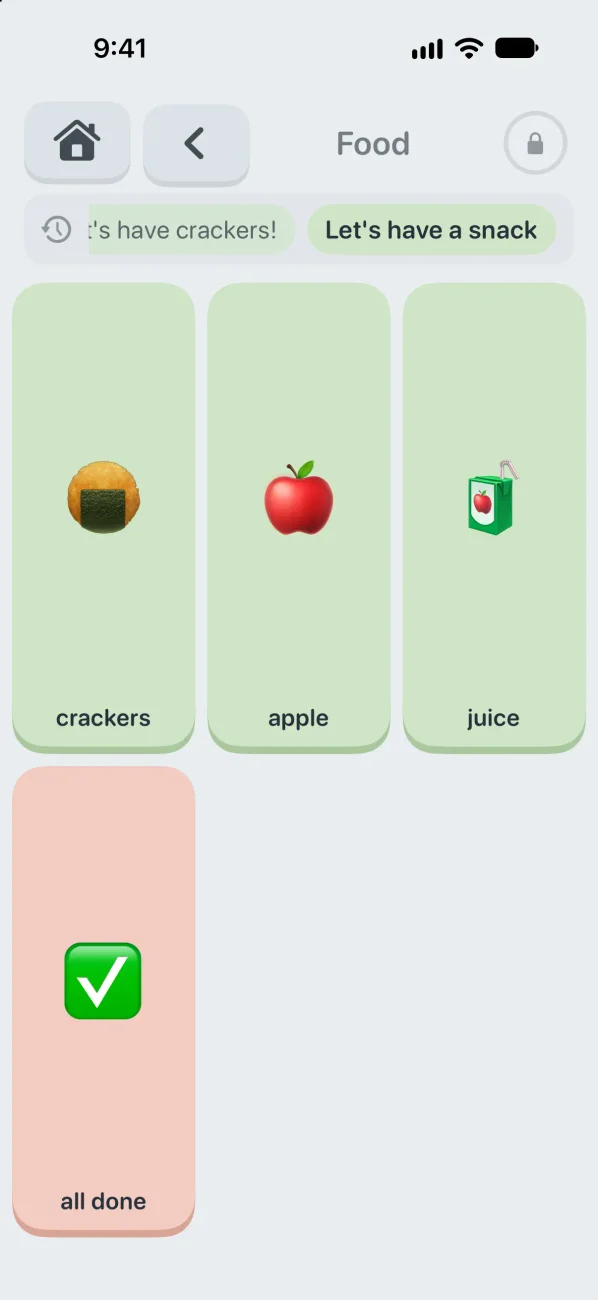
• Folders keep boards simple: a Snack tile can open a Food board.
• Optional: a word finder that lights up the way to a tile, a sentence strip for later stages, and a "What's this?" camera that offers words for a picture. • There are no stars, rewards, praise sounds or confetti. A tap just speaks.
FOR FAMILIES AND CAREGIVERS
• Hold the lock for 3 seconds to change things, so the board can't be changed by accident.
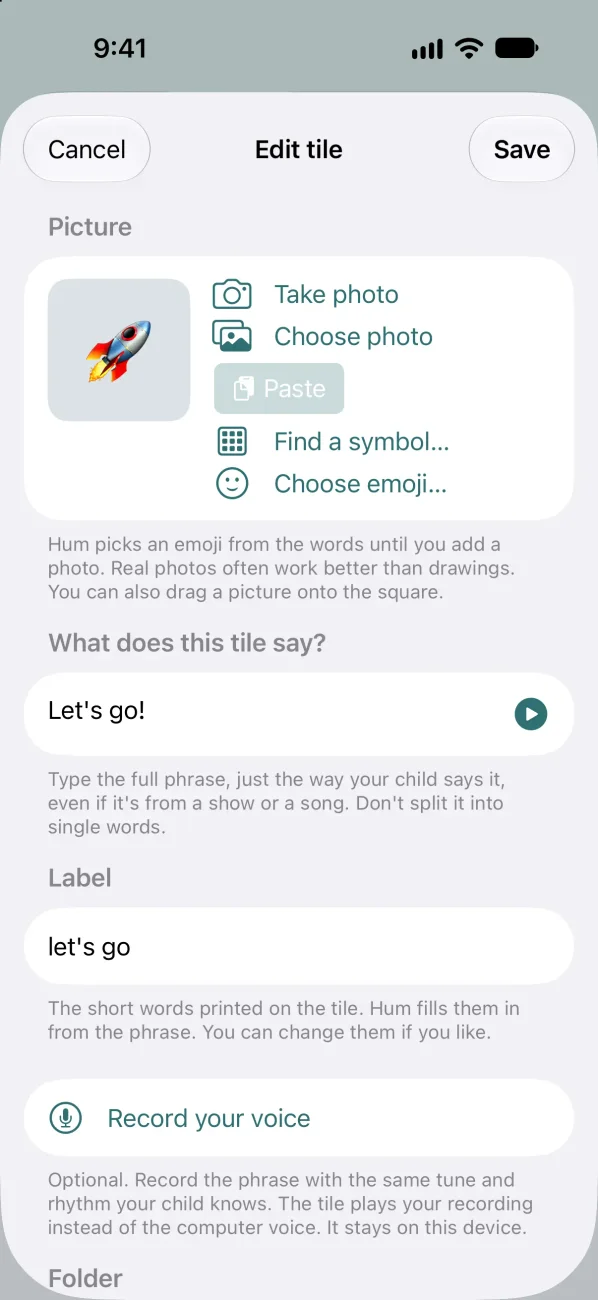
• Type a phrase exactly the way it's said. Hum picks a short label and an emoji for you.
• Add a real photo, choose an emoji, or search free symbols from ARASAAC and Mulberry.
• Record a phrase in your own voice, with the tune and rhythm they know.
• Choose a voice, or use Personal Voice and the enhanced system voices.
• Paste many phrases at once to make tiles quickly.
• Works with Guided Access to keep your child in Hum.
SHARE AND SYNC
• Keep boards the same on iPad, iPhone and Mac with your own iCloud (off until you turn it on).
• Send boards to a nearby device, or share them with AirDrop.
• Export and import boards as a .hum file. You see a preview before anything changes.
• The file format is open and documented, so you can make boards with a coding agent too.
AI HELPER (OPTIONAL) On devices with Apple Intelligence, Hum can suggest tiles from the phrases you describe. It is off until you turn it on. Nothing is added until you choose it, and suggestions can be wrong.
PRIVACY
• No ads, accounts, analytics or tracking. We collect no data.
• Hum works offline. It uses the network only when you start iCloud sync, the AI helper on Private Cloud Compute, a symbol search, or a nearby transfer.
• Photos, recordings and history stay on your device unless you turn on iCloud sync.
FREE FOREVER No in-app purchases, no subscriptions and no "pro" version. Hum is open source under the Apache License 2.0.
Available in English, Chinese (Simplified), French, German, Italian, Portuguese (Brazil) and Spanish.
Hum is a communication tool. It is not a medical device or therapy, and it doesn't replace a speech-language pathologist. Don't rely on Hum as the only way to call for help in an emergency.
App privacy
What Dhananjay Suresh declares on the App Store about how this app handles data.
-
Data not collected
The developer does not collect any data from this app.
Privacy practices may vary, for example with the features you use or your age.
Information
- Seller
- Dhananjay Suresh
- Category
- Education
- Version
- 1.0
- Updated
- Nov 15, 2026
- Released
- Nov 15, 2026
- Size
- 5.5 MB
- Requires
- iOS 18.0 or later
- Age rating
- 4+
- Price
- Free
- Languages
- English, French, German, Italian, Portuguese, Simplified Chinese, Spanish
- Copyright
- © Dhananjay Suresh
You might also like
-
 Find My Words AAC DictionaryCommunicate with confidence
-
 IconSpeak AACIconSpeak AAC speech app
-
 PictoNexoPictogram-based communication
-
 Give Me Words AACAAC Communication for All
-
 CommunPicto By CedmadCommunicate with pictograms
-
 Speech EZText to speech communication
-
 AAC Standard: AAC SymbolsTalk with symbols and a voice
-
 TBoard: Letterboard AAC TypingLetter board for spellers
-
 GoTalk® StartCommunication App
-
 SabiKo: AAC Made EasyCommunication board and TTS