
Hummingbird Biofeedback
Live HRV — Whoop, Polar, more
Designed for iPhone, iPad, iPod touch
Free · In-app purchases
- Age rating4+
- CategoryHealth & Fitness
- DeveloperSamantha Chan
- LanguagesEnglish
- Size26.1 MB
Links to the official App Store page
Download.org hosts no file of Hummingbird Biofeedback. The button opens its official App Store page, published by Samantha Chan. Listing last checked on Nov 23, 2026.
Screenshots

About
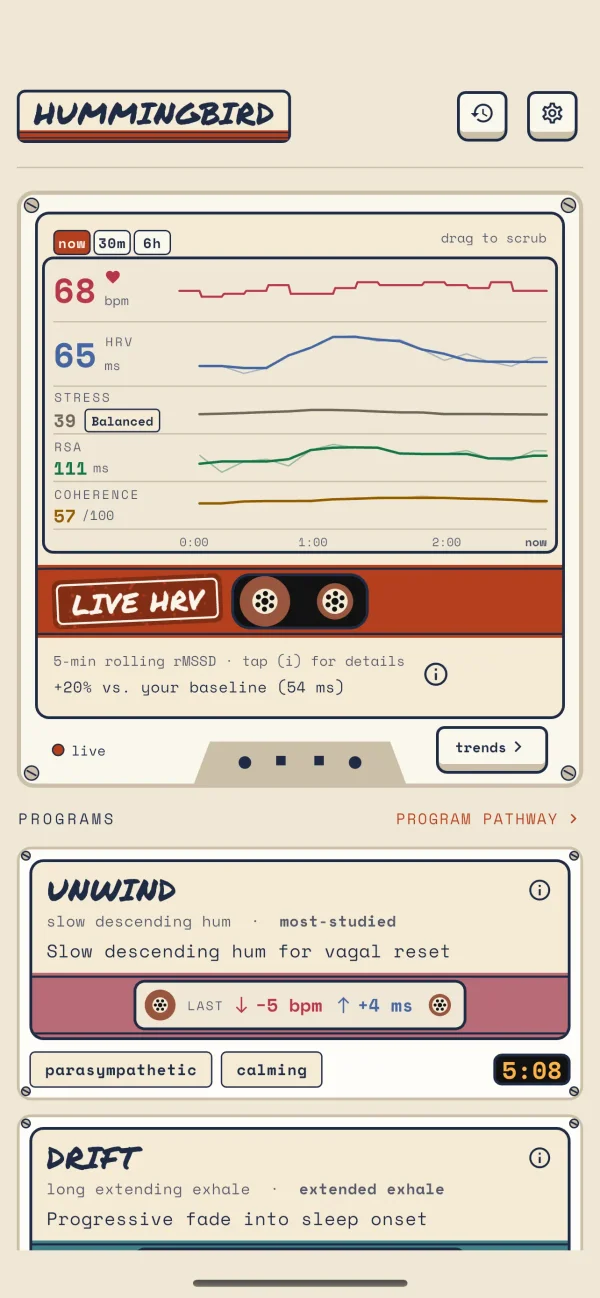
Hummingbird Biofeedback reads the Bluetooth signal your heart-rate strap (Whoop, Polar H10, Garmin HRM, …) is already broadcasting and shows live HRV, beat by beat, on your screen. No server. No account. The strap you already own, finally fully visible — alongside real-time biofeedback for humming, meditation, breathwork, or simply sitting still.
Pick a humming pattern and a pitch target moves across the screen, you hum along, and three live readouts update underneath — a real-time picture of what your nervous system is doing, not just one number.
— WHAT YOU WATCH, LIVE —
HRV 5-minute rolling rMSSD — the same metric used across the HRV ecosystem. Different moment of the day than your nightly score, same math.
RSA Vagal depth. Every breath stretches and releases your heart rate; RSA measures how big that swing is, in milliseconds. It's the amplitude of your breath's pull on your heart — and slow, deep humming widens it. Watch it widen, breath by breath.
COHERENCE Rhythm, on a 0–100 scale. How clean and orderly that wave is. When your breath and heartbeat settle into one smooth oscillation, coherence climbs toward the resonance "zone" — the difference between a flute holding one clear note and a radio stuck between stations.
Why three and not one? HRV alone is jumpy, and during slow breathing it can even dip — even as the rhythm underneath gets deeper (RSA) and cleaner (coherence). The extra two metrics catch what a single number misses, so you can watch a session take shape in real time instead of guessing.
What does five minutes of slow humming do to these numbers right now? What about fifteen minutes of meditation? Hummingbird is the simplest answer.
— FIVE HUMMING PATTERNS —
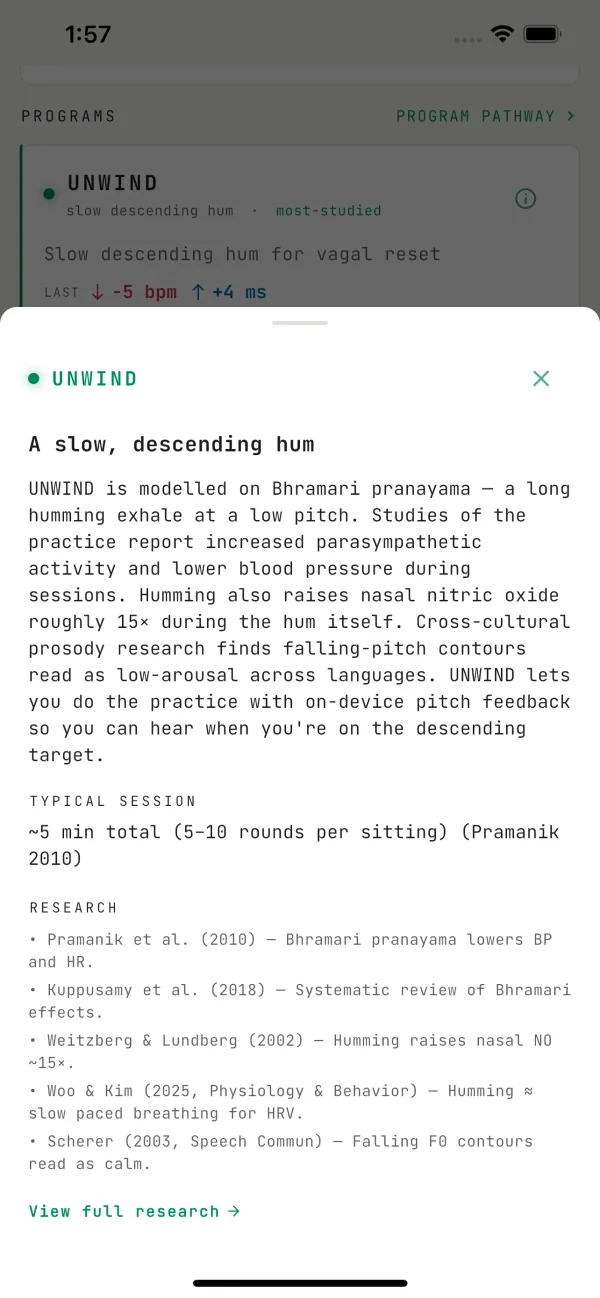
UNWIND Slow descending hum, the most-studied pattern.
DRIFT Long, narrowly-descending hum with a lullaby-shaped contour.
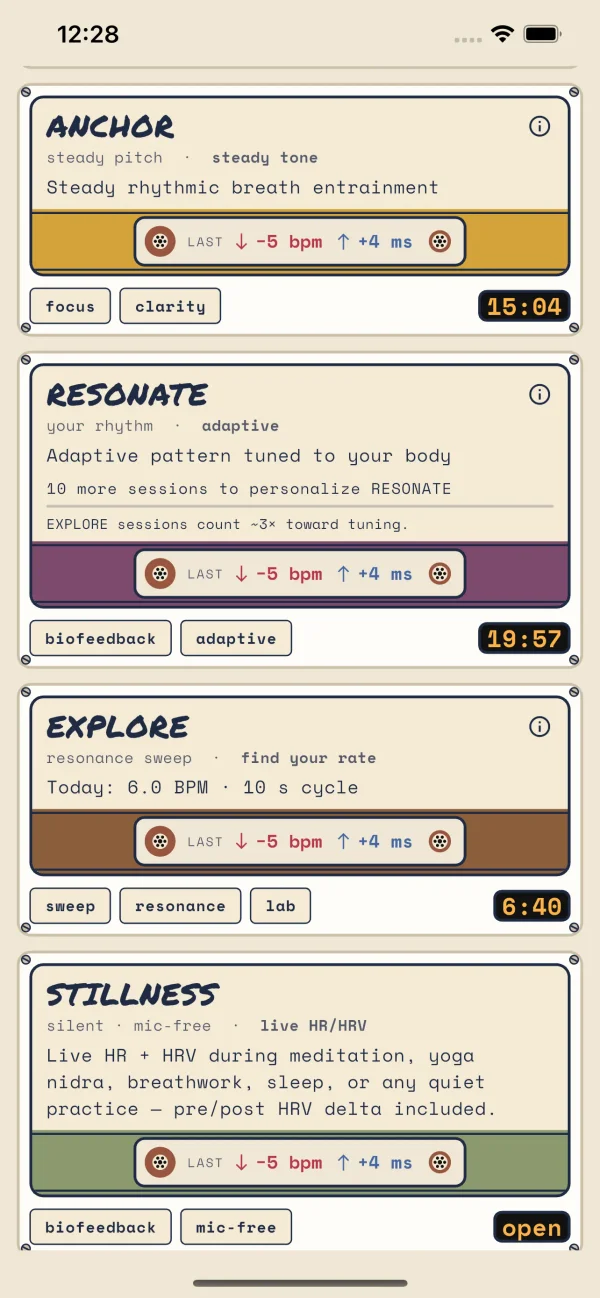
ANCHOR A held, steady pitch at a slow cadence.
RESONATE Pitch and pace near the cardiovascular resonance band (~6 BPM).
EXPLORE Free-form humming — no target, no prescribed cadence.
— PLUS STILLNESS —
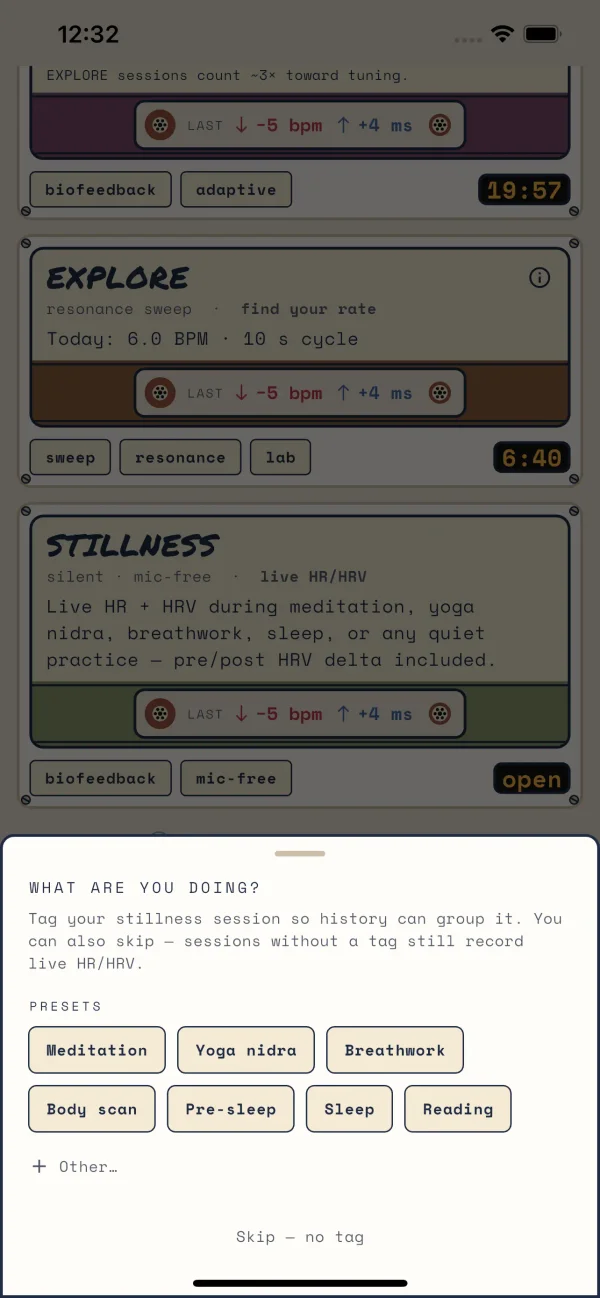
Silent, mic-free biofeedback for any quiet practice — meditation, yoga nidra, body scan, pre-sleep wind-down, post-stress reset. No pitch target, no prescribed cadence. A passive expanding ring paces ~5.5 breaths/minute if you want an anchor; ignore it and the session still captures HRV, RSA, and coherence either way. Pick a 5, 10, 15, 20, or 30-minute timer (or Open) and tag the session with what you actually did, so a 6-ms rMSSD rise after "Pre-sleep" and a 6-ms rise after "Cold plunge" stay sortable in your history.
Tap the (i) on any card for the design rationale and references to the published research that informed each parameter (pitch contour, range, cycle timing, session length).
What’s new
Version 1.2.10 · Nov 17, 2026
## Readings right where you drag
### Recommended
READINGS RIGHT AT YOUR FINGER
Drag across any chart and each reading now appears right beside the line under your finger. You no longer have to look over to the edge of the chart to read it.
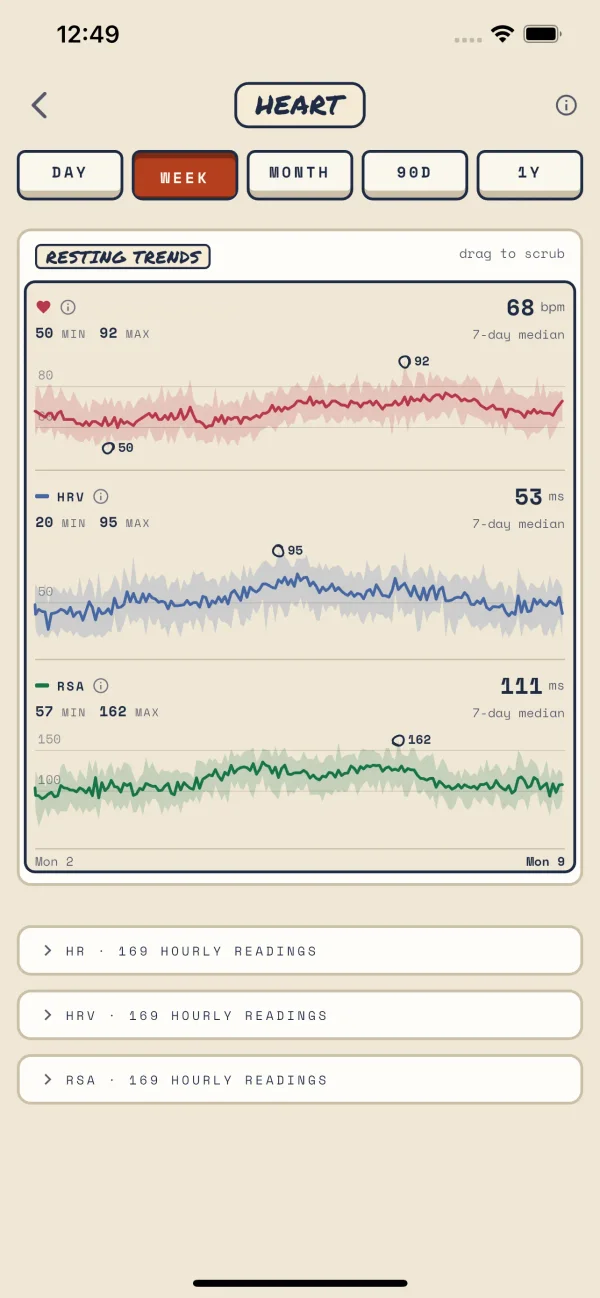
• Works on every chart you can drag: live during a session and in Stillness, the resting baseline and recovery hold, the session summary, History, the Heart screen, Home's recent trends and Biometrics, and Impact.
• Where several trends share one line, each shows its own number beside it, so you can read every metric at that moment straight down the line.
• The larger readings at the edge still follow your finger, as before.
• Near the right edge, readings move to the left of the line so they stay in view.
• On narrower charts (the Cassette look, smaller phones, or larger text), a reading stacks onto two lines, value over time, so it never covers the line.
ALSO IN THIS UPDATE
• On the Heart screen, the hourly and daily readings headers no longer run past their cards on small phones with the largest text.
### Short
Drag across any chart and each reading now appears right beside the line under your finger, on every chart in the app: during a session, in History, on the Heart screen, Home and Impact. Where several trends share one line, their numbers line up beside it, and on narrow charts they stack onto two lines so they never cover the line. The larger readings at the edge still follow your finger as before.
App privacy
What Samantha Chan declares on the App Store about how this app handles data.
-
Data not collected
The developer does not collect any data from this app.
Privacy practices may vary, for example with the features you use or your age.
Information
- Seller
- Samantha Chan
- Category
- Health & Fitness
- Version
- 1.2.10
- Updated
- Nov 17, 2026
- Released
- May 8, 2026
- Size
- 26.1 MB
- Requires
- iOS 15.1 or later
- Age rating
- 4+
- Price
- Free
- In-app purchases
- Yes
- Languages
- English
- Copyright
- © Spicy Ginger Labs
You might also like
-
 Yudemon HRVHRV Biofeedback & Breathwork
-
 Pear - Vibe TogetherSleep tracking made social
-
 Optimal HRV: BiofeedbackStress Relief & HRV Training
-
 Kubios HRV - Daily ReadinessHeart rate variability
-
 Sonar - Health & PerformanceFitness, Sleep & Recovery
-
 Morpheus TrainingHealth & Fitness
-
 Livity: Sleep & Health TrackerReadiness, HRV, Stress & Watch
-
 HeartMathCalm mind. Open heart.
-
 Don't Die - Bryan JohnsonLet's not die, together.
-
 FivePointFive: BreathworkAthlete Breathing Exercises