
- Age rating4+
- CategoryUtilities
- DeveloperJohann Brockstedt
- LanguagesFrench+ 11 more
- Size3.6 MB
Links to the official App Store page
Download.org hosts no file of HyperDrop – Send Files. The button opens its official App Store page, published by Johann Brockstedt. Listing last checked on Nov 23, 2026.
Screenshots

About
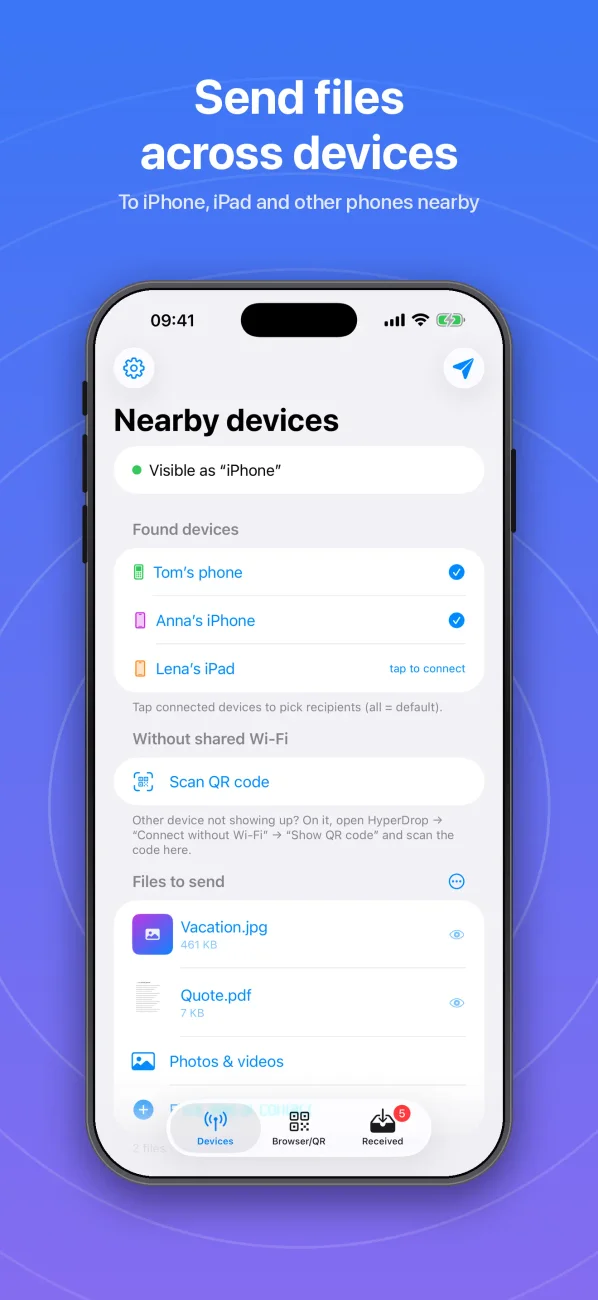
HyperDrop sends photos, videos, documents, texts, contacts and links directly from device to device – between iPhone and iPad, and to other phones running HyperDrop. Fast, private and without any detour through the cloud. No account, no sign-up, no ads.
THREE WAYS TO SHARE
• iPhone and iPad: Nearby devices find each other automatically over Bluetooth and direct Wi‑Fi – no shared network needed. Tap, send, done – with live progress and speed.
• Other phones with HyperDrop: On the same Wi‑Fi they appear in the list automatically. Without a shared Wi‑Fi, the other phone opens its own small hotspot and shows a QR code – scan, connect, send. In both directions.
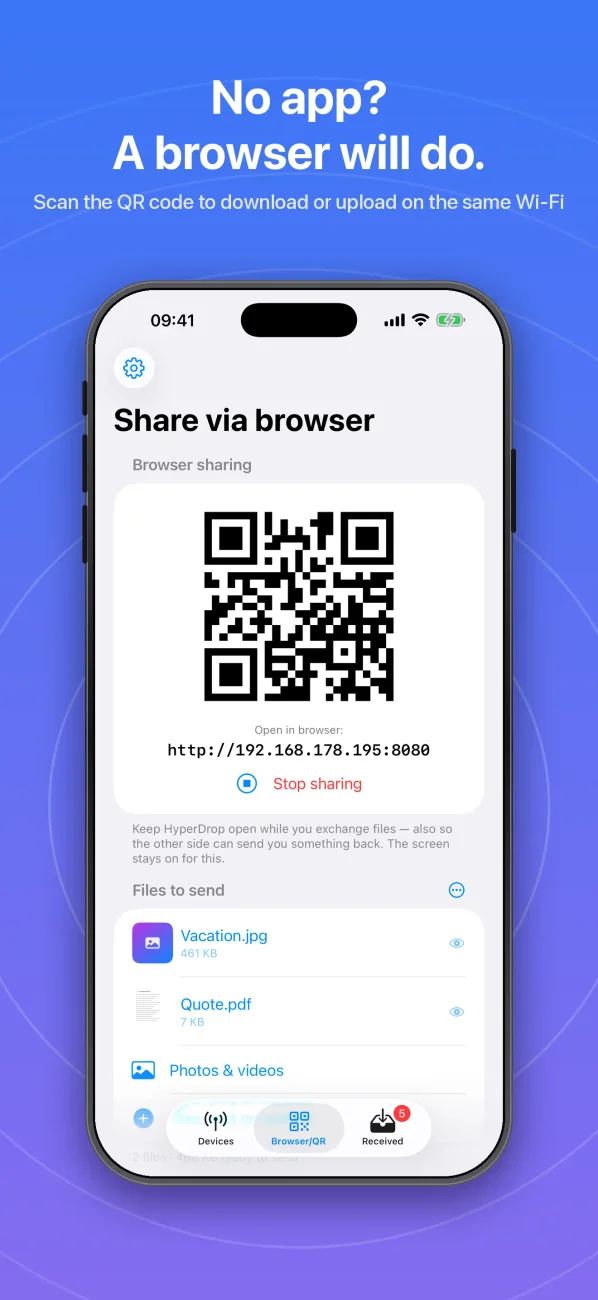
• Browser/QR (only one has the app): HyperDrop shows a QR code and link. The other device opens it in any web browser to download your files or send you some back. Just a shared Wi‑Fi is needed.
WHAT YOU CAN SEND
• Photos & videos straight from your library (even whole albums)
• Documents and any files, folders too (as a ZIP)
• Texts and links
• Your own contact card or a contact from your address book
HANDY EVERY DAY
• Multiple recipients at once
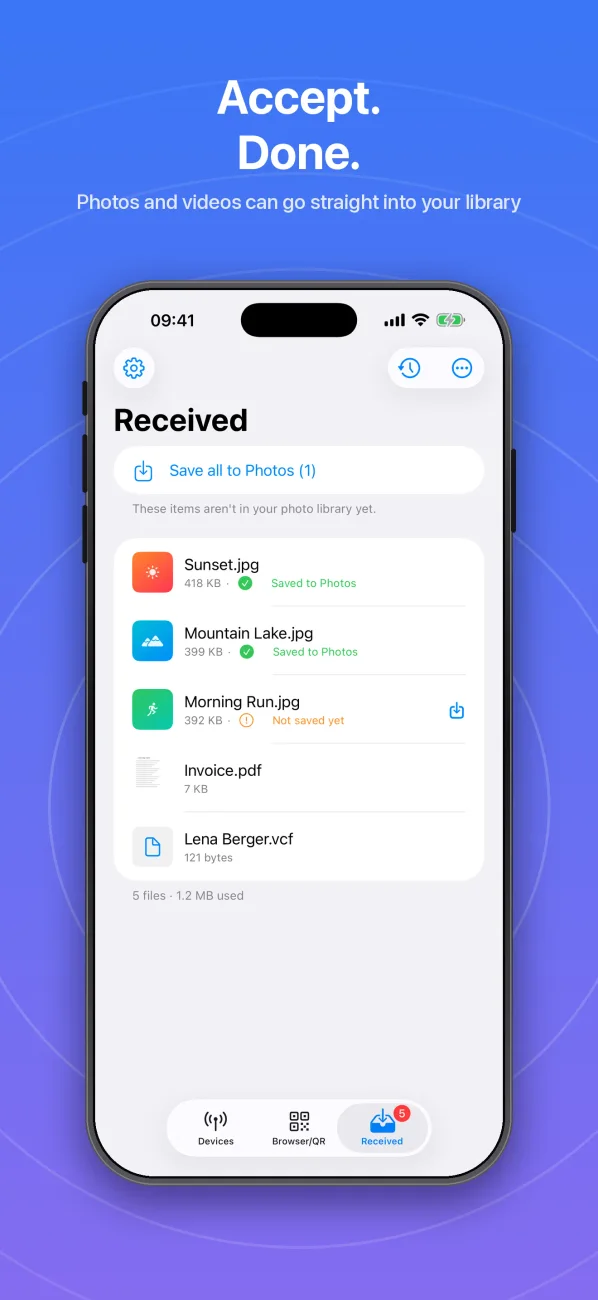
• Accept or decline – you decide what arrives
• Thumbnails for received files
• Received photos and videos are saved to your library automatically
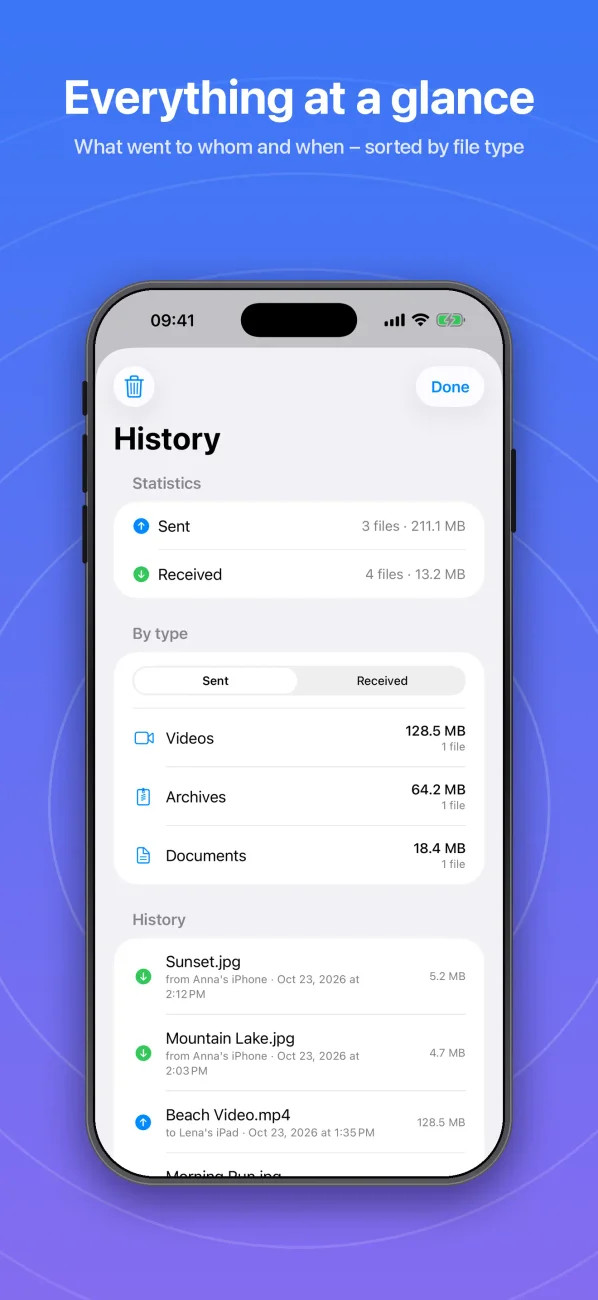
• Transfer history with an overview by file type
• "Send to HyperDrop" right from Photos, Safari & Files
• Available in 12 languages
YOUR FILES STAY WITH YOU
All transfers go directly between devices on the local network or via Bluetooth – no servers, no account. Between devices with HyperDrop they are encrypted. Your files are not stored anywhere along the way.
NOTE
Browser mode transfers unencrypted within the local Wi‑Fi – use it on trusted networks. Use at your own responsibility.
What’s new
Version 1.4.1 · Nov 10, 2026
Optimized for iPhone Duo: when unfolded, the app uses the entire large display, in portrait and landscape.
Privacy policy and legal notice are available right in the app under Settings → Legal & Info.
App privacy
What Johann Brockstedt declares on the App Store about how this app handles data.
-
Data not linked to you
May be collected but is not linked to your identity.
- Usage data
Privacy practices may vary, for example with the features you use or your age.
Information
- Seller
- Johann Brockstedt
- Category
- Utilities
- Version
- 1.4.1
- Updated
- Nov 10, 2026
- Released
- Jul 16, 2026
- Size
- 3.6 MB
- Requires
- iOS 17.0 or later
- Age rating
- 4+
- Languages
- French, German, English, Korean, Spanish, Indonesian, Italian, Japanese, Dutch, Portuguese, Swedish, Turkish
- Copyright
- © 2026 Johann Brockstedt
You might also like
-
 EasyJoin Pad: Local File ShareSend to PC, Mac & Mobile
-
 knot ~ Simple Friend List ~Utilities
-
 FileBusFast File Transfer & Share
-
 Medidor De Decibelios AppUtilities
-
EasyJoin Air: Local File ShareSend to PC, Mac & Mobile
-
 Agent Files: Video&Media SaverTransfer,Manage & Play Offline
-
 EasyShare - Share Files FastShare files instantly
-
 RacBookUtilities
-
 Anemometer.Anemometer.
-
 DropCopy - File TransferFile Sharing & Clipboard Sync