
HyperDrop – Send Files
Send files, no cloud
Được thiết kế cho iPhone, iPad
Miễn phí
- Độ tuổi4+
- Danh mụcTiện Ích
- Nhà phát triểnJohann Brockstedt
- Ngôn ngữTiếng Pháp+ 11 ngôn ngữ khác
- Kích thước3,6 MB
Liên kết đến trang App Store chính thức
Download.org không lưu trữ tệp nào của HyperDrop – Send Files. Nút này mở trang ứng dụng trên App Store, nơi Johann Brockstedt phát hành ứng dụng. Trang được kiểm tra lần cuối: 23/11/2026.
Ảnh chụp màn hình

Giới thiệu
Nhà phát triển chưa cung cấp nội dung này bằng ngôn ngữ của bạn.
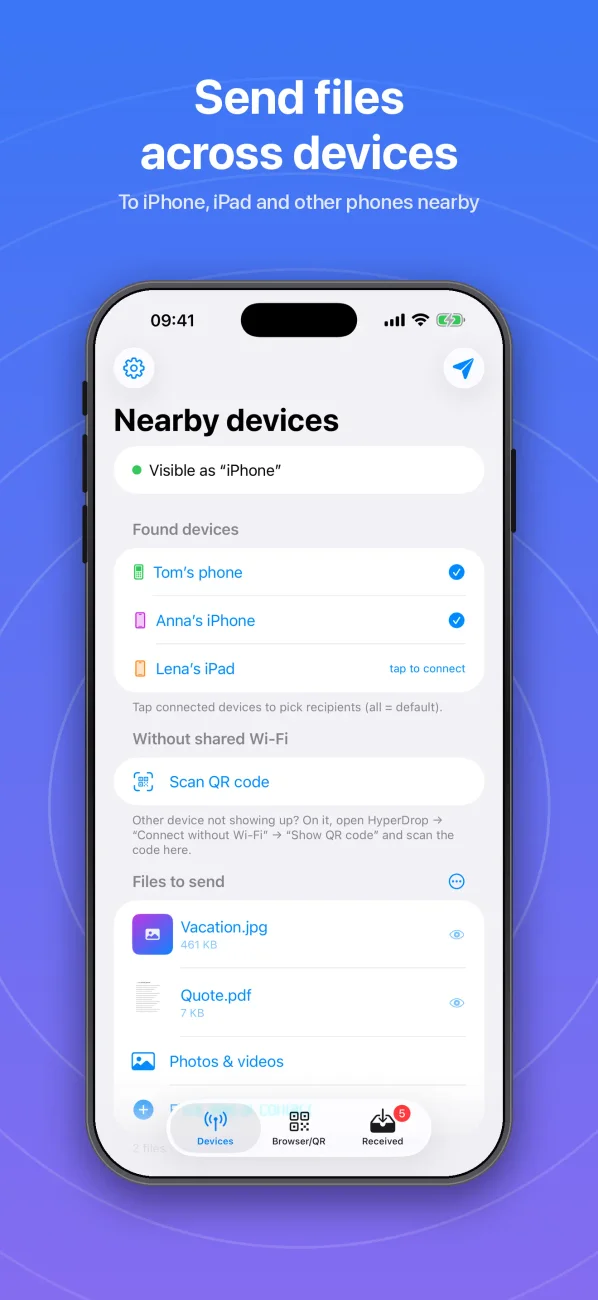
HyperDrop sends photos, videos, documents, texts, contacts and links directly from device to device – between iPhone and iPad, and to other phones running HyperDrop. Fast, private and without any detour through the cloud. No account, no sign-up, no ads.
THREE WAYS TO SHARE
• iPhone and iPad: Nearby devices find each other automatically over Bluetooth and direct Wi‑Fi – no shared network needed. Tap, send, done – with live progress and speed.
• Other phones with HyperDrop: On the same Wi‑Fi they appear in the list automatically. Without a shared Wi‑Fi, the other phone opens its own small hotspot and shows a QR code – scan, connect, send. In both directions.
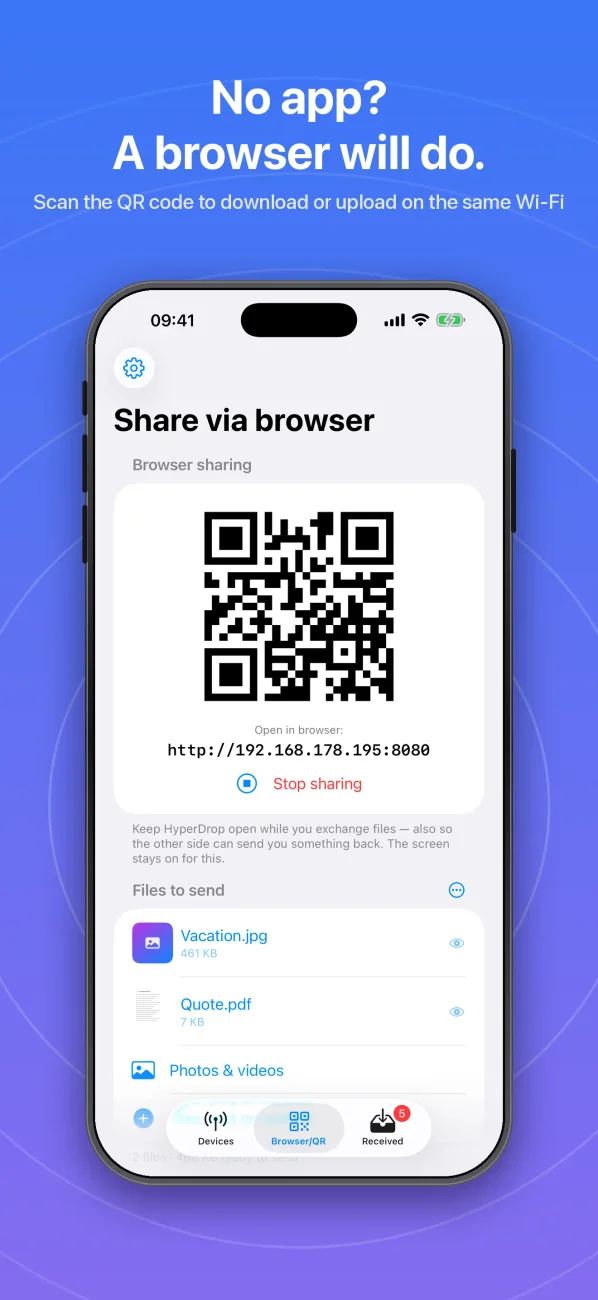
• Browser/QR (only one has the app): HyperDrop shows a QR code and link. The other device opens it in any web browser to download your files or send you some back. Just a shared Wi‑Fi is needed.
WHAT YOU CAN SEND
• Photos & videos straight from your library (even whole albums)
• Documents and any files, folders too (as a ZIP)
• Texts and links
• Your own contact card or a contact from your address book
HANDY EVERY DAY
• Multiple recipients at once
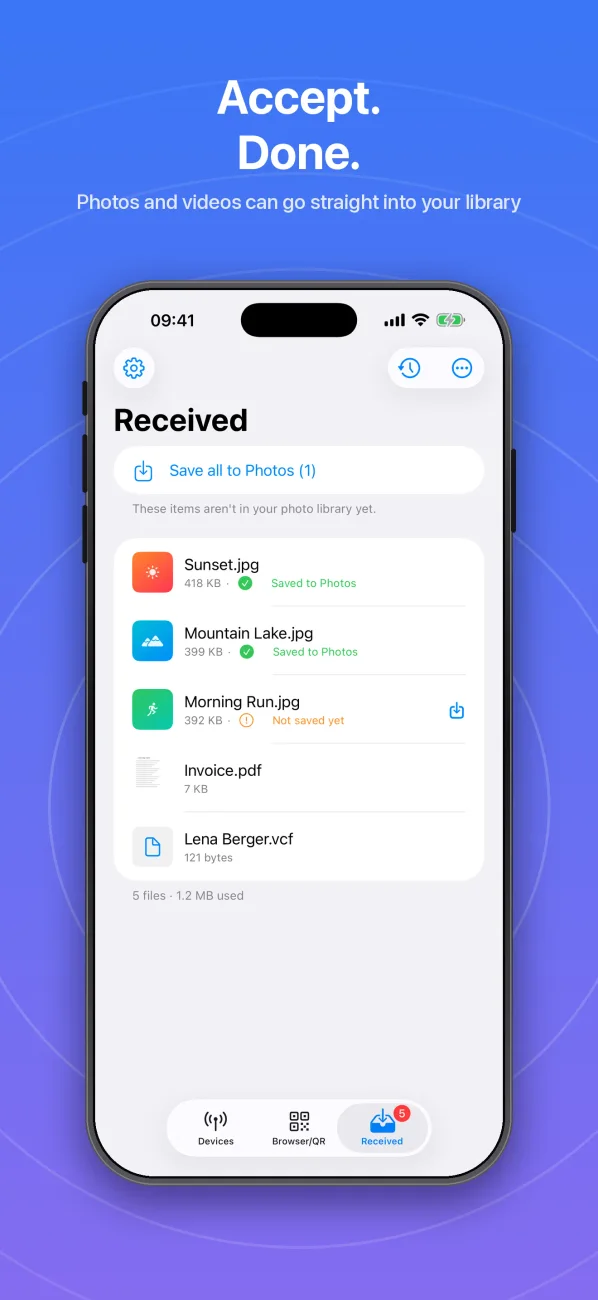
• Accept or decline – you decide what arrives
• Thumbnails for received files
• Received photos and videos are saved to your library automatically
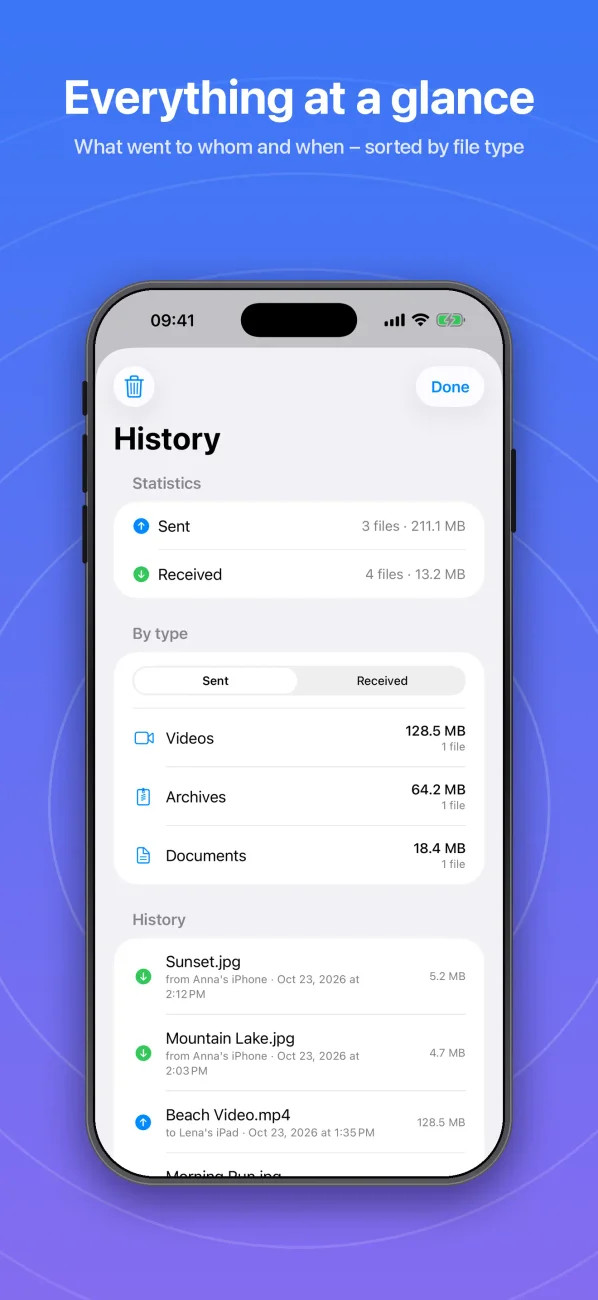
• Transfer history with an overview by file type
• "Send to HyperDrop" right from Photos, Safari & Files
• Available in 12 languages
YOUR FILES STAY WITH YOU
All transfers go directly between devices on the local network or via Bluetooth – no servers, no account. Between devices with HyperDrop they are encrypted. Your files are not stored anywhere along the way.
NOTE
Browser mode transfers unencrypted within the local Wi‑Fi – use it on trusted networks. Use at your own responsibility.
Có gì mới
Phiên bản 1.4.1 · 10/11/2026
Optimized for iPhone Duo: when unfolded, the app uses the entire large display, in portrait and landscape.
Privacy policy and legal notice are available right in the app under Settings → Legal & Info.
Quyền riêng tư của ứng dụng
Những gì Johann Brockstedt khai báo trên App Store về cách ứng dụng này xử lý dữ liệu.
-
Dữ liệu không liên kết với bạn
Có thể được thu thập nhưng không liên kết với danh tính của bạn.
- Dữ liệu sử dụng
Phương thức đảm bảo quyền riêng tư có thể khác nhau, chẳng hạn như tuỳ theo các tính năng bạn sử dụng hoặc độ tuổi của bạn.
Thông tin
- Người bán
- Johann Brockstedt
- Danh mục
- Tiện Ích
- Phiên bản
- 1.4.1
- Cập nhật
- 10/11/2026
- Phát hành
- 16/07/2026
- Kích thước
- 3,6 MB
- Yêu cầu
- iOS 17.0 trở lên
- Độ tuổi
- 4+
- Giá
- Miễn phí
- Ngôn ngữ
- Tiếng Pháp, Tiếng Đức, Tiếng Anh, Tiếng Hàn, Tiếng Tây Ban Nha, Tiếng Indonesia, Tiếng Ý, Tiếng Nhật, Tiếng Hà Lan, Tiếng Bồ Đào Nha, Tiếng Thụy Điển, Tiếng Thổ Nhĩ Kỳ
- Bản quyền
- © 2026 Johann Brockstedt
Có thể bạn cũng thích
-
 EasyJoin Pad: Local File ShareTiện Ích
-
 knot ~ Simple Friend List ~Tiện Ích
-
 FileBusChuyển Tệp Nhanh & Chia Sẻ
-
 Medidor De Decibelios AppTiện Ích
-
EasyJoin Air: Local File ShareTiện Ích
-
 Agent Downloader & Files ShareFast Video & File Downloader
-
 EasyShare - Share Files FastTiện Ích
-
 RacBookTiện Ích
-
 Anemometer.Tiện Ích
-
 DropCopy - Gửi TệpChia sẻ tệp & bộ nhớ tạm