Hypnogram: Music Visualizer
Canvas, VJ Loops & Cover Video
Designed for iPhone, iPad
Free · In-app purchases
- Age rating4+
- CategoryPhoto & Video
- DeveloperOB Data LLC
- LanguagesEnglish
- Size112.9 MB
Links to the official App Store page
Download.org hosts no file of Hypnogram: Music Visualizer. The button opens its official App Store page, published by OB Data LLC. Listing last checked on Nov 25, 2026.
Screenshots


About
Hypnogram turns your track and cover art into a video that moves to the beat: release posts, spin videos, Canvas loops and visuals for your set, made on your iPhone or iPad.
GIG LOOPS
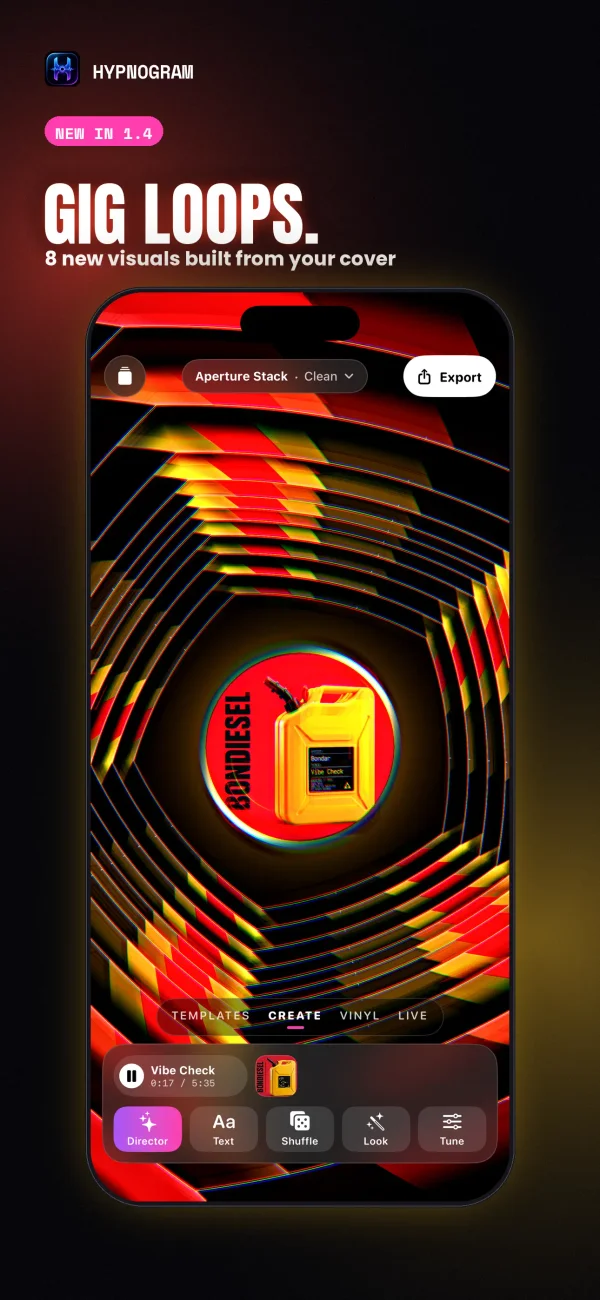
47 visuals made for looping at gigs, built from your cover: it becomes the lens, the ink, the print or the screen inside the visual. Each kick moves the whole structure exactly one step, and every loop repeats seamlessly on 8 or 16 bars with no crossfade. From 170 BPM they hit on beats 1 and 3 only, and with Dim Flashing Lights or Reduce Motion on they calm their flashes.
VIDEO LOOPS
21 video loops of club walls, laser haze, mirror balls, smoke, ink and more. Your cover shows on their screens or sets their colors, they punch on the kick, and they export as seamless loops on whole bars.
FX, LYRICS AND FONTS
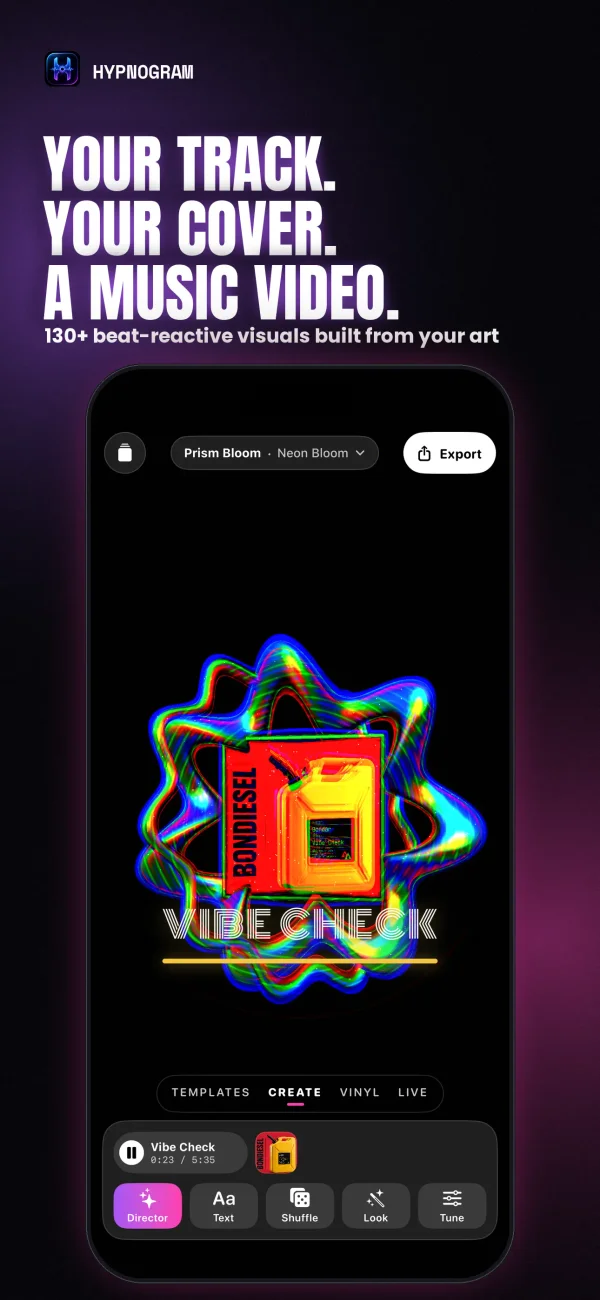
Put Shapes, Lock-on, Prism or CRT over any visual. Each one moves on the kick and stays in your exports. Paste up to 16 lines of lyrics and the app places them on whole bars from the drop, the hook or the start of your song. Import your own .ttf or .otf fonts, and paste an image from your clipboard as the cover.
TEMPLATES
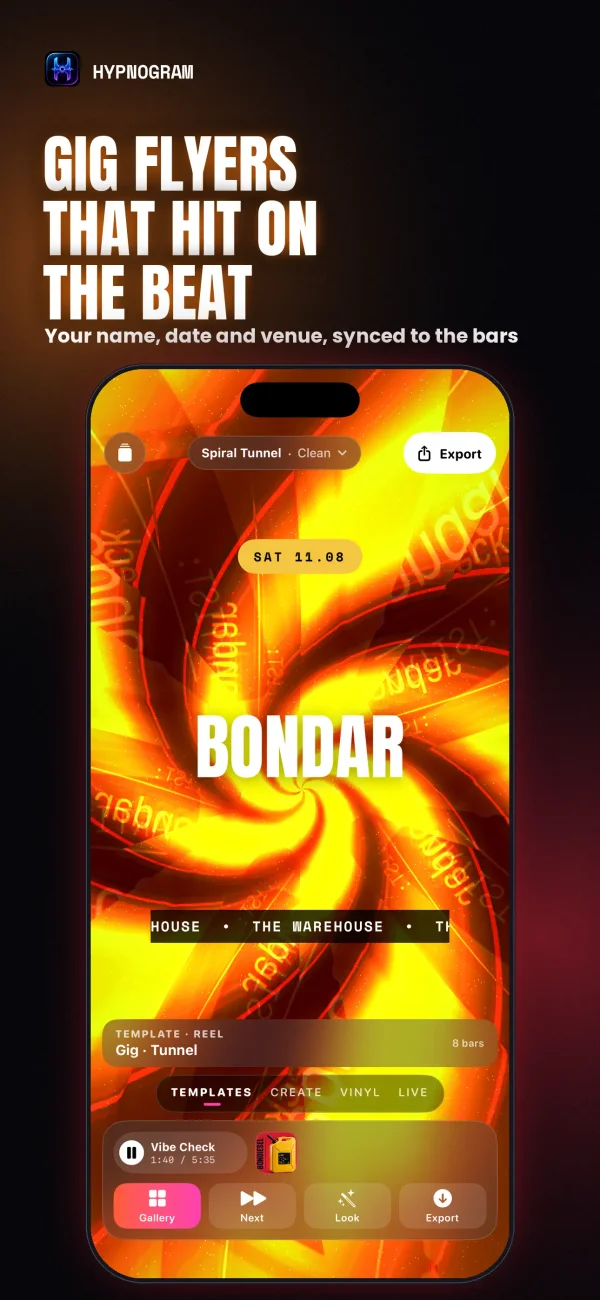
There are templates for release day, pre-saves, gigs, mixes, tracklists, label drops, vinyl, Spotify Canvas and VJ loops. Type your title and date once and tap one: it lands on the right part of your song (the drop, the hook or the top), on whole bars at the real tempo, and fills in your words. Tap any line to change its words, font, colors, motion and timing. Save your logo, colors and fonts in your artist kit and every template uses them, then export all formats at once.
VINYL
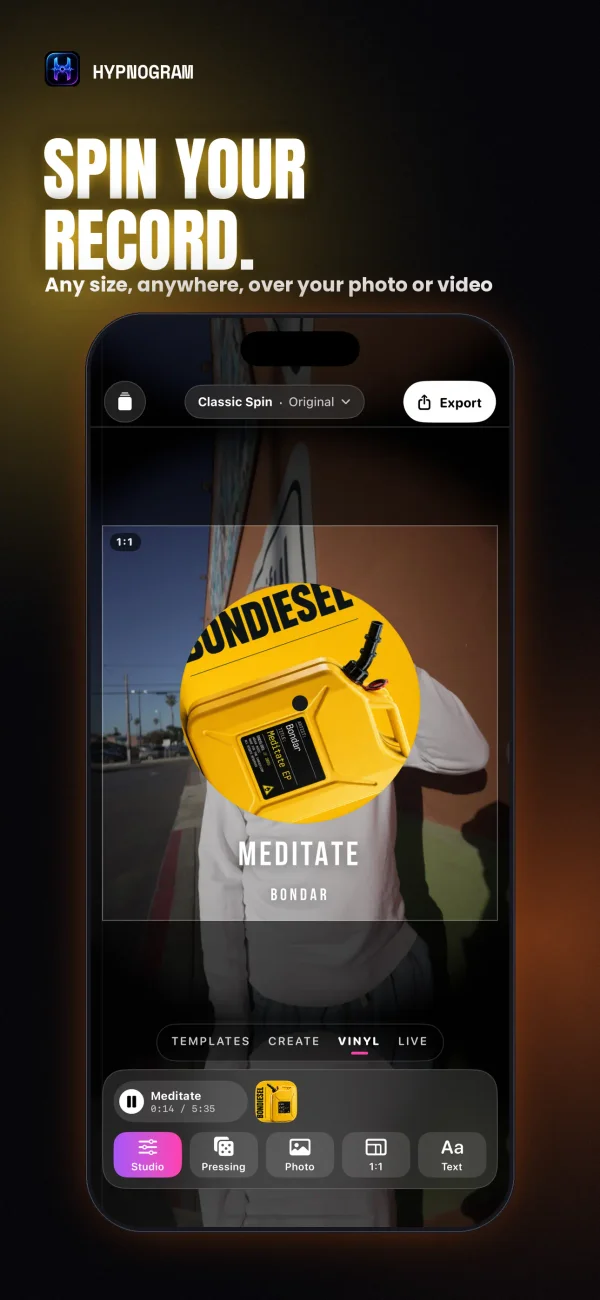
Vinyl Close-Up shows a record from above with your cover as the label, turning in time with the track. Cutout spins a circle of one picture in place. You can also press your cover as a full-print record and spin it over the cover itself or your own photo or video. Turntable, sleeve and needle-drop shots are there too, with pressings from picture disc to splatter, marble, gold and glow.
LIVE
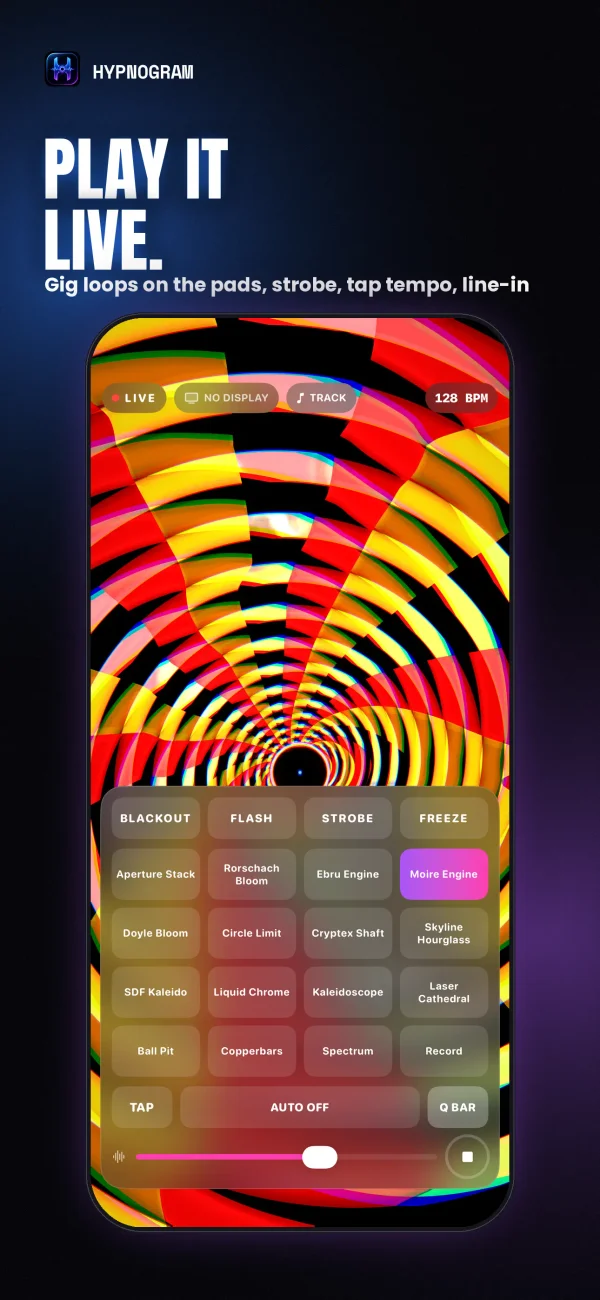
Live mode is a gig console with scene pads that switch on the bar, plus auto mode, blackout, flash, strobe, freeze, tap tempo and Line In from your mixer or mic. On iOS 27, send a clean picture to a projector or LED wall while your phone stays the controller.
EVERYTHING ELSE
• 100+ beat-reactive visuals: 47 gig loops, 21 video loops, abstract tunnels, toon worlds, demoscene classics, Immersive Worlds and Logo FX
• Your cover sits inside the classic visuals as a medallion that ticks with the kick
• Stem FX: the kick punches the camera, the snare pops the light, the hats sparkle and the vocal blooms
• Film looks with halation, bloom and grain, and kinetic text on your song's timeline
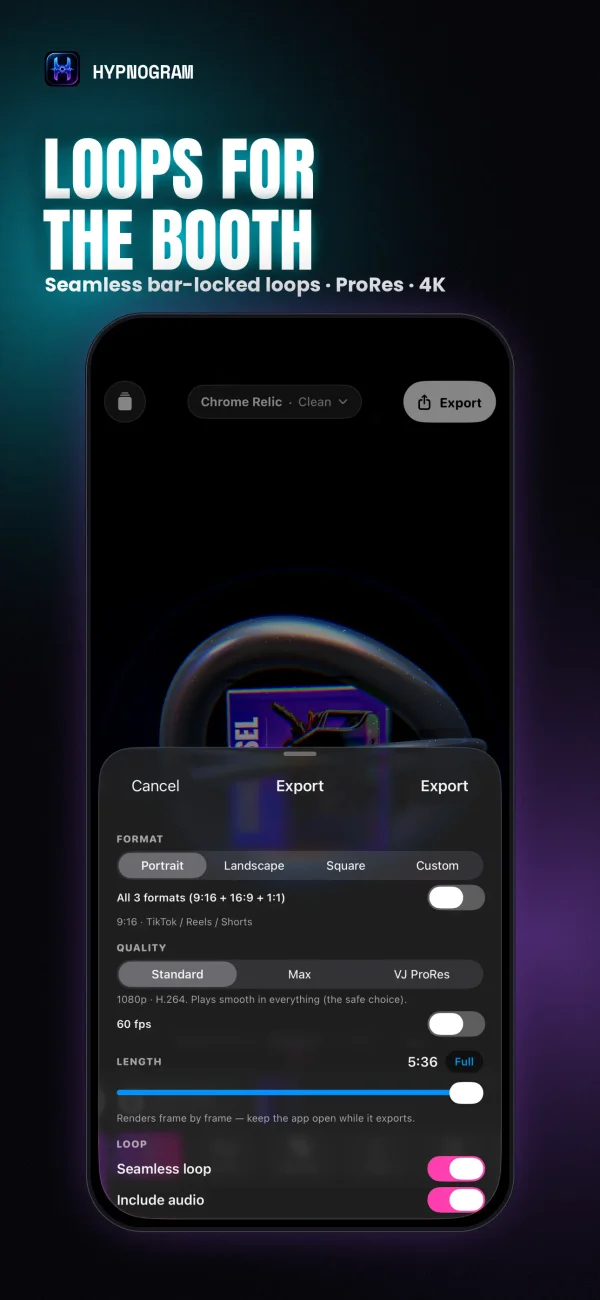
• Export 9:16, 16:9 and 1:1 in one go, at 60 fps, as ProRes for Resolume and VDMX, or at custom sizes for LED walls
• Projects remember your look, record, template, gig loop and track
HYPNOGRAM PREMIUM
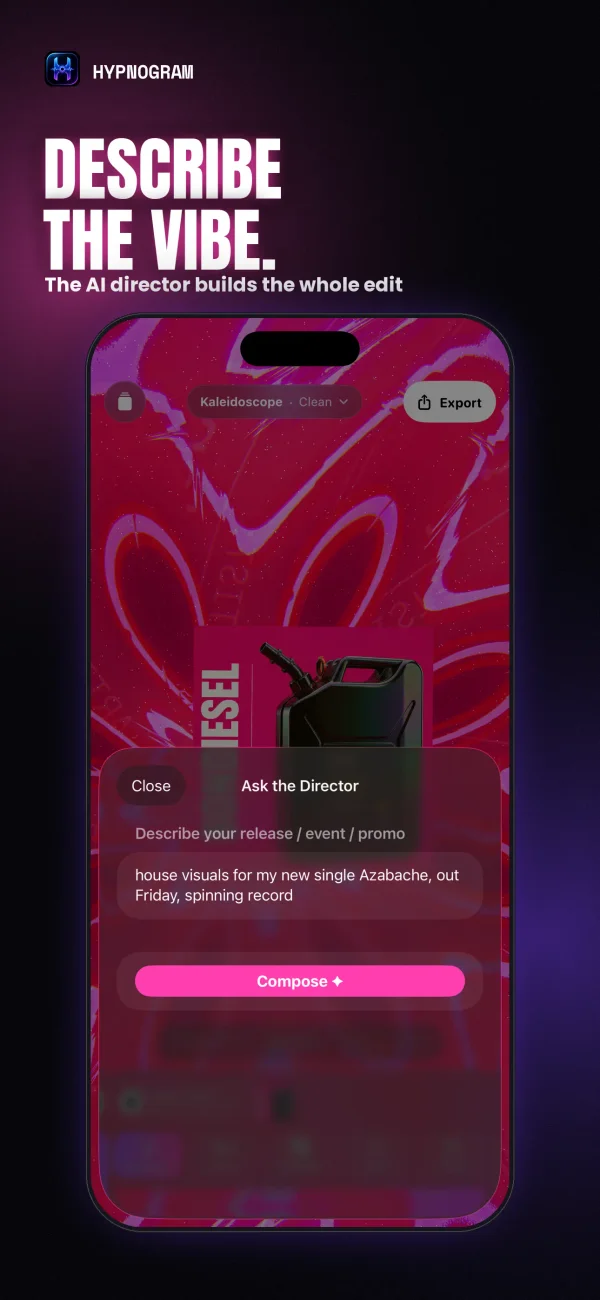
Hypnogram is free to use. Free exports come in 1080p with a small Hypnogram watermark in the corner. Premium removes the watermark, unlocks Max quality exports that are sharper than 1080p, and adds the AI Director. Describe your release in one sentence and it builds the whole edit for your track: the visual, the look and the colors, the energy around your drop and your text on time, including lyrics you paste.
Premium is a monthly or yearly auto-renewing subscription, and the yearly plan starts with a 1-week free trial for new subscribers. The app shows the price before you buy. Apple charges your Apple Account when you confirm the purchase, or when the free trial ends. The subscription renews automatically unless you cancel at least 24 hours before the end of the current period. You can manage or cancel it in your Apple Account settings.
Rendering happens on your device. Your music, artwork, photos and videos never leave your phone unless you share a finished video yourself.
Terms of Use: https://www.hypnogram.app/terms
Privacy Policy: https://www.hypnogram.app/privacy
What’s new
Version 1.8.0 · Nov 23, 2026
Hypnogram 1.8
Premium now gets you three things:
- No watermark. Free exports carry a small Hypnogram mark in the corner, Premium exports are clean.
- Max quality exports, sharper than 1080p.
- The AI Director: describe your release in one sentence and get a finished edit.
The yearly plan starts with a 1-week free trial for new subscribers.
Also new: the export sheet shows what's free and what's Premium.
App privacy
What OB Data LLC declares on the App Store about how this app handles data.
-
Data not collected
The developer does not collect any data from this app.
Privacy practices may vary, for example with the features you use or your age.
Information
- Seller
- OB Data LLC
- Category
- Photo & Video
- Version
- 1.8.0
- Updated
- Nov 23, 2026
- Released
- Jun 18, 2026
- Size
- 112.9 MB
- Requires
- iOS 17.0 or later
- Age rating
- 4+
- Price
- Free
- In-app purchases
- Yes
- Languages
- English
- Copyright
- © 2026 Hypnogram
You might also like
-
 Audio Visualizer: BeatLusterMusic Video Maker for Creators
-
 RhythmReelMake videos bounce to music.
-
 GoPromptVideo Teleprompter & Recorder
-
 FX Cam: Camera FiltersReal Time Video Effects
-
 Camera Cube - 3D Effects Live!3D Camera Filters & Effects
-
 Blozzum BittyA Humbler GPU-Gentler Blozzum
-
 Resonance: Visual InstrumentAudio Visualizer & Effects
-
 KaleidoDarkKaleidoscope Video Editor
-
 TOKIIROShowa & Heisei Retro Camera
-
 Record SpinnerVideo editing for musicians