
Resonance: Visual Instrument
Audio Visualizer & Effects
Designed for iPhone, iPad
Free · In-app purchases
- Age rating4+
- CategoryPhoto & Video
- DeveloperVincent Galeano
- LanguagesEnglish
- Size5.5 MB
Links to the official App Store page
Download.org hosts no file of Resonance: Visual Instrument. The button opens its official App Store page, published by Vincent Galeano. Listing last checked on Nov 20, 2026.
Screenshots


About
Resonance turns sound into a living visual instrument — transforming audio into mesmerizing, real-time visuals powered by GPU acceleration, right on your iPhone.
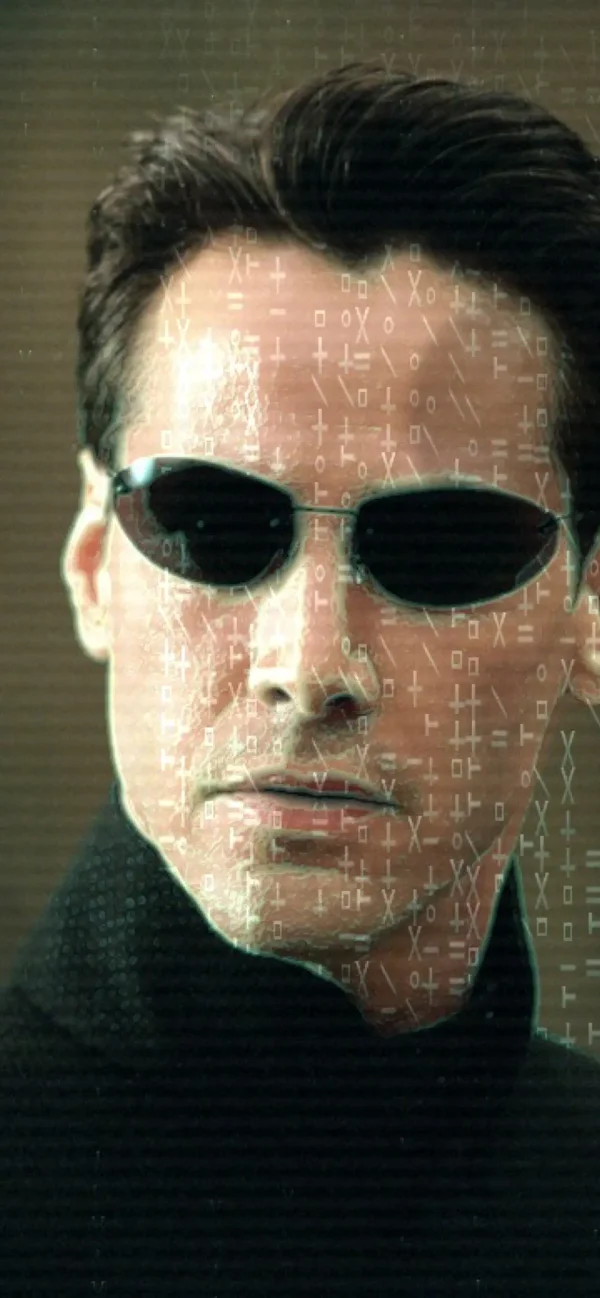
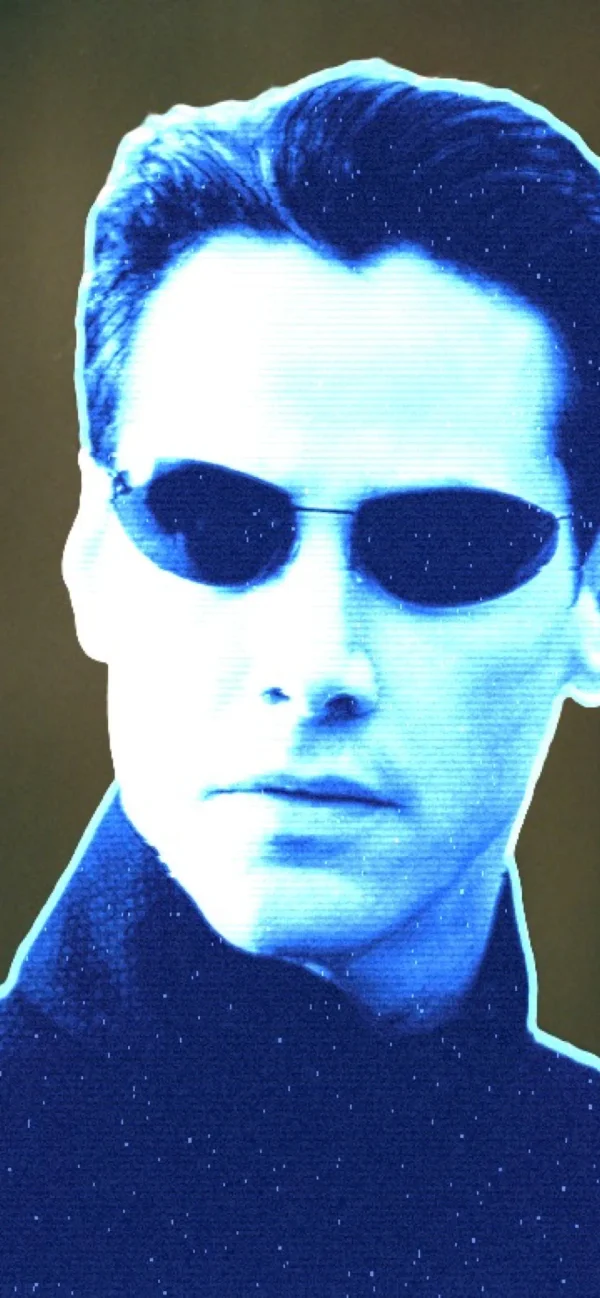
Whether you're a musician, content creator, DJ, or just love visual effects, Resonance lets you see your music come alive through four hand-crafted visual skins, each powered by custom Metal shaders.
FOUR CINEMATIC VISUAL SKINS
◆ Field — Organic, flowing wave patterns that ripple and pulse with your audio. Smooth and hypnotic.
◆ Signal — A digital glitch aesthetic with corruption effects that sync to every beat. Tap the screen to trigger glitch bursts.
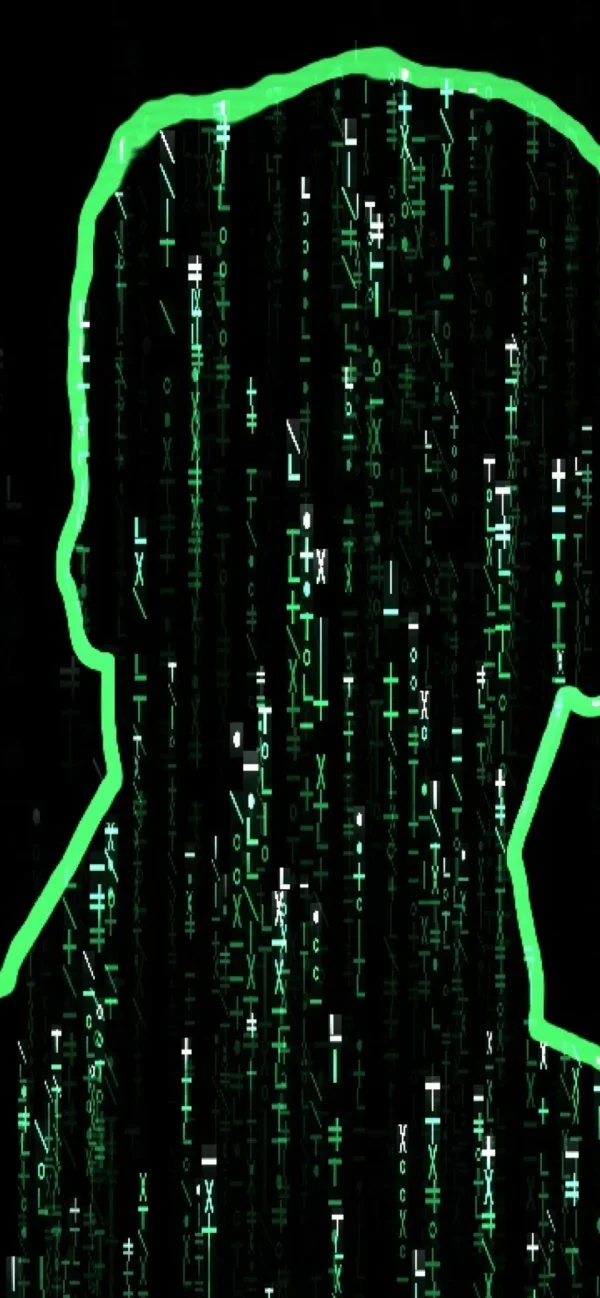
◆ Matrix — Cinematic falling glyphs with layered depth and real-time motion. Streams emanate from your hands and face, creating a fully immersive effect.
◆ Aura — Luminous energy effects that follow tracked objects, creating multi-point auras that breathe with the music.
REAL-TIME HAND & FACE TRACKING
Point your camera at yourself or others — Resonance detects hands, faces, and body silhouettes using Apple's Vision framework. Visual effects react to your position, creating an interactive experience that goes beyond passive visualization.
◆ Hand pose detection with fingertip tracking
◆ Face detection and position tracking
◆ Person segmentation for background separation
◆ Tap-to-track any object on screen
MULTIPLE INPUT MODES
◆ Live Microphone — Visualize any sound around you in real time
◆ Live Camera — Combine audio-reactive visuals with your camera feed
◆ Video Import — Apply skins and tracking to any video from your library
◆ Image Import — Use a photo as your canvas with crop tools
RECORD & SHARE
Capture your creations as video. Resonance records rendered frames directly to disk at 30 FPS, syncs audio perfectly, and exports polished MP4 files ready for social media, music videos, or live performance content.
BUILT FOR PERFORMANCE
Every visual is rendered on the GPU using Apple's Metal framework with custom shaders. FFT audio analysis runs through the Accelerate framework, delivering responsive, low-latency visuals that react to bass, mids, and highs independently.
Perfect for:
• Music videos & visualizers
• Live performance visuals
• Social content creation
• Creative experimentation
• VJing & live events
What’s new
Version 1.0.1 · Aug 10, 2026
Bug fixes and improvements:
- Fixed an issue where importing certain images could result in a black screen
- Fixed audio being cut short in video exports
- Improved export progress accuracy
- Reduced temporary storage usage from imported videos
App privacy
What Vincent Galeano declares on the App Store about how this app handles data.
-
Data not collected
The developer does not collect any data from this app.
Privacy practices may vary, for example with the features you use or your age.
Information
- Seller
- Vincent Galeano
- Category
- Photo & Video
- Version
- 1.0.1
- Updated
- Aug 10, 2026
- Released
- Apr 15, 2026
- Size
- 5.5 MB
- Requires
- iOS 18.0 or later
- Age rating
- 4+
- Price
- Free
- In-app purchases
- Yes
- Languages
- English
- Copyright
- © 2026 Vincent Galeano
You might also like
-
 Soniframe - Music VisualizerAnimate your beats
-
 Povie BoothKAWAII Selfie Cam & Beauty Cam
-
 Audio Visualizer: BeatLusterMusic Video Maker for Creators
-
 SelfiePort: Trip Photos by AIOne selfie, AI photos anywhere
-
 Mote: Live Camera EffectsHand Tracking Frame Filters
-
 CastNES - Retro GamesCast retro games to your TV
-
 Spiral Photo Editor NeonNeon Photo Editor
-
 Hypnogram: Music VisualizerCanvas, VJ Loops & Cover Video
-
 NTRX Cam: Glitch FX LabLive LiDAR & VHS Video Effects
-
 Kaleidoscope MagickPhoto & Video