
i2Droid
Direct file transfer, no cloud
Designed for iPhone, iPad
Free · In-app purchases
- Age rating4+
- CategoryUtilities
- DeveloperNikhil Rokadiya
- LanguagesEnglish
- Size4.8 MB
Links to the official App Store page
Download.org hosts no file of i2Droid. The button opens its official App Store page, published by Nikhil Rokadiya. Listing last checked on Nov 18, 2026.
Screenshots
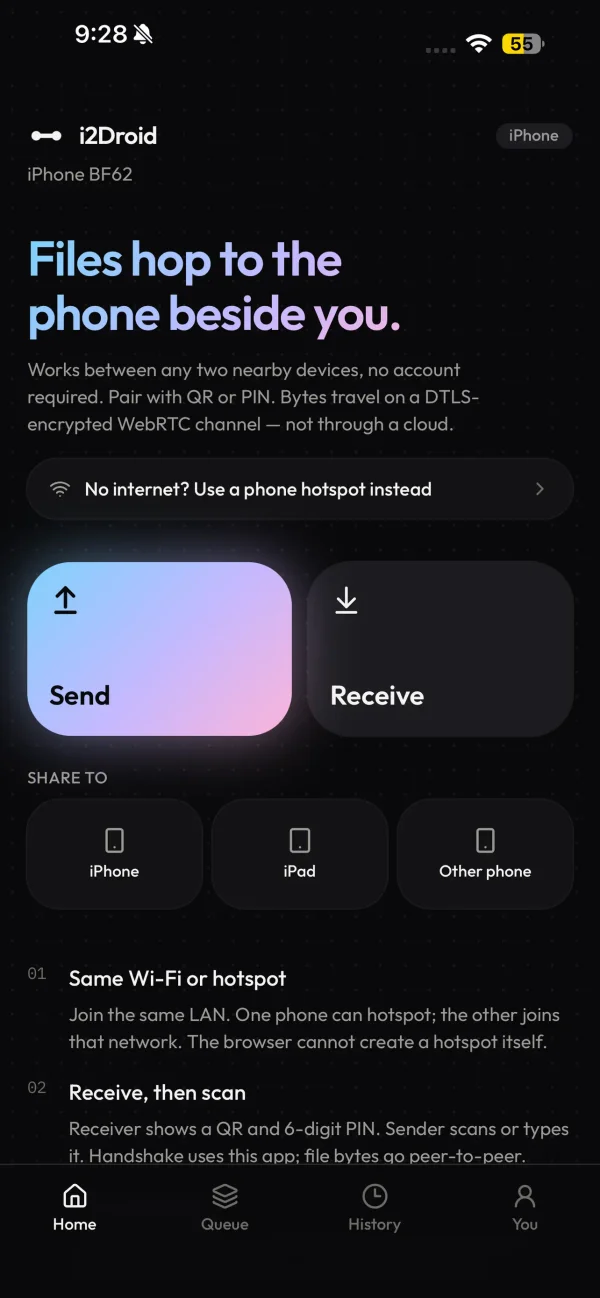
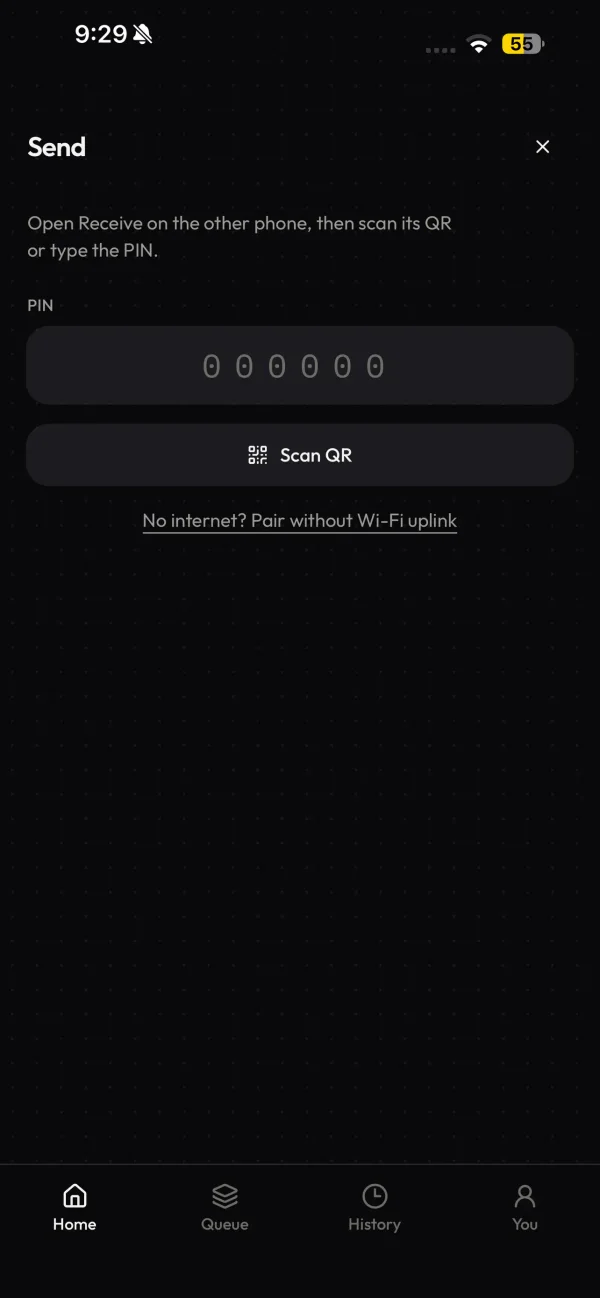

About
i2Droid moves files directly between your iPhone and any nearby device — no cable, no cloud upload, and no account required.
HOW IT WORKS
Open i2Droid on both phones. Tap Send on one, Receive on the other, then pair with a QR code or a 6-digit PIN. Your files travel over a direct, DTLS-encrypted WebRTC connection straight between the two devices — never through a server in between.
WORKS FULLY OFFLINE
No Wi-Fi router or mobile data nearby? i2Droid can still pair two phones directly over the same Wi-Fi or a personal hotspot, with zero internet connection required, using a fully offline QR handshake.
WHAT YOU CAN SEND
Photos, videos, and any file you can pick from your library — one at a time or as a batch — with pause, resume, and SHA-256 integrity checks so you know every byte arrived intact.
PRIVACY BY DESIGN
• No account needed to send or receive files
• File contents are never uploaded to any server
• Ads are non-personalized and never see your files — no tracking, no ad identifier
• Optional sign-in only syncs your transfer history (names, sizes, timestamps) across your own devices — never file contents
Whether you're moving a handful of photos or a folder of videos between two different phones, i2Droid gets them there directly, quickly, and privately.
FREE WITH ADS, OR GO AD-FREE
i2Droid is free and supported by non-personalized ads. The optional Ad-Free yearly subscription removes all ads across the app. Payment is charged to your Apple ID at confirmation of purchase. The subscription renews automatically unless cancelled at least 24 hours before the end of the current period, and you can manage or cancel it anytime in your Apple ID account settings.
Terms of Use (EULA): https://www.apple.com/legal/internet-services/itunes/dev/stdeula/
Privacy Policy: https://i2droid-backend-spark.web.app/privacy-policy
What’s new
Version 1.0.4 · Oct 1, 2026
• Fixed pairing and sending: your phones now connect and transfer reliably again.
• Files and Folders can now be picked and sent from the Send screen.
• Performance and stability improvements.
App privacy
What Nikhil Rokadiya declares on the App Store about how this app handles data.
-
Data linked to you
May be collected and linked to your identity.
- Contact info
- Identifiers
-
Data not linked to you
May be collected but is not linked to your identity.
- Usage data
Privacy practices may vary, for example with the features you use or your age.
Information
- Seller
- Nikhil Rokadiya
- Category
- Utilities
- Version
- 1.0.4
- Updated
- Oct 1, 2026
- Released
- Sep 2, 2026
- Size
- 4.8 MB
- Requires
- iOS 17.0 or later
- Age rating
- 4+
- Price
- Free
- In-app purchases
- Yes
- Languages
- English
- Copyright
- © 2026 Nikhil Rokadiya
You might also like
-
 Photo Transfer To Android & PCShare Photos Videos Files Data
-
 Fast File Transfer - BurstsendSend Photos, Videos, Documents
-
 Light Share: File Sharing AppShare files over WiFi or USB.
-
 SnapSweep ProClean Similar Photos Instantly
-
 RapidShare: Fast File TransferSend Photo-Video File Anywhere
-
 Lessa: Find Similar PhotosFind and delete similar photos
-
 Copy My Data: Phone TransferSmart Switch & Data Transfer
-
 Nostaly: Daily Photo CleanerPhotos Never Leave Your Phone
-
 Duplicate Contacts FinderContacts Cleaner
-
 All File Sharing : Air ShareFast & Secure Data Transfer