
IDFA Pocket
Advertising IDs, organized
Designed for iPhone, iPad, Mac
Free · In-app purchases
- Age rating4+
- CategoryUtilities
- DeveloperManuel Knakowski
- LanguagesEnglish+ 1 more
- Size5.7 MB
Links to the official App Store page
Download.org hosts no file of IDFA Pocket. The button opens its official App Store page, published by Manuel Knakowski. Listing last checked on Nov 20, 2026.
Screenshots


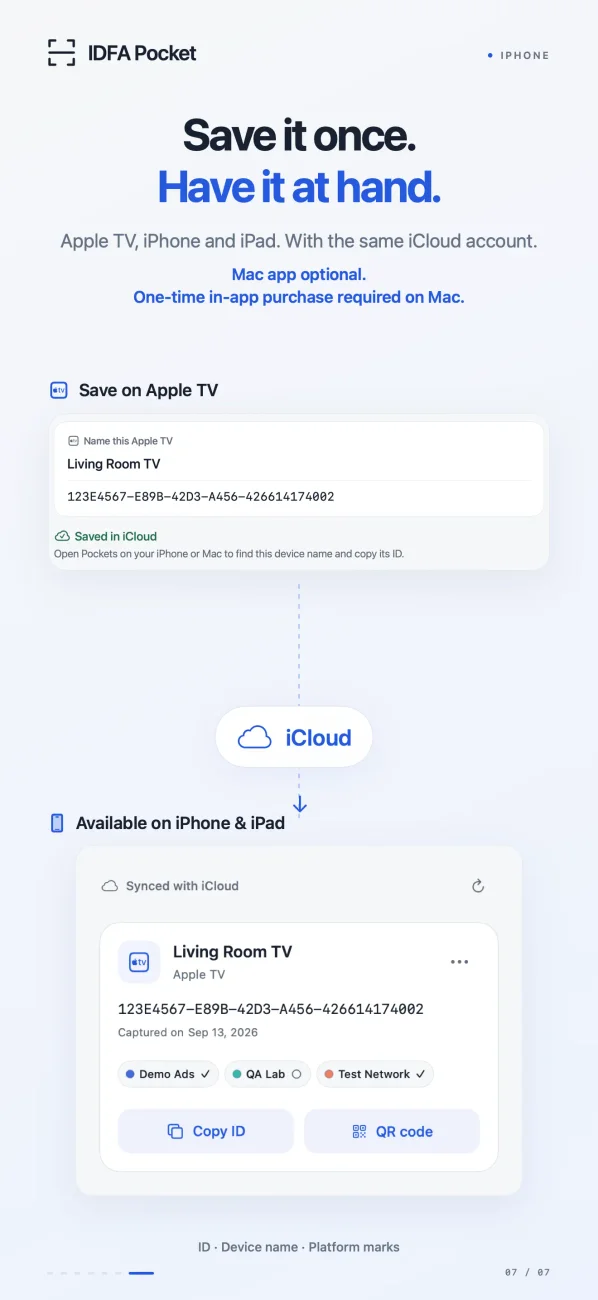
About
Your advertising IDs. In one place.
IDFA Pocket helps you organize the advertising IDs of your test devices. View your own IDFA after granting permission, copy it, or save it with a distinctive device name. Import more IDs by QR code and keep track of your platforms.
No purchase is required to use the iPhone, iPad or Apple TV apps. The optional Mac app requires a one-time in-app purchase to use.
VIEW AND COPY YOUR ID
“My ID” shows the current Identifier for Advertisers of your iPhone or iPad. The status explains whether a usable ID is available. “Copy ID” places just the identifier on your clipboard.
ORGANIZE DEVICES IN POCKETS
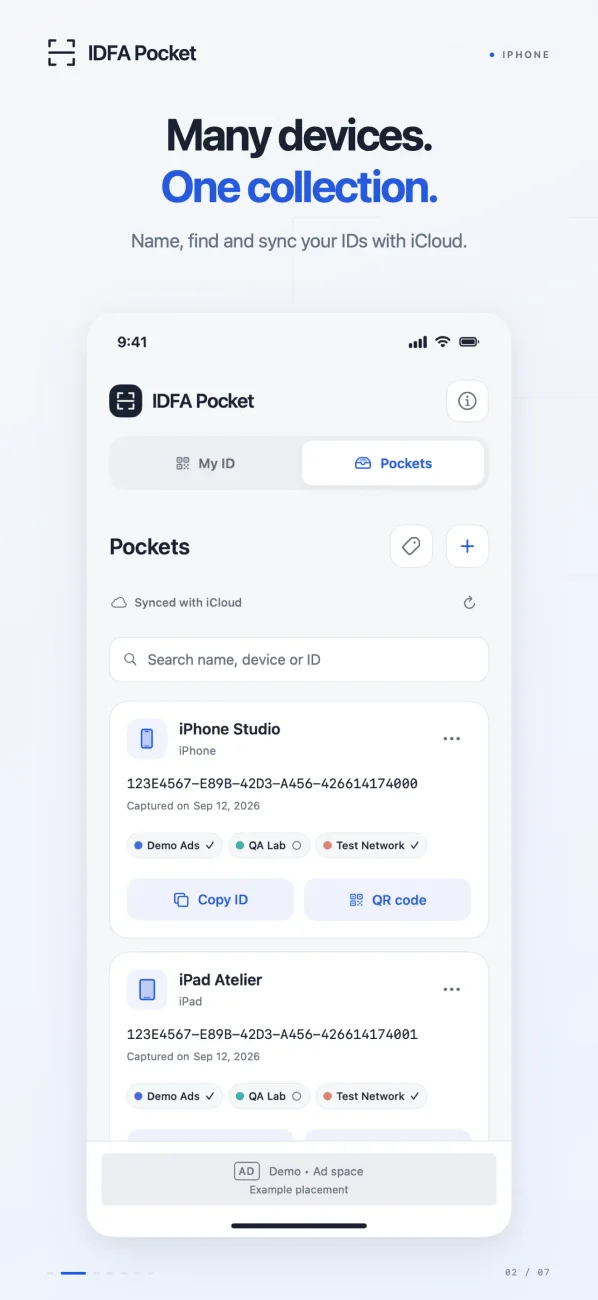
Save IDs with names and device types. Search your collection, add entries manually, rename them, copy them, or delete them. A capture date shows when each ID was saved.
QR CODES WITH DEVICE NAMES
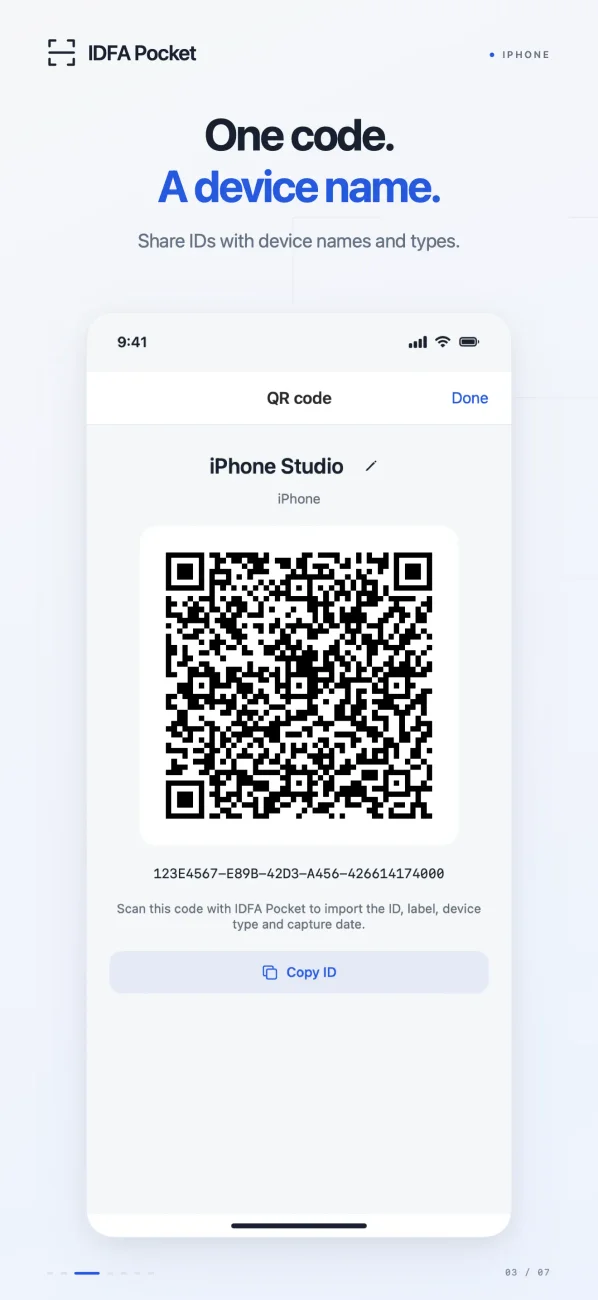
Display an ID and its device name as a QR code, or scan a code with your camera. Import an Apple TV ID without typing a long identifier. Imported details remain editable and never replace your own live device ID. Camera images are neither saved nor uploaded.
YOUR PLATFORMS, YOUR CHECKLIST
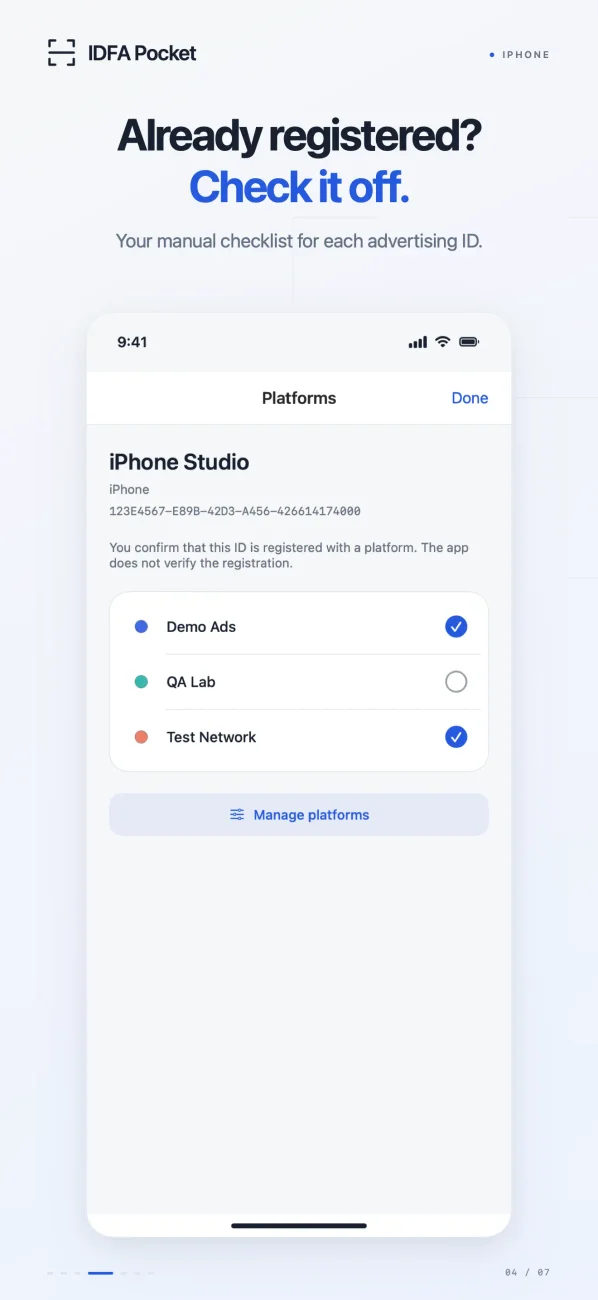
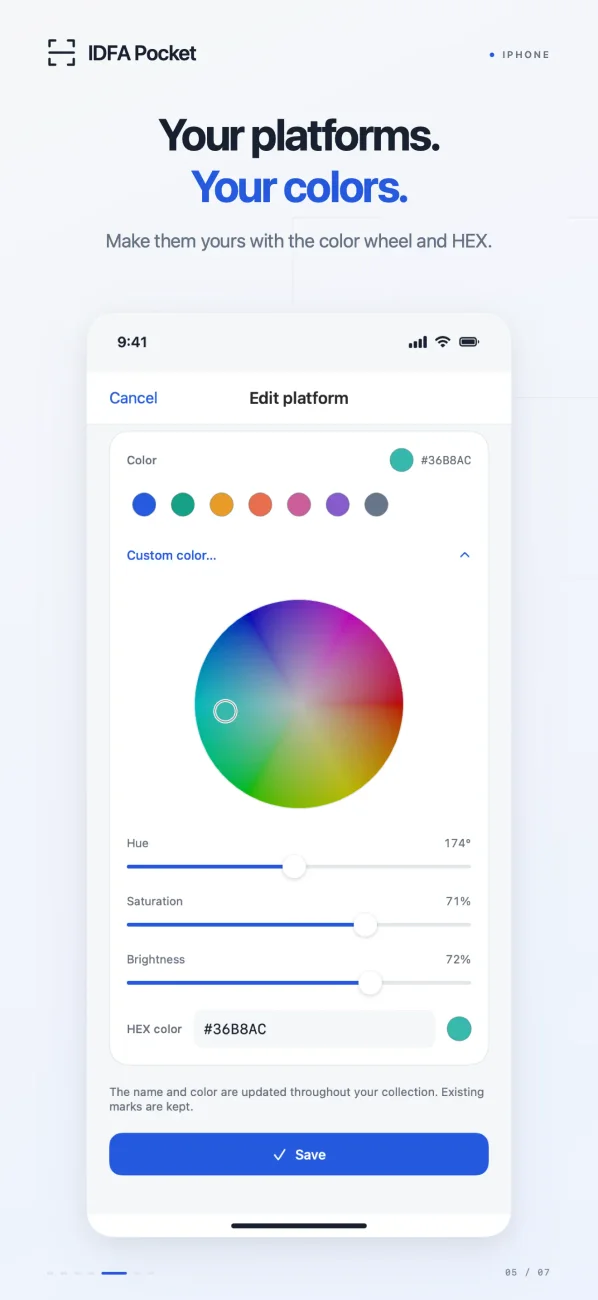
Create your own platforms and choose their colors from presets, a color wheel, or a HEX value. For each saved ID, manually mark where you have already registered it. Names, colors and checkmarks help you find your way. The app does not register devices with ad networks or verify registration.
SYNC WITH ICLOUD
Sync your saved Pockets and platforms through your private iCloud collection. Use the same iCloud account on the devices you want to sync; on Apple TV, the selected user determines the account. On iPhone and iPad, you can also save locally while offline. A Mac is not required for these features.
GOOD TO KNOW
• A usable local IDFA requires Apple's tracking permission. If access is denied or restricted, you can still manage your collection and import QR codes.
• Saved IDs are snapshots. If a device's ID changes, save the new ID again.
• QR codes contain unencrypted ID and device details. Share them deliberately. QR transfer does not require the same iCloud account.
• iCloud sync requires iCloud and an internet connection.
• The iPhone and iPad app includes banner advertising. Saved Pockets are not sent to the advertising service.
For iPhone and iPad with iOS or iPadOS 17 or later. Available in English and German, with system light and dark appearance.
What’s new
Version 1.0.1 · Oct 18, 2026
We’ve improved performance and stability and fixed minor bugs for a smoother, more reliable experience.
App privacy
What Manuel Knakowski declares on the App Store about how this app handles data.
-
Data used to track you
May be used to track you across apps and websites owned by other companies.
- Identifiers
-
Data linked to you
May be collected and linked to your identity.
- Location
- Identifiers
- Usage data
-
Data not linked to you
May be collected but is not linked to your identity.
- Diagnostics
Privacy practices may vary, for example with the features you use or your age.
Information
- Seller
- Manuel Knakowski
- Category
- Utilities
- Version
- 1.0.1
- Updated
- Oct 18, 2026
- Released
- Sep 24, 2026
- Size
- 5.7 MB
- Requires
- iOS 17.0 or later
- Age rating
- 4+
- Price
- Free
- In-app purchases
- Yes
- Languages
- English, German
- Copyright
- © 2026 Manuel Knakowski
You might also like
-
 Artful NorthCompass art packs and tools
-
 Nearon: Bluetooth FinderFind Nearby Devices
-
 ReadyNow PrepPlan, Prepare, and Stay Ready
-
 Auth Code: 2FA AuthenticatorOTP, MFA & Secure Login Codes
-
 Online Tattoo Design GeneratorInk Creator - Procreate Ideas
-
 Wave - MaritimeUtilities
-
 Black Oak LED Light ControllerUtilities
-
 iWepPROWiFi Passwords and Analyzer
-
 Swipe Delete Photos: SwipedropGallery Cleaner, Less Clutter
-
 AssajdaSmart Prayer Counter