
Auth Code: 2FA Authenticator
OTP, MFA & Secure Login Codes
Designed for iPhone, iPad
In-app purchases
- Age rating4+
- CategoryUtilities
- DeveloperIvanna Koryliak
- LanguagesEnglish+ 17 more
- Size25.5 MB
Links to the official App Store page
Download.org hosts no file of Auth Code: 2FA Authenticator. The button opens its official App Store page, published by Ivanna Koryliak. Listing last checked on Nov 10, 2026.
Screenshots

About
Protect your online accounts with simple and secure two-factor authentication.
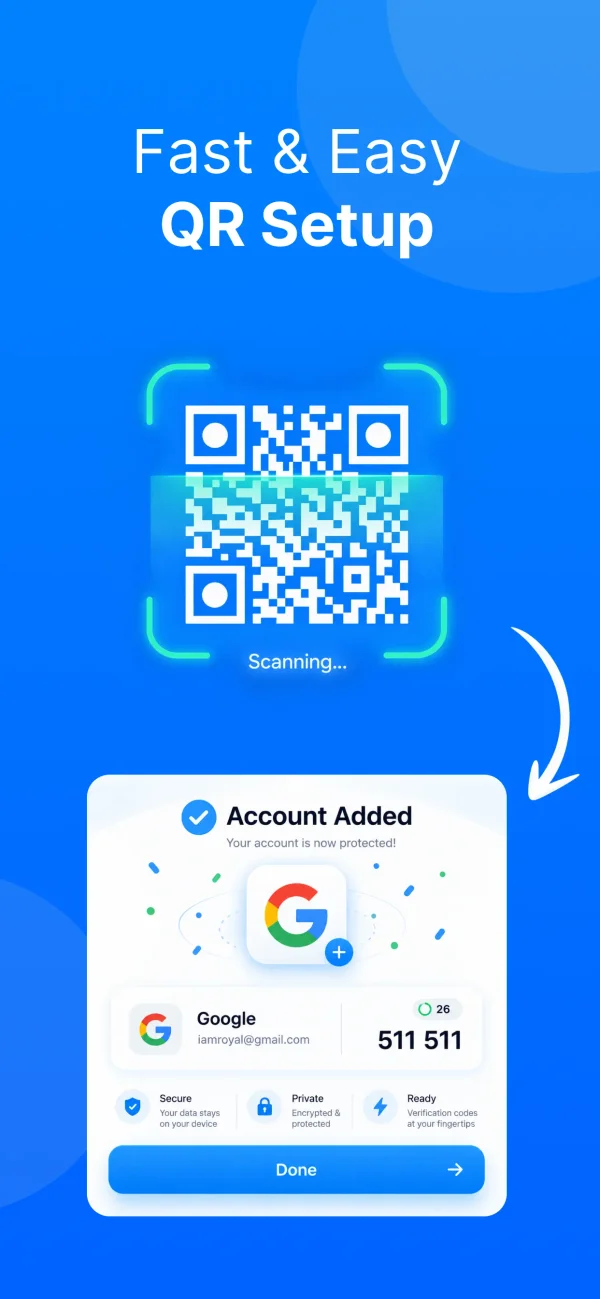
Auth Code generates one-time verification codes for services that support authenticator-based 2FA. Scan a QR code, import a saved QR image, enter a setup key manually, or transfer your accounts from Google Authenticator.
KEY FEATURES
• One-Time Verification Codes
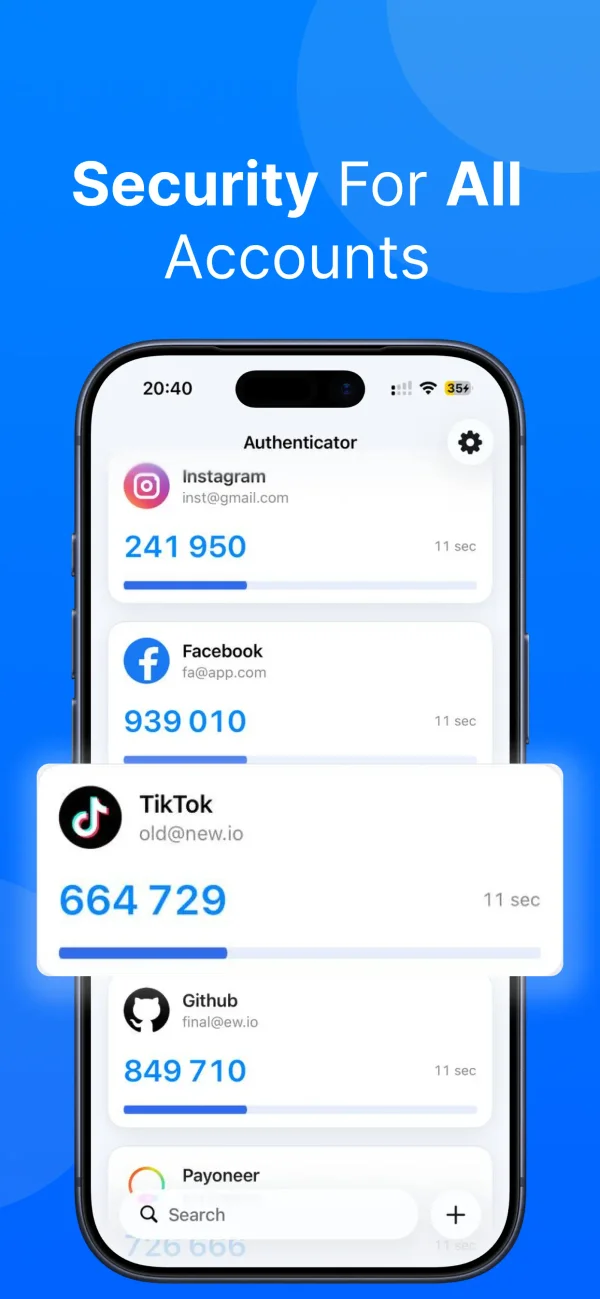
Generate time-based (TOTP) and counter-based (HOTP) codes for compatible websites and services. Generate your codes without an internet connection.
• Easy Account Setup
Add accounts by scanning QR codes with your camera, importing QR images from Photos, or entering setup keys manually.
• Import from Google Authenticator
Transfer accounts using Google Authenticator export QR codes, including exports with multiple QR codes.
• Keep Accounts Organized
Find accounts with search and mark frequently used accounts as favorites for quick access.
• App Lock & Privacy Controls
Protect access with Face ID or Touch ID on supported devices, configure automatic locking, and hide codes from view.
• Encrypted Backups
Export backups encrypted with a password you choose and restore your accounts when needed. Keep your backup file and password safe.
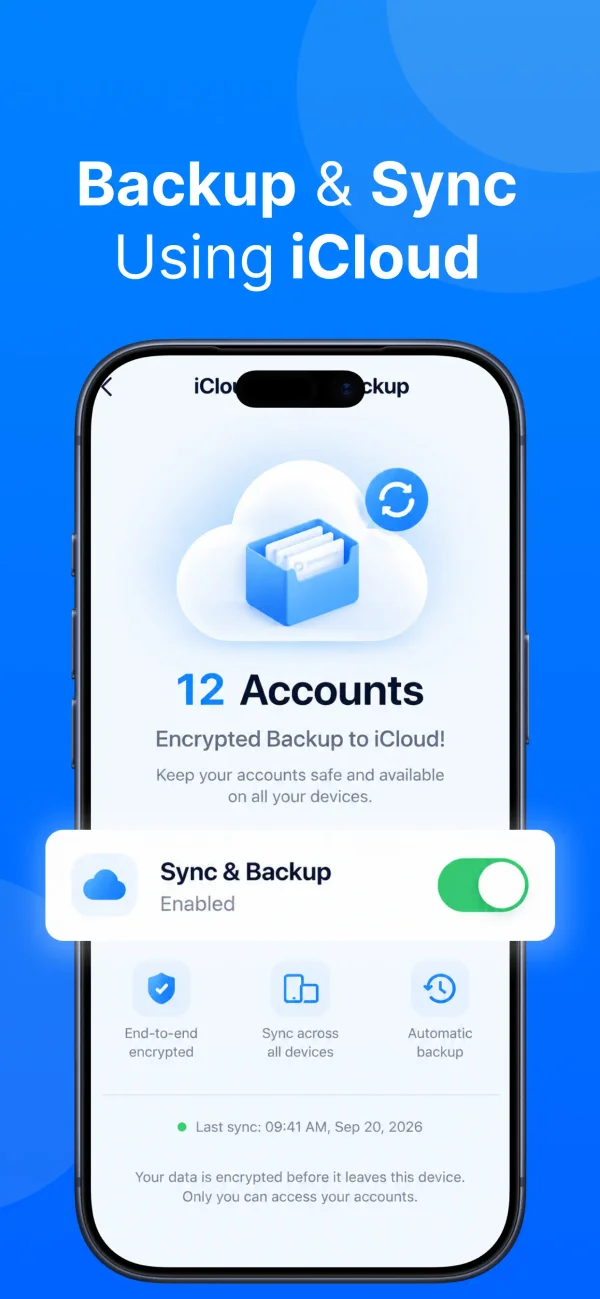
• Optional iCloud Sync
Sync accounts across your devices. Your accounts are encrypted before being stored in your private iCloud database.
• Home Screen Widget
View authentication codes from your Home Screen.
• Light & Dark Appearance
Choose a light theme, a dark theme, or follow your device settings.
HOW IT WORKS
1. Enable authenticator-based two-factor authentication on a supported website or service.
2. Add the account to Auth Code using its QR code or setup key.
3. Enter the generated verification code to complete setup.
4. Open Auth Code whenever you need a code to sign in.
Two-factor authentication adds an extra layer of protection beyond your password.
Auth Code works with services that support standard TOTP or HOTP authentication.
PREMIUM FEATURES
Premium unlocks unlimited accounts, encrypted iCloud sync, and password-protected backup export. Restoring an existing encrypted backup is available without Premium.
Privacy Policy:
https://authcode.site/privacy.html
Terms of Use:
https://www.apple.com/legal/internet-services/itunes/dev/stdeula/
What’s new
Version 1.2 · Oct 15, 2026
Performance improvements and bug fixes.
App privacy
What Ivanna Koryliak declares on the App Store about how this app handles data.
-
Data used to track you
May be used to track you across apps and websites owned by other companies.
- Usage data
-
Data not linked to you
May be collected but is not linked to your identity.
- Usage data
Privacy practices may vary, for example with the features you use or your age.
Information
- Seller
- Ivanna Koryliak
- Category
- Utilities
- Version
- 1.2
- Updated
- Oct 15, 2026
- Released
- Sep 25, 2026
- Size
- 25.5 MB
- Requires
- iOS 16.6 or later
- Age rating
- 4+
- In-app purchases
- Yes
- Languages
- English, Arabic, French, German, Greek, Hindi, Indonesian, Italian, Japanese, Korean, Polish, Russian + 6 more
- Copyright
- © AuthCode
You might also like
-
 Wave - MaritimeUtilities
-
 Prism: Photo & File SearchPrivate OCR & Smart Cleanup
-
 Wallby: Widgets & WallpapersWidgets, Wallpapers & Icons
-
 lowkeysafe - Password ManagerPassword generator & vault
-
 IDFA PocketAdvertising IDs, organized
-
 Authenticator • 2FA AppScan QR For Login Backup
-
 TransUtter: Translate & ListenPodcasts, articles & email
-
 2FA iAtomos: AuthenticatorFree forever. Private 2FA
-
 PDFPilot: Scan, Edit & ConvertSign, Merge & Fill PDF Forms
-
 Nearon: Bluetooth FinderFind Nearby Devices