
- Age rating4+
- CategoryBooks
- DeveloperJia De Cheok
- LanguagesEnglish+ 26 more
- Size36.2 MB
Links to the official App Store page
Download.org hosts no file of Idyllic Reader. The button opens its official App Store page, published by Jia De Cheok. Listing last checked on Nov 18, 2026.
Screenshots

About
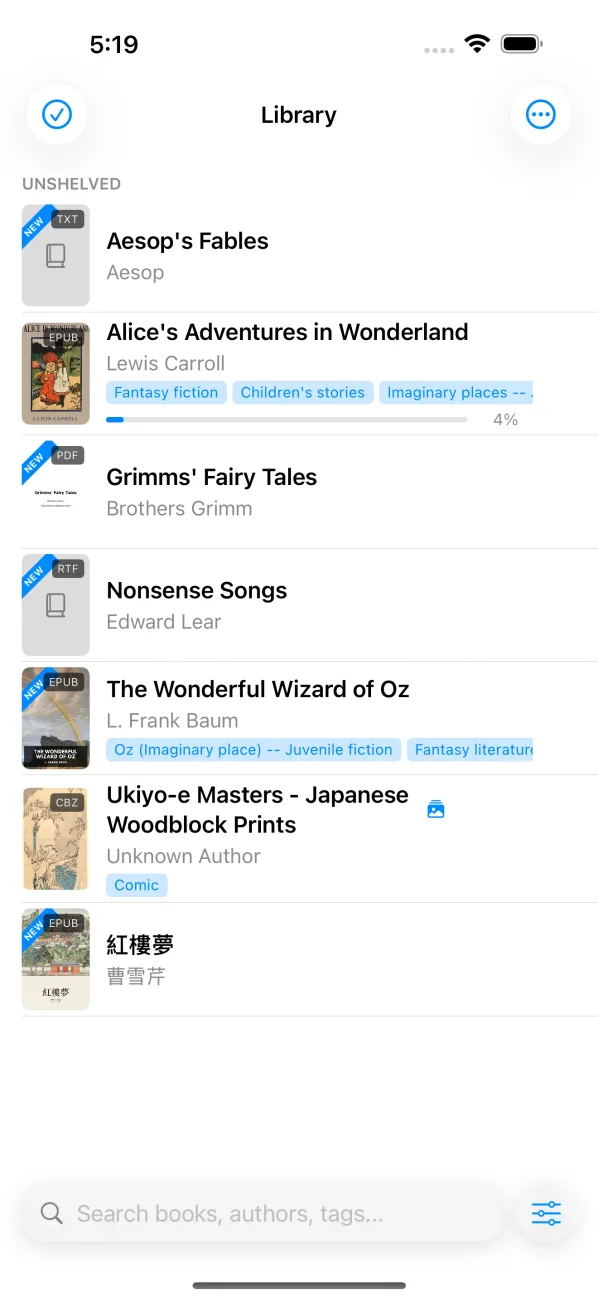
Idyllic is a reader for ebooks and comics with support for common formats.
— FEATURES —
Formats Supported
EPUB, PDF, TXT, RTF for books. CBZ, CBR, CB7 for comics.
WiFi Transfer
Send books from your computer over local WiFi using your browser.
Webtoon scroll
Continuous scroll mode for manga and comics.
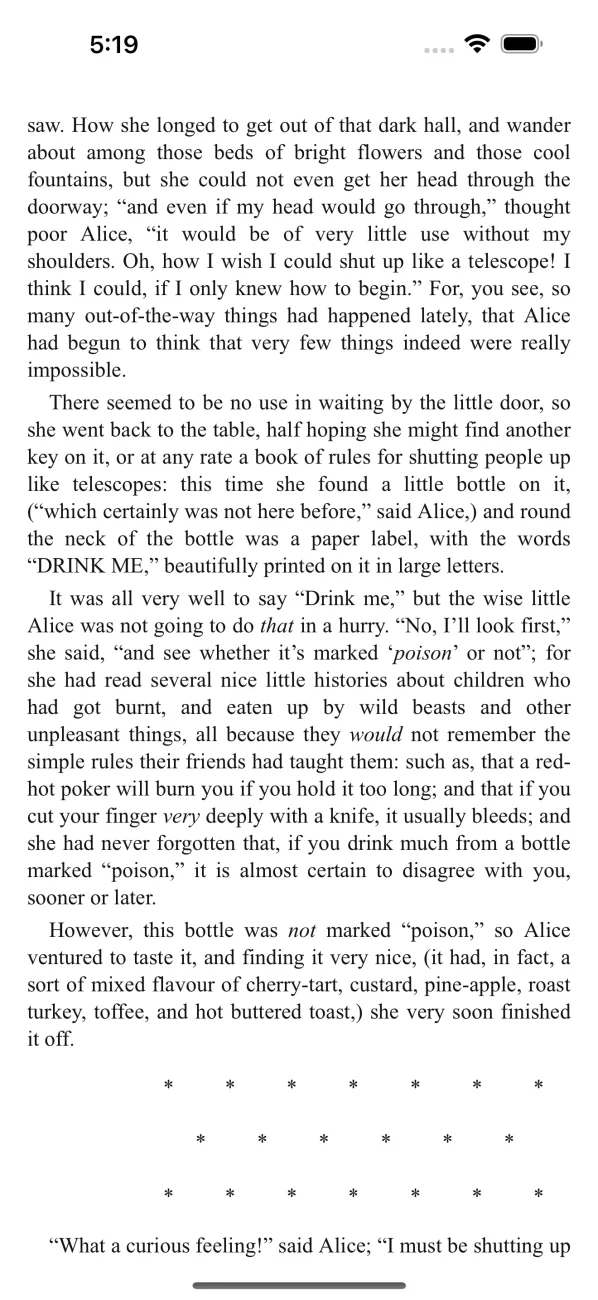
Reading customisation
Adjust font, size, line spacing, and theme. Light, sepia, and dark modes. Paginated, page-flip, or continuous scroll layouts.
Library organisation
Tags, shelves, favourites, series stacks, and full-text search. Bookmarks, highlights in five colours, and notes for every book.
Read Aloud
Text-to-speech using built-in system voices, for books and PDFs. Background playback supported.
What’s new
Version 1.4 · Oct 22, 2026
PDFs get a page slider, search and their own table of contents; read-aloud in PDFs and plain text picks up where you stopped; and CarPlay read-aloud no longer freezes.
Reading
- PDFs have full reader bars with a page slider; tap the page to hide them.
- Search PDFs with Apple's find bar, and browse a PDF's own table of contents.
- Your place is saved at each new chapter, and fixed-layout page turns are saved within seconds.
- Searching books with a Turkish İ no longer crashes.
- Deleting a bookmark that has a note asks first.
Listen
- Fixed CarPlay read-aloud freezing, including after quick skips or when the reverse camera took the audio.
- PDFs and plain-text books resume at the last sentence you heard.
- Plain-text and RTF books highlight the words being read again.
Comics
- The page next to where you open no longer stays grey.
- Webtoon mode remembers the page you are on.
Library
- Tap an author or tag to see their books; Back returns where you started.
- Clean Duplicates keeps bookmark notes when merging; a crash while merging has been addressed.
- Folders are called "Folder" everywhere.
- WebDAV, OPDS and import errors are shown in your language; VoiceOver labels improved.
Privacy
- Hidden books are better protected across devices.
- Unhidden books are included in device backups again.
App privacy
What Jia De Cheok declares on the App Store about how this app handles data.
-
Data not collected
The developer does not collect any data from this app.
Privacy practices may vary, for example with the features you use or your age.
Information
- Seller
- Jia De Cheok
- Category
- Books
- Version
- 1.4
- Updated
- Oct 22, 2026
- Released
- Sep 3, 2026
- Size
- 36.2 MB
- Requires
- iOS 18.0 or later
- Age rating
- 4+
- Price
- Free
- Languages
- English, Arabic, Czech, Danish, Dutch, Finnish, French, German, Hebrew, Hindi, Indonesian, Italian + 15 more
- Copyright
- © 2026 Jia De
You might also like
-
 QuietPage: EPUB ReaderRead offline. Listen aloud.
-
 ElayneNarrator, reader, and library
-
 BookPilotBooks
-
 Resona: AI Audiobook ReaderBooks
-
 Vox ReaderBooks
-
 QuiverBooksYour library, leveled up
-
 Next ParagraphOne paragraph at a time
-
 LeafWaveRead, listen, and annotate
-
 Readr: Read it Later, OfflineSave articles, news & PDFs
-
 Readune: EPUB & PDF ReaderSearch books. Read aloud.