
Image Compressor & ZIP
Compress, Resize, Export ZIP
Designed for iPhone
Free · In-app purchases
- Age rating4+
- CategoryProductivity
- Developer家宝 戴
- LanguagesEnglish+ 12 more
- Size9.6 MB
Links to the official App Store page
Download.org hosts no file of Image Compressor & ZIP. The button opens its official App Store page, published by 家宝 戴. Listing last checked on Nov 17, 2026.
Screenshots


About
Image Compressor & ZIP turns your iPhone into a fast, private photo compressor. Shrink large images in seconds, keep them visually clear, and free up storage — then export everything as a tidy ZIP file. No account, no cloud, no waiting on a server.
Compress photos quickly
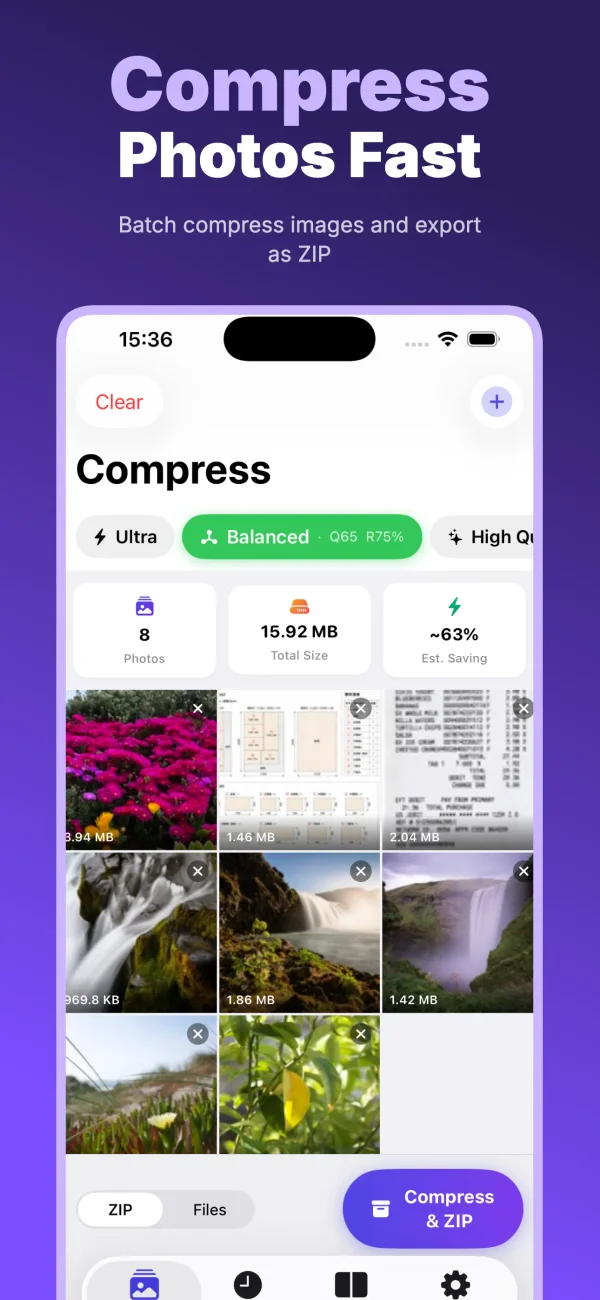
Pick one photo or dozens at once and compress them in a single batch. Image Compressor reduces file size fast so your pictures are easier to share, email, upload to forms, and send to clients. Big camera photos that clog up your phone become small, lightweight files you can actually move around.
Choose your compression level
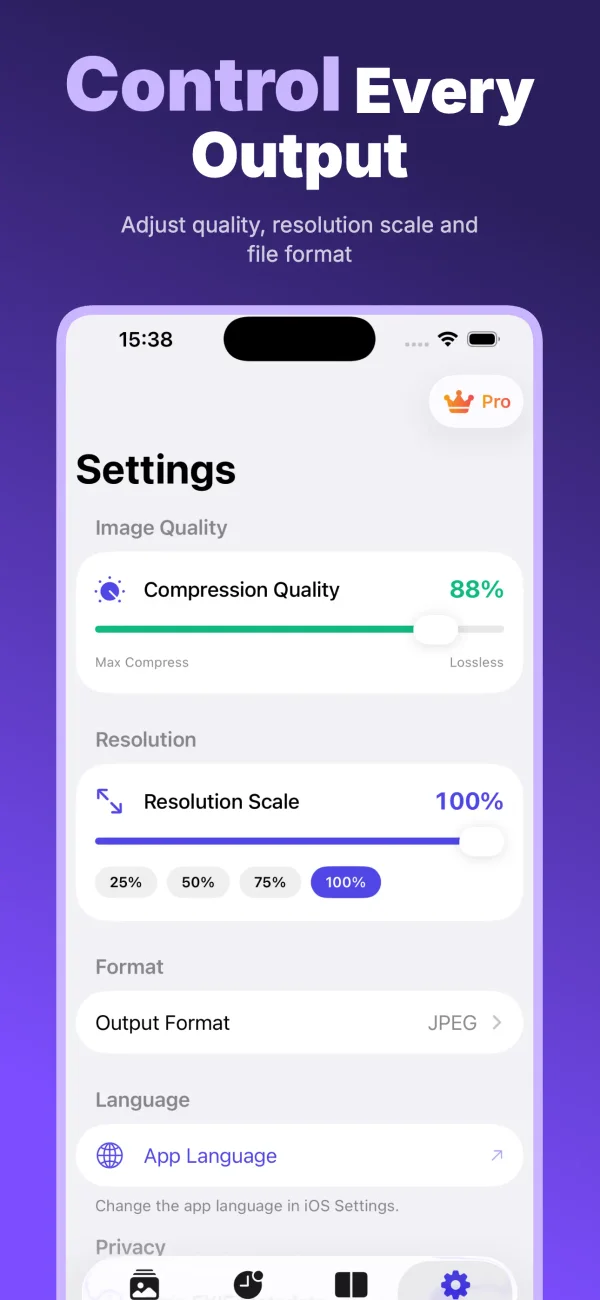
Not every photo needs the same treatment, so you stay in control. Choose a ready-made level for the smallest possible file, a recommended balance of clarity and size that fits most photos, or a sharper setting that keeps more detail for work images, travel shots, and client sharing. Prefer to fine-tune? Adjust quality and resolution yourself and switch the output format between JPEG and PNG.
Compare quality before you save
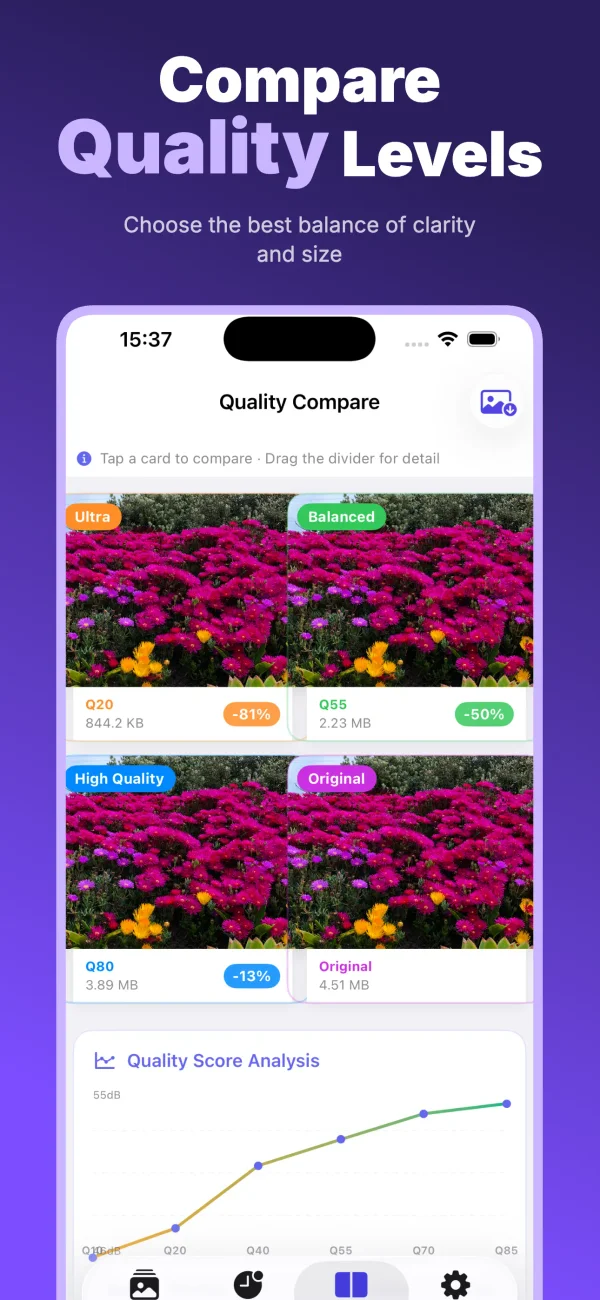
Many compressors only show the result — and you discover the photo got blurry or barely shrank after it is already saved. Image Compressor lets you compare quality before and after side by side, so you can pick a setting with confidence. A built-in quality score (PSNR / SSIM) helps you judge how close the compressed image stays to the original, instead of guessing.
See exactly how much you save
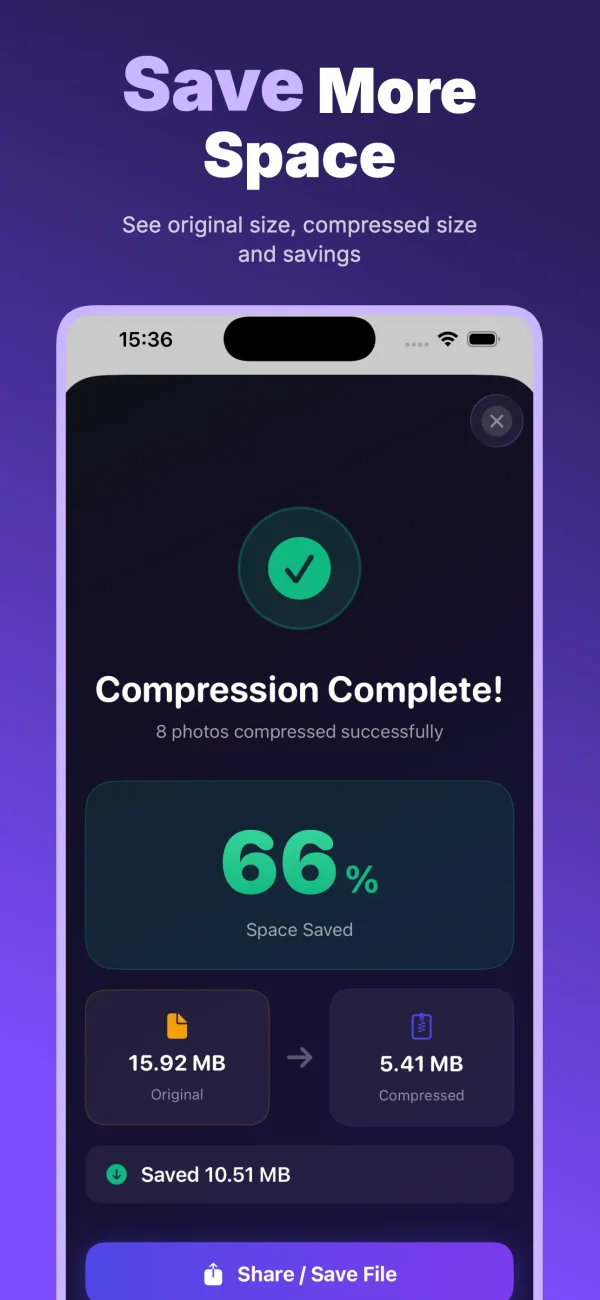
Every compression shows the original size, the compressed size, and the space you saved, clearly and up front. No vague promises — just real numbers so you know the result was worth it before you export or share.
Export as ZIP or share instantly
Bundle a whole batch into one ZIP file for clean, organized export — perfect for sending many photos at once without uploading them anywhere. Or save compressed images straight to your device, drop them into the Files app, or share them instantly through the standard iOS share sheet to Mail, Messages, and other apps.
Track your compression history
A simple history keeps your recent compression results in one place, so you can revisit how much space you saved and grab the files again when you need them. The interface stays clean and simple, focused on getting the job done without clutter.
Built for privacy
Image Compressor is designed around five clear privacy promises:
Offline: compressing, resizing, comparing, ZIP export, and saving all work without an internet connection.
No Login: open the app and start compressing — no sign-up, no account, and no password just to shrink your own photos.
Privacy First: your photos are personal, and the app treats them that way from start to finish.
On Device: image processing, resizing, quality comparison, ZIP creation, and exports all happen on your iPhone.
No Cloud Upload: your photos are never uploaded to our servers — nothing leaves your device unless you choose to share it yourself.
Great for everyday photos and real work
Use Image Compressor to shrink vacation albums before sharing, prepare lighter images for websites and email, fit photos under upload size limits on forms and job applications, send batches to clients without filling their inbox, or simply reclaim storage on a full phone. Students, freelancers, small business owners, real estate and trades workers, travelers, and anyone with too many big photos can compress, compare, and export in just a few taps.
Simple workflow: pick your photos, choose a level, compare the result, and export as ZIP or share. Some features and unlimited use may require an active subscription, which may include a free trial. Pricing and terms are shown clearly before any purchase, and you can cancel anytime.
Privacy Policy
https://5gotogo.github.io/ImageCompressor-privacy/privacy-policy.html
Terms of Use (EULA)
https://www.apple.com/legal/internet-services/itunes/dev/stdeula/
What’s new
Version 1.0.2 · Jun 15, 2026
New onboarding to get you compressing faster, plus polish and stability improvements. Everything still runs fully offline and on device.
App privacy
What 家宝 戴 declares on the App Store about how this app handles data.
-
Data not collected
The developer does not collect any data from this app.
Privacy practices may vary, for example with the features you use or your age.
Information
- Seller
- 家宝 戴
- Category
- Productivity
- Version
- 1.0.2
- Updated
- Jun 15, 2026
- Released
- Apr 14, 2026
- Size
- 9.6 MB
- Requires
- iOS 17.6 or later
- Age rating
- 4+
- Price
- Free
- In-app purchases
- Yes
- Languages
- English, Arabic, French, German, Indonesian, Italian, Japanese, Korean, Portuguese, Simplified Chinese, Spanish, Traditional Chinese + 1 more
- Copyright
- © 2025 JiaBao Dai. All rights reserved.
You might also like
-
 Stories AssistantStreamline Your Practice
-
 Squeezly: Editor & CleanerCamera Roll & Photo Cleanup
-
 Nova - AI NotebookSmart Notes with AI
-
 SaisunkunProductivity
-
 SOND - Voice Memos with AIVoice notes that think back
-
 Memo AI - Voice Notes TakerRecord & Transcribe Memos
-
 ObraSoft AcessoProductivity
-
 Random Sort Number GeneratorSort of number and word list
-
 HACCP-OKProductivity
-
 GreenParking MalpensaProductivity