
Squeezly: Editor & Cleaner
Camera Roll & Photo Cleanup
Designed for iPhone
Free · In-app purchases
- Age rating4+
- CategoryProductivity
- DeveloperMustafa Salim Erek
- LanguagesEnglish+ 9 more
- Size35.0 MB
Links to the official App Store page
Download.org hosts no file of Squeezly: Editor & Cleaner. The button opens its official App Store page, published by Mustafa Salim Erek. Listing last checked on Nov 23, 2026.
Screenshots
About
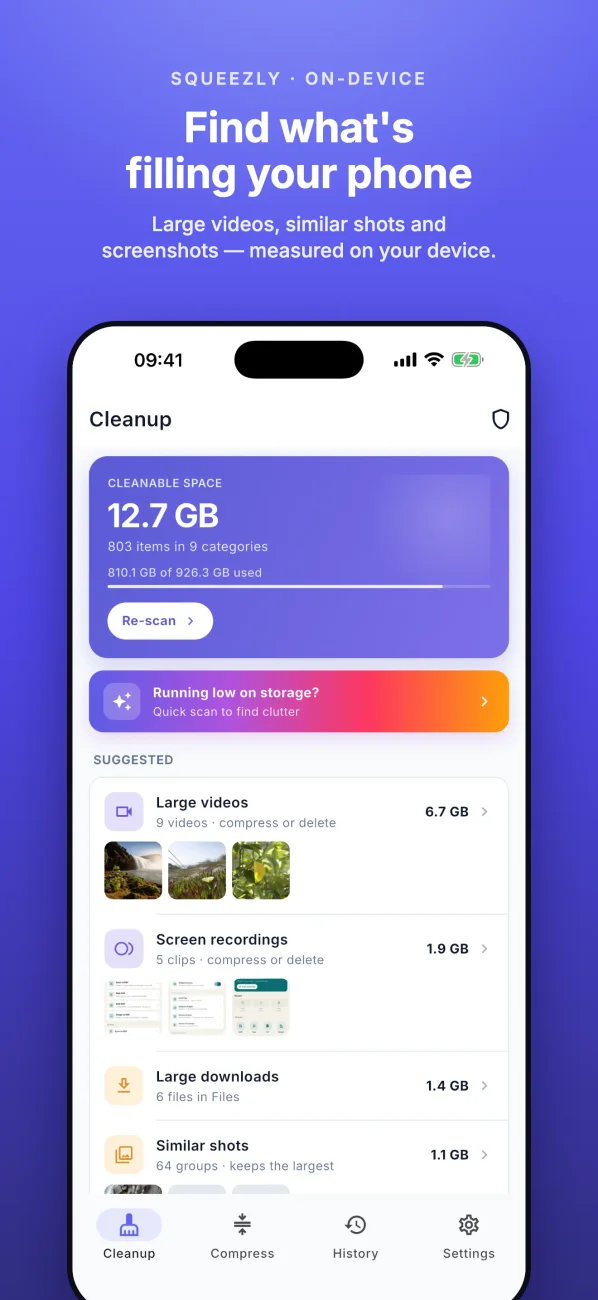
Squeezly brings file compression, storage cleanup and practical photo and video editing together on your device.
Scan for duplicate and similar photos, blurry shots, screenshots and large videos. Review what to keep before deleting. Cleanup scans and file previews are free. Protect selected files in Vault. Premium unlocks compression, cleanup deletion, bulk actions and unlimited Vault entries.
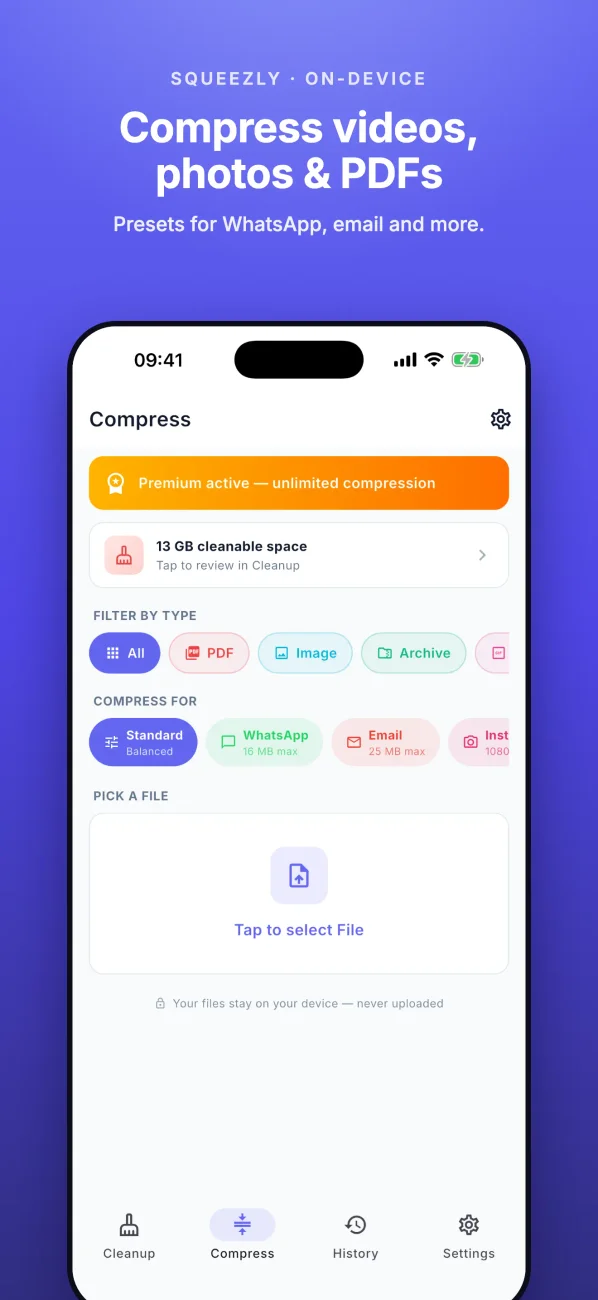
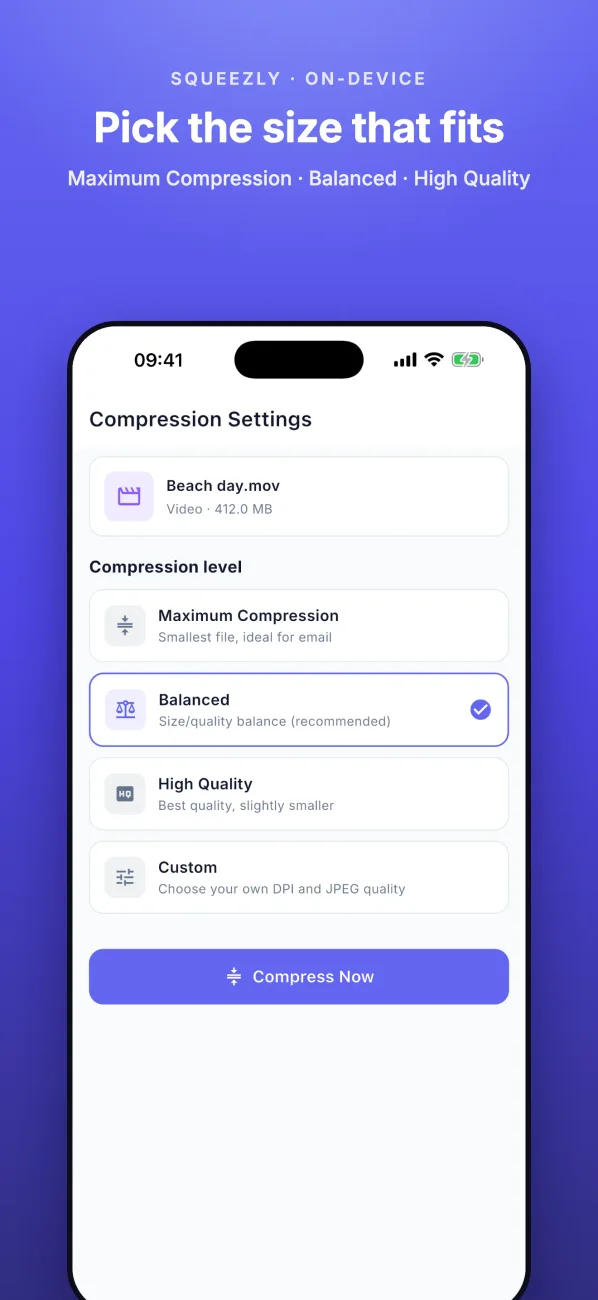
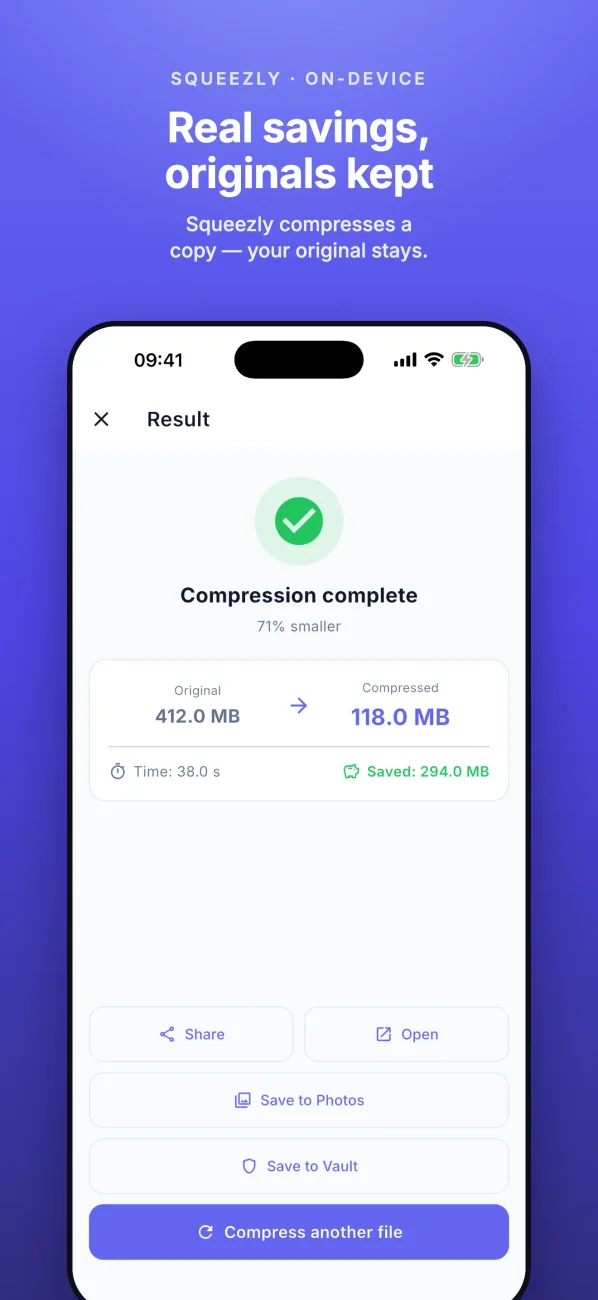
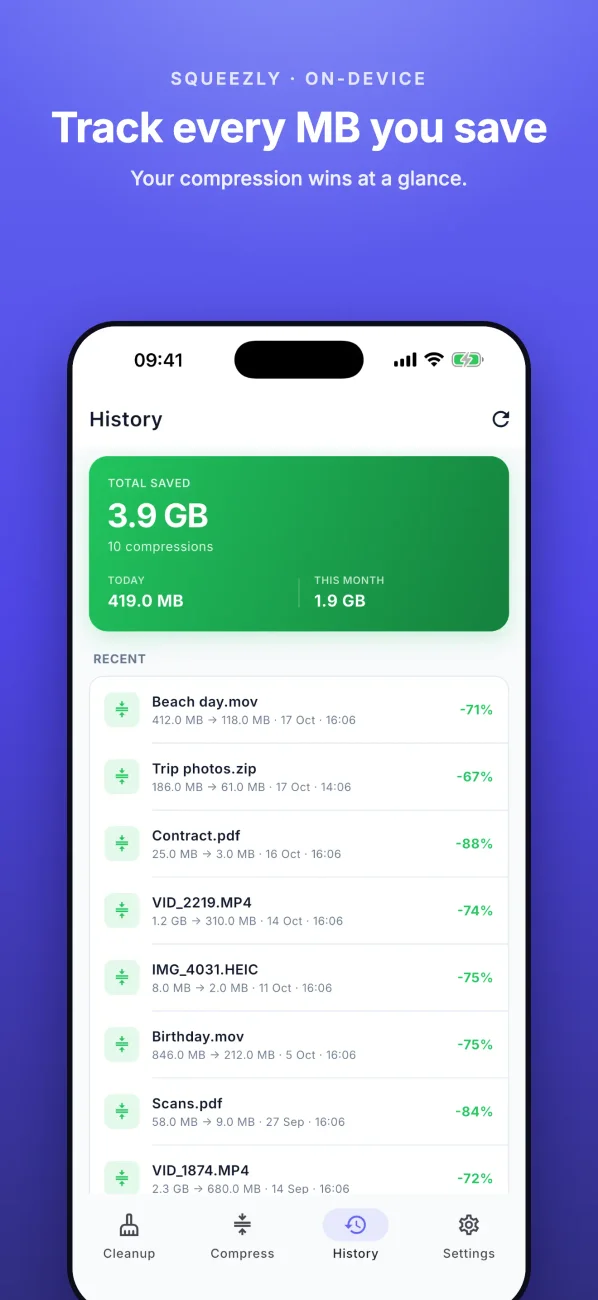
Compress PDFs, photos, videos and archives with quality presets and a size comparison. Compression saves a copy so you can review the result before sharing.
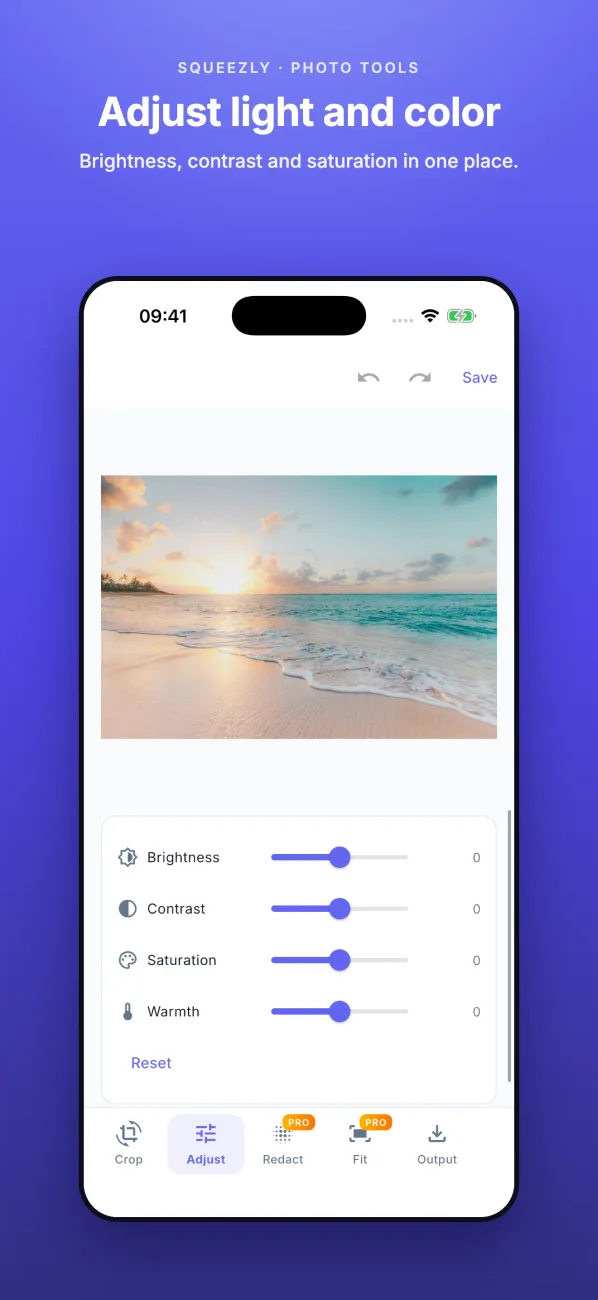
Free photo tools: crop, rotate, flip, straighten and fix perspective; light, color and detail sliders; built-in Looks; Markup with pen, highlighter, arrows, rectangles and text; black out private details; copy and paste edits onto one or many photos; drafts and a before/after comparison. Single-photo saves remove location by default.
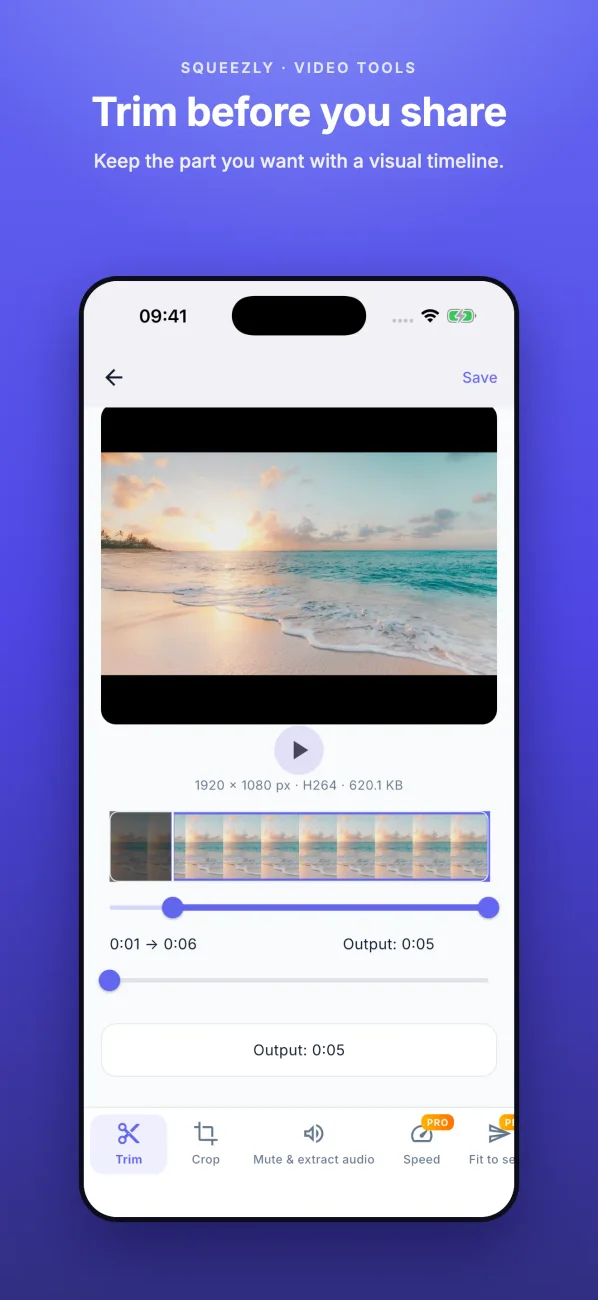
Free video tools: trim, rotate, flip, crop to an aspect ratio, mute, adjust brightness, contrast, saturation and warmth, and save a frame as a full-resolution photo. Share a photo or video to Squeezly and choose Edit.
Premium photo tools: blur or pixelate areas, with help from Find faces; curves, HSL and selective brush, linear or radial masks; text or logo watermarks; save your own presets; fit without cropping on a blurred, white or black canvas; exact pixel size, JPEG or HEIC quality and file size limit; resize, convert to JPEG, PNG or HEIC and remove all metadata, also in batches.
Premium video tools: cut out the middle of a clip, hide areas for a chosen time range, add timed titles and captions, add your own audio file and set both volumes, change speed, make a short looping GIF, and choose codec, resolution, frame rate, bitrate and HDR or SDR. Fit to send with a target size, split into timed parts, extract audio as M4A and fit with bars. Fit canvas can also replace the black bars with a white or blurred background. Target sizes are best effort.
Premium can also replace the original after saving the edited copy. Premium tools carry a PRO badge. Saving an edit that uses a Premium tool requires Premium.
Photo and video edits are processed on your device, with no media upload or Squeezly account. Squeezly adds no watermark of its own.
New subscribers can try the yearly plan free for 7 days. After the trial it renews at the yearly price unless canceled at least 24 hours before the trial ends.
Yearly and Monthly plans are auto-renewable subscriptions. Payment will be charged to your Apple ID at confirmation of purchase. Your subscription automatically renews unless canceled at least 24 hours before the end of the current period. You can manage and cancel subscriptions in Settings > your name > Subscriptions. Lifetime is a one-time non-consumable purchase and does not renew.
With the free trial, payment is charged to your Apple ID when the trial ends, not at confirmation of purchase.
Privacy Policy: https://mustafasalimerek-bit.github.io/squeezly-legal/privacy_en.html
Terms of Use: https://mustafasalimerek-bit.github.io/squeezly-legal/terms_en.html
Apple standard EULA: https://www.apple.com/legal/internet-services/itunes/dev/stdeula/
What’s new
Version 2.2.0 · Nov 21, 2026
Photos: Markup, perspective, light and detail sliders, Looks, copy-paste edits, drafts.
Videos: color adjustments.
Premium: curves, HSL, selective masks, watermarks, exact photo sizes, presets, timed redaction, titles, captions, your own audio, GIF, mid-clip cuts, export settings.
Edit straight from the share sheet.
Premium: blurred backgrounds for fitted videos.
App privacy
What Mustafa Salim Erek declares on the App Store about how this app handles data.
-
Data not collected
The developer does not collect any data from this app.
Privacy practices may vary, for example with the features you use or your age.
Information
- Seller
- Mustafa Salim Erek
- Category
- Productivity
- Version
- 2.2.0
- Updated
- Nov 21, 2026
- Released
- May 10, 2026
- Size
- 35.0 MB
- Requires
- iOS 16.0 or later
- Age rating
- 4+
- Price
- Free
- In-app purchases
- Yes
- Languages
- English, Arabic, French, German, Italian, Japanese, Portuguese, Russian, Spanish, Turkish
- Copyright
- © 2026 Mustafa Salim Erek
You might also like
-
 Babloom | AI Voice NotesCapture, Retain, Recall
-
 PeerGuide.Productivity
-
 Image Compressor & ZIPCompress, Resize, Export ZIP
-
 Daylit - Daily PlannerTasks, schedules, your way
-
 Gallery Cleaner SwipeSwipe Gallery Cleaner App
-
 NousPDF: PDF Converter & ScanConvert Photo & JPG to PDF
-
 Lorebind: Worldbuilding NotesStory bible for writers & GMs
-
 Smart PDF Compressor OfflineShrink PDFs. Stay Private.
-
 Spark AI: Chat & AssistantPowered by ChatGPT.
-
 StoryLoom: Novel Story BibleStory planner & character map