Image to PDF ‧ PDF Converter
Scan to PDF: Photo & JPG Maker
Designed for iPhone, iPad
Free · In-app purchases
- Age rating4+
- CategoryUtilities
- DeveloperKiran Gajjar
- LanguagesEnglish
- Size10.5 MB
Links to the official App Store page
Download.org hosts no file of Image to PDF ‧ PDF Converter. The button opens its official App Store page, published by Kiran Gajjar. Listing last checked on Nov 24, 2026.
Screenshots


About
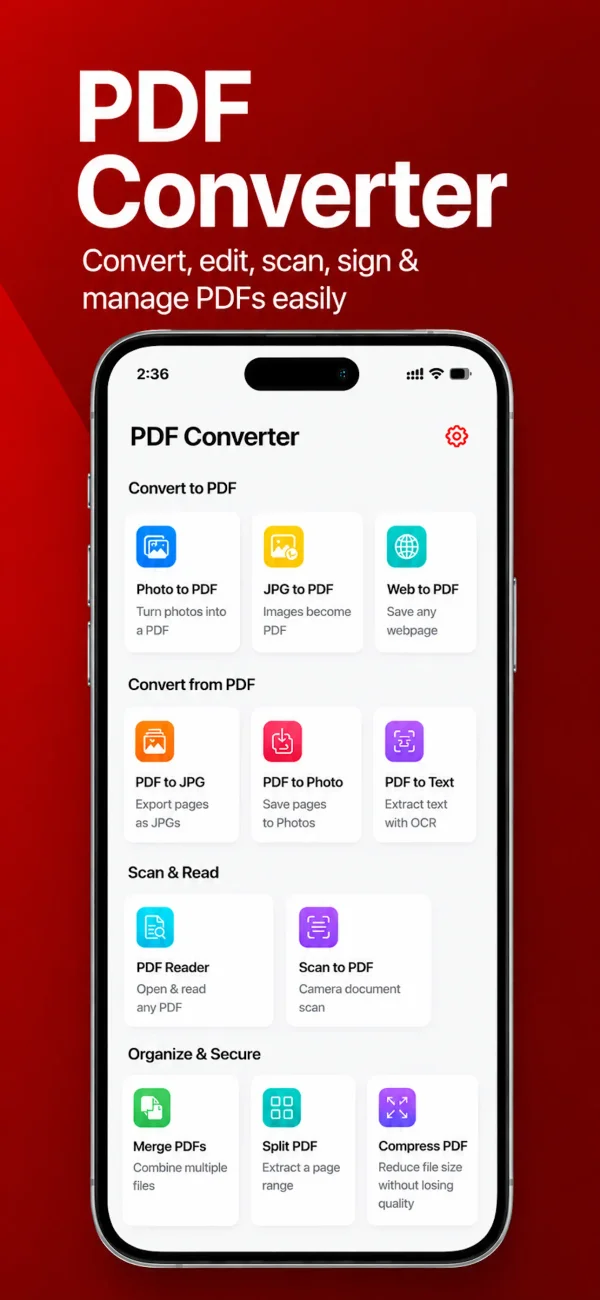
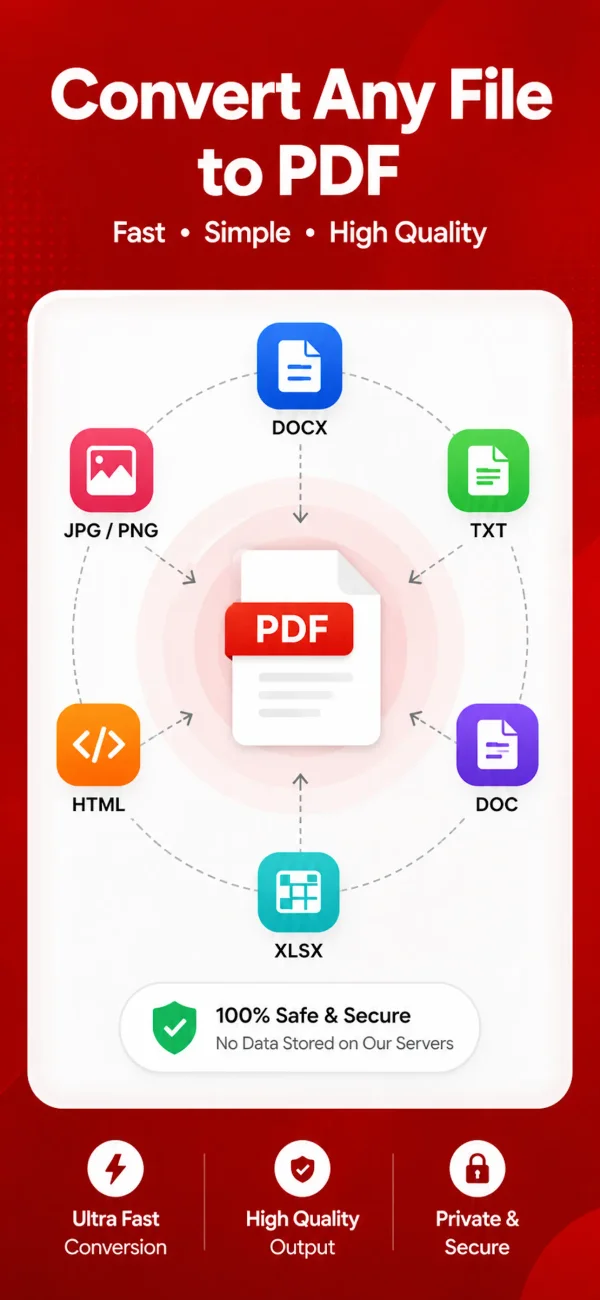
Turn photos, scans, Word, Excel and PowerPoint files into clean PDFs in seconds — right on your iPhone or iPad. No account, no uploads: every file is processed privately on your device.
IMAGE TO PDF
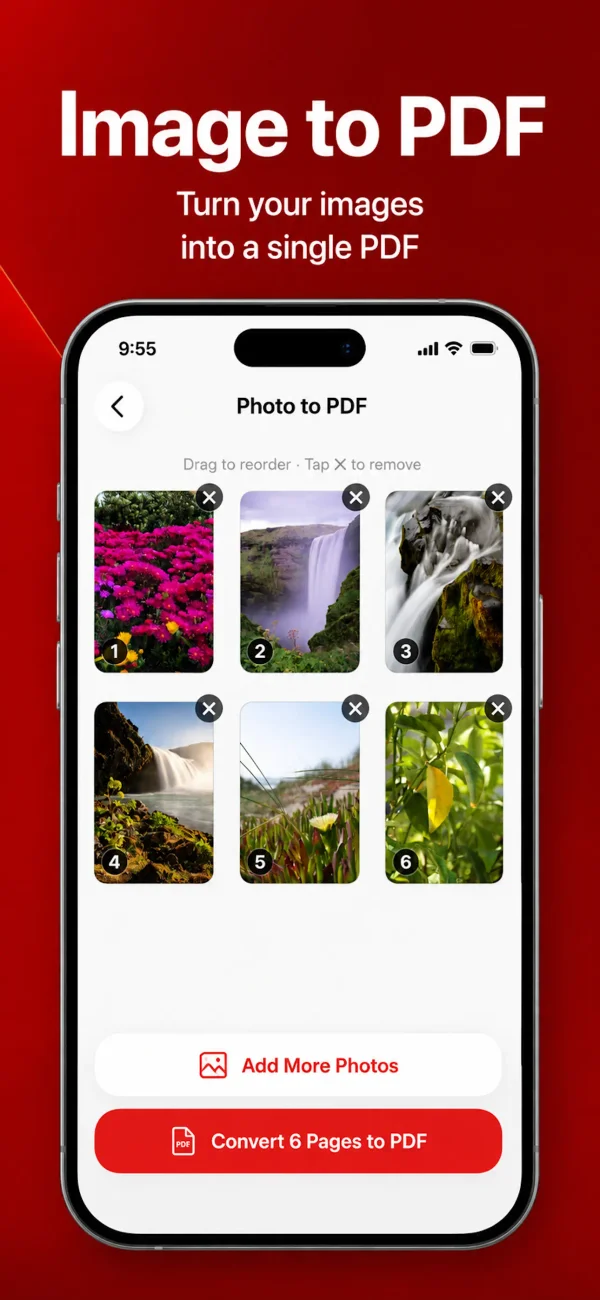
• Convert one photo or a whole album into a single PDF
• Drag to reorder or remove pages before you save
• Works with JPG, PNG and HEIC
• Share → PDF Converter from Photos to make a PDF without opening the app
SCAN DOCUMENTS
• Document scanner with automatic edge detection
• Clean filters for receipts, notes, forms and IDs
• Scan multi-page documents into one PDF
CONVERT TO PDF
• Word, Excel and PowerPoint to PDF
• Text to PDF and Web page to PDF
CONVERT FROM PDF
• PDF to JPG and PDF to Photos
• PDF to Text with on-device text recognition (OCR)
ORGANIZE & EDIT
• Merge several PDFs into one
• Split a PDF or extract pages
• Compress large PDFs to email-friendly sizes
• PDF reader built in
NOW ON IPAD + WIDGETS
• Full iPad support in any orientation and side by side with other apps
• Home Screen and Lock Screen widgets, plus a Scan to PDF control in Control Center (iOS 18 and later)
100% PRIVATE
Your documents never leave your device. Conversions, scans, text recognition and summaries all run on-device. No servers, no sign-up.
FREE VS PRO
Free: PDF reading is unlimited, photo and scan conversion is unlimited with a small watermark, and other tools include 3 free conversions per day.
PDF Converter Pro unlocks:
• Unlimited conversions with no watermark
• Sign PDF — draw your signature and place it on any page
• Password-protect PDFs
• PDF Summary — on-device AI summary on Apple Intelligence devices, key points on others
• Searchable scans (OCR text layer)
SUBSCRIPTION INFORMATION
• Pro is available as an auto-renewing weekly or yearly subscription. The yearly plan includes a 7-day free trial for eligible new subscribers.
• Payment is charged to your Apple ID at confirmation of purchase, or at the end of the free trial.
• Subscriptions renew automatically unless cancelled at least 24 hours before the end of the current period. Your account is charged for renewal within 24 hours before the period ends.
• Manage or cancel anytime in Settings → Apple ID → Subscriptions.
• Prices vary by region and are shown in the app before purchase.
Terms of Use: https://sites.google.com/view/thepdfconverter/terms-of-use
Privacy Policy: https://sites.google.com/view/thepdfconverter/privacy-policy
Questions or ideas? Contact us from Settings in the app — we read every message.
What’s new
Version 1.4 · Nov 21, 2026
• Now on iPad — works full screen in any orientation and side by side with other apps.
• Widgets — scan a document or turn photos and Word files into PDFs right from your Home Screen, Lock Screen or Control Center (iOS 18 and later).
• A faster start — new users go straight to making their first PDF.
• Reliability improvements and polish.
Enjoying the app? A quick rating helps a lot — thank you!
App privacy
What Kiran Gajjar declares on the App Store about how this app handles data.
-
Data linked to you
May be collected and linked to your identity.
- Usage data
-
Data not linked to you
May be collected but is not linked to your identity.
- Purchases
- Location
- Identifiers
Privacy practices may vary, for example with the features you use or your age.
Information
- Seller
- Kiran Gajjar
- Category
- Utilities
- Version
- 1.4
- Updated
- Nov 21, 2026
- Released
- Aug 24, 2026
- Size
- 10.5 MB
- Requires
- iOS 17.0 or later
- Age rating
- 4+
- Price
- Free
- In-app purchases
- Yes
- Languages
- English
- Copyright
- © Kiran Apps
You might also like
-
 PDF Maker | Photo to PDFPDF
-
 Image to PDF Converter & ScansDoc Scanner, JPG & Photo Maker
-
 PDF Tools: Edit, Merge & SignEdit, Merge, Sign & Convert
-
 JPG / PNG Image ConverterConvert Images to JPG / PNG
-
 PDF Maker & EnhancerScan, Sign & Compress PDFs
-
 Photo to PDF Converter: ImageConvert image to PDF
-
 Compress PDF 1MB,500KB,200KBResize+JPG 100KB,300KB,2MB,5MB
-
 PDF Maker - Editor & ConverterScan, Merge, Compress & Share
-
 Image to PDF - Photos PDFScan, Sign, Edit PDF Converter
-
 Image converter JPG, PNG, JPEGPhoto Convert, Resize,Compress