PDF Maker & Enhancer
Scan, Sign & Compress PDFs
Designed for iPhone, iPad, iPod touch
In-app purchases
- Age rating+4
- CategoryUtilities
- DeveloperUrvik Moradiya
- LanguagesEnglish
- Size7.6 MB
Links to the official App Store page
Download.org hosts no file of PDF Maker & Enhancer. The button opens its official App Store page, published by Urvik Moradiya. Listing last checked on Nov 12, 2026.
Screenshots
About
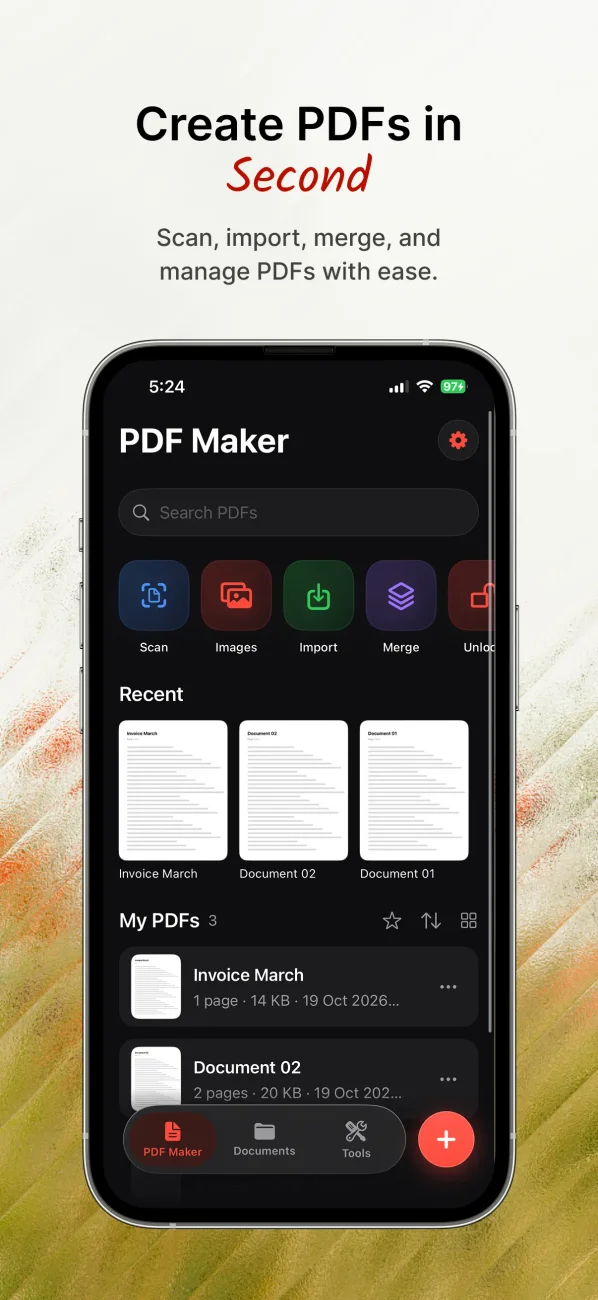
PDF Maker & Enhancer turns your iPhone and iPad into a powerful document scanner, editor, and organizer. Scan, sign, compress, and manage PDFs anytime, anywhere — all in one clean, fast app that works completely offline.
SCAN ANYTHING
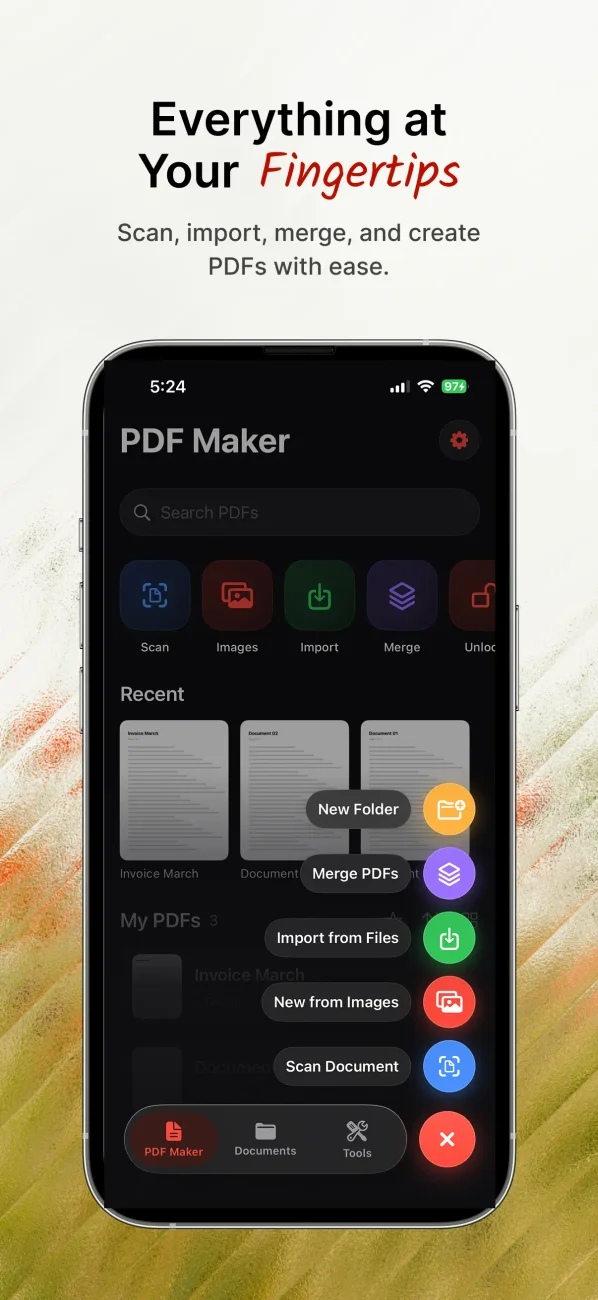
• Smart auto edge-detection captures documents in seconds
• Shot at an angle? Your page is automatically cropped and flattened into a straight, front-on scan
• Review every page, then Crop, Rotate, Filter (Auto, B&W, Grayscale), and adjust Contrast before saving
• Turn existing photos into clean scans with New from Images
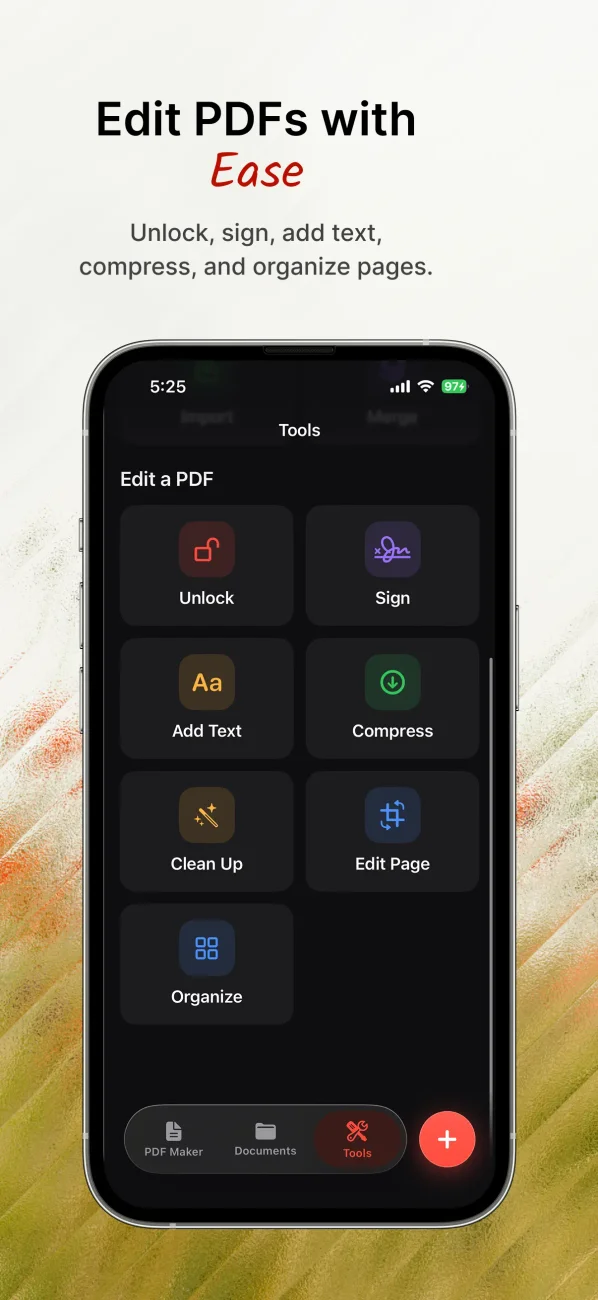
SIGN & FILL
• Sign with your finger in black, red, or blue — save your signature and reuse it
• Add and reposition text anywhere; your text stays editable, never baked in
SEARCHABLE SCANS (OCR)
• Recognize text in your scans so PDFs become selectable, copyable, and searchable
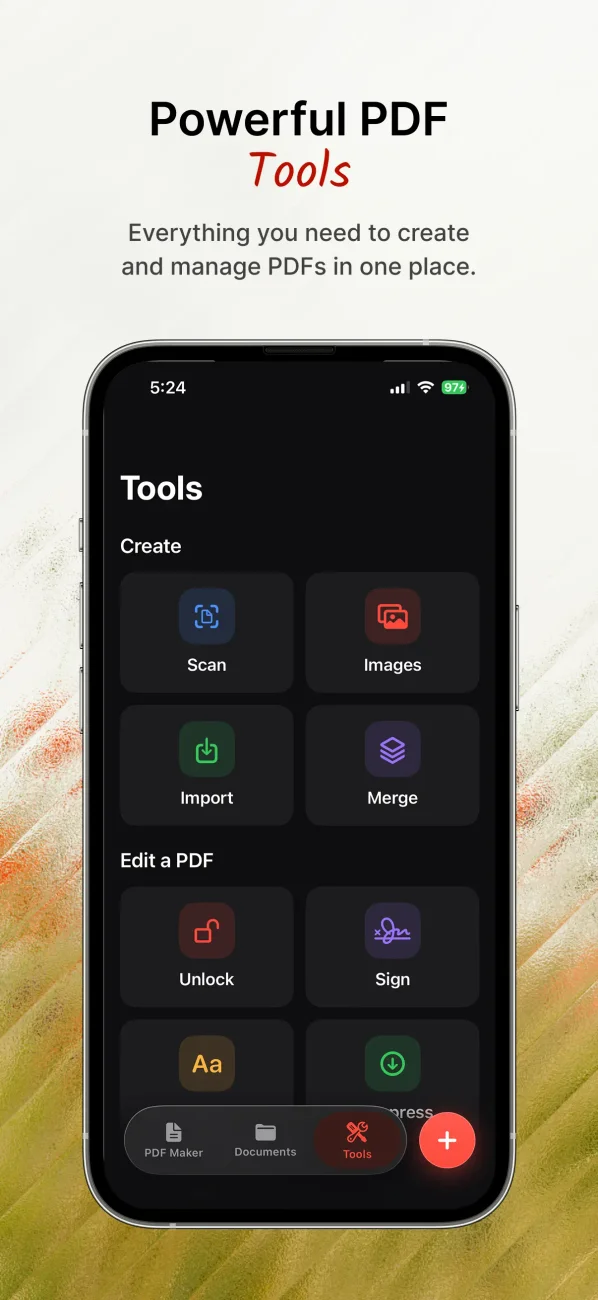
POWERFUL PDF TOOLS
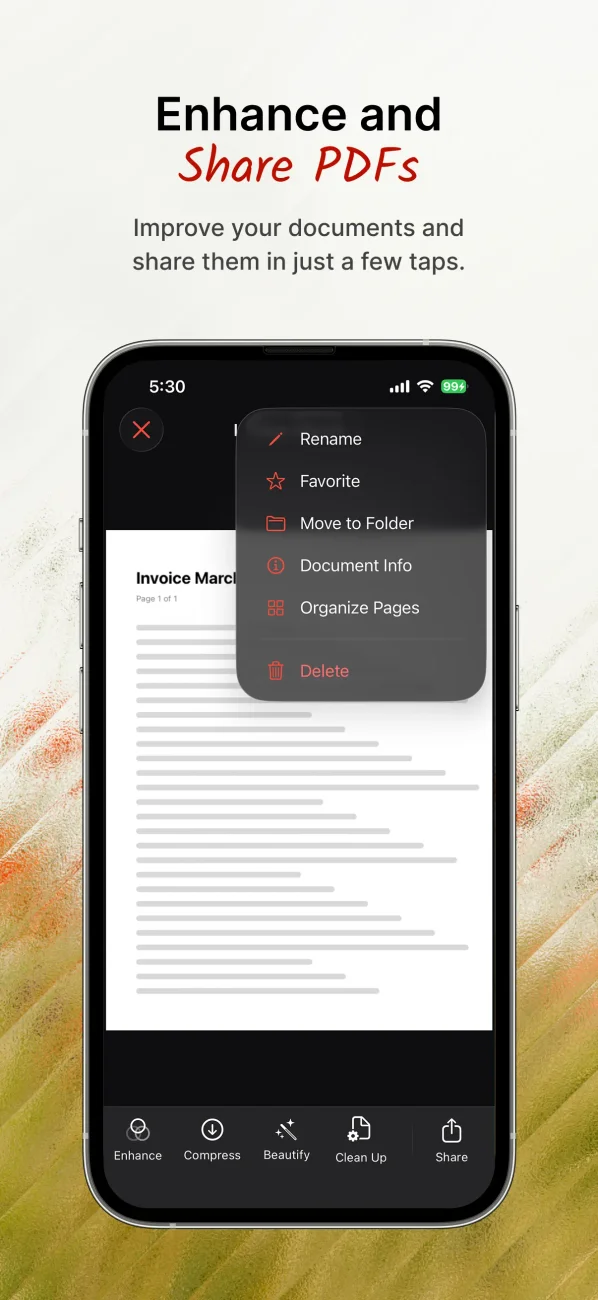
• Compress large PDFs without wrecking quality — and never end up with a bigger file
• Merge multiple PDFs into one · Reorder, rotate, add, and delete pages
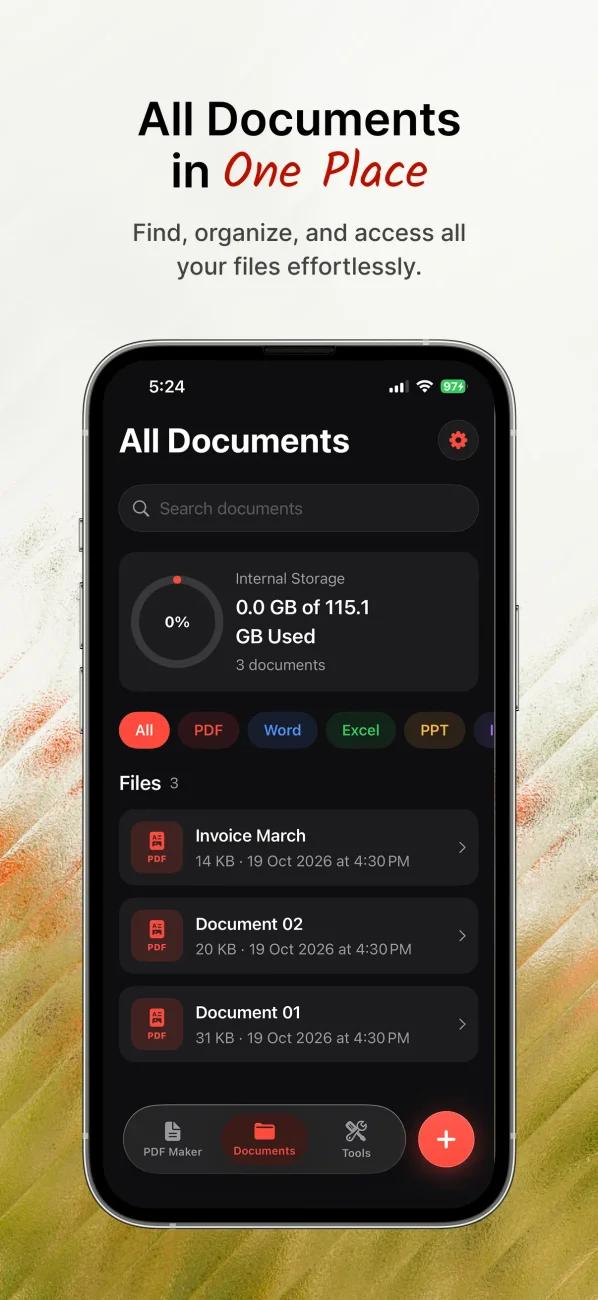
• Import PDF, Word, Excel, PowerPoint, and images — and preview them right in the app
STAY ORGANIZED
• Folders, favorites, search, and sort · Rename in a tap; shared files keep their new name
BUILT FOR iPHONE & iPAD
• Beautiful light and dark modes · First-class iPad support · 100% offline
PDF MAKER PRO
Upgrade to Pro to remove all ads and unlock unlimited high-level compression, batch OCR, and priority export. Available as a monthly or yearly subscription.
Terms of Use (EULA): https://www.apple.com/legal/internet-services/itunes/dev/stdeula
Privacy Policy: https://creation.morhover.com/privacy-policy.html
(followed by the auto-renew disclosure + Privacy Policy & EULA links — required by Apple for subscription apps; full text is in the file)
What’s new
Version 1.3 · Oct 22, 2026
Version 1.3 brings a full set of page-editing tools.
NEW
• Crop to print-ready sizes: A4, US Letter, Legal, A3, A5 or Square. Drag to move, pinch to zoom, and rotate to fit.
• Annotate with a pen, highlighter and eraser.
• Redact sensitive details so they're permanently removed.
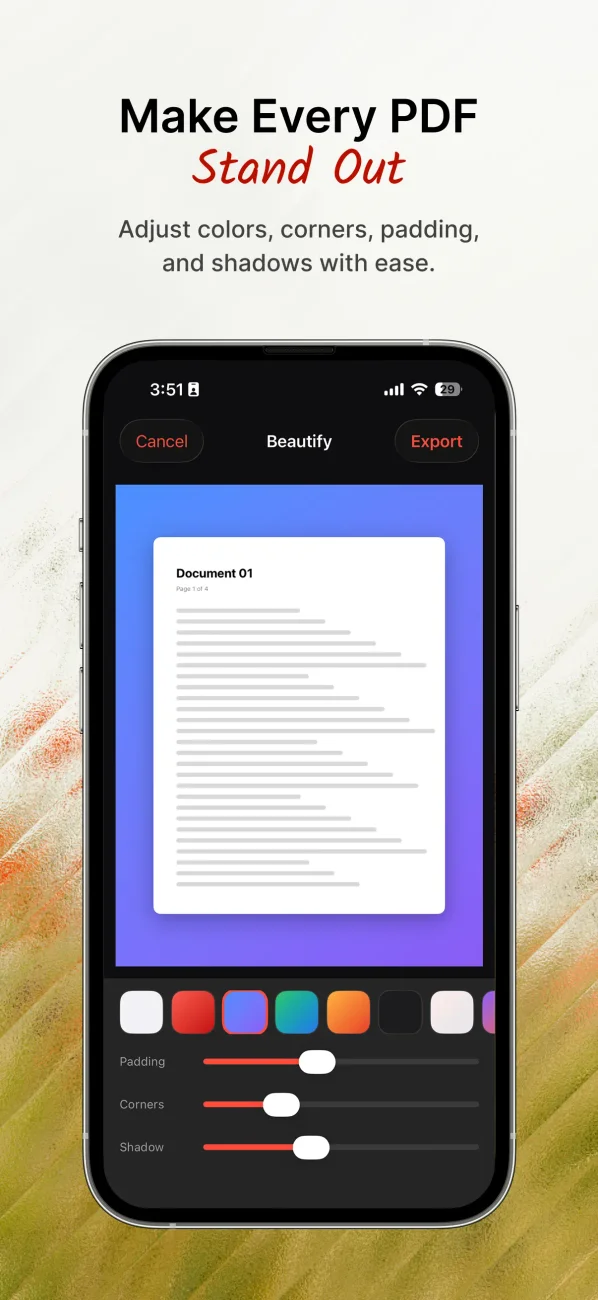
• Beautify: put a page on a styled background and share it as an image.
• Page sidebar: see every page, tap to jump to it, and edit the one you picked.
• Edit document info: title, author, subject and keywords.
• New + menu: Scan, Images, Import, Merge or New Folder in one tap.
• New Tools tab and a redesigned tab bar.
• Send Feedback and Help & FAQ are now in Settings.
IMPROVED
• Drag your signature anywhere on the page, then resize, rotate or recolor it.
• Rotated pages now fit the screen, with no sideways scrolling.
• Clearer delete confirmations, and Share opens as a half-sheet.
MORE
• Unlock password-protected PDFs.
• Open PDFs shared from other apps.
• Clean Up: strip comments, form fields, links and scripts to share a flat PDF.
• Manage Storage and find duplicate files.
App privacy
What Urvik Moradiya declares on the App Store about how this app handles data.
-
Data used to track you
May be used to track you across apps and websites owned by other companies.
- Identifiers
- Usage data
-
Data not linked to you
May be collected but is not linked to your identity.
- Identifiers
- Usage data
- Diagnostics
Privacy practices may vary, for example with the features you use or your age.
Information
- Seller
- Urvik Moradiya
- Category
- Utilities
- Version
- 1.3
- Updated
- Oct 22, 2026
- Released
- Apr 30, 2026
- Size
- 7.6 MB
- Requires
- iOS 15.0 or later
- Age rating
- +4
- In-app purchases
- Yes
- Languages
- English
- Copyright
- © 2026 Morhover Creation
You might also like
-
 Image to PDF ‧ PDF ConverterScan to PDF: Photo & JPG Maker
-
 Invoice Maker .Create & Send Invoices
-
 Photo to PDF Converter: ImageConvert image to PDF
-
 Image to PDF Converter & ScansDoc Scanner, JPG & Photo Maker
-
 FileSizeFix: File CompressorCompress Photos, Videos & PDF
-
 Gold Tester & IdentifierIdentify Real Gold by photo
-
 HTML Viewer - HtmlyView & Preview Source Code
-
 PDF: Edit, Sign, Scan, ConvertFill, Sign & Annotate Docs
-
 Getvibe - Ai 8KWallpaperStunning HD & 4K Wallpapers
-
 eSign: PDF Signer & Fill SignSignature Creator & Maker App