
Image to Text convertor
Scan, Search & Read Text Aloud
Designed for iPhone, iPad
Free · In-app purchases
- Age rating4+
- CategoryUtilities
- DeveloperSaravanakumar GN
- LanguagesEnglish
- Size19.0 MB
Links to the official App Store page
Download.org hosts no file of Image to Text convertor. The button opens its official App Store page, published by Saravanakumar GN. Listing last checked on Nov 12, 2026.
Screenshots

About
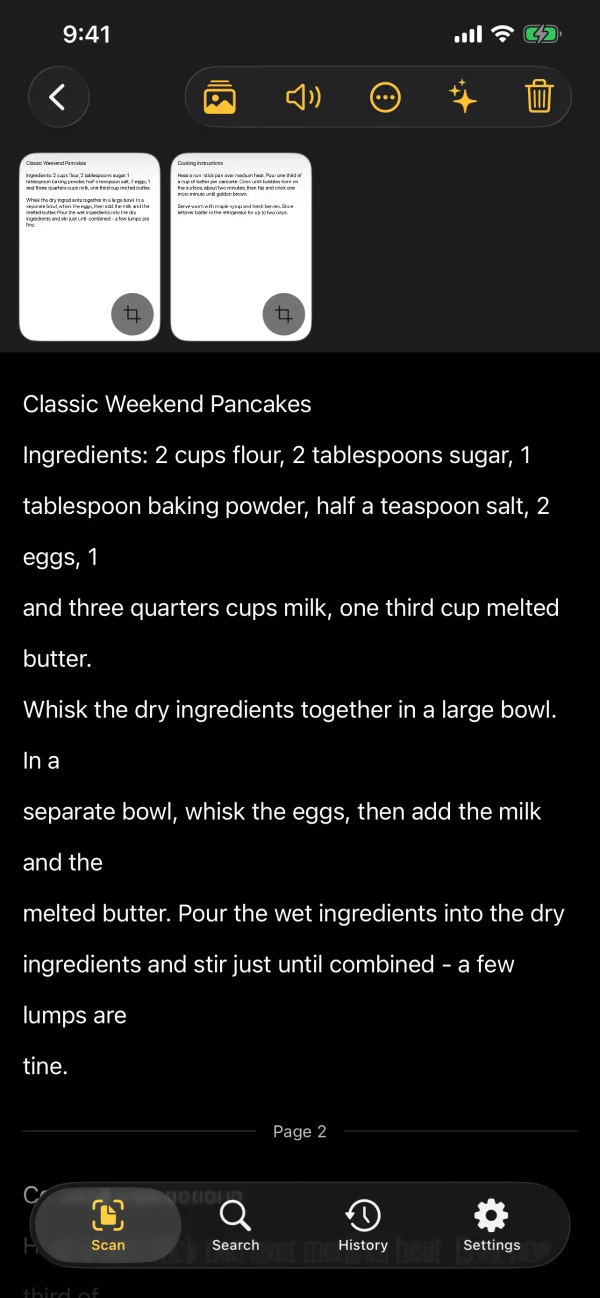
Image to Text turns photos, scans, and documents into text you can read, search, and reuse — all processed entirely on your device.
SCAN AND EXTRACT
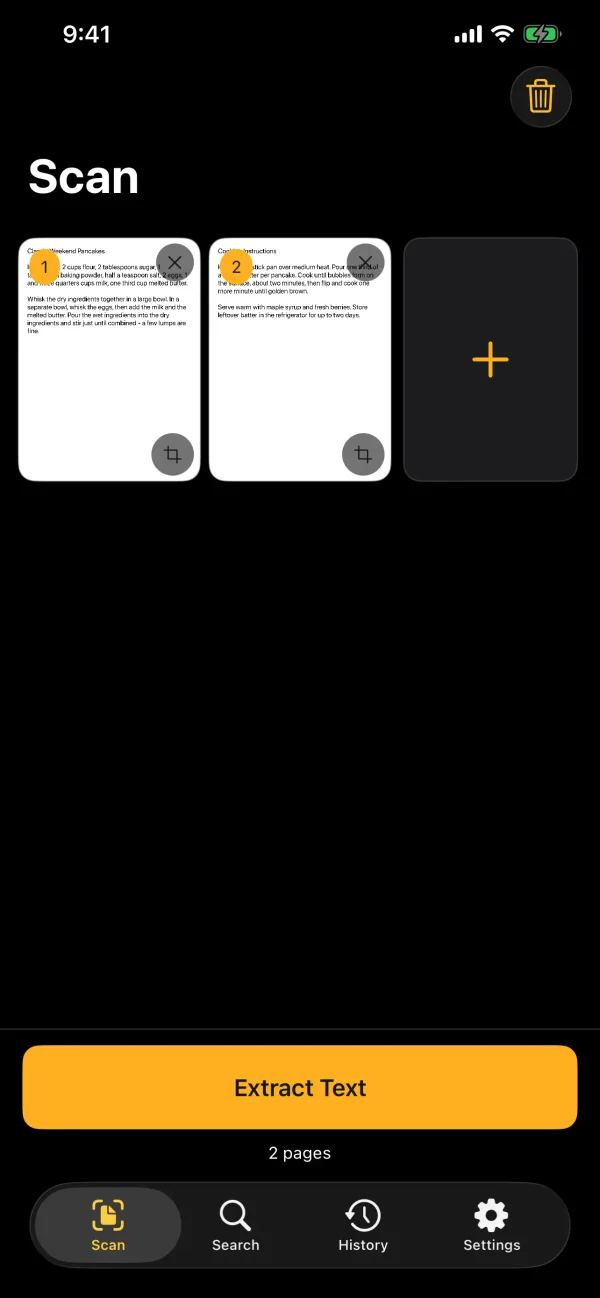
Capture a document with your camera or import a photo, and get clean, accurate text back in seconds. Multi-page documents are supported — capture a whole batch, then extract all pages at once.
SEARCH EVERYTHING
Every scan you've made is instantly searchable by its text. Turn on photo search and Image to Text will also find text hiding in your photo library — receipts, whiteboards, signs, screenshots — without ever uploading a single photo.
READ ALOUD
Listen to any extracted text with natural-sounding speech, including background playback and lock-screen controls, so you can keep listening while you do something else.
ON-DEVICE AI TOOLS — FREE FOR EVERYONE
• Clean Up — fix broken line wraps, stray characters, and OCR artifacts
• Reformat — turn extracted text into structured Markdown
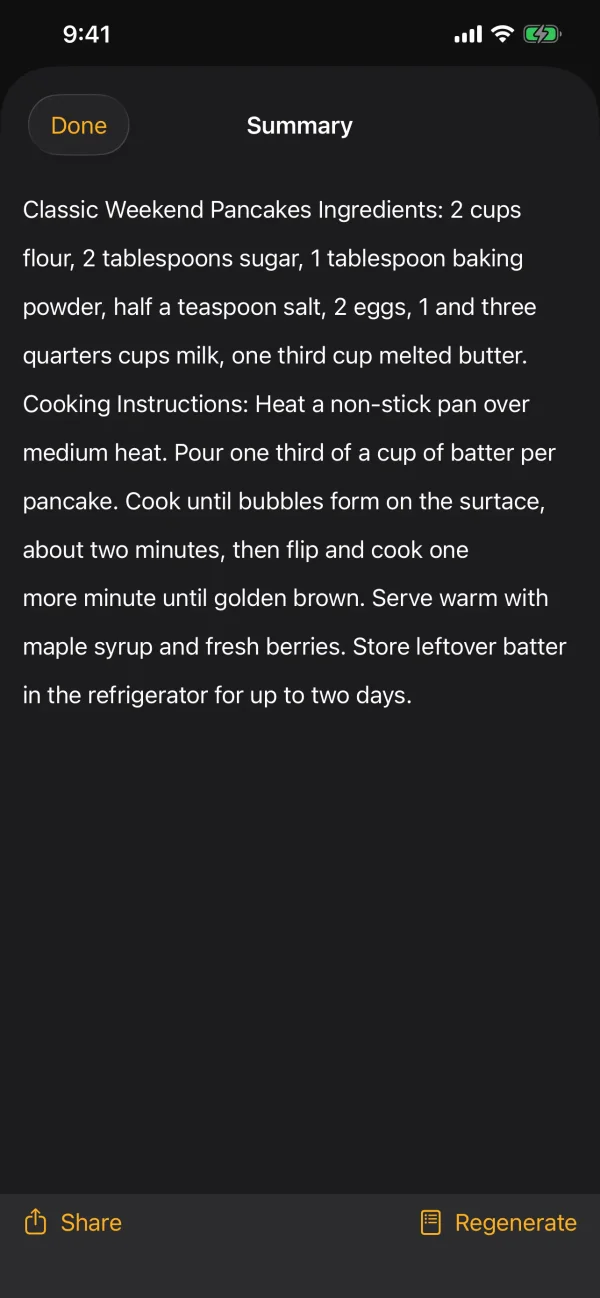
• Summarize — get the key points from a long document
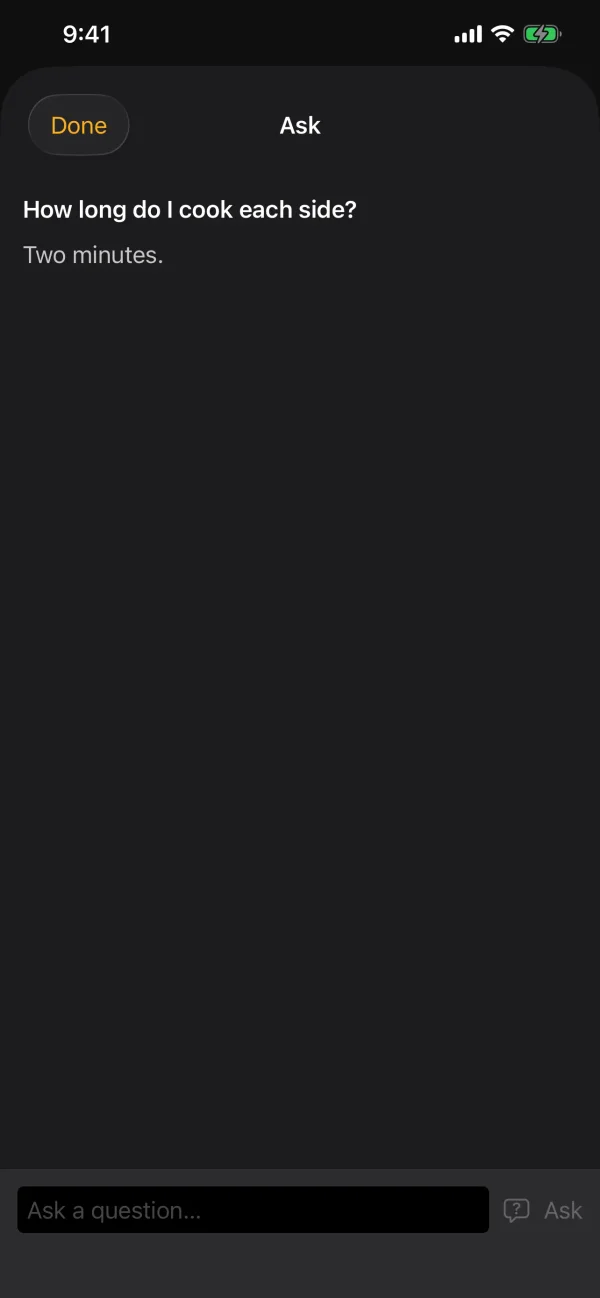
• Ask — ask questions about what you scanned and get answers grounded in the actual text
• Translate — translate extracted or typed text, block by block
All of this runs on Apple's on-device intelligence. Nothing you scan is ever sent to a server.
YOUR HISTORY, ORGANIZED
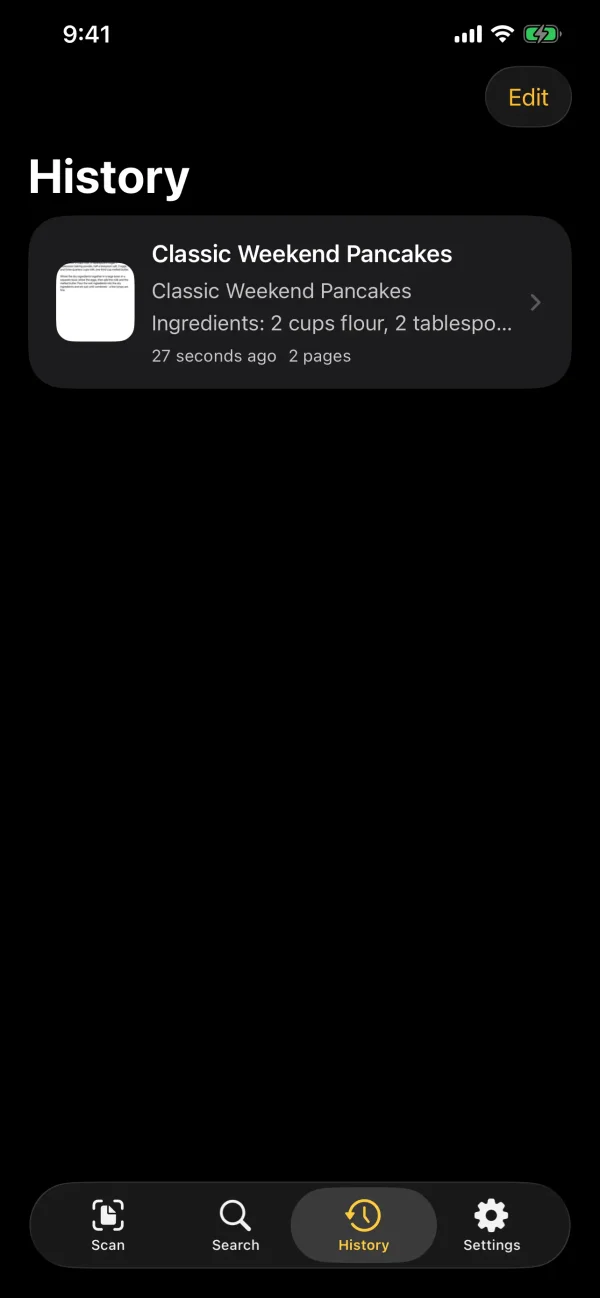
Every scan is saved automatically with its page count and thumbnail, so you can find and revisit anything you've ever captured.
PRIVACY BY DESIGN
Your photos, scans, and recognized text stay on your device. Nothing is uploaded — not for recognition, not for search, not for the AI tools. Photo library access is optional and requested only when you choose to use it, and turning it off deletes the indexed text.
REMOVE ADS
A single one-time purchase removes the banner ad shown at the bottom of the screen. It doesn't unlock or change anything else — every feature listed above is already free.
What’s new
Version 4.0.0 · Aug 3, 2026
This version is a complete rewrite, built entirely native for iOS — faster, more private, and packed with new tools.
NEW
• On-device search — find any word across all your scans, and (optionally) your photo library too. Nothing ever leaves your phone.
• AI tools — Clean Up, Reformat, Summarize, and Ask questions about anything you've scanned, powered entirely by on-device intelligence.
• Translate — translate extracted or typed text, block by block.
• Multi-page capture — scan a whole document in one batch, then extract every page at once.
• Read Aloud — natural-sounding speech with background playback and lock-screen controls.
• Remove Ads — an optional one-time purchase to remove the banner ad. Every feature above is already free either way.
IMPROVED
• More accurate text recognition
• A redesigned History with instant search
• Full support for Dark Mode
As always: your scans, photos, and recognized text stay on your device — nothing is ever uploaded.
App privacy
What Saravanakumar GN declares on the App Store about how this app handles data.
-
Data used to track you
May be used to track you across apps and websites owned by other companies.
- Identifiers
-
Data not linked to you
May be collected but is not linked to your identity.
- Identifiers
- Usage data
Privacy practices may vary, for example with the features you use or your age.
Information
- Seller
- Saravanakumar GN
- Category
- Utilities
- Version
- 4.0.0
- Updated
- Aug 3, 2026
- Released
- Apr 4, 2020
- Size
- 19.0 MB
- Requires
- iOS 26.0 or later
- Age rating
- 4+
- Price
- Free
- In-app purchases
- Yes
- Languages
- English
- Copyright
- © Saravanakumar
You might also like
-
 Image to Text [OCR Scanner]Utilities
-
 Scan & Read Text to PDF, WordImage Converter · Handwriting
-
 Image To Text Scanner-OCRImage to text scanner - OCR
-
 Image to Text - Scan & ConvertHandwriting to Text Converter
-
 Picture to Text: OCR ScannerScan and Read Photo, Image
-
 OCR Scanner - Scan PDF & ImagePDF Document Scanner Text OCR
-
 Text Scanner AI: Image to TextConvert Image to Text Ocr AI
-
 OCR - Image to Text ExtractScan & extract text from image
-
 Text Image ConverterConvert text to image
-
 Textify: OCR Image to textMake searchable PDF documents