
- Age rating4+
- CategoryBusiness
- DeveloperIML - Instrumenta Mechanik Labor GmbH
- LanguagesEnglish
- Size178.1 MB
Links to the official App Store page
Download.org hosts no file of IML Studio. The button opens its official App Store page, published by IML - Instrumenta Mechanik Labor GmbH. Listing last checked on Nov 17, 2026.
Screenshots

About
IML Studio is designed to improve documentation and management of measurement data obtained by wood inspections. You can save all the data gained and analyses are enormously simplified. Coloured graphs, detail views or comparison modes simplify the analysis and facilitate clear data filing structures.
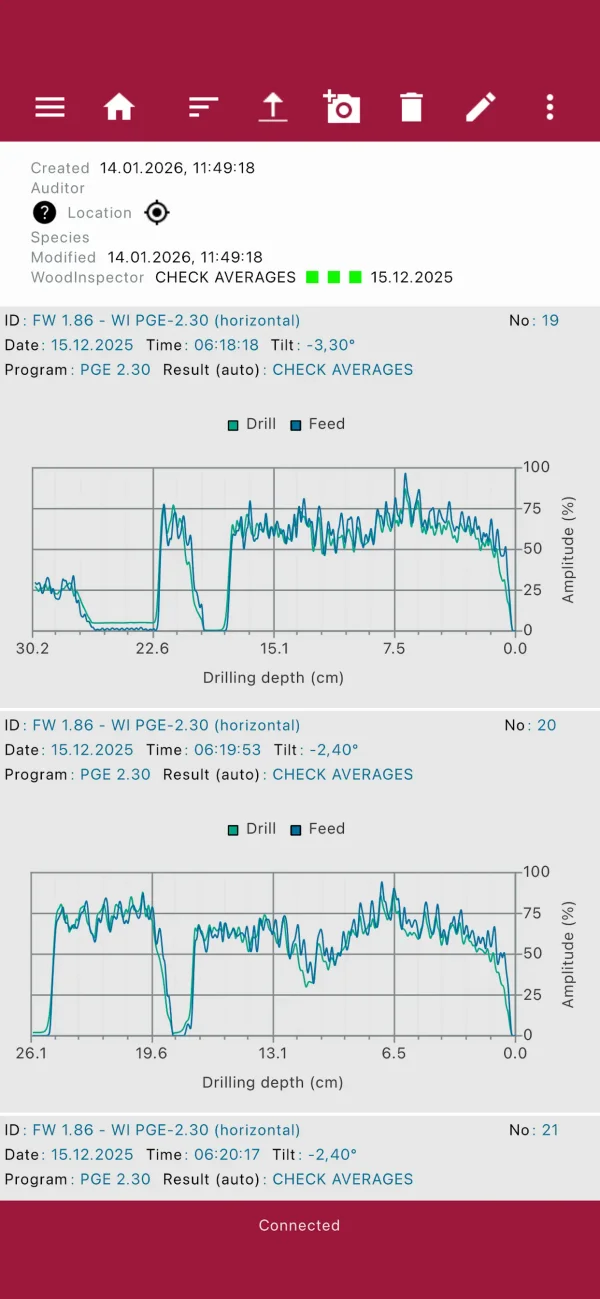
The ID number uniquely assigns measurements to a real object (a pole, a tree, etc.). It structures single measurements into measurement cycles. Cycles with the same ID combine into inspections.
Highlights
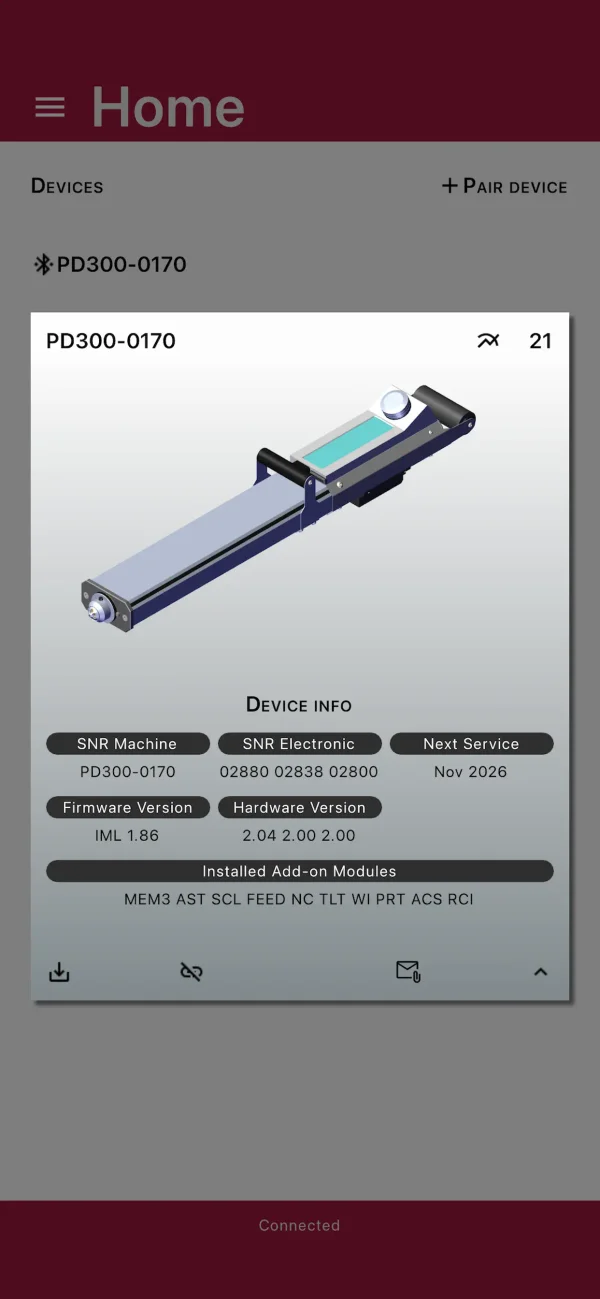
- Transfer measurement data from your IML-RESI PowerDrill® via Bluetooth
- Save and organise measurements with the use of individual ID numbers
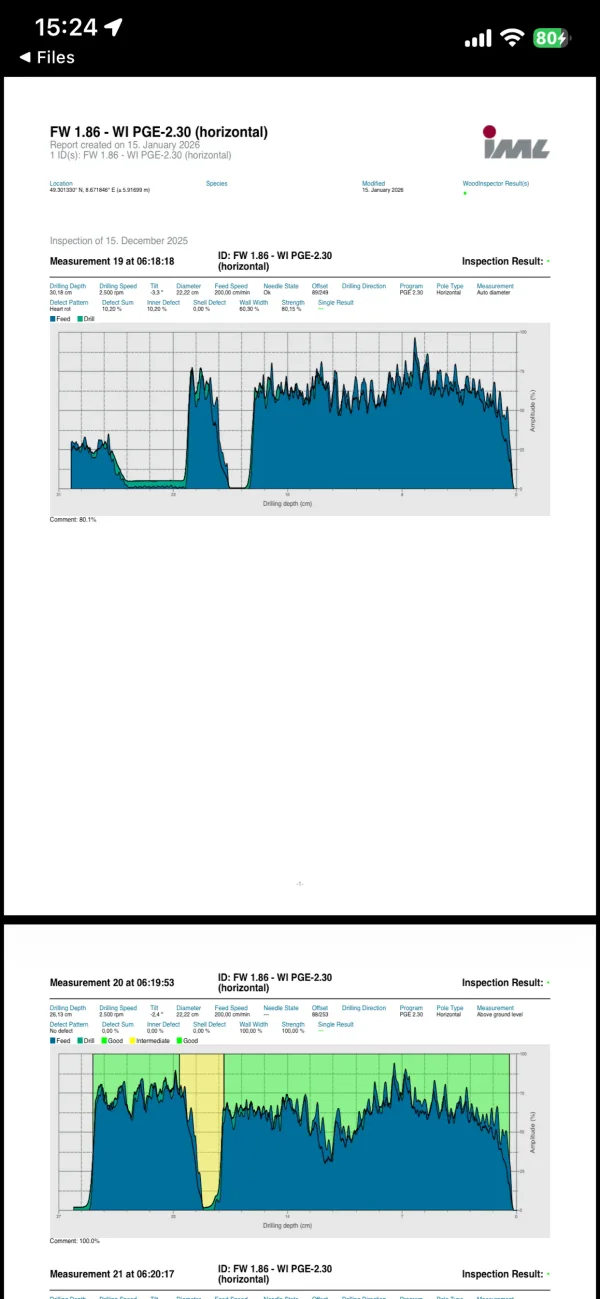
- Export drilling resistance data into PDF files
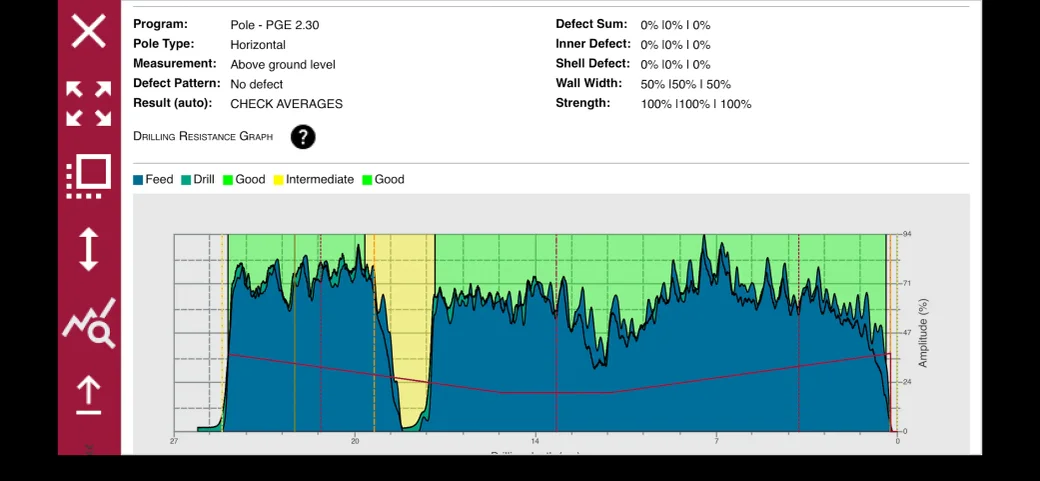
- Add comments and evaluate drilling resistance graphs
- Different views of measurement results: Normal view, enlarged view, multiple view
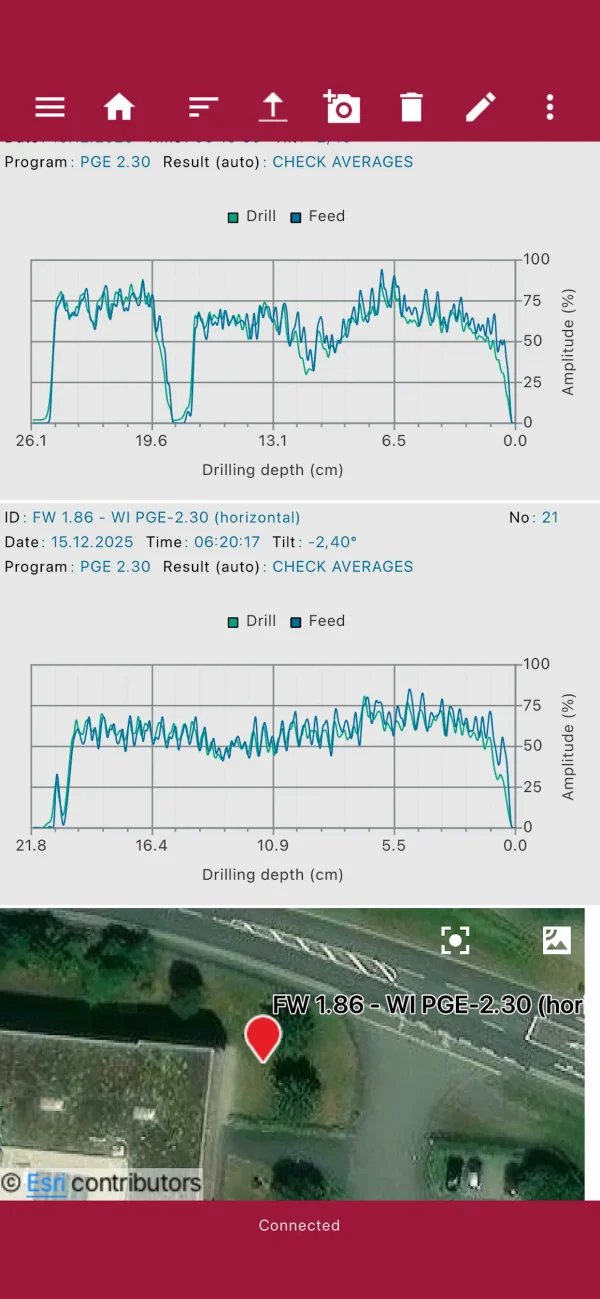
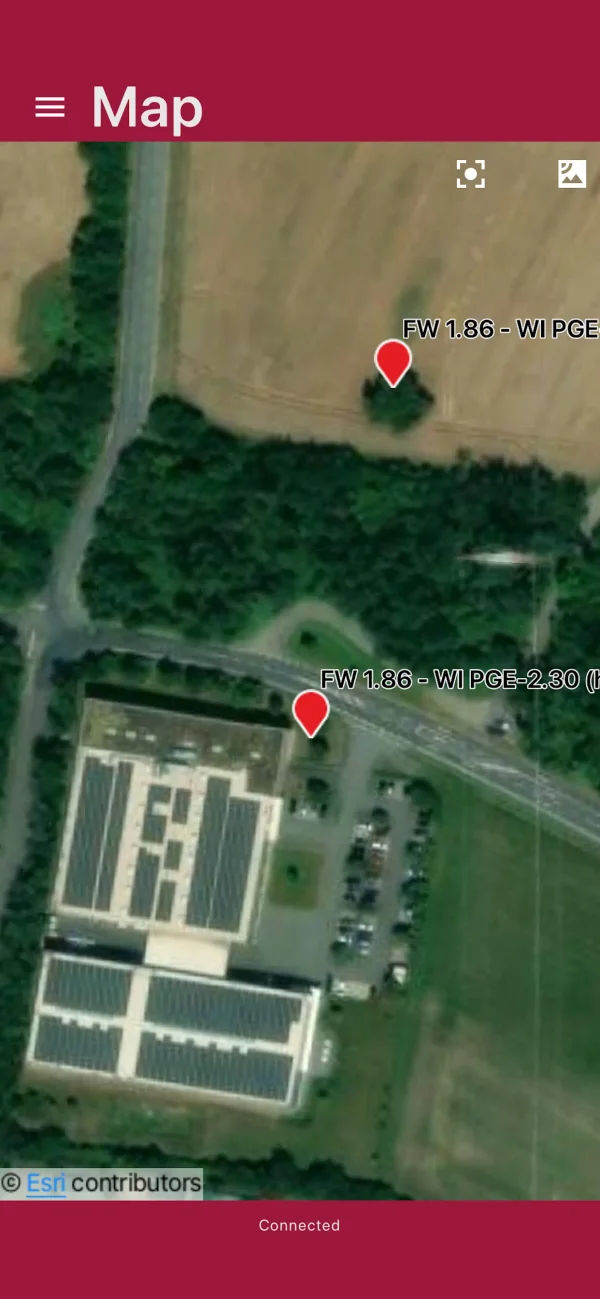
- Explore locations of measurement objects in an interactive map
Measurement transmission
Examine the measurements on an IML-RESI PowerDrill® in the remote measurements view. Get information about the ID number, comment, measurement number as well as date and time when the measurement has been conducted. Hide measurements that have already been transmitted and select individual measurements for transmission.
The measurements can be transferred and organised in inspections. An inspection is a collection of measurements with identical ID numbers. In general, the ID number links a measurement to one object. Depending on the application an object represents a pole, a tree, playground equipment, etc.
Auto-GPS
The auto-GPS feature, which can be activated in settings, automatically queries the GPS module of your mobile device and adds the retrieved coordinate to the measurements.
PDF export
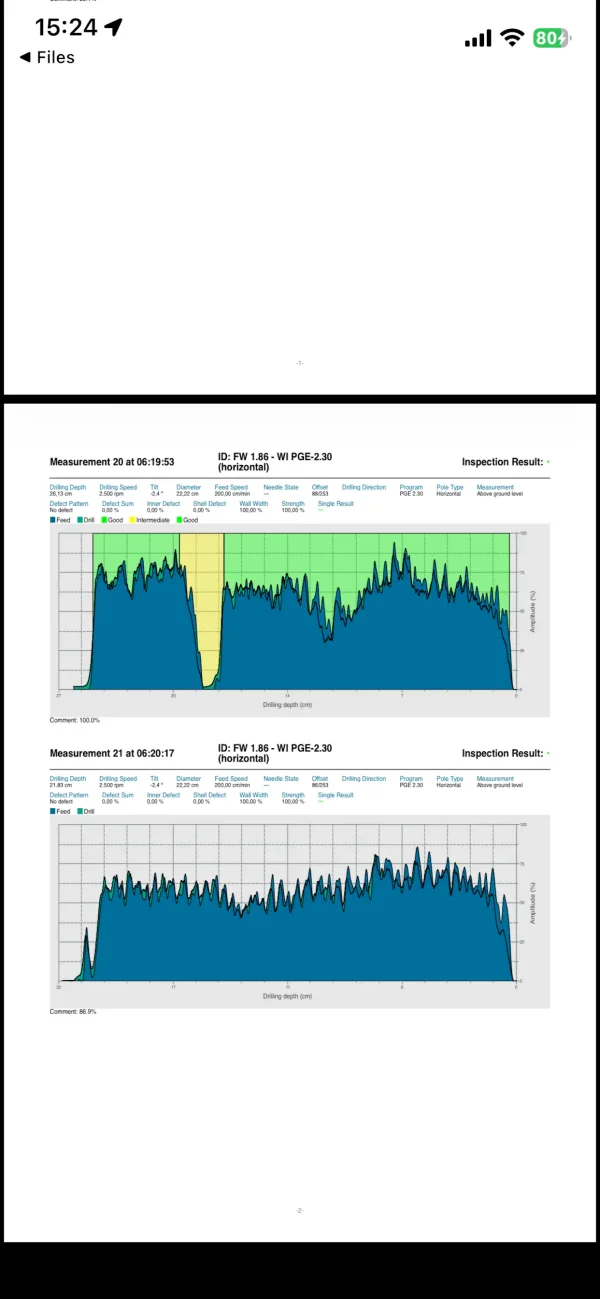
There are two layouts for PDF export: Single measurement and inspection. Both of them offer a set of options for customisation.
Single measurement export allows opt-in for general measurement and object data (such as drilling depth, diameter, species, etc), WoodInspector data (if available), the drilling resistance graph, assessments and the user comment.
The inspection layout bundles the measurements within one inspection. If the inspection resembles a WoodInspector measurement, the layout gives a general overview of the WoodInspector result in context to the single measurement results.
This layout combines customer needs with our expertise in wood inspections.
Multi-platform usability
IML Studio is a real multi-plattform application. However, the ease of use of some features may be affected if IML Studio is used on devices with smaller displays.
What’s new
Version 2.0.1 · Nov 10, 2026
Thank you for using IML Studio, the IML solution to support your daily work with the IML-RESI PowerDrill®. This version delivers new features, improvements and bug fixes, such as:
- Automation of data transmission
- Creating empty inspections as a template
- Changing the ID and comment of a connected IML-RESI PowerDrill® using IML Studio
- When creating or renaming an inspection, the system flags duplicate names
- Text fields are no longer cut off after resizing the measurement view.
- In-app help has been expanded and revised
- General improvement in performance and reliability
We regularly release updates and are always looking for new ways to improve our products and processes. If you have feedback or problems with IML Studio, please contact IML Customer Service at support.app@iml.de. We're happy to help!
App privacy
What IML - Instrumenta Mechanik Labor GmbH declares on the App Store about how this app handles data.
-
Data not collected
The developer does not collect any data from this app.
Privacy practices may vary, for example with the features you use or your age.
Information
- Seller
- IML Instrumenta Mechanik Labor System GmbH
- Category
- Business
- Version
- 2.0.1
- Updated
- Nov 10, 2026
- Released
- Mar 10, 2021
- Size
- 178.1 MB
- Requires
- iOS 16.6 or later
- Age rating
- 4+
- Price
- Free
- Languages
- English
- Copyright
- © 2026 IML Instrumenta Mechanik Labor System GmbH
You might also like
-
 TCIA ConnectTCIA Connect Mobile app
-
 SingleOpsProductivity
-
 ArborNote For Tree Care ProsEasy Inventory, Estimates, CRM
-
 iVUE AppSuiteBusiness
-
 GoFormz Mobile Forms & ReportsCapture data with mobile forms
-
 Fulcrum GIS field data captureMobile app with built-in GIS
-
 NRECA BenefitsFinance
-
 ArcGIS Field MapsProductivity
-
 Deltek T&E for VantagepointTime & expense entry+approval
-
 BluebeamField app for PDF workflows