
- Age rating4+
- CategoryBusiness
- DeveloperRiverbird GmbH
- LanguagesGerman+ 3 more
- Size21.8 MB
Links to the official App Store page
Download.org hosts no file of Imperia RMM. The button opens its official App Store page, published by Riverbird GmbH. Listing last checked on Nov 23, 2026.
Screenshots


About
Imperia RMM brings your Imperia monitoring to iPhone, iPad and Apple Watch. The app is built for technicians at IT service providers and managed service providers who use Imperia, the RMM platform by Riverbird, to monitor their customers' servers, workstations and network devices.
INCIDENTS AT A GLANCE
• Notifications for new and resolved incidents – even when the app is closed
• Acknowledge or snooze right from the notification without opening the app
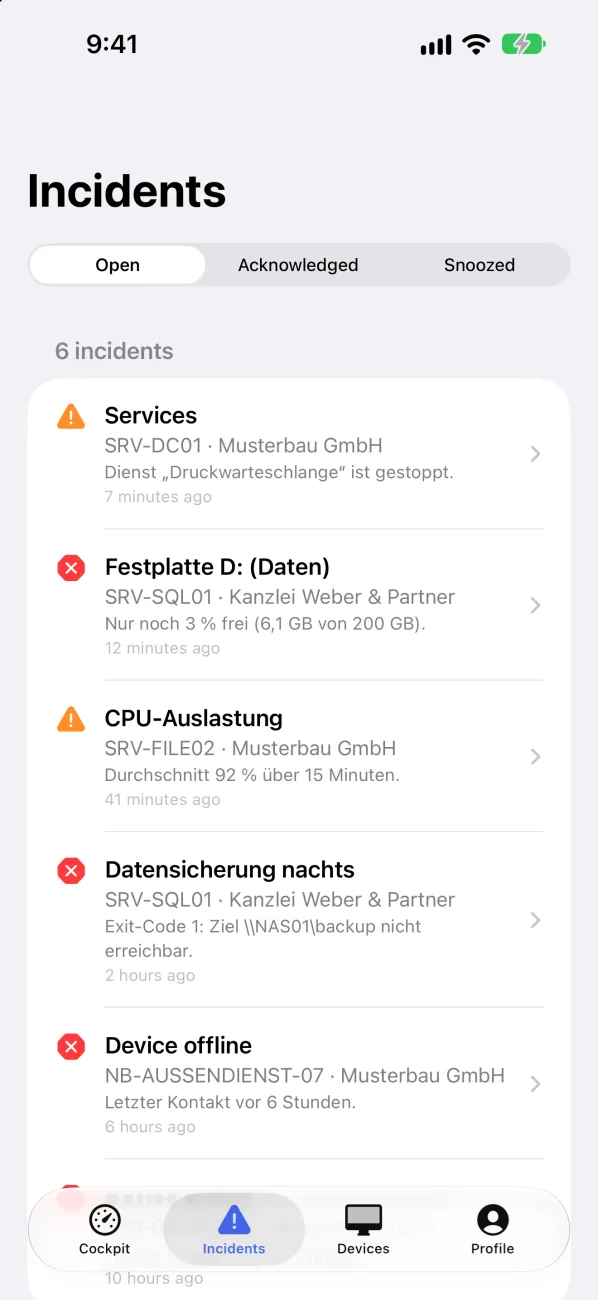
• Incident list by open, acknowledged and snoozed; snooze for 1 hour up to 3 days or until a time of your choice
• Choose which severities notify you, with quiet hours for the night
COCKPIT
• Open critical incidents, open warnings, servers offline, devices in maintenance and incidents you acknowledged – all on one screen
• Every tile opens the matching filtered list
DEVICES
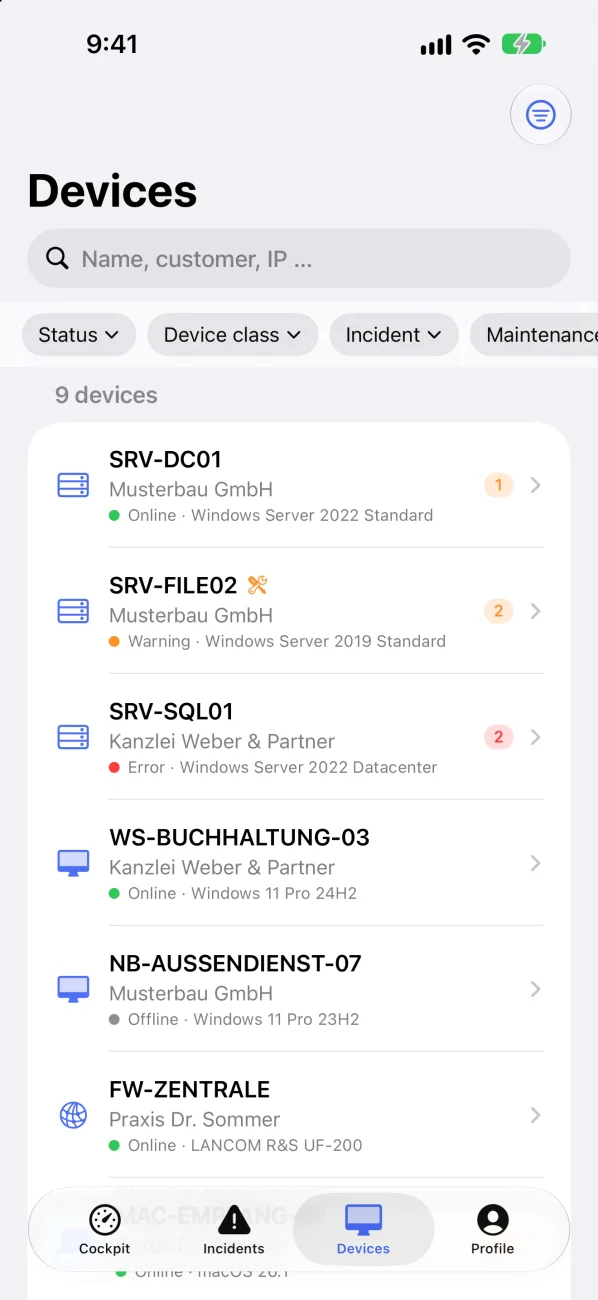
• Search and filter by status, device class, customer, open incidents and maintenance
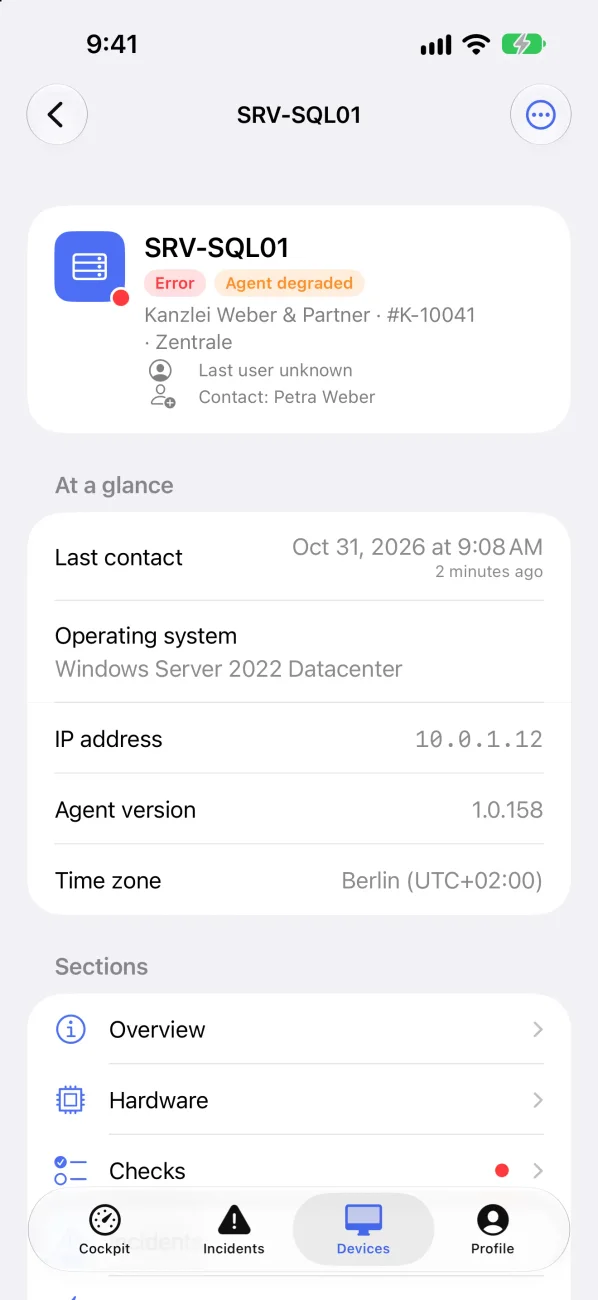
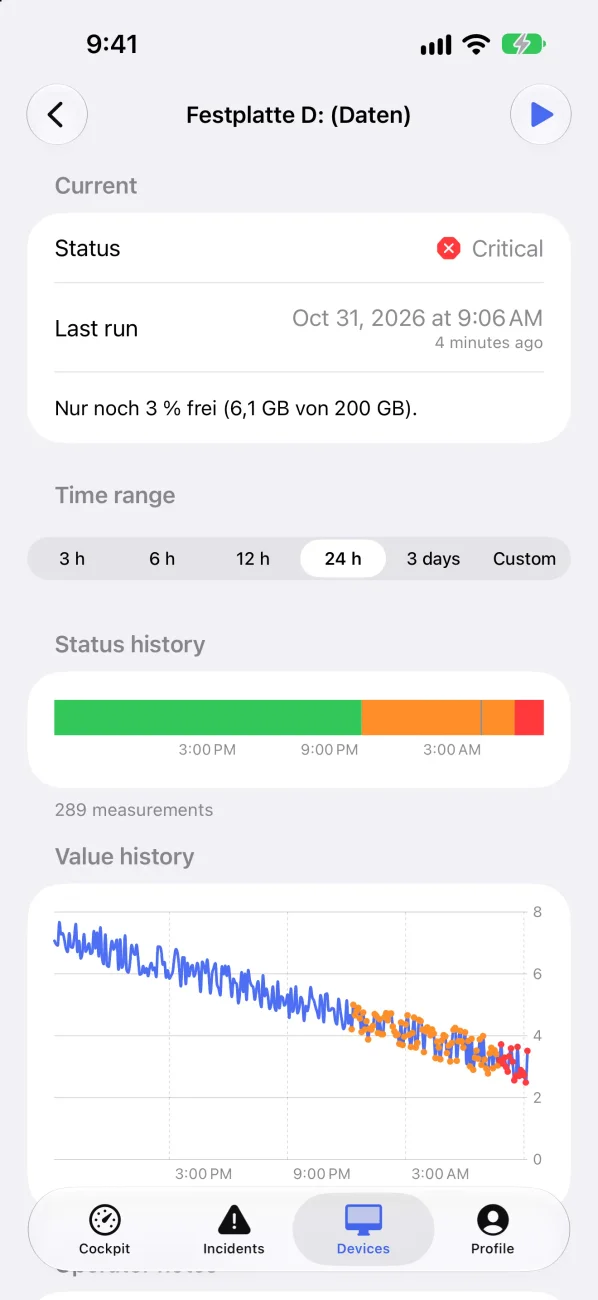
• Device details just like the web interface: overview, hardware, checks with history and value chart, incidents, jobs, activity, software, vulnerabilities, services, updates, antivirus, local users, maintenance and more
• Quick actions with confirmation: run a check now, inventory, restart, Wake-on-LAN – only with the matching permission and recorded in your instance's activity log
WIDGETS AND APPLE WATCH
• Home Screen and Lock Screen widgets with the number of open incidents
• Apple Watch app with overview, incident list, acknowledge and snooze
• Complication for your watch face
SIGN-IN
• Via QR code from the Imperia web interface, with email and password (including two-factor authentication) or with your organization's Microsoft work account
• Logo, accent color and product name are taken from your instance
DATA AND SECURITY
• The app talks directly to your Imperia instance. Notifications only pass a placeholder through Apple – device, customer and message are loaded by the app from your instance.
• No tracking, no ads
REQUIREMENT
A user account on an Imperia instance. The app is intended for businesses; it cannot be used without access to an Imperia instance.
What’s new
Version 1.0.1 · Nov 17, 2026
New in version 1.0.1:
• Start SupRemo remote support right from the device details, protected by Face ID, Touch ID or passcode.
• Confirm remote access on your phone: before screen, shell, file and other remote access you get a notification, and allowing it requires Face ID or Touch ID. Without push, a 6-digit confirmation code works, even offline.
• Confirm on Apple Watch too, with an overview of open requests.
• Confirm security changes: weakening protection in the browser, such as pairing another phone or generating new recovery codes, is now confirmed in the app.
App privacy
What Riverbird GmbH declares on the App Store about how this app handles data.
-
Data not collected
The developer does not collect any data from this app.
Privacy practices may vary, for example with the features you use or your age.
Information
- Seller
- Riverbird GmbH
- Category
- Business
- Version
- 1.0.1
- Updated
- Nov 17, 2026
- Released
- Nov 1, 2026
- Size
- 21.8 MB
- Requires
- iOS 18.0 or later
- Age rating
- 4+
- Languages
- German, English, French, Italian
- Copyright
- © 2026 Riverbird GmbH