Indoor Matchclock
6 sports. One scoreboard.
Designed for iPhone, iPad
Free · In-app purchases
- Age rating4+
- CategorySports
- DeveloperSteve De Doncker
- LanguagesEnglish+ 15 more
- Size7.1 MB
Links to the official App Store page
Download.org hosts no file of Indoor Matchclock. The button opens its official App Store page, published by Steve De Doncker. Listing last checked on Nov 23, 2026.
Screenshots


About
6 sports. One scoreboard.
Indoor hockey · Futsal · Basketball · Badminton · Table tennis · Volleyball.
Free download. Activate a free 3-day trial (72 consecutive hours) on iPad, then unlock unlimited matches with a one-time in-app purchase. No subscription or automatic charge. After the trial, an ongoing match can finish; starting another requires the permanent unlock. iPhone and Apple Watch remotes are free and require an iPad with an active trial or permanent unlock. Purchases and restoration use your Apple Account; activation may require internet.
Choose one remote: iPhone or Apple Watch. An iPad is required; match settings and moving to the next period stay on the iPad or iPhone. Use the iPhone for the basketball-specific remote control.
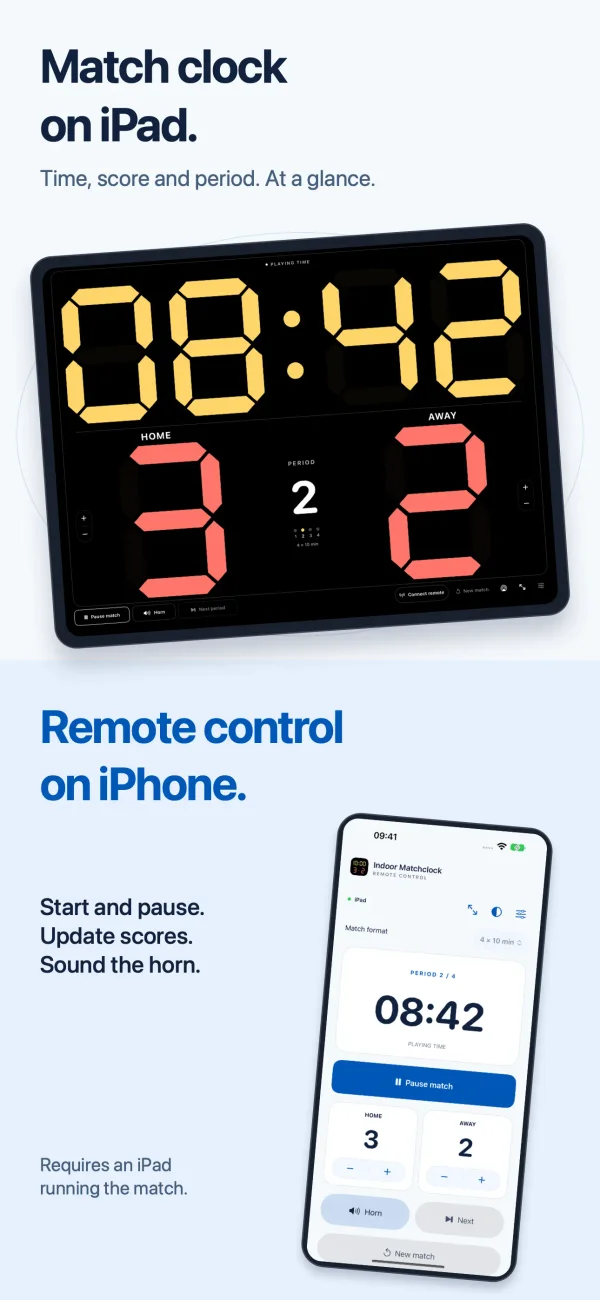
• A clear iPad scoreboard with fullscreen mode. Correct scores, fouls and time-outs on iPad or iPhone. Pause before correcting basketball game or shot time.
• Futsal time-outs now stop the game clock and start a separate 60-second countdown. The held game time stays visible. Resume play before a futsal or basketball time-out ends. The used time-out remains recorded. After the countdown expires, play stays paused until you resume it.
• Choose indoor hockey with 4 × 10 or 4 × 15 minutes, or futsal with 2 × 20 minutes. Adjust playing time and break durations. You start each following period yourself.
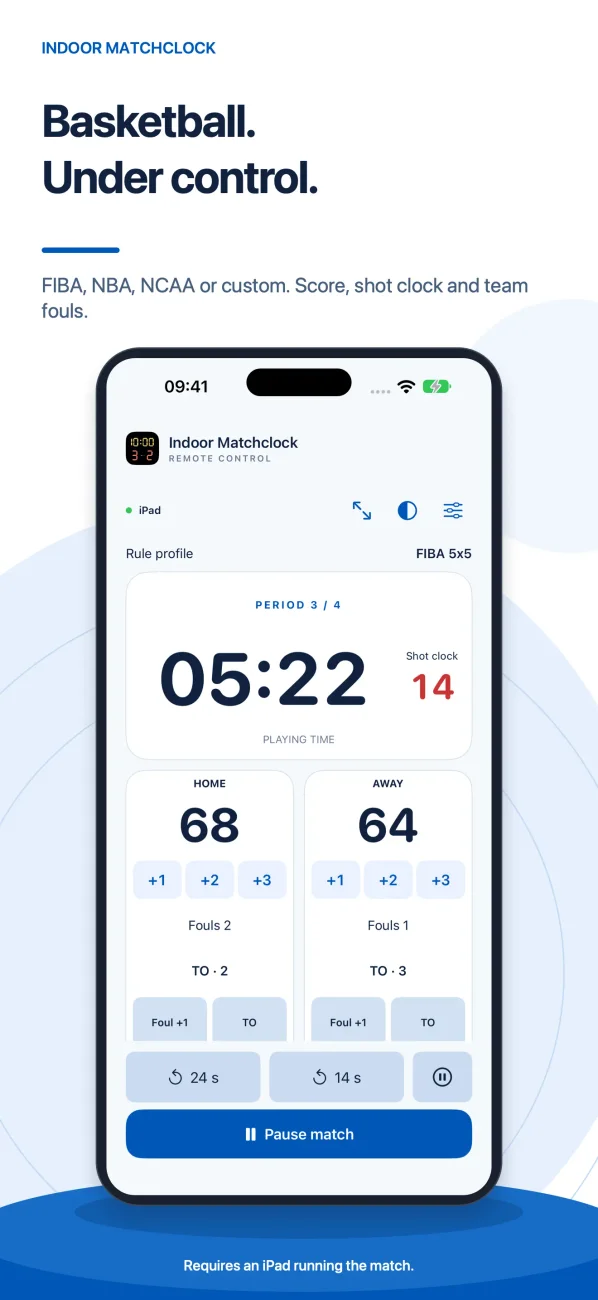
• Basketball with FIBA 5x5, FIBA 3x3, NBA, NCAA men/women and custom competition or youth rules. Manage scores, shot clock, team fouls, bonus and time-outs.
• An automatic horn marks the end of each period. Choose a duration from 1 to 10 seconds and test it in settings. Add an optional start horn, sound it manually or connect a Bluetooth speaker.
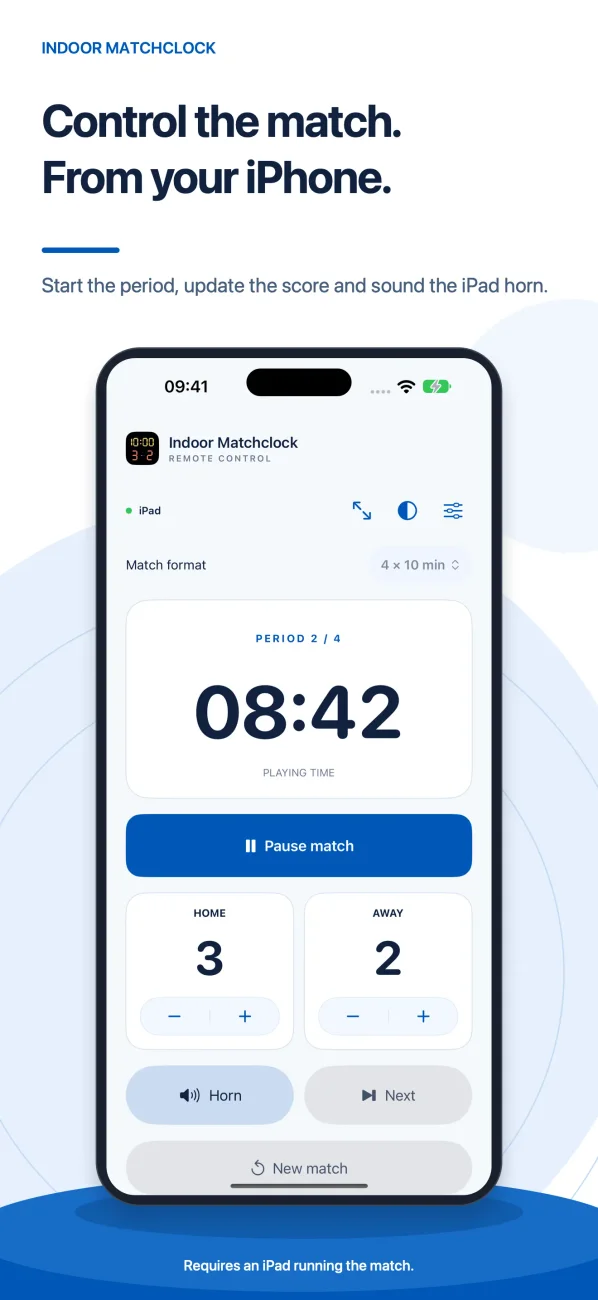
• Start, pause, change scores and prepare a new match from a paired iPhone. The time and scores stay visible on the iPad.
For match-table officials and volunteers near the iPad: see time and scores and operate the essential match controls from your wrist. The Watch connects to the iPad over Bluetooth, with no iPhone relay during the match. The iPad remains responsible for the clock, scores and sound. Use by players or referees on the field is not supported because Bluetooth range is limited.
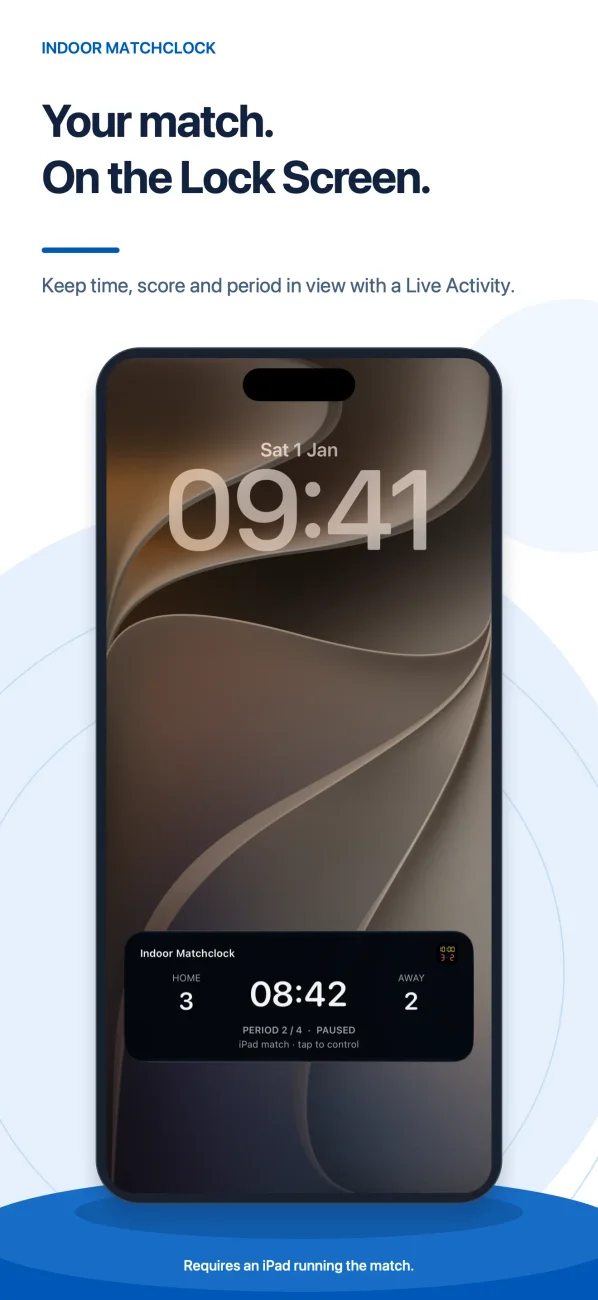
Time, scores and the period on your iPhone Lock Screen. On supported models, Dynamic Island also shows the match while another app is open. Tap the Live Activity to open your remote. The iPad stays in charge of the clock, scores and sound. Keep the iPad app open. Without fresh updates, the iPhone countdown stops within twelve seconds or at the end of the phase. Open the remote to refresh.
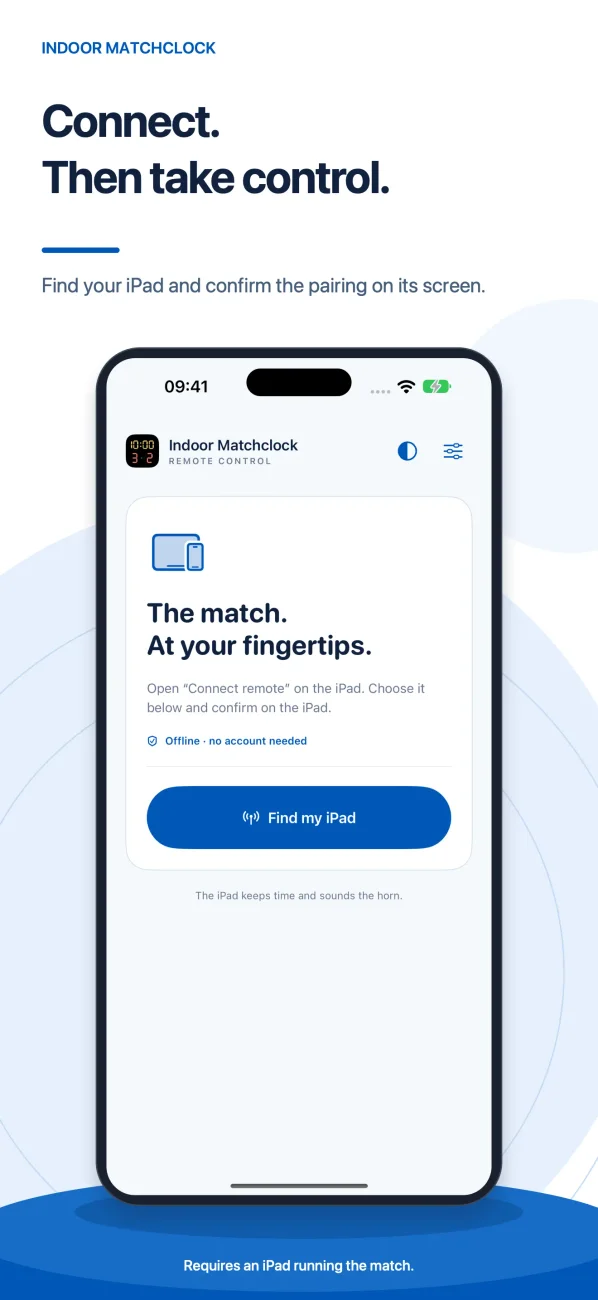
The iPad manages the clock, scores and sound. Your iPhone is the remote control. Pairing is local and encrypted, with no account or server.
Keep the iPad app open. The clock pauses when you leave it, when the active horn is interrupted or when the current audio output disconnects. Ordinary idle audio interruptions do not pause the match. Check the time and sound before resuming.
iPadOS 17+ · iOS 17+ on iPhone. watchOS 10+ and Bluetooth permission for Apple Watch. Apple’s normal Watch installation requirements apply.
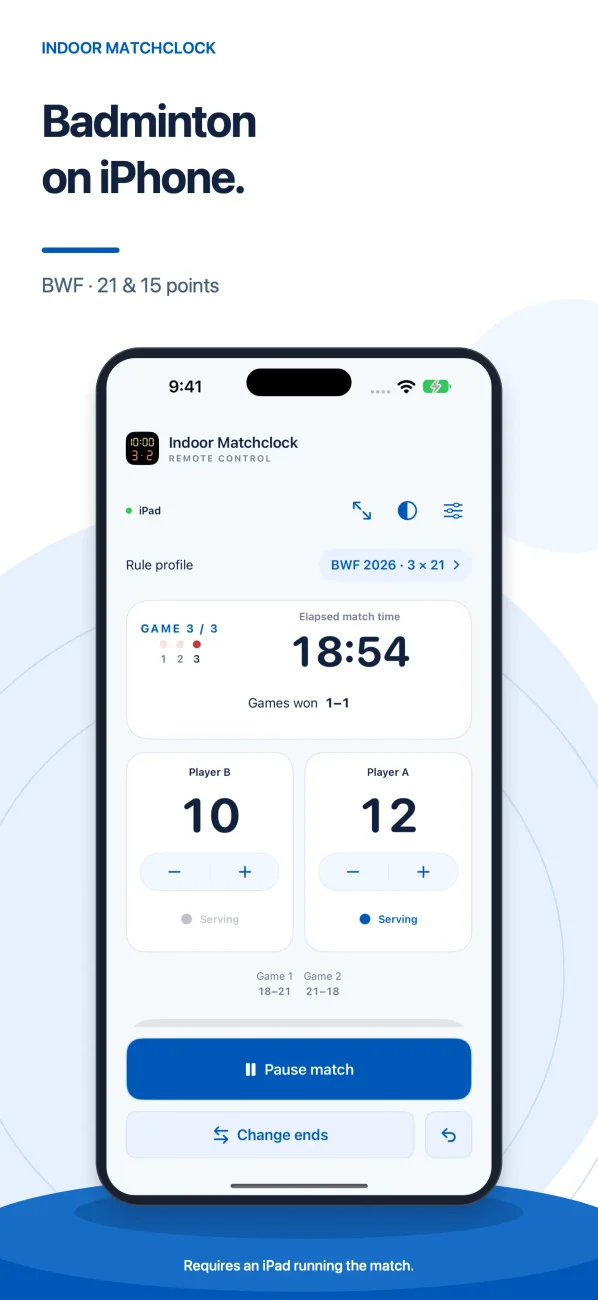
Badminton — BWF · 21 & 15 points. Points, games and service together.
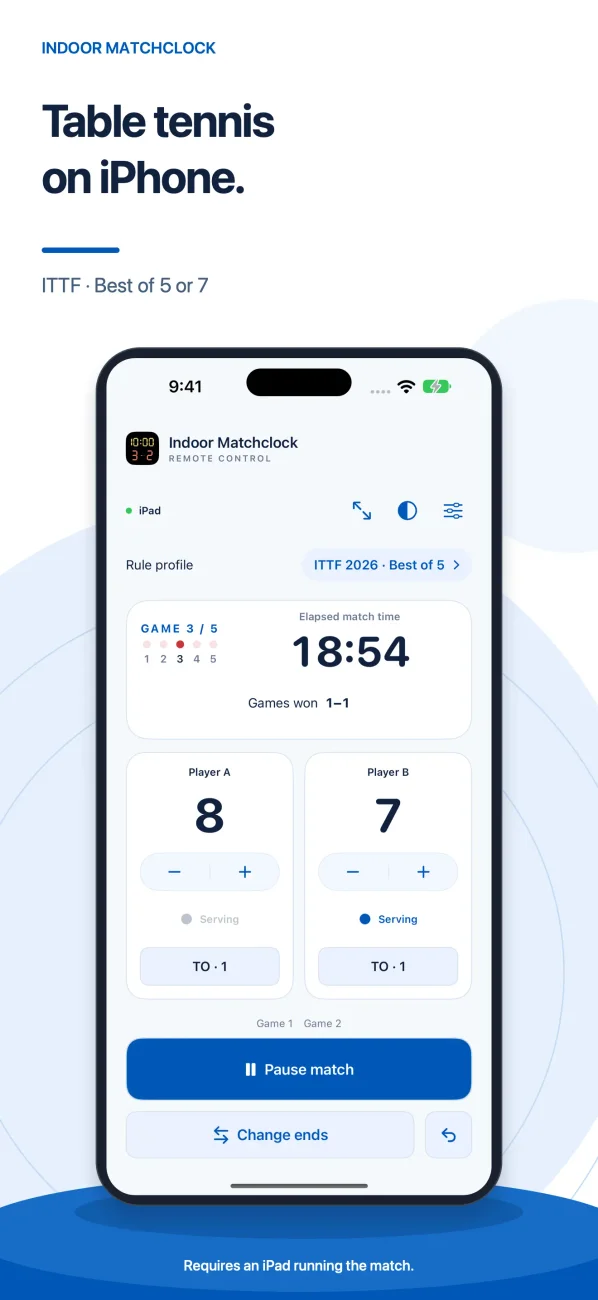
Table tennis — ITTF · Best of 5 or 7. Points, games and service together.
Volleyball — Points · Sets · Service. Points, sets and service together.
What’s new
Version 1.2 · Nov 19, 2026
Badminton — BWF · 21 & 15 points. Points, games and service together.
Table tennis — ITTF · Best of 5 or 7. Points, games and service together.
Volleyball — Points · Sets · Service. Points, sets and service together.
App privacy
What Steve De Doncker declares on the App Store about how this app handles data.
-
Data not collected
The developer does not collect any data from this app.
Privacy practices may vary, for example with the features you use or your age.
Information
- Seller
- Steve De Doncker
- Category
- Sports
- Version
- 1.2
- Updated
- Nov 19, 2026
- Released
- Oct 19, 2026
- Size
- 7.1 MB
- Requires
- iOS 17.0 or later
- Age rating
- 4+
- Price
- Free
- In-app purchases
- Yes
- Languages
- English, Croatian, Danish, Dutch, French, German, Italian, Japanese, Korean, Norwegian Bokmål, Polish, Portuguese + 4 more
- Copyright
- © 2026 Steve De Doncker
You might also like
-
 inGameStats HoopsBasketball Stats & Box Score
-
 Courtside: Scoreboard & RemotePadel, tennis, basketball…
-
 ArenaChamp Sport ScoreboardScore games. Drive displays.
-
 iUnihockeyLiveScore on any big screen
-
 ScoreKeeper - Match TrackerSports
-
 FootMatch - Football AmateurSports
-
 MatchTimer ProPro Sports Timer & Alerts
-
 QS Football PROSports
-
 Scoreboard: Volleyball & TimerScore Keeper & Bracket Maker
-
 My Match - Soccer ScoreboardSoccer Scoreboard Score Keeper