
- Age rating4+
- CategoryPhoto & Video
- DeveloperSerser Software Inc.
- LanguagesEnglish
- Size15.4 MB
Links to the official App Store page
Download.org hosts no file of InFrame: Set Frames & Shoot. The button opens its official App Store page, published by Serser Software Inc. Listing last checked on Nov 9, 2026.
Screenshots


About
Your perfect shot, every time
Set your shot exactly how you want it, hand your phone to anyone, and they just match a faded overlay of your frame. No directions to give, no awkward retakes, no more "well, that's what we got."
HOW IT WORKS
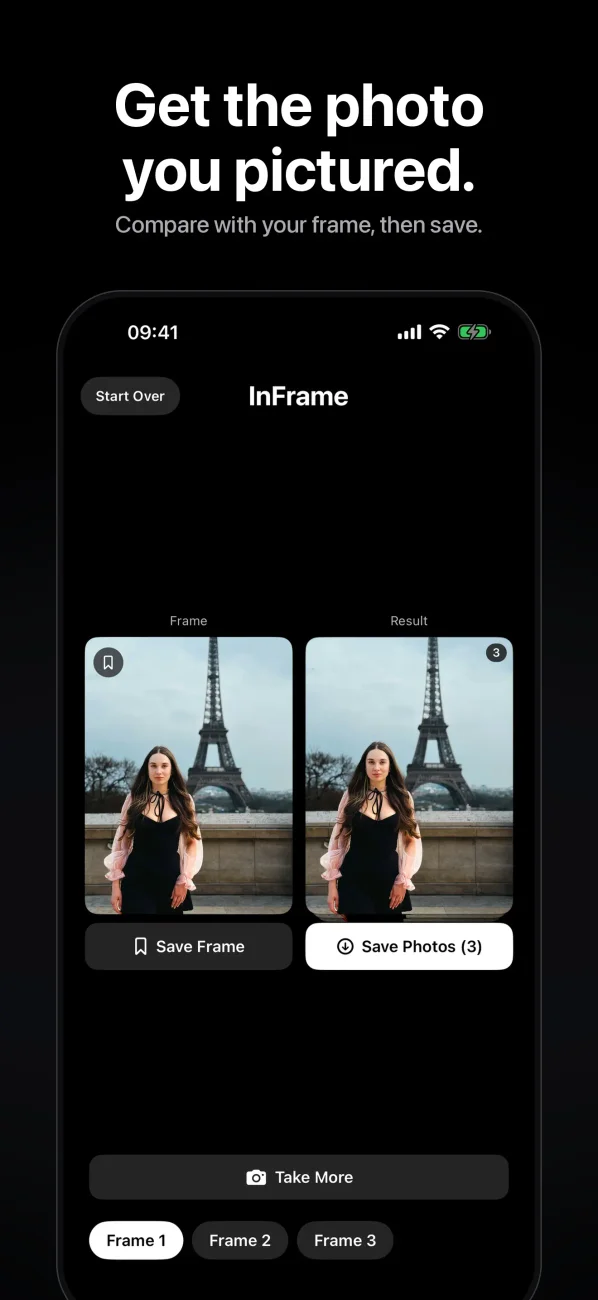
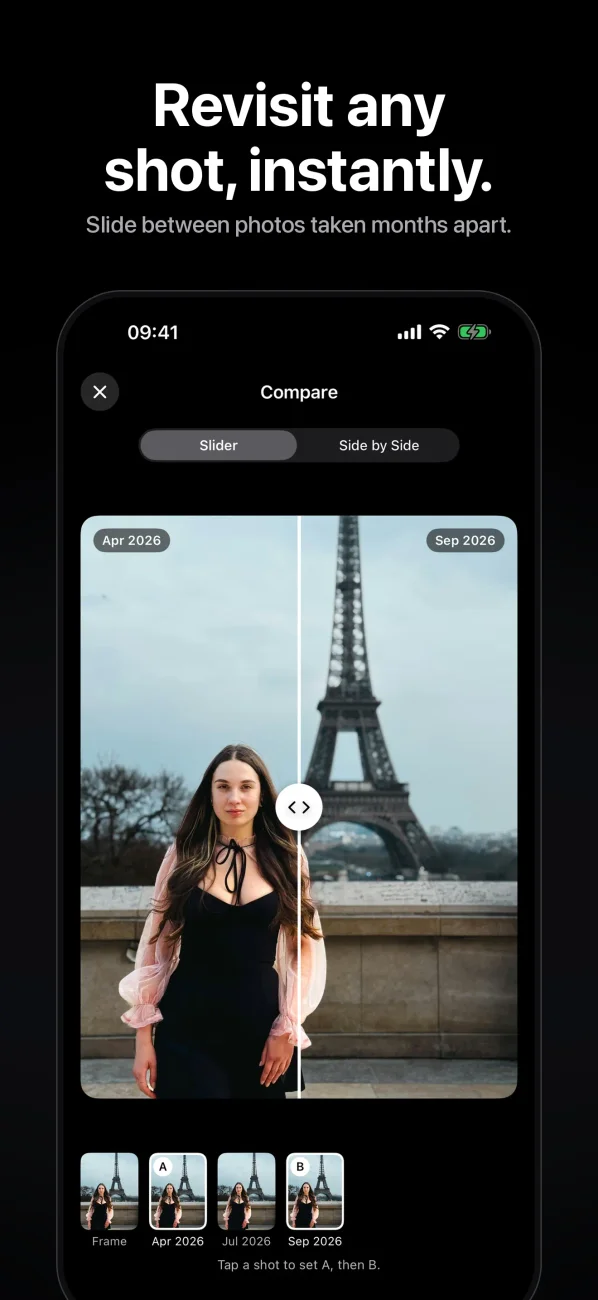
Line up your shot and tap the shutter, or choose photos you already have. Hand the phone over: one screen tells your photographer what to do, in their language. They line up the live view with your faded frame and tap the shutter. Take your phone back, compare the results side by side, and save the keepers.
SHOOT WITH ANYONE, OR ON YOUR OWN
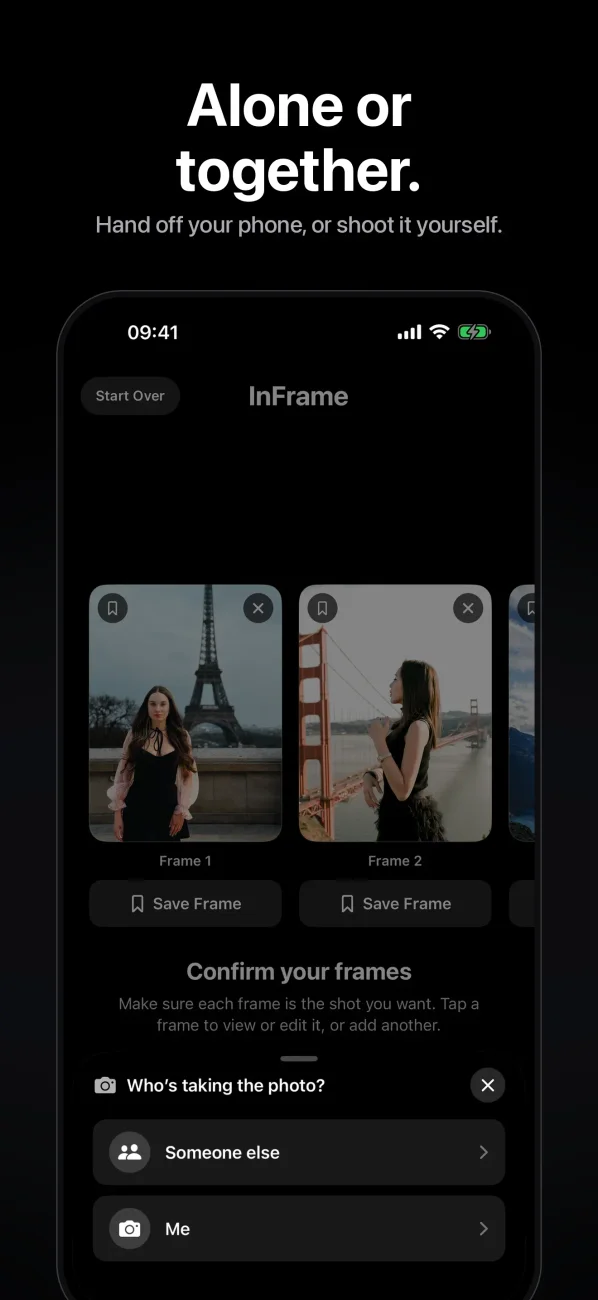
Give the phone to a stranger or a friend, or set a self-timer and step into the frame yourself. Every frame works either way.
RECORD VIDEO, NOT JUST PHOTOS
Prop the phone up, line up the ghost, and record a clip in the exact spot. Great for vlogs, fitness progress or a cooking setup you film again and again.
LINE IT UP PERFECTLY
A live match meter tells whoever's holding the phone how close they are (colder, warmer, lined up) with a hint to move, tilt or step back. A bubble level and alignment grid help with framing too.
SAVE A FRAME, REUSE IT FOREVER
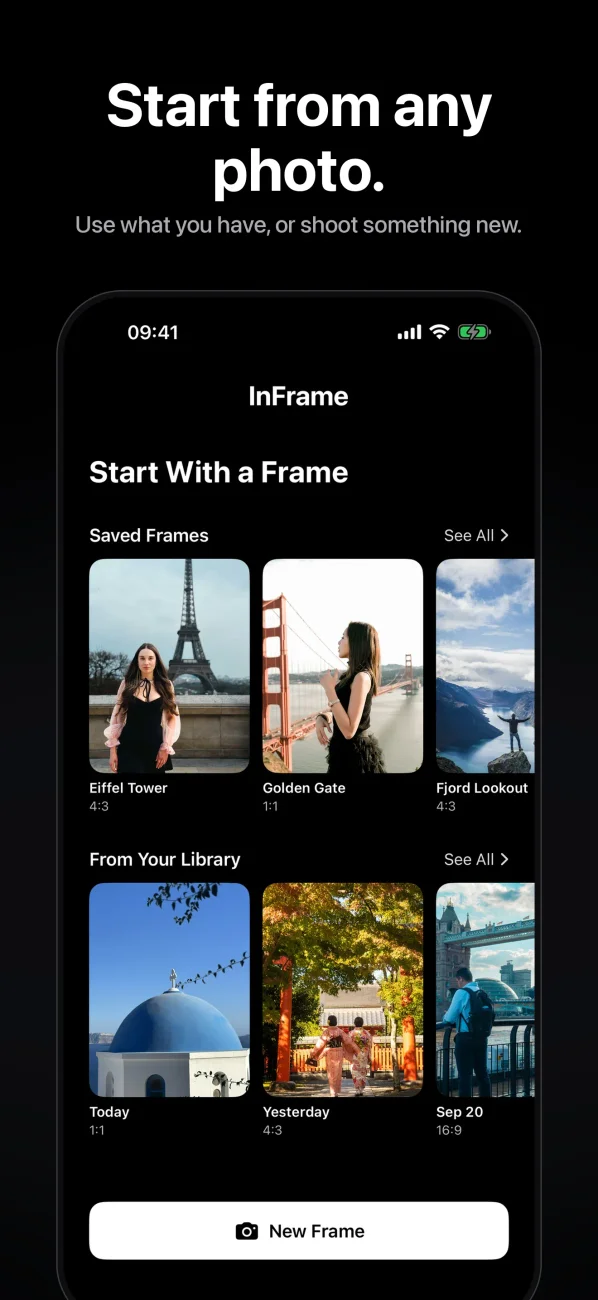
Every frame you save keeps its exact composition and camera settings, so you can step back into it: the same photo with friends every trip, or a progress picture a year apart.
IT REMEMBERS WHERE YOU STOOD
Save a frame and InFrame notes the spot, with a place name from Apple Maps. Come back any time, and it walks you the rest of the way back into the shot.
LINE UP SEVERAL SHOTS IN ONE HANDOFF
Queue up multiple frames and your photographer steps through them with Next, no separate handoffs needed.
PRIVATE BY DESIGN
No account to create or sign in to. Your photos stay on your phone; saved frames sync only to your own iCloud. InFrame only sees the photos you choose to use.
FOR THE PHOTOGRAPHER
The handoff, capture and thank-you screens switch to any of ten languages with one tap. The rest of your phone stays in yours.
InFrame is available for iPhone, on iOS 17 or later.
What’s new
Version 1.3.4 · Oct 13, 2026
Take as many photos as you like when setting a frame, then pick your favorite on Confirm.
• Take many photos in a row on Set Frame and choose the one to use as your frame
• Swipe between your shots in a full-screen photo viewer
• Redesigned "Who's taking the photo?" screen and a new Pass the phone hand-off
• A friendlier empty Saved Frames screen, with a quick Create Frame card
• Polish and small fixes throughout
App privacy
What Serser Software Inc. declares on the App Store about how this app handles data.
-
Data not linked to you
May be collected but is not linked to your identity.
- Location
- Identifiers
- Usage data
Privacy practices may vary, for example with the features you use or your age.
Information
- Seller
- Serser Software Inc.
- Category
- Photo & Video
- Version
- 1.3.4
- Updated
- Oct 13, 2026
- Released
- Sep 22, 2026
- Size
- 15.4 MB
- Requires
- iOS 17.0 or later
- Age rating
- 4+
- Languages
- English
- Copyright
- © Serser Software Inc.
You might also like
-
 Then & Now: Auto-Align CameraSame spot, same shot, on time
-
 SameFrame: Before & AfterAlign Progress Photos
-
 AspectFit: Extend to any ratioResize photos, no crop or bars
-
 Cutvey ViewfinderDirector's Viewfinder
-
 Camera for Anime PilgrimageGhost overlay for set-jetting
-
 Before After Before-AfterBefore after photo compare
-
 Overlay Camera - MatchShotAlign your shots, effortlessly
-
 ラプス帳 - タイムラプス・定点観測カメラPhoto & Video
-
 TwinCam: Recreate Photo PoseGhost overlay, then & now
-
 Sky Replacement AI: Sky ChangeVideo Sky Changer, Sky Editor