InkLayer
Handwriting, PDFs & Markdown
Designed for iPhone, iPad, Mac
Free · In-app purchases
- Age rating4+
- CategoryProductivity
- DeveloperHo Lam Chung
- LanguagesEnglish+ 1 more
- Size61.3 MB
Links to the official App Store page
Download.org hosts no file of InkLayer. The button opens its official App Store page, published by Ho Lam Chung. Listing last checked on Nov 23, 2026.
Screenshots
About
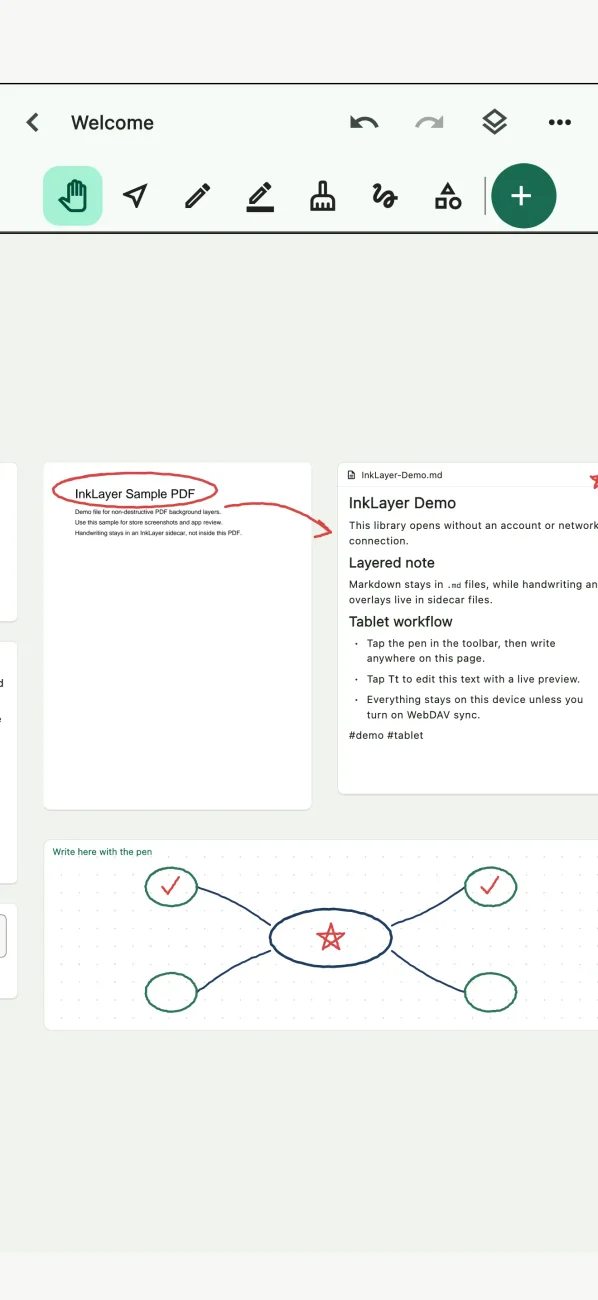
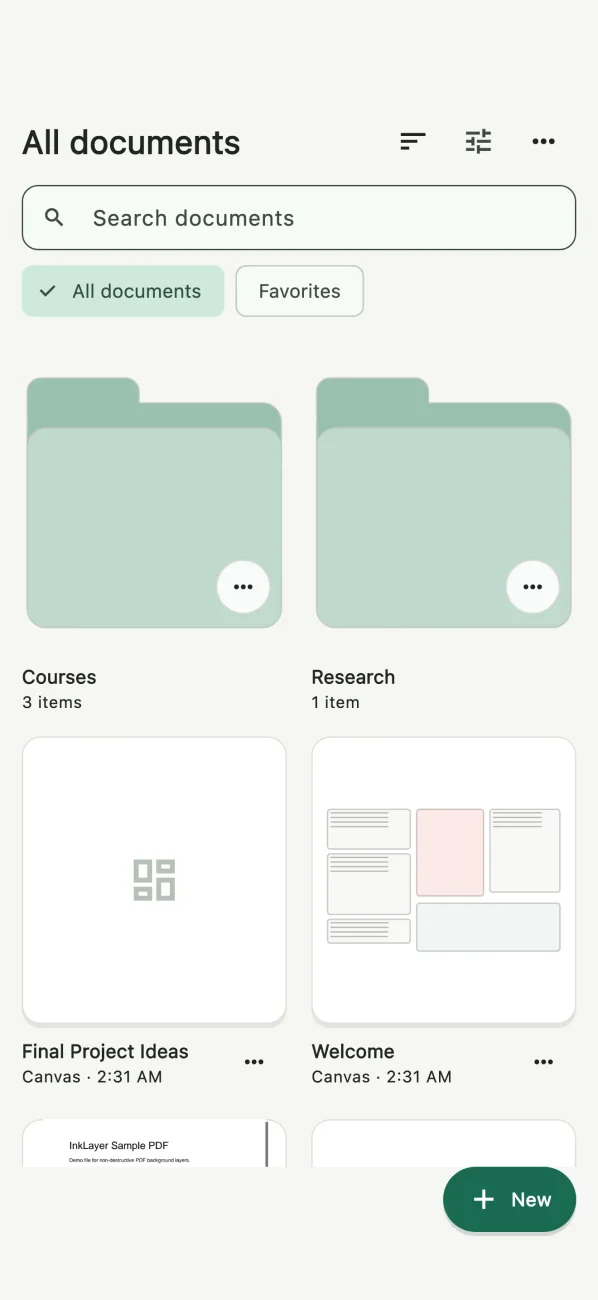
InkLayer is a notebook for reading, research and handwritten thinking. Handwriting, PDFs and Markdown notes share one canvas, and everything is saved as files you own.
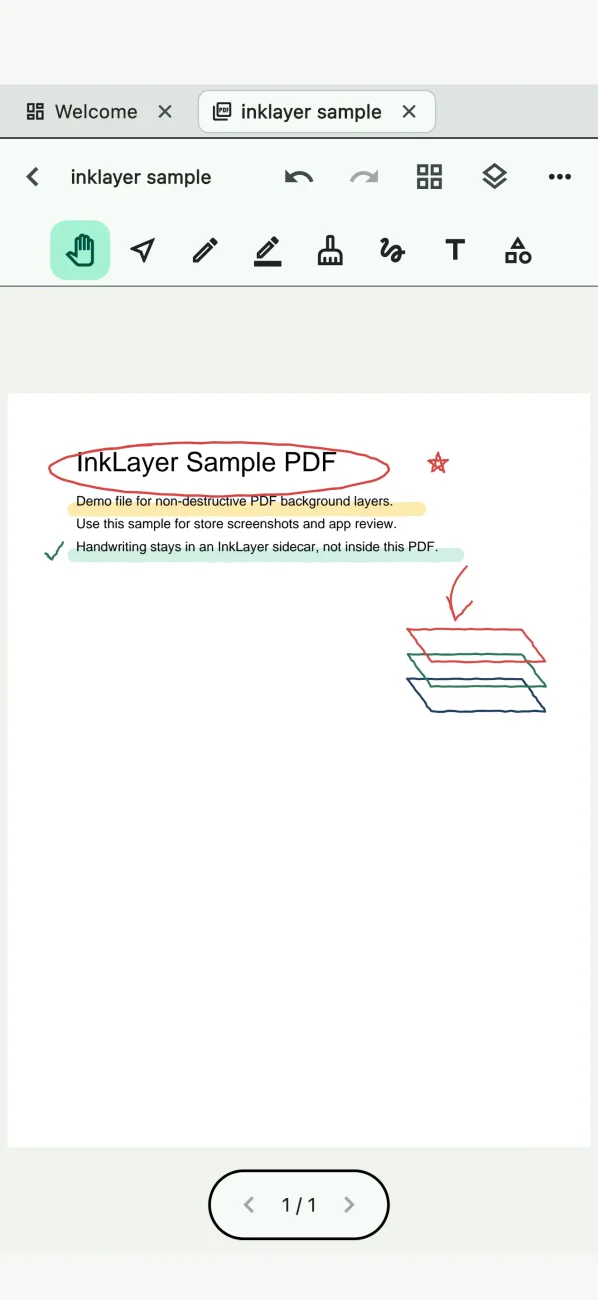
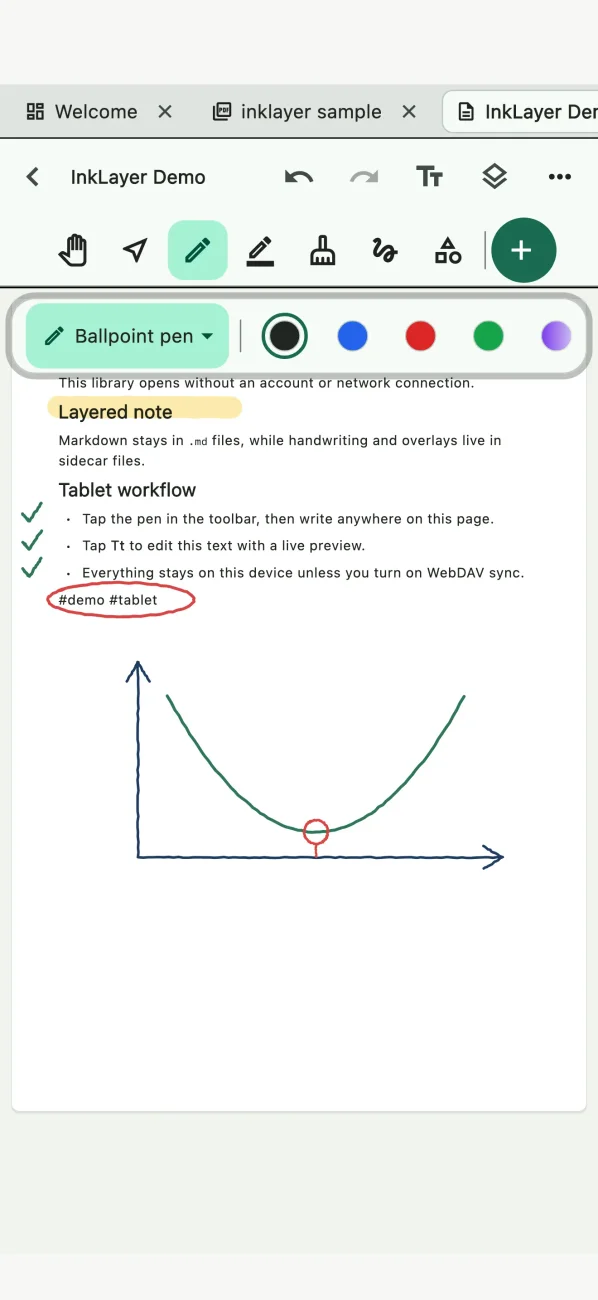
Write notes as real Markdown files. Open PDFs without modifying the original document. Draw with pens, highlighters, shapes and erasers on top of notes or PDF pages. Show, lock, reorder and fade layers so sources, handwritten derivations and your summaries stay separate.
Core features:
- A library of real Markdown files, kept on your device.
- Handwriting and highlights on PDFs, with the original file untouched.
- Select PDF text to copy, translate or add to a note, or draw a lasso around a passage to extract it into a note with its page number.
- Shape recognition, a precision eraser, a full lasso (move, resize, rotate, recolor, copy and paste) and a laser pointer.
- Layers with visibility, lock, opacity and order.
- Markdown preview with math, wikilinks, tags, backlinks and a graph view.
- Flowcharts: connect cards on a canvas with arrows.
- Databases: organize documents in a table, filter and sort it, and export it as a PDF.
- Handwrite while recording and replay the ink with the audio; make transcripts on the device and turn on live captions in class.
- Search across your library, including text inside PDFs, recording transcripts and handwriting recognized on the device.
- Sync through iCloud, Google Drive or your own WebDAV server; conflicts keep both versions.
- Present a PDF or a canvas full screen with your handwriting on it: a laser pointer, a pen for writing on the slides, and pages turned from the keyboard or a presentation remote.
- Open PDFs and Markdown files in InkLayer straight from Files, Mail, Safari and other apps.
- E-ink mode: grayscale, high contrast, no animation.
- Export and import your whole library without an account.
Translation needs iPadOS 18 or iOS 18 and later; transcripts and live captions need iPadOS 26 or iOS 26 and later.
Free to download, with every feature: handwrite in 3 documents for free. InkLayer Lifetime is one purchase that removes the limit, and every future on-device feature update is included. Nothing you write is ever locked.
No account is required and there is no tracking or ads. Handwriting recognition, transcripts and translation happen on your device, and your library stays portable.
What’s new
Version 1.4.0 · Nov 13, 2026
New in 1.4:
- Write the moment Apple Pencil touches: documents open with your pen, fingers move and zoom, and a finger's long press still selects text in a PDF.
- The pen bar draws every pen type as it writes, and the width slider shows the stroke while you drag. New My Pens switches type, colour and width in one tap.
- Find any feature by typing: search the library, pull it down or press ⌘K, then type "scan", "mistakes" or "mind map".
- Sync status in plain words, like "Only on this iPad" or "Synced to Google Drive, 3 minutes ago", with failures in orange.
- A Recent list in the library and board thumbnails that show your handwriting; the toolbar puts the writing tools first and New beside the title.
- Settings › About › Report a problem fills in the app version, device model and system for you.
- Recordings keep going with the screen locked or another app in front, and carry on after a call.
- The free version shows how many handwritten documents are used, and the stroke that reaches the limit is kept.
Thanks to everyone who sent suggestions.
App privacy
What Ho Lam Chung declares on the App Store about how this app handles data.
-
Data not collected
The developer does not collect any data from this app.
Privacy practices may vary, for example with the features you use or your age.
Information
- Seller
- Ho Lam Chung
- Category
- Productivity
- Version
- 1.4.0
- Updated
- Nov 13, 2026
- Released
- Oct 30, 2026
- Size
- 61.3 MB
- Requires
- iOS 17.0 or later
- Age rating
- 4+
- Price
- Free
- In-app purchases
- Yes
- Languages
- English, Traditional Chinese
- Copyright
- © 2026 Voidful
You might also like
-
 ASUS OmniStorProductivity
-
 Presence 時現Productivity
-
 Jeejee: Markdown, LaTeX & InkTake notes your way
-
 不揪?- 儲存、分享課表Productivity
-
 Clean Smarts KioskTime clock for cleaning teams
-
 AcadendaFrom programme PDF to your day
-
 PursuitPal Goal CopilotProductivity
-
 Banana StudyStudy with Banana Friends
-
 ittoProductivity
-
 BriefDeck: Planner & WeatherDaily Weather, Tasks, Calendar