
Inkleaf: EPUB Reader
Quiet page. No ads, no account
Designed for iPhone, iPad, iPod touch
Free
- Age rating4+
- CategoryBooks
- DeveloperACS JSC,.
- LanguagesEnglish
- Size22.0 MB
Links to the official App Store page
Download.org hosts no file of Inkleaf: EPUB Reader. The button opens its official App Store page, published by ACS JSC,. Listing last checked on Nov 16, 2026.
Screenshots

About
Your phone is loud. Your book does not have to be.
Inkleaf turns the DRM-free EPUB files you already own into a quiet paper page. No ads, no account, no scrolling: just tap to turn the page.
Same phone. Quiet page.
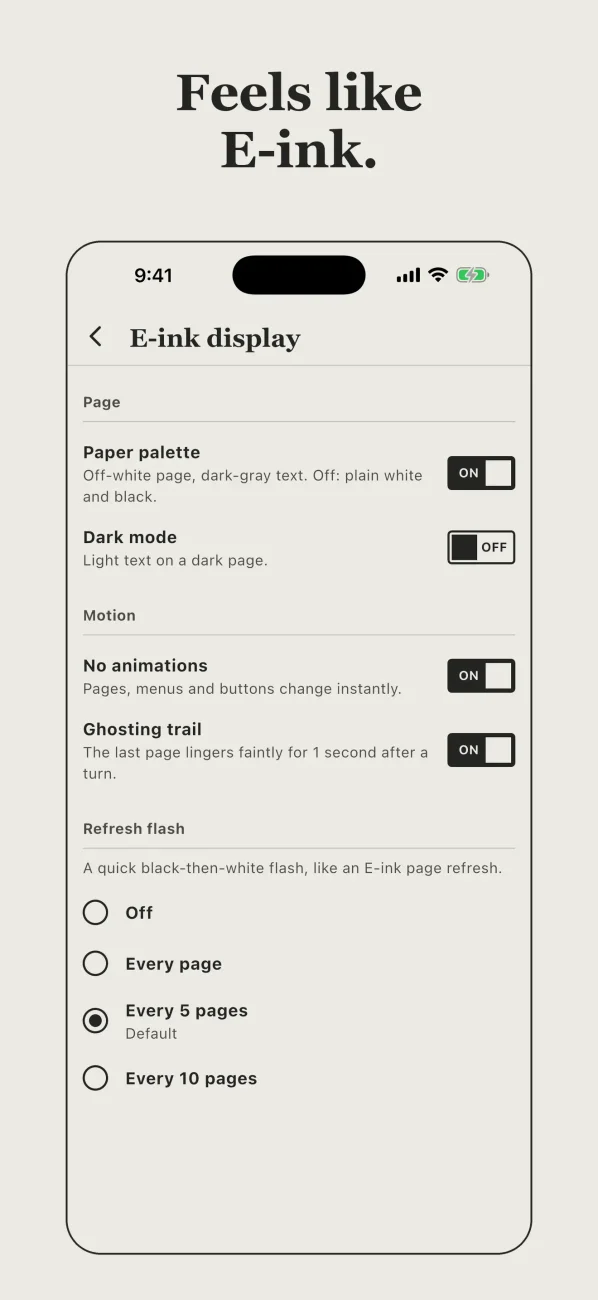
Add a book, tap the edge of the screen to turn the page, and read. The look is inspired by E-ink screens: an off-white paper page, dark-gray text, no animations, and an optional refresh flash you can tune or turn off.
Why you might like it
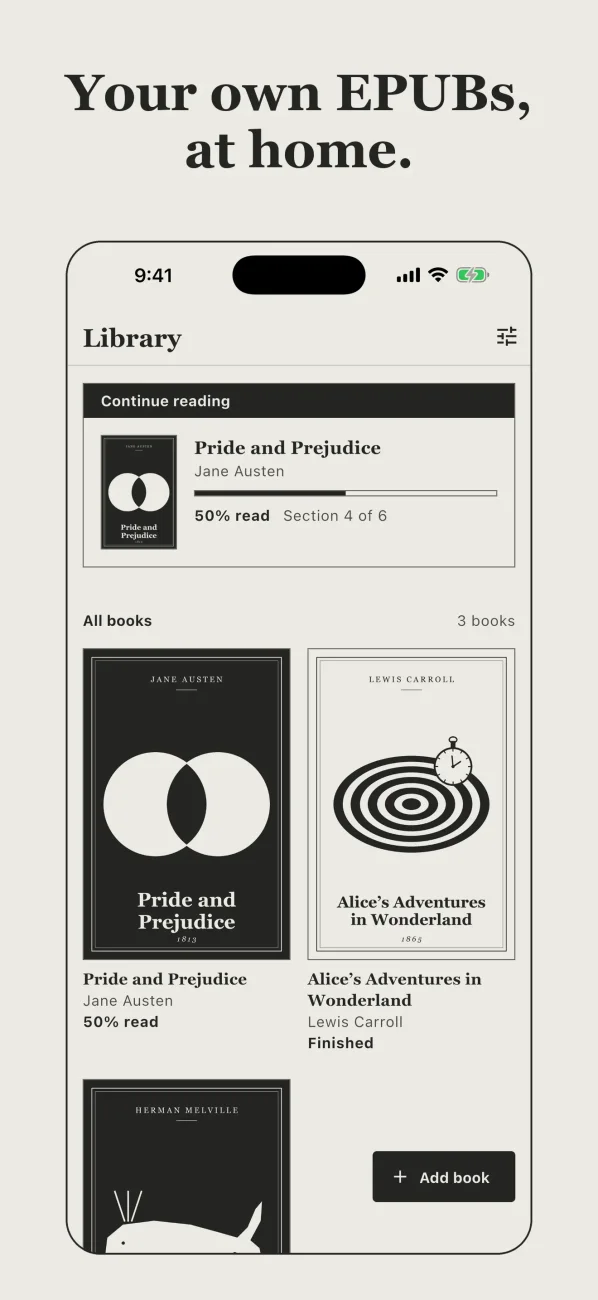
• Your own EPUBs, at home. Add your files and they become covers in one grid. No store to browse, no account to make.
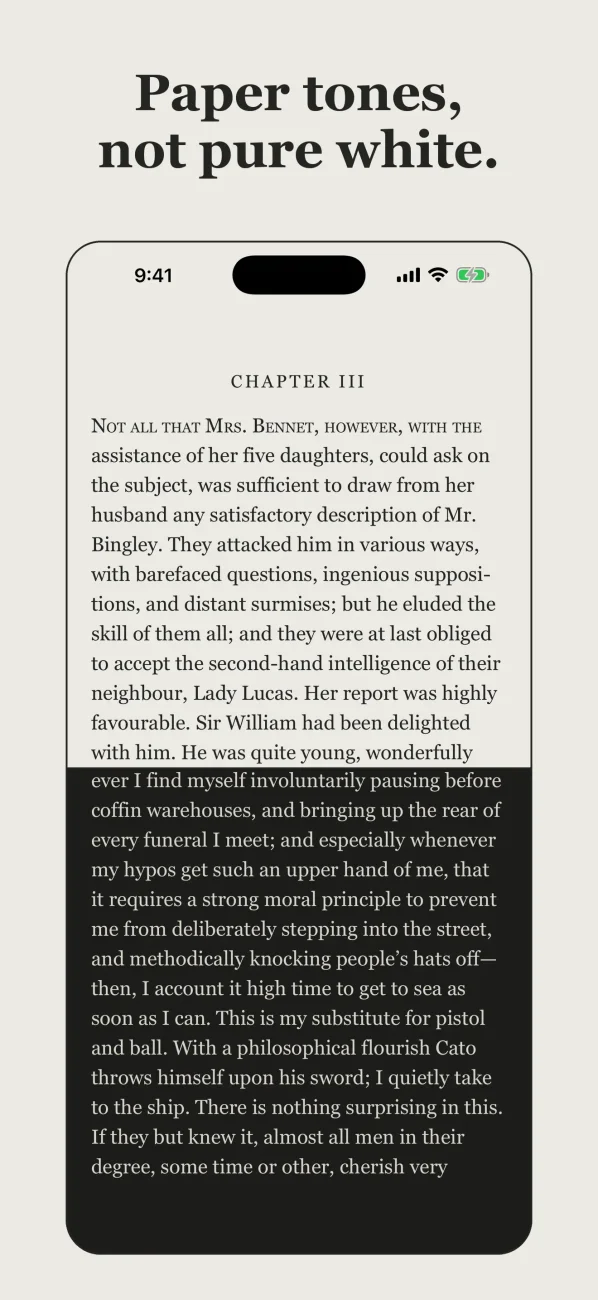
• Paper-calm. An off-white page with dark-gray text, never pure black on pure white. Prefer plain white and black? Switch the paper palette off.
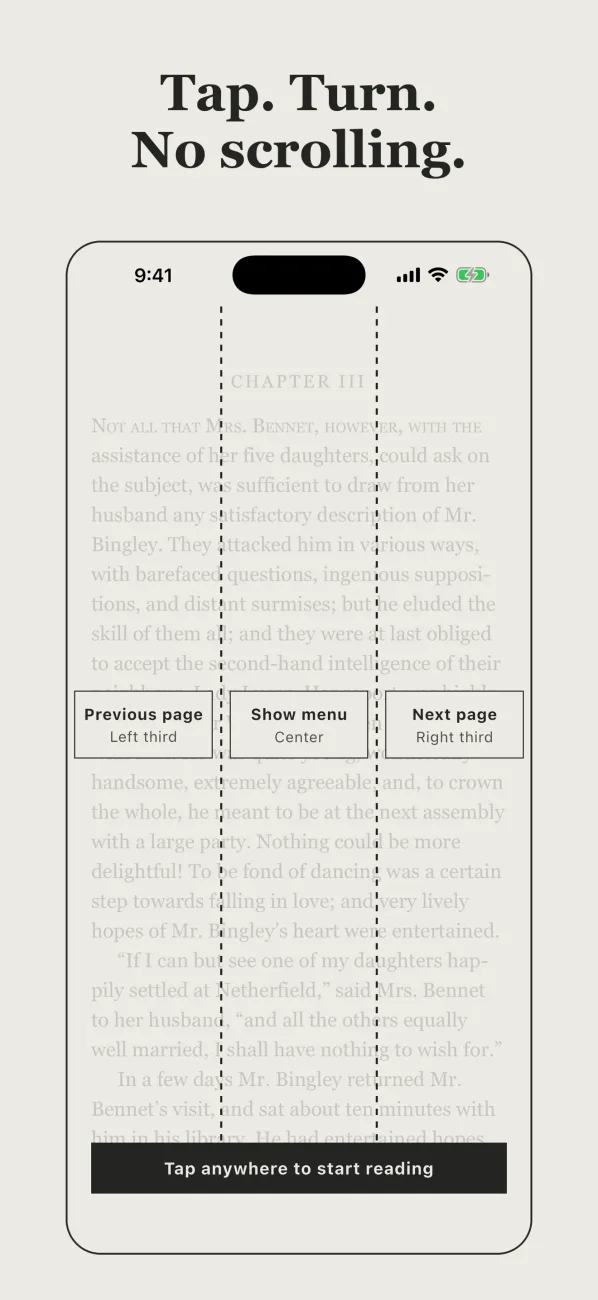
• Pages, not scrolling. Chapters are split into pages. Tap the right third of the screen for the next page, the left third to go back, and the centre to show or hide the menu.
• The E-ink feel. Pages change instantly, with no sliding or fading. If you like, add a quick black-then-white refresh flash every page, every 5 pages or every 10 pages, and a faint ghosting trail of the previous page that fades out after about a second. Each part has its own switch.
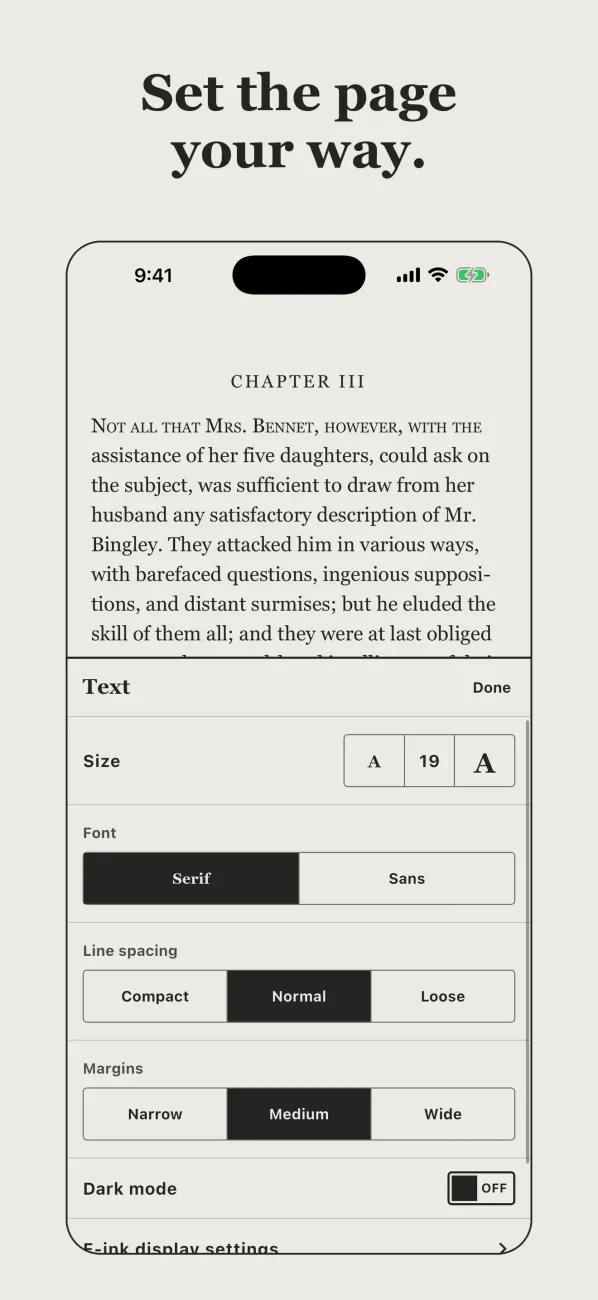
• Make it yours. Open the Aa sheet to change the text size, choose serif or sans, set the line spacing (compact, normal, loose) and the margins (narrow, medium, wide). The page re-flows and keeps you in the same place in the book.
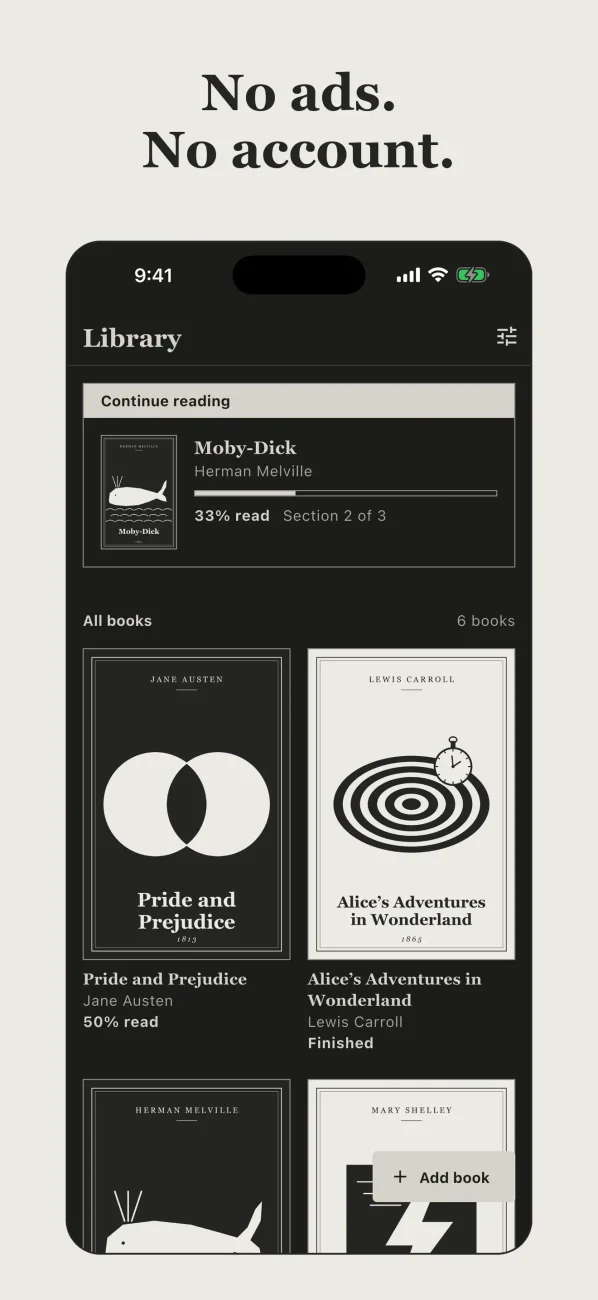
• Dark mode, E-ink style. Light text on a dark page, with the same no-animation rules. You turn it on yourself; it does not follow your phone's setting.
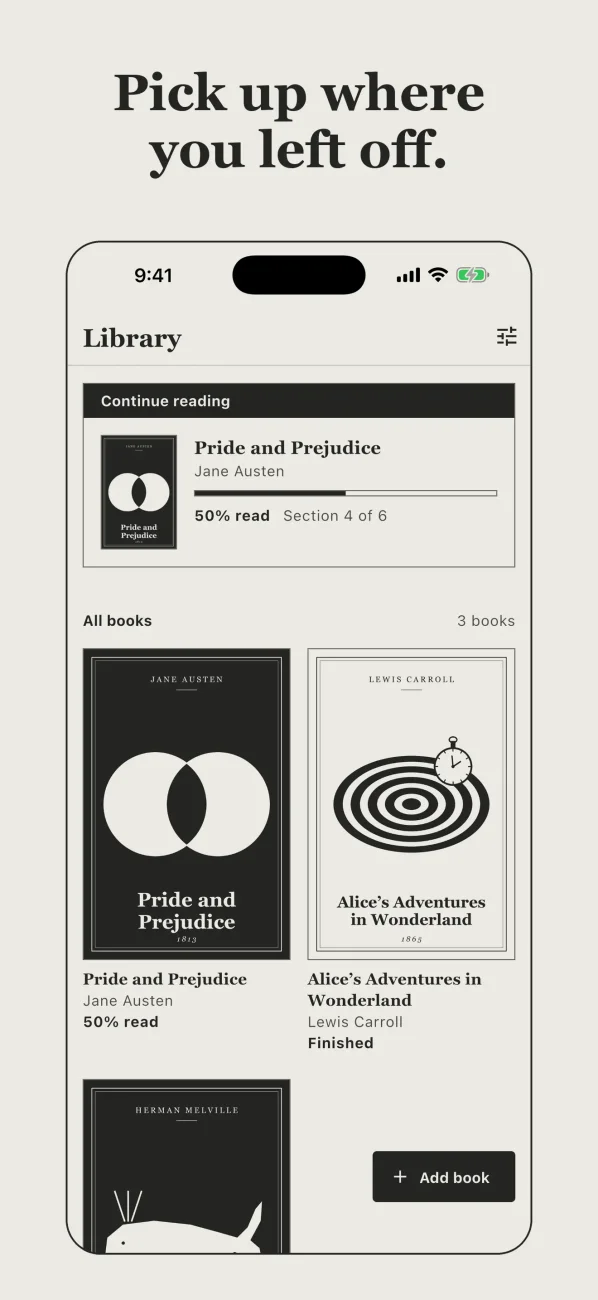
• Right where you left off. Inkleaf remembers the page you stopped on in every book. Your library is a grid of covers with a Continue reading card for the book you opened last, and it shows how far you have read.
How it works
1. Save an .epub file on your iPhone, for example in the Files app.
2. Open Inkleaf, tap Add book and choose the file. Inkleaf keeps its own copy, so your original file stays where it is.
3. Tap a cover to start reading.
To remove a book, press and hold its cover and confirm. Only Inkleaf's copy, its cover and your reading place are deleted. Your original file is not touched.
Private by design
No account. No cloud. No ads. No analytics. Inkleaf makes no network connections. Your books, covers and reading places are stored only on your iPhone.
What Inkleaf is not
• It reads DRM-free EPUB files only. Books with copy protection (DRM) will not open.
• Fixed-layout and audio-synced EPUBs are not supported.
• There is no book store. You bring your own books.
• There is no syncing between devices.
• This version has no search, dictionary, bookmarks, highlights, notes or table of contents, and it does not open PDF files.
• Designed for iPhone, in portrait. Not designed for iPad.
Inkleaf is a small, independent app. If a book will not open or something feels off, please write to us from the support page.
App privacy
What ACS JSC,. declares on the App Store about how this app handles data.
-
Data not collected
The developer does not collect any data from this app.
Privacy practices may vary, for example with the features you use or your age.
Information
- Seller
- ACS VIETNAM SOLUTION AND TECHNOLOGY JOINT STOCK COMPANY
- Category
- Books
- Version
- 1.0
- Updated
- Oct 10, 2026
- Released
- Oct 11, 2026
- Size
- 22.0 MB
- Requires
- iOS 15.0 or later
- Age rating
- 4+
- Price
- Free
- Languages
- English
- Copyright
- © 2026 Bui Doan Dung
You might also like
-
 Kaizet: Paper ReaderBooks
-
 EndleafA private EPUB reader
-
 kindphoneBooks
-
 SoftPage: EPUB & TXT ReaderNovel & Ebook Viewer, No Ads
-
 SpeedRead: EPUB & PDFRead at your own pace
-
 LumaRead - EPUB & PDF ReaderOffline books, notes & audio
-
 Litra: EPUB ReaderRead Aloud Offline, PDF & FB2
-
 BiblionBooks
-
 Realbook: EPUB PDF Book Reader3D Page Flip & Audiobook TTS
-
 DuckreadsBook tracker & Reading log