
- Age rating4+
- CategoryProductivity
- Developer银鹤 王
- LanguagesEnglish
- Size1.4 MB
Links to the official App Store page
Download.org hosts no file of InkPage: E-ink Reading Mode. The button opens its official App Store page, published by 银鹤 王. Listing last checked on Nov 12, 2026.
Screenshots

About
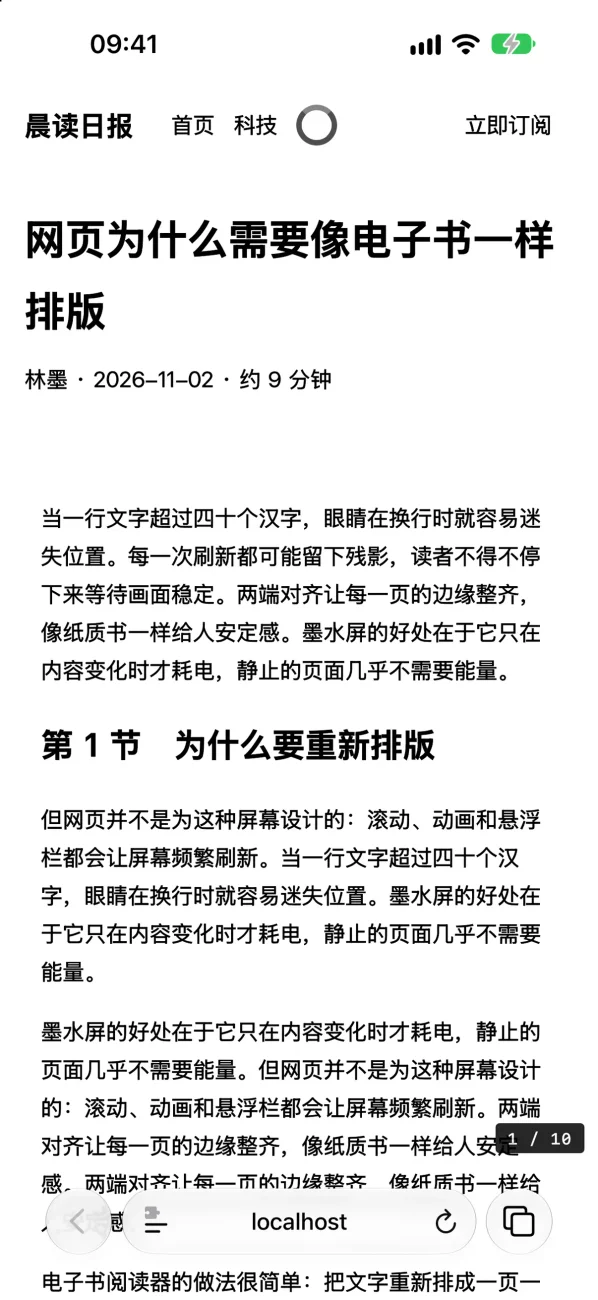
InkPage is a Safari extension that makes the web calm and easy to read: on an e-ink tablet, a paper-like screen, or any iPhone and iPad when you just want the words.
TWO WAYS TO READ
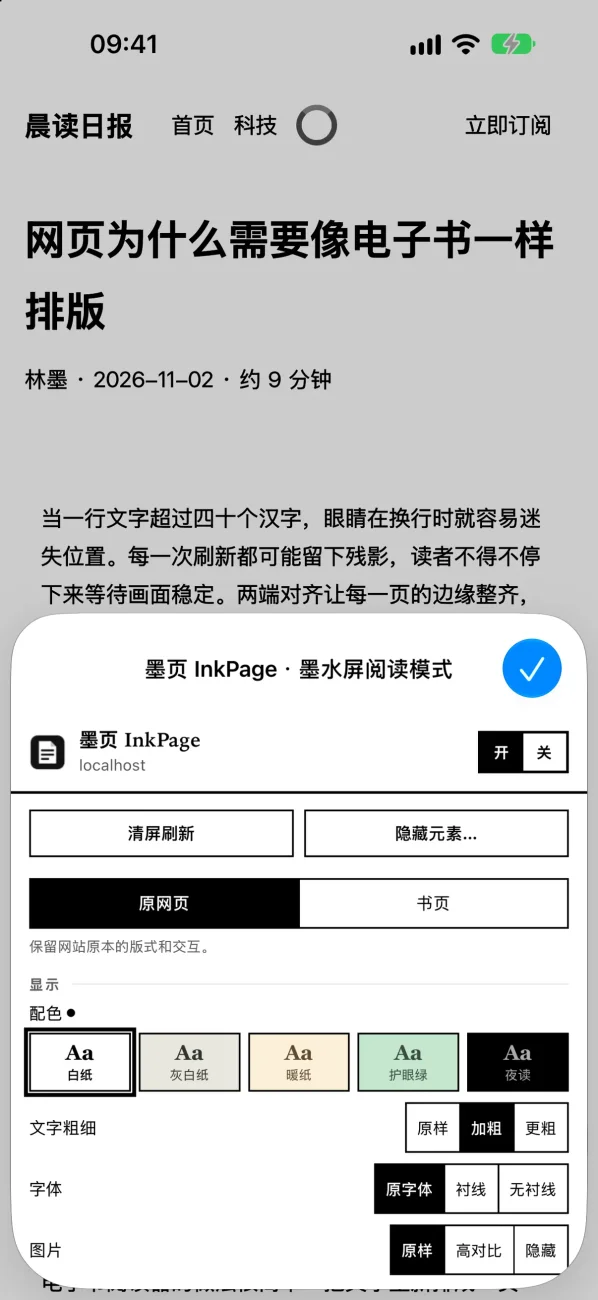
• Web page mode keeps a site's own layout and links and repaints it in ink on paper. Dark backgrounds turn to paper, menus stay readable, sticky headers and cookie bars stop following you, and animations and GIFs stand still.
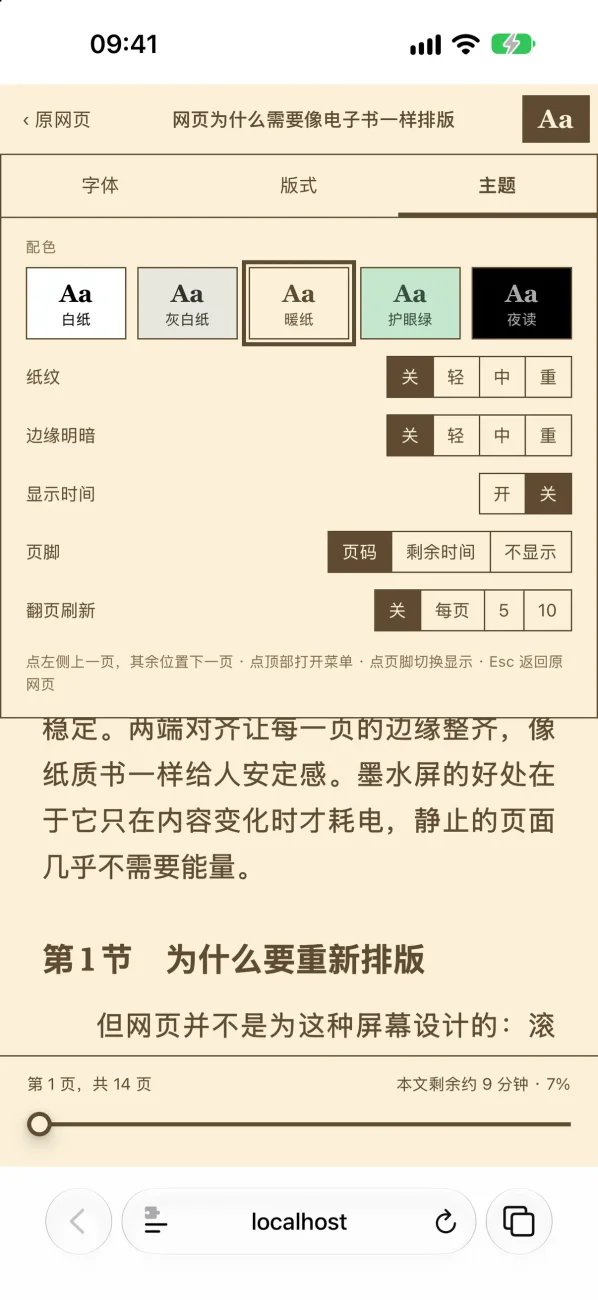
• Book view keeps just the article and sets it like an e-reader: choose the font, size, line spacing and margins, turn a page with a tap, and see your page, progress and time left. It remembers where you stopped.
PAGES THAT NEVER CUT A LINE
Tap the right side of the screen for the next page and the left for the previous one. A line cut by the bottom edge waits for the next page instead. With a keyboard, Space and the arrow keys work too.
FIVE PAPER TONES
White, gray, warm, green and night, with optional paper grain and soft edge shading.
Every setting is remembered per site. Chinese and English interface.
PRIVATE BY DESIGN
No account, no tracking, no network requests. Settings stay on your device.
HOW TO TURN IT ON
Open Settings → Apps → Safari → Extensions → InkPage, turn it on and allow All Websites. In Safari, tap the page menu (iPhone) or the extensions button (iPad) in the address bar, then InkPage.
App privacy
What 银鹤 王 declares on the App Store about how this app handles data.
-
Data not collected
The developer does not collect any data from this app.
Privacy practices may vary, for example with the features you use or your age.
Information
- Seller
- 银鹤 王
- Category
- Productivity
- Version
- 1.1.1
- Updated
- Nov 9, 2026
- Released
- Nov 8, 2026
- Size
- 1.4 MB
- Requires
- iOS 17.0 or later
- Age rating
- 4+
- Price
- Free
- Languages
- English
- Copyright
- © 2026 Eric Wang
You might also like
-
 Pomodoro Timer: °FocusStudy & Focus Keeper
-
 Private Notes - LockNotesLock Protected Notes
-
 Noteorius NotesProductivity
-
 Phone Clone, Transfer All DataProductivity
-
 Blackboard by Boogie BoardProductivity
-
 Things 3 for iPadOrganize your life
-
 Epson Setting AssistantProductivity
-
 Actions: To Do List OrganizerPlanner, Reminders & Goals
-
 Phone Master - Clean StorageSmart Cleaner, Photo Vault
-
Things 3Organize your life