inkScript
Your e-book into a typewriter
Designed for iPhone, iPad, Mac
Free · In-app purchases
- Age rating4+
- CategoryProductivity
- DeveloperNikolay Nikiforov
- LanguagesEnglish
- Size21.5 MB
Links to the official App Store page
Download.org hosts no file of inkScript. The button opens its official App Store page, published by Nikolay Nikiforov. Listing last checked on Nov 23, 2026.
Screenshots


About
Use inkScript to turn your e-book device into a screen you look at as you type your text.
This means no more eye-strain, no more distractions and, certainly, no AI.
Your iOS device or a Mac serves as a host where the texts are stored, but you don’t ever have to look at its screen while typing.
Setup takes a couple of minutes, and if you’re not yet ready to get a Bluetooth keyboard to connect to your iPhone, start with the Mac version; switching between iOS and Mac is seamless. Just push an icon to turn the laptop’s screen off so it doesn’t distract you.
Your Kindle is not just a screen when writing with inkScript: you touch it to scroll through the text, move the cursor or select a fragment, to copy, paste, undo and redo the changes, etc.
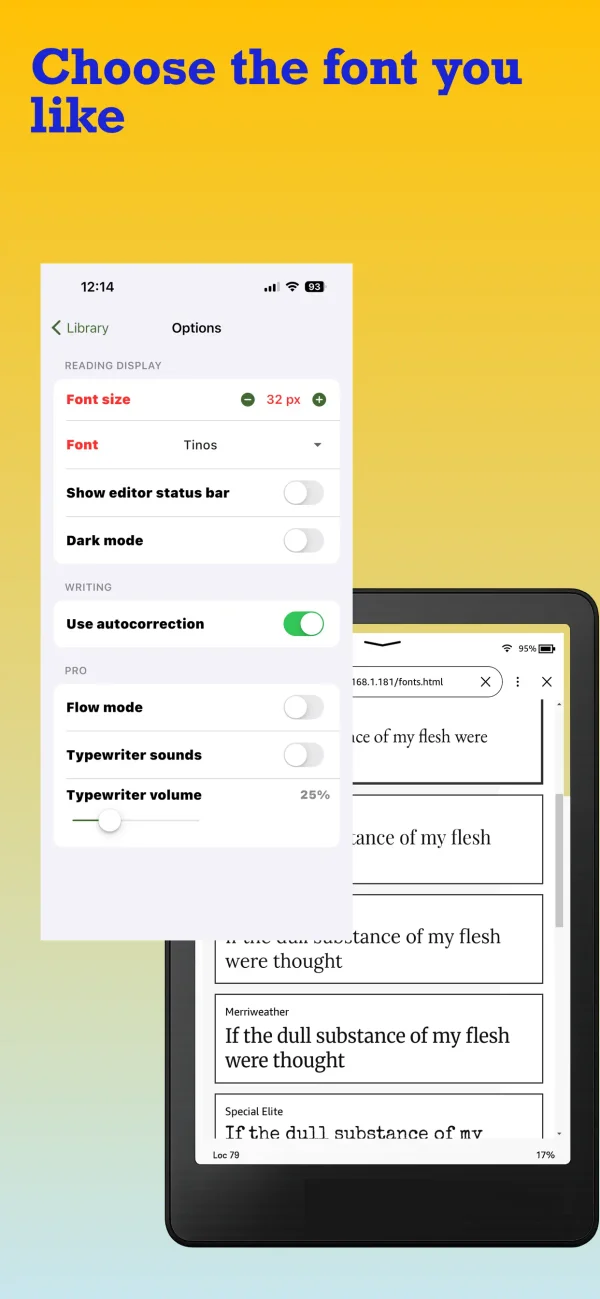
With a subscription active, you also have a wide choice of fonts; you can turn “flow mode” on to write the first draft with minimal editing and have the application imitate typewriter sounds.
Your app is not there just to write drafts; you have a fully functional system to organise the texts into folders, preview them, search, pin the text you’re working on, etc.
When you’re in a hurry and have trouble reaching for your Kindle, just use inkScript to jot down your thoughts the way you use a regular note-taking app.
Every writer’s flow is personal, but if you are still looking for that perfect tool — one that lets your imagination step away from the digital noise but doesn’t feel ancient — try inkScript: this might well be it!
Terms of Service: https://www.apple.com/legal/internet-services/itunes/dev/stdeula/
What’s new
Version 1.4.1 · Nov 16, 2026
Fixed preview logic. Added Russian localization. Fixed word counting.
App privacy
What Nikolay Nikiforov declares on the App Store about how this app handles data.
-
Data not collected
The developer does not collect any data from this app.
Privacy practices may vary, for example with the features you use or your age.
Information
- Seller
- Nikolay Nikiforov
- Category
- Productivity
- Version
- 1.4.1
- Updated
- Nov 16, 2026
- Released
- Aug 3, 2026
- Size
- 21.5 MB
- Requires
- iOS 17.6 or later
- Age rating
- 4+
- Price
- Free
- In-app purchases
- Yes
- Languages
- English
- Copyright
- © 2026 Nikolay Nikiforov
You might also like
-
 JuneBug: Voice Dream JournalTell a little bug your dreams
-
 WriterosA simple writing experience
-
 ZenSlate: Just WriteQuick distraction free writing
-
 Word Sprint: Write Your BookWord counter & accountability
-
 Tori Baduk – Play Go with AIPlay Go with KataGo AI
-
 A5 JournalTime-stamped Immutable Journal
-
 Dotted Mind – Calm NotebookHandwritten journal & notes
-
 Penpoint – Novel Writing AppWrite, plot & build your world
-
 Write A Book: InkrunWord Count Tracker
-
 SolarWriter: E-Ink TypewriterKeyboard for E-Reader Screens