
Invoices — Create & Send
Invoice & Estimate Maker
Designed for iPhone, iPad
Free · In-app purchases
- Age rating4+
- CategoryBusiness
- DeveloperOzodjon Sodiqov
- LanguagesEnglish+ 6 more
- Size32.0 MB
Links to the official App Store page
Download.org hosts no file of Invoices — Create & Send. The button opens its official App Store page, published by Ozodjon Sodiqov. Listing last checked on Nov 18, 2026.
Screenshots
About
The simplest invoicing app for freelancers, contractors, and small businesses. Create professional invoices, send estimates, track expenses and billable hours, and get paid faster — all from your iPhone and iPad. No account required.
CREATE INVOICES IN SECONDS
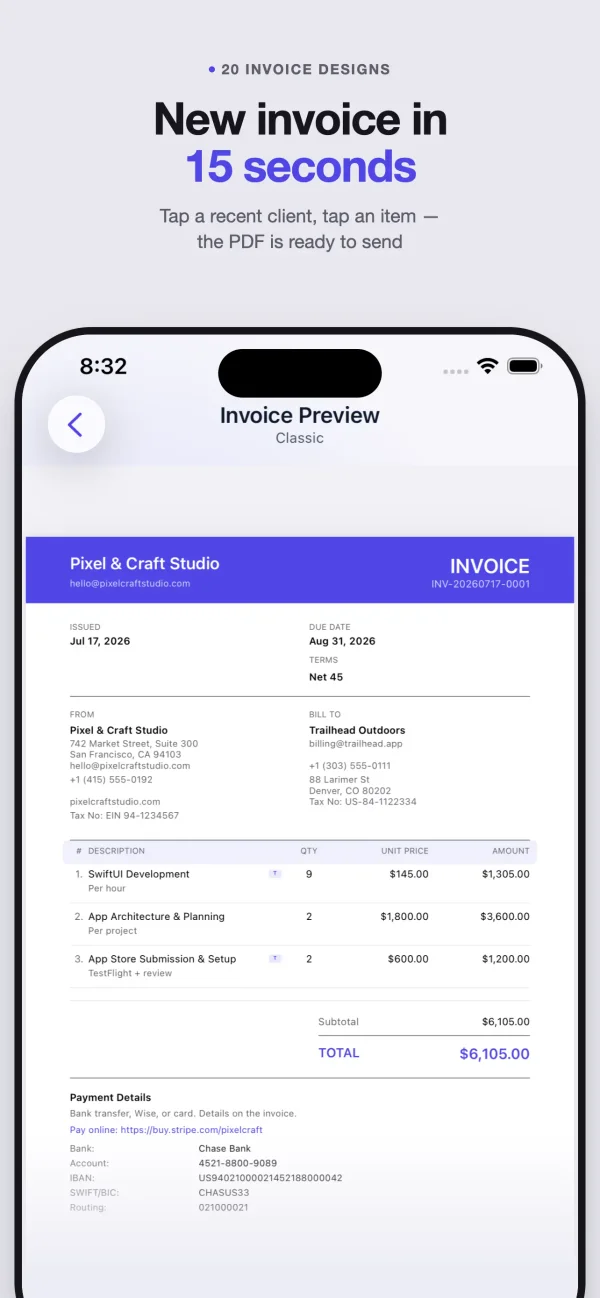
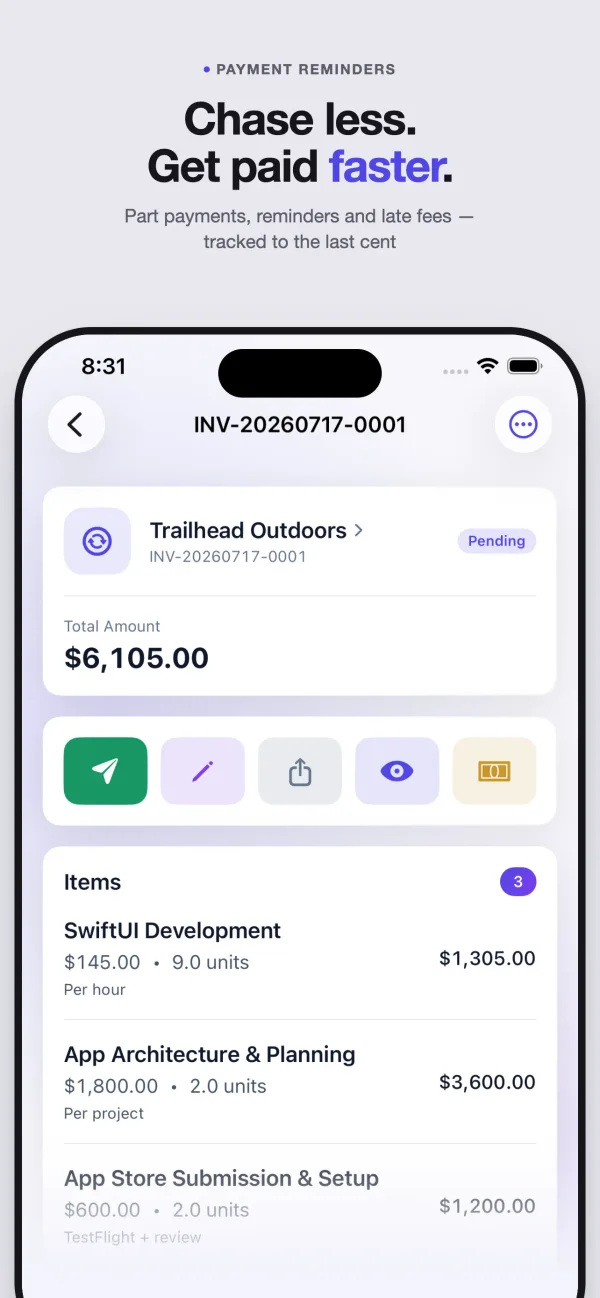
Add a client, pull items from your price book, set a due date — done. Every invoice is numbered automatically.
RECURRING INVOICES & TEMPLATES
Auto-generate invoices weekly or monthly, or save any invoice as a reusable template and send in one tap.
ESTIMATES & PROPOSALS
Send a quote and convert it to an invoice on approval. Turn any estimate into a proposal with a cover letter and a signed acceptance block on the PDF.
TRACK TIME, BILL HOURS
Run a timer or log hours against any project, then turn unbilled time into an invoice in one tap.
ORGANISE WORK INTO PROJECTS
Group invoices, estimates, and expenses under a project and track profit against a budget on a built-in chart.
CLIENT CRM
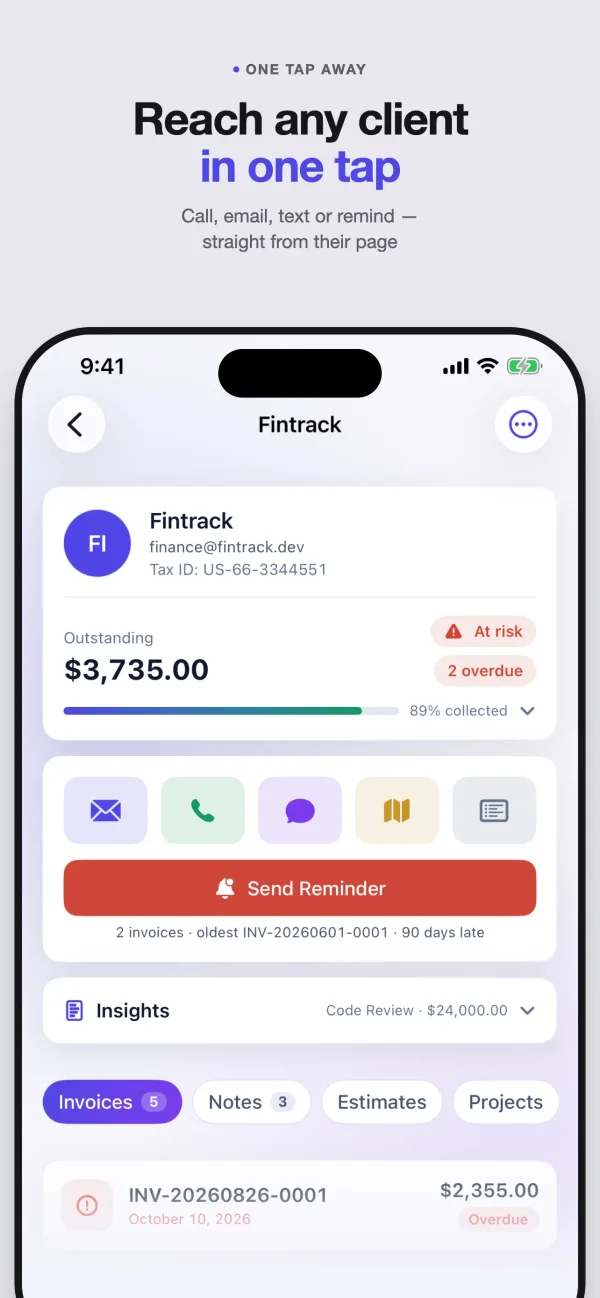
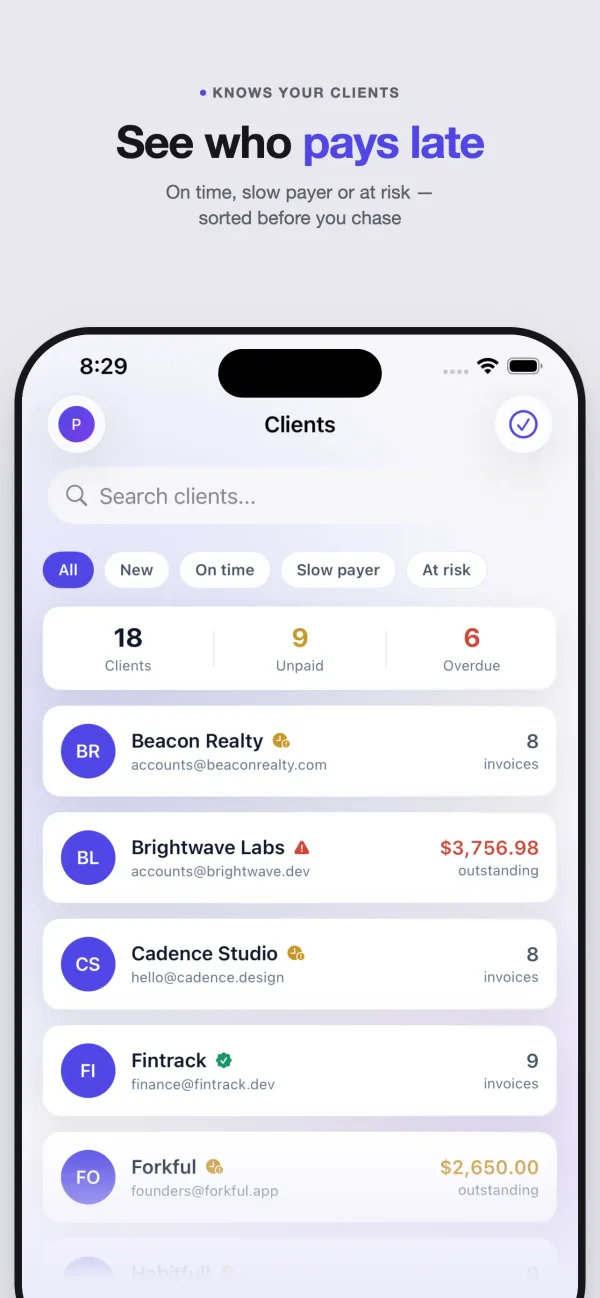
Tag clients, see a health score for on-time vs. late payers, log every interaction, and set follow-up reminders.
EMAIL TEMPLATES
Send with saved templates for invoices, reminders, and overdue notices — smart variables fill in name, number, and amount due.
RECURRING EXPENSES
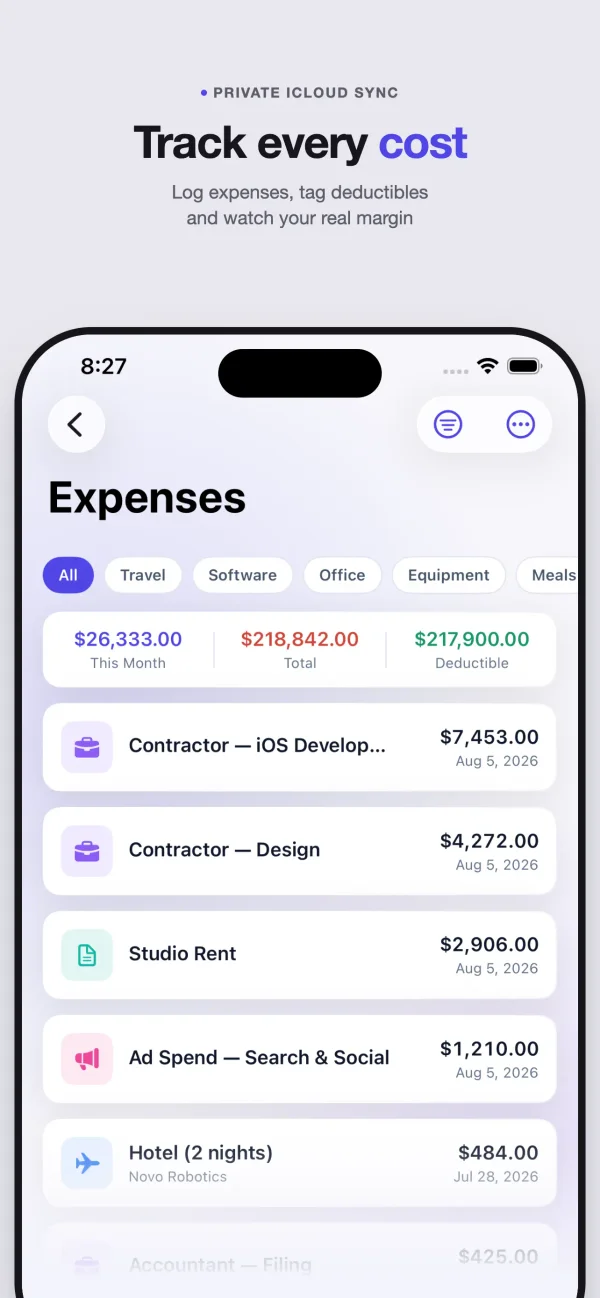
Auto-generate rent, subscriptions, or any regular cost on a weekly or monthly schedule.
SEND AS PDF BY EMAIL
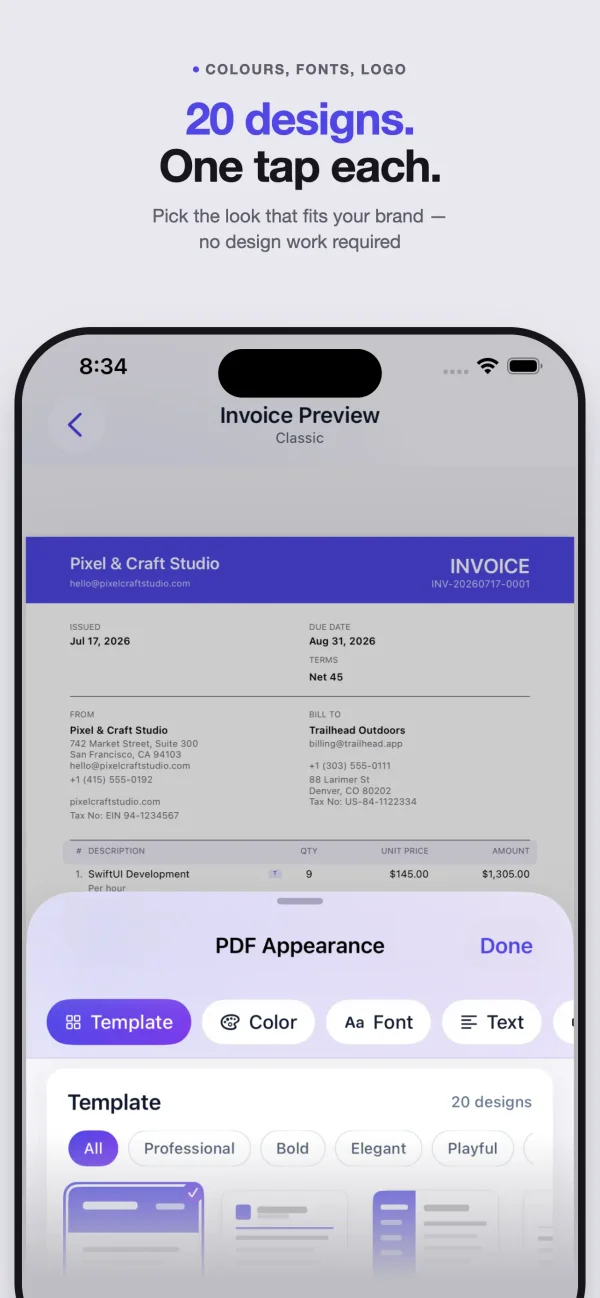
Send a polished PDF from the app with a payment link (PayPal, Stripe, Venmo) or bank details (IBAN, SWIFT). Customize the accent color to match your brand.
REPORTS & ANALYTICS
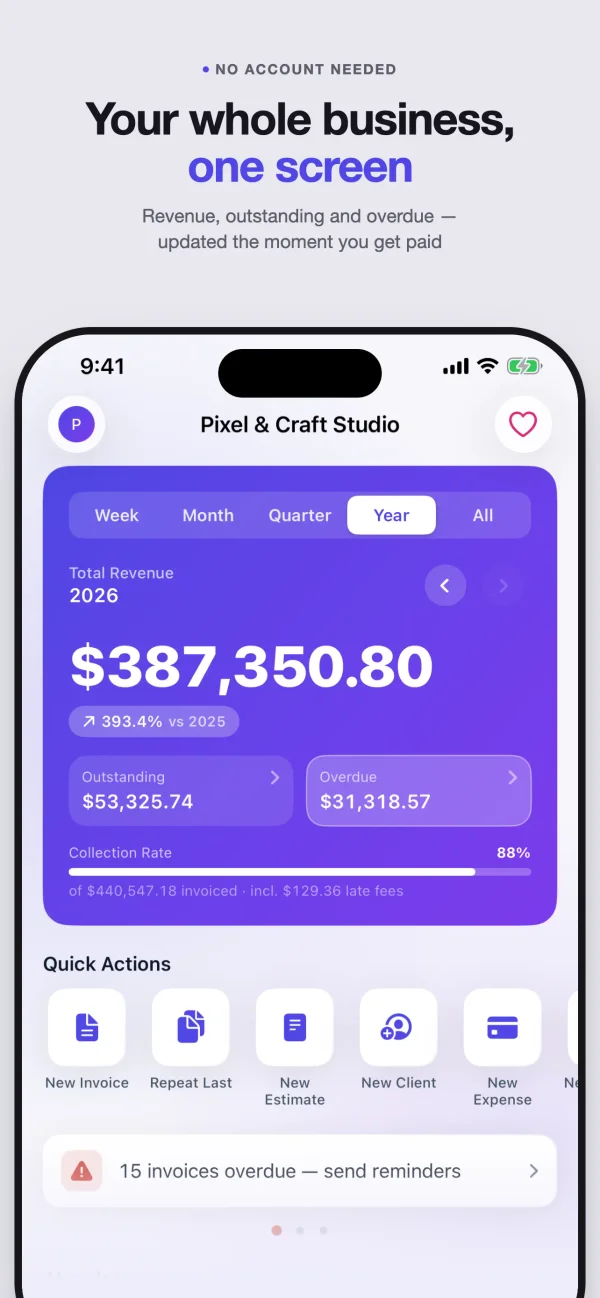
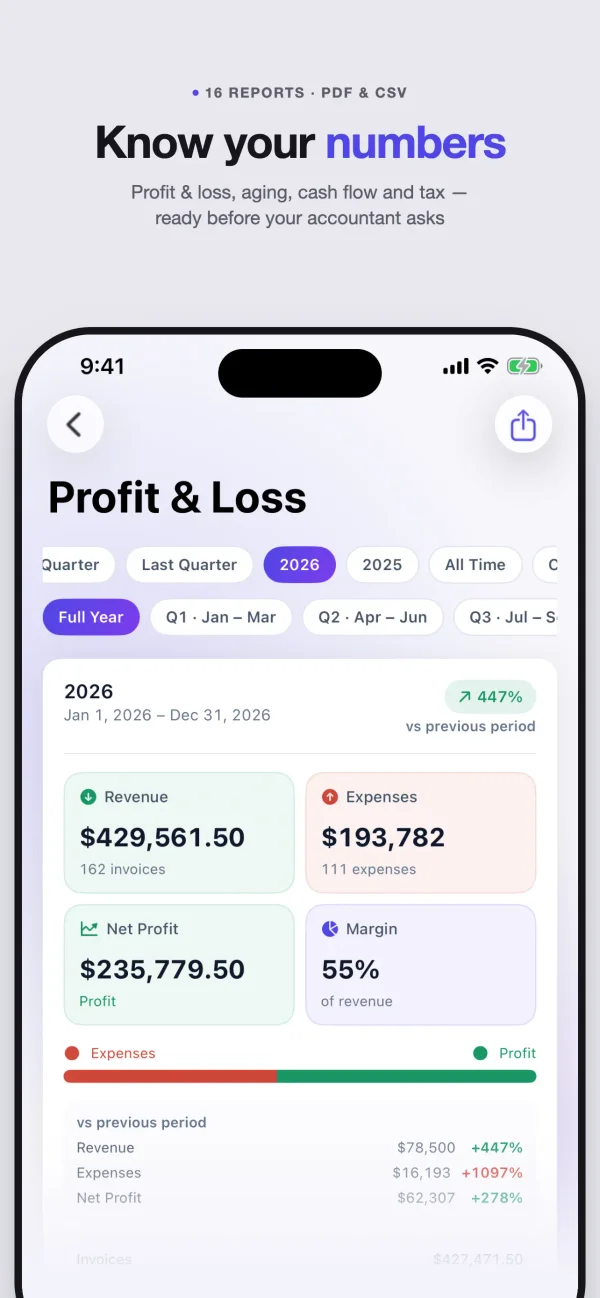
See revenue, outstanding balances, and monthly trends at a glance, plus aging and tax reports and one-tap client statements — exportable as PDF or CSV.
TRACK WHAT YOU'RE OWED
Filter by period, currency, or year, and record partial payments with full payment history per invoice.
CLIENTS, EXPENSES & PRICE BOOK
Track expenses per client or project, scan receipts with your camera to fill in the amount, and save go-to services in a price book.
HOME SCREEN WIDGET
See your outstanding balance and overdue count without opening the app — small and medium sizes.
STAY ORGANISED
Bulk-edit invoices, auto-archive old paid ones, and find anything instantly with Spotlight Search.
YOUR DATA, YOUR WAY
No account required. File backup and restore, and CSV export.
— — —
INVOICES PRO — UNLIMITED ACCESS
Upgrade to Pro for:
• Unlimited invoices, estimates & clients
• Send & share PDFs by email
• Recurring invoices, expenses & templates
• Estimates & proposals — create, send & convert
• Time tracking — timer, timesheet & billing
• Projects — budgets & profitability
• Client CRM — tags, health scores & reminders
• Saved email templates
• Expense tracking & receipt scanning
• Aging & tax report PDF export
• Client statements
• Custom invoice numbers & PDF branding
Subscription auto-renews unless cancelled at least 24 hours before the end of the current period. Manage or cancel in App Store account settings.
Perfect for freelancers, consultants, contractors, and small business owners.
Terms of Use: https://www.notion.so/Terms-of-Use-35efe3988bb6802aacc6e18ad7ea4488
Privacy Policy: https://www.notion.so/Privacy-Policy-35cfe3988bb680b8a7a4e820ebe57292
By downloading this app, you agree to our Terms of Use and Apple's Standard License Agreement (EULA):
https://www.apple.com/legal/internet-services/itunes/dev/stdeula/
What’s new
Version 1.17 · Nov 11, 2026
Your categories, your stock.
• Create your own categories for expenses, other income and price-book items — they show up in your reports, P&L and Tax report.
• Track stock on hand for products: low-stock and out-of-stock warnings, quick stock adjustments.
• Item Sales report by category.
• Import expenses and other income from a CSV file, such as a bank statement.
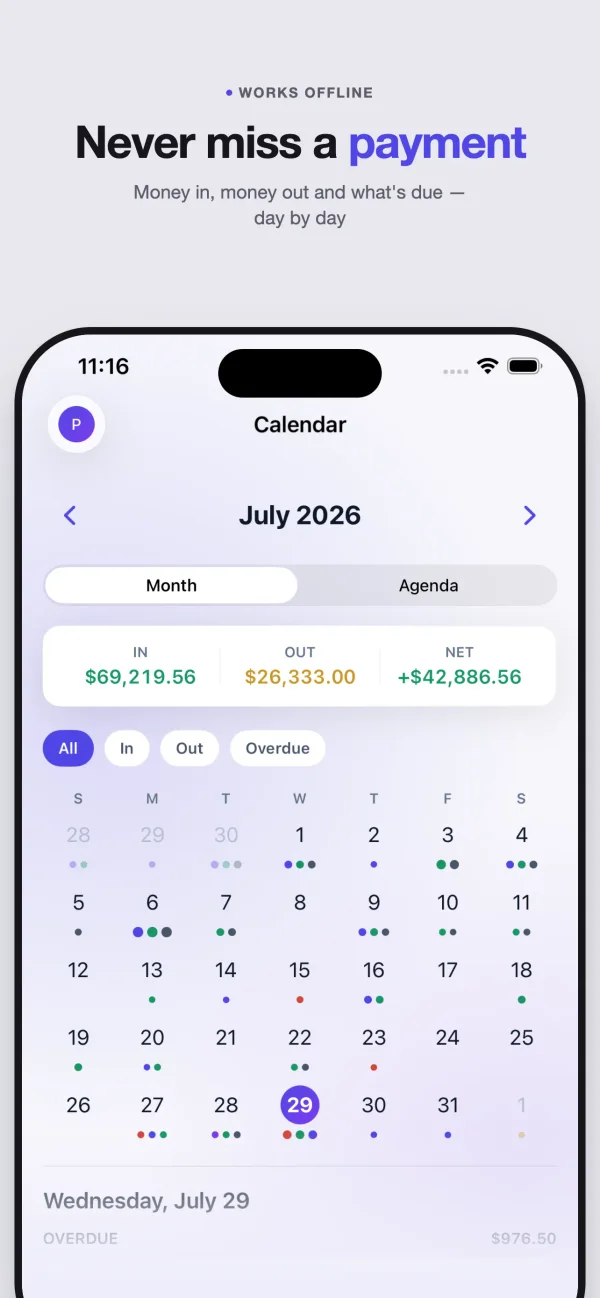
• Other income now appears on the Calendar.
• Report fixes and polish.
App privacy
What Ozodjon Sodiqov declares on the App Store about how this app handles data.
-
Data not linked to you
May be collected but is not linked to your identity.
- Purchases
- Identifiers
- Usage data
- Diagnostics
Privacy practices may vary, for example with the features you use or your age.
Information
- Seller
- Ozodjon Sodiqov
- Category
- Business
- Version
- 1.17
- Updated
- Nov 11, 2026
- Released
- May 13, 2026
- Size
- 32.0 MB
- Requires
- iOS 18 or later
- Age rating
- 4+
- Price
- Free
- In-app purchases
- Yes
- Languages
- English, Arabic, French, German, Portuguese, Russian, Spanish
- Copyright
- © 2026 Ozodjon Sodiqov
You might also like
-
 Brainee: Second Brain NotesBrain Dump Planner & Organizer
-
 Habit Tracker // init.Habitsstreaks, routines & pixel grid
-
 Habit Tracker - DayriseStreaks, Routines & Motivation
-
 AI Calendar - Pocket CalDaily Planner, Tasks & Widgets
-
 Control: Budget TrackerExpense & Money Manager
-
 Offload ADHD OrganizerAI To Do List from Brain Dump
-
 Costify: Expense TrackerTrack, split & manage expenses
-
 Budjetly: Budget PlannerSpending Tracker Bills Manager
-
 Budget Tracker - BrimSpending, Bills & Savings
-
 Subo - Subscription ManagerBill Organizer & Calendar