
- Age rating4+
- CategoryEntertainment
- DeveloperUnloop Training & Resources
- LanguagesEnglish
- Size55.1 MB
Links to the official App Store page
Download.org hosts no file of IPTV Room. The button opens its official App Store page, published by Unloop Training & Resources. Listing last checked on Nov 15, 2026.
Screenshots

About
IPTV Room is a player for IPTV playlists and streams. Paste a link and watch.
It plays:
• MPD (DASH) and M3U8 (HLS) streams
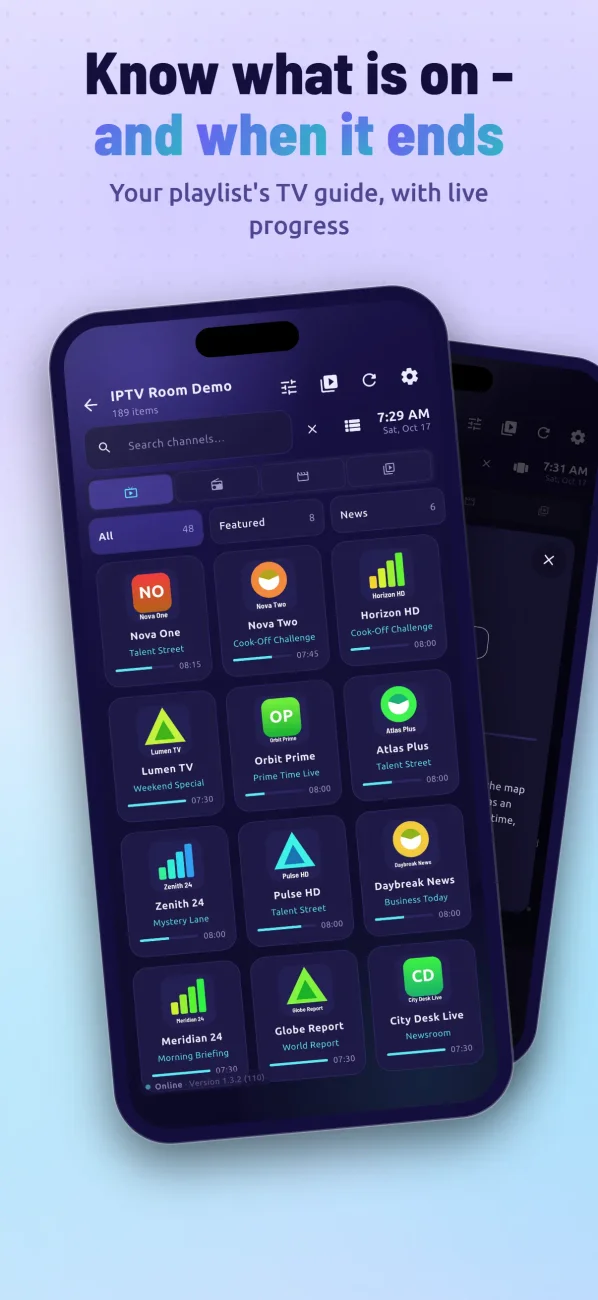
• M3U playlists, grouped by category with channel logos, search and favorites
• EPG programme guides (XMLTV, including .gz) with now/next and a full day view
No account to set up, and no channels included — everything you watch comes from a link you supply. Links you paste are saved automatically and stay on your device.
Features:
• ClearKey DRM read straight from the playlist — no manual setup
• Custom headers (User-Agent, Referer, Authorization) for services that need them
• Subtitles and audio track selection
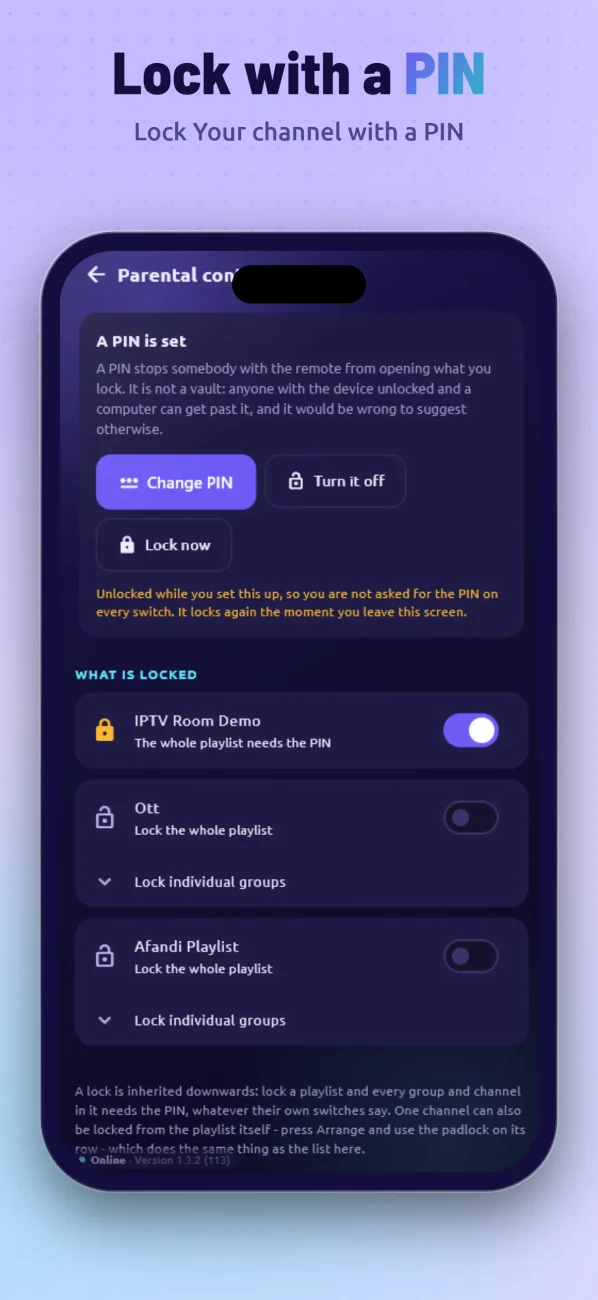
• Parental PIN per playlist, group or channel
• Auto-saves and remembers every link you add
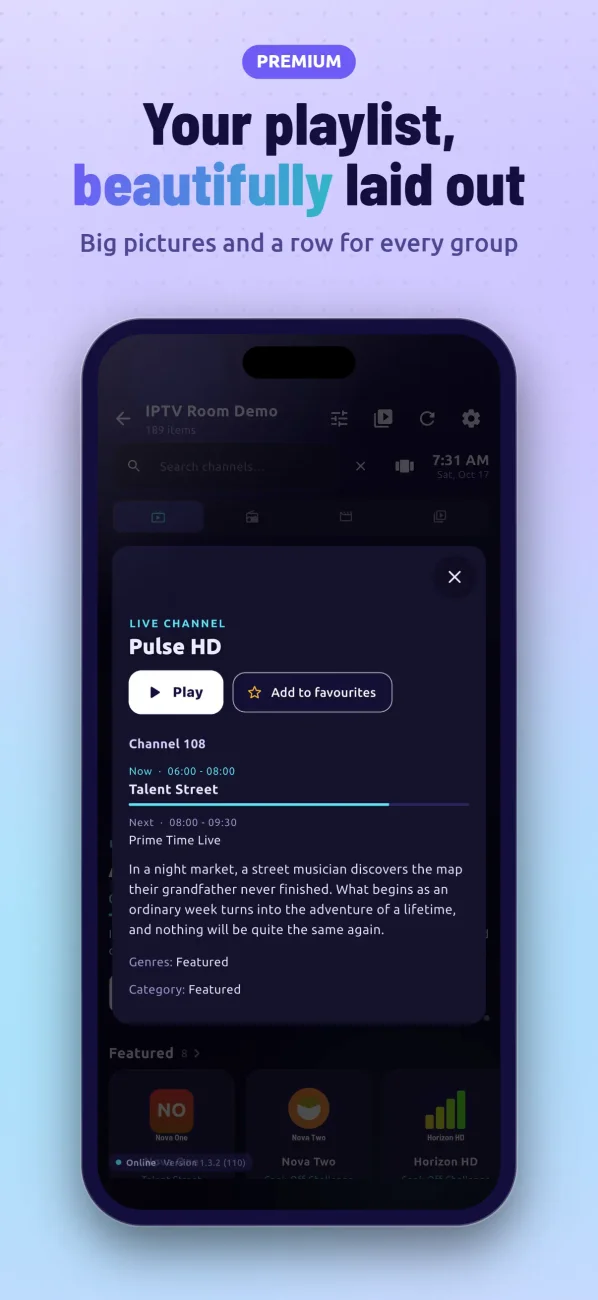
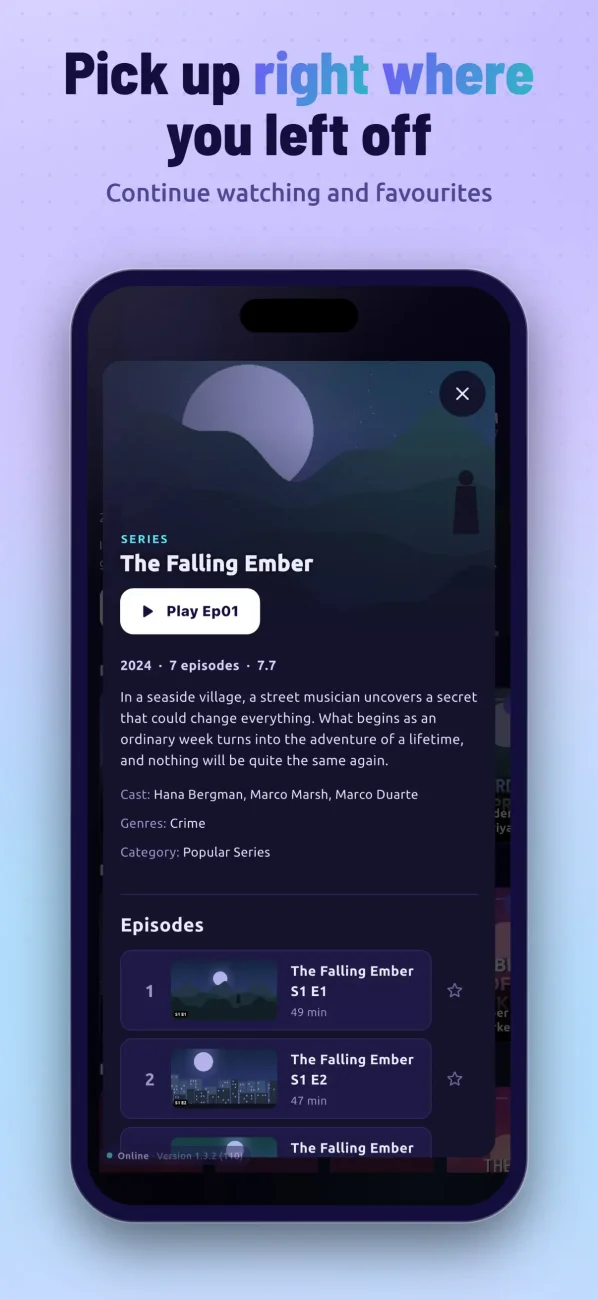
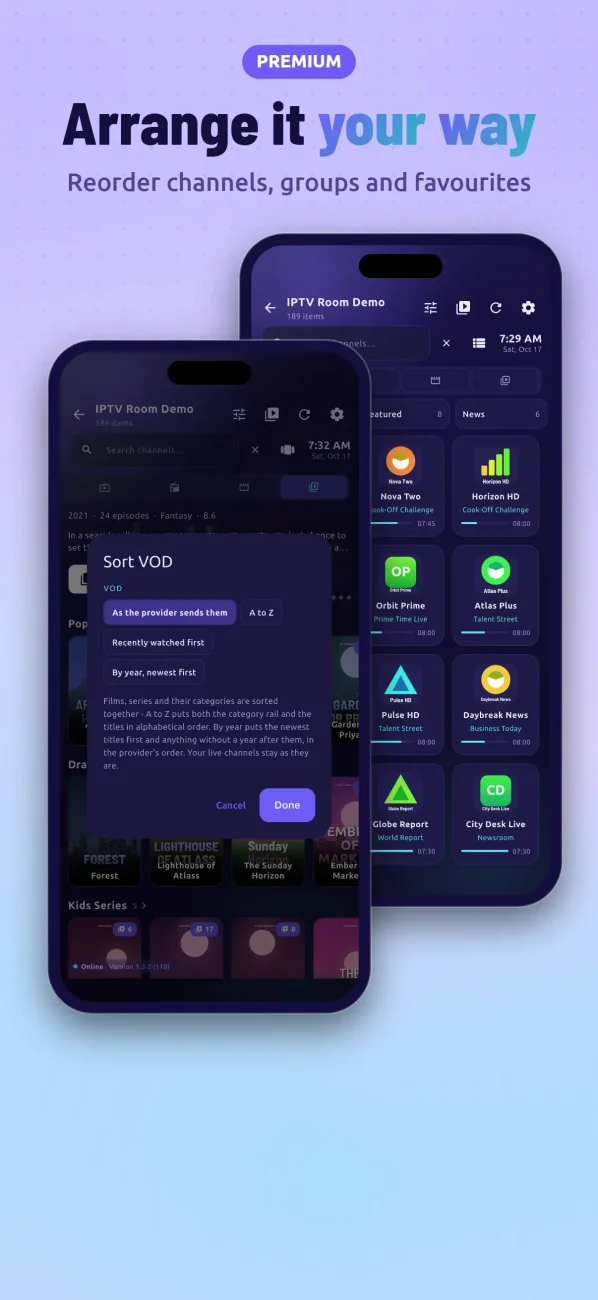
IPTV Room Premium (subscription) unlocks a custom background, the full programme guide, arranging and hiding channels, unlimited playlists, resume playback, a channel keypad, QR playlist import, and syncing across your devices.
IPTV Room ships with no media of any kind and is not affiliated with any broadcaster or streaming service. You are responsible for holding the right to access whatever you point it at.
Terms of Use: https://iptvroom.nax.my/terms
Privacy Policy: https://iptvroom.nax.my/privacy
What’s new
Version 1.3.8 · Nov 3, 2026
A big update: a new side rail that gives landscape screens their full height back, films that no longer stall at 17 seconds, subtitles and soundtracks that now play where they did not, and your favourites and Continue Watching kept safe when a playlist refreshes.
NEW
• Side rail in landscape. Turn your iPhone or iPad on its side and a playlist's tools fold into a slim rail of icons down the left - back, Search, Live, Radio, Films, Series, More and Settings - so channels and posters get the whole height of the screen. Tap an icon to use it, or press and hold the rail to see its labels. It works in every layout: Showcase, Grid and List.
• Prefer the old bar across the top? Settings › Display › Landscape navigation lets you choose between the side rail and the top bar. Held upright, the bar is always on top.
• Search from the rail opens a full search page, with your recent searches under the box.
• Screen edge margin. If a case or the rounded corners of your screen hide something, Settings › Display › Screen edge margin keeps up to 5% clear round the edges. It starts at 0%, using the whole screen.
• A new loading animation throughout the app.
PLAYBACK
• Films that stopped to buffer at about 17 seconds now play through. Some films are encrypted in a way the player on iPhone and iPad could not unlock; the app now prepares the key itself before playing. This also covers films whose soundtracks come as separate streams.
• Subtitles that were listed in the menu but never appeared now show. Some providers link their subtitle tracks to the film the wrong way, and the player could not connect the two. The app now repairs the list before playing, whatever names the provider uses.
• Films that played silently for the same reason now play with their sound.
• The audio language you pick is remembered for each channel.
• Subtitles on DASH streams keep better time with the picture.
SUBTITLES
• No more repeated entries in the subtitle list.
• English subtitles labelled "Bahasa English" are no longer shown as Malay.
• Fixed a case where no subtitle came on even though one was chosen.
• Language names are now the same in every menu, whichever player is used.
FIXED
• Favourites and Continue Watching could disappear after a playlist refreshed - when a provider changed its links, listed the same title twice, or briefly answered with an empty list. Your favourites, watch history and resume points now follow each title, an empty answer from a provider no longer wipes your list, and entries that went missing in earlier versions come back by themselves the next time the playlist loads.
• Parental locks, per-channel audio and subtitle choices and programme reminders now follow a channel when its link changes, too.
• On an iPhone held sideways some windows were taller than the screen, and their last option could not be tapped - most noticeably List in the Layout window, the VOD option in Arrange, and the sort options. Every one of these windows now scrolls.
• Windows with a text box no longer push their buttons out of reach while the keyboard is up.
• "See all", More categories and search inside a Showcase always show a grid.
ALSO
• Playlists from premium providers open on the Showcase pages the provider has chosen.
• Problem reports now include picture and sound timing details, so out-of-sync playback can be traced.
App privacy
What Unloop Training & Resources declares on the App Store about how this app handles data.
-
Data linked to you
May be collected and linked to your identity.
- Contact info
- Identifiers
-
Data not linked to you
May be collected but is not linked to your identity.
- Diagnostics
Privacy practices may vary, for example with the features you use or your age.
Information
- Seller
- Unloop Training & Resources
- Category
- Entertainment
- Version
- 1.3.8
- Updated
- Nov 3, 2026
- Released
- Sep 14, 2026
- Size
- 55.1 MB
- Requires
- iOS 15.0 or later
- Age rating
- 4+
- Price
- Free
- In-app purchases
- Yes
- Languages
- English
- Copyright
- © 2026 Unloop Training & Resources
You might also like
-
 ClearPlayer TVSimply Better IPTV
-
 TiviMiniLight, fast & powerful IPTV
-
 IPTV Deck: Player & TV GuideLive TV, M3U & Xtream Codes
-
 StarHub TV+Previously StarHub Go
-
 Zen IPTV PlayerVotre IPTV simplifiée
-
 Smarter IPTV Stream: LiveTVFast & Smart IPTV Player AI
-
 Vivo Player: Smart IPTV PlayerThe Best IPTV Player
-
 XP IPTVBest IPTV Player for streaming
-
 IPTV Smarters Player ExpertIPTV player, EPG & sync
-
 Smarters IPTV ProThe Best IPTV Player