iWorkUntil: ADHD Visual Timer
Time blocks · focus sessions
Designed for iPhone, iPad
Free
- Age rating4+
- CategoryProductivity
- DeveloperDavid Klausz
- LanguagesEnglish
- Size50.7 MB
Links to the official App Store page
Download.org hosts no file of iWorkUntil: ADHD Visual Timer. The button opens its official App Store page, published by David Klausz. Listing last checked on Nov 16, 2026.
Screenshots


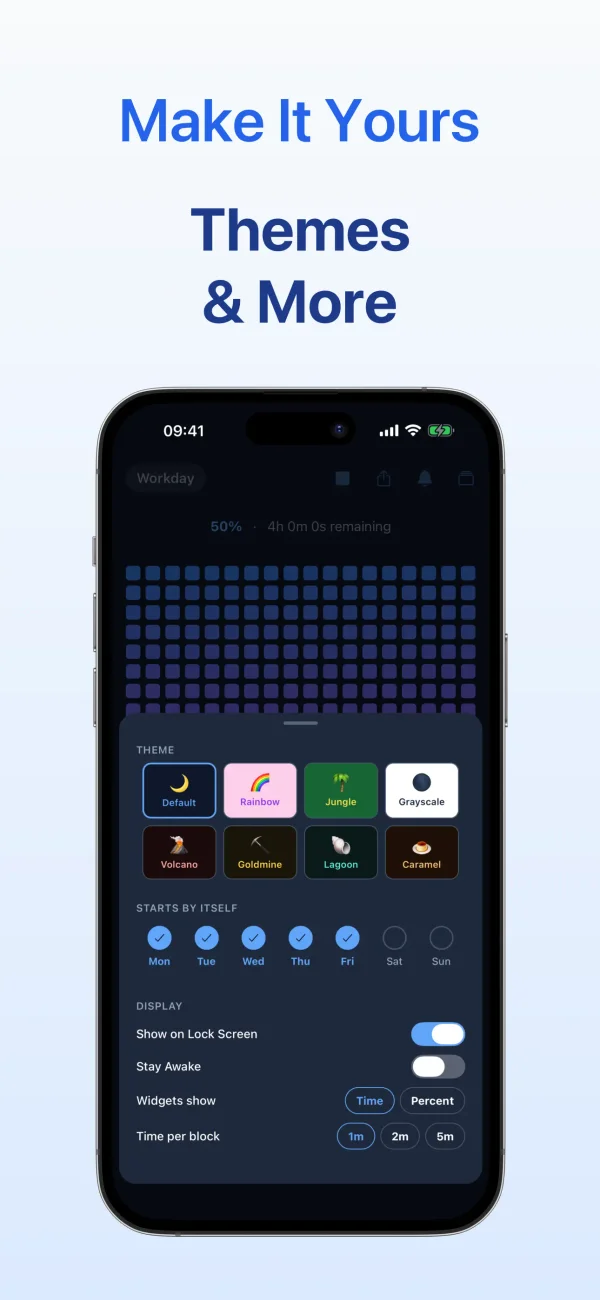
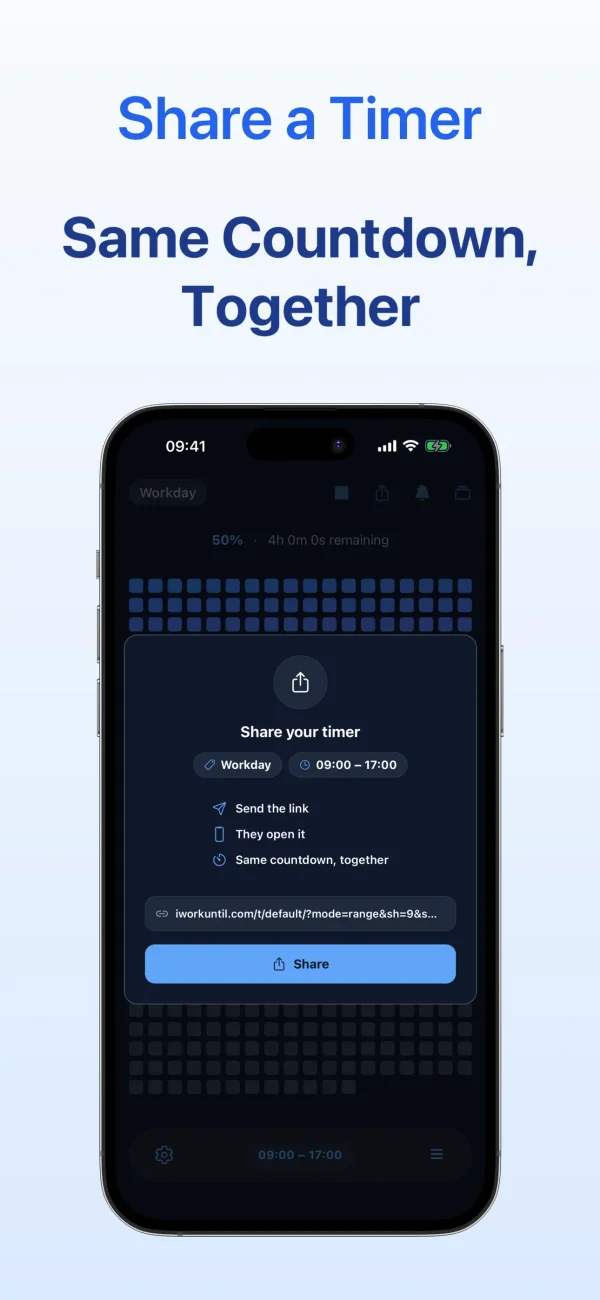

About
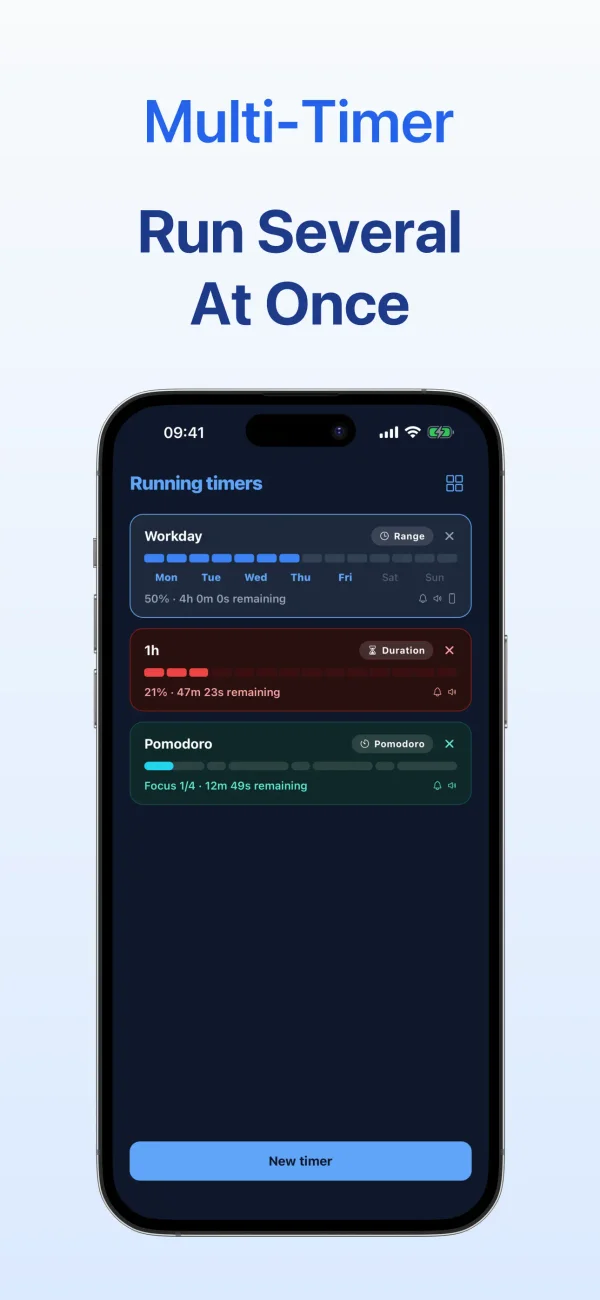
iWorkUntil turns the time you have left into something you can actually see — every minute is a visible block, the grid fills as time passes, and one glance tells you where you stand in the day, the session, or the workday.
Built for anyone who'd rather see time than read it. Especially good for ADHD focus sessions, deep-work blocks, study time, and any moment where "how long left?" is the question that matters.
No accounts. No ads. No notifications. No streaks to break. No AI nagging. Just time, made visible.
WHAT IT DOES
• Visual countdown — your time as a grid of blocks that fills as it passes
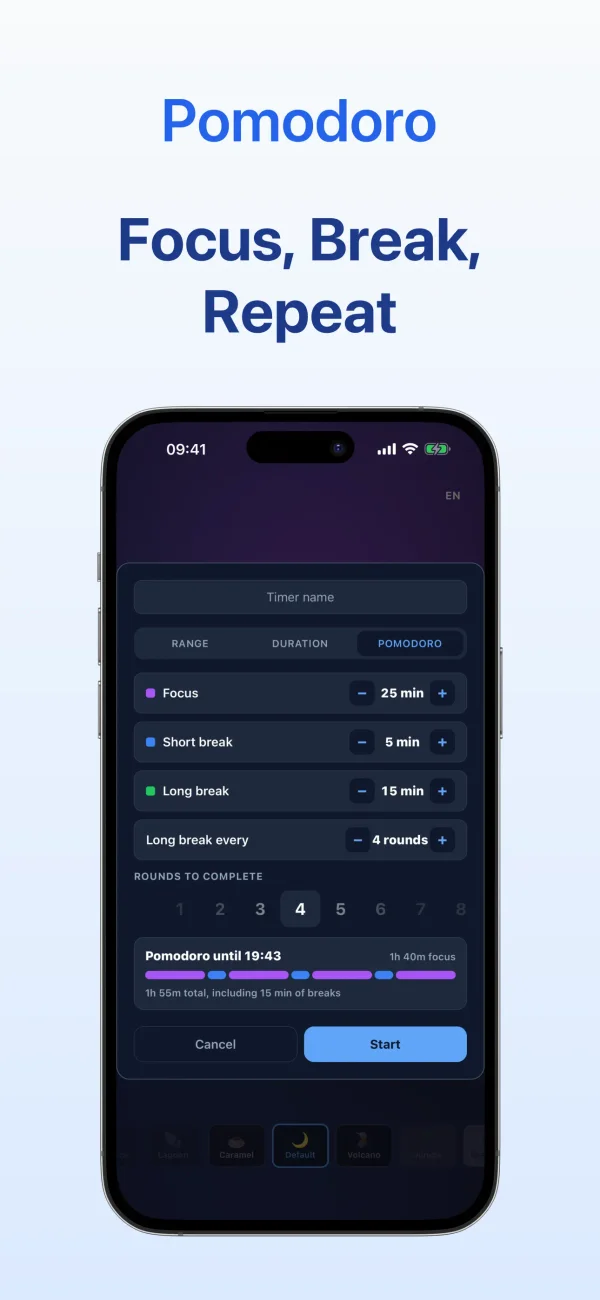
• Pick a duration (e.g. 25 minutes) or a range (e.g. 9 to 5)
• Each block represents a slice of your time — at a glance, you know where you are
• Choose a theme that fits your screen
• Lives in the corner — never in the way
WHO IT'S FOR
• Anyone who loses track of time when they're focused
• Visual thinkers who do better with shapes than with numbers
• Pomodoro and deep-work sessions that need a clear stop signal
• Workdays, homework, study breaks, screen-time wind-down
• Cooking, exercise, meetings, presentations — anything time-boxed
WHAT IT DOESN'T DO
• No notifications. No dings. No dopamine traps.
• No accounts, no logins, no data collection.
• No ads, no subscriptions, no upsells.
• No AI, no streaks, no guilt.
A visual countdown that shows you time, instead of telling you about it.
Available in 11 languages: English, German, French, Spanish, Dutch, Polish, Hungarian, Russian, Danish, Swedish, Slovenian.
What’s new
Version 1.3.7 · Nov 6, 2026
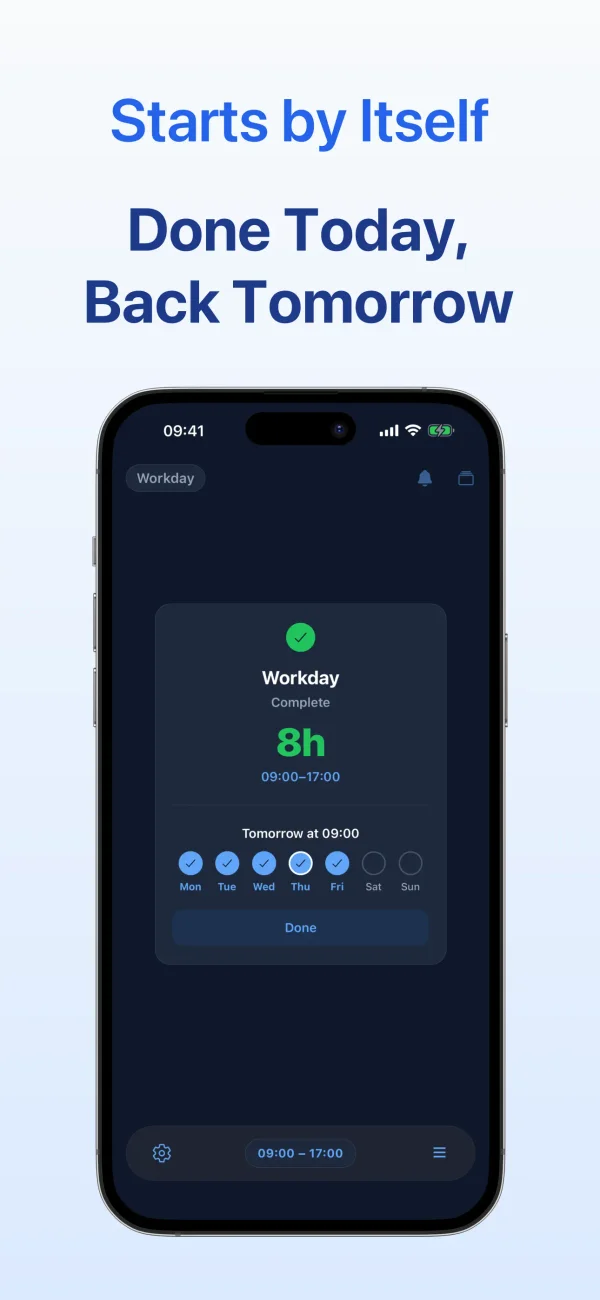
- Range timer auto stars on selected days
- Running timers shows each daily timer's days, and you can change them in Settings.
- A finished timer's Done now leaves the Lock Screen and Apple Watch after 5 minutes.
- On the Lock Screen, a daily timer now shows its week, and once it ends, when it starts again.
- The block grid has a new look: your time fills in one smooth gradient, and the newest block glows.
- iPhone Duo support
- Bugfixes and performance improvements
App privacy
What David Klausz declares on the App Store about how this app handles data.
-
Data not linked to you
May be collected but is not linked to your identity.
- Usage data
Privacy practices may vary, for example with the features you use or your age.
Information
- Seller
- David Klausz
- Category
- Productivity
- Version
- 1.3.7
- Updated
- Nov 6, 2026
- Released
- Feb 25, 2026
- Size
- 50.7 MB
- Requires
- iOS 16.4 or later
- Age rating
- 4+
- Price
- Free
- Languages
- English
- Copyright
- © David Klausz
You might also like
-
 TimeSee: Visual Timer for ADHDBeat Time Blindness & Focus
-
 ADHD Timer: End Time BlindnessVisual Countdown & Focus Aid
-
 Second Brain: ADHD PlannerDaily Routine & Focus Timer
-
 Tempo: Visual Countdown TimerADHD Focus & Time Blindness
-
 Flowti: ADHD Focus TimerVisual Pomodoro, Study Timer
-
 SPARK - 2 Minute StarterBeat task paralysis in 2 min
-
 ADHD Planner – AI Task ManagerBeat Executive Dysfunction
-
 Aestu: Visual Focus TimerADHD, Deep Work & Pomodoro
-
 Chromeo: Visual TimerPomodoro Timer for Creators
-
 FeltimeFeel time pass. Pay once.