
Tempo: Visual Countdown Timer
ADHD Focus & Time Blindness
Designed for iPhone, iPad
Free · In-app purchases
- Age rating4+
- CategoryProductivity
- DeveloperFoundry24 LLC
- LanguagesEnglish+ 6 more
- Size16.3 MB
Links to the official App Store page
Download.org hosts no file of Tempo: Visual Countdown Timer. The button opens its official App Store page, published by Foundry24 LLC. Listing last checked on Nov 14, 2026.
Screenshots



About
If you have ever looked up and lost an hour, you do not need another number counting down. You need to see time move.
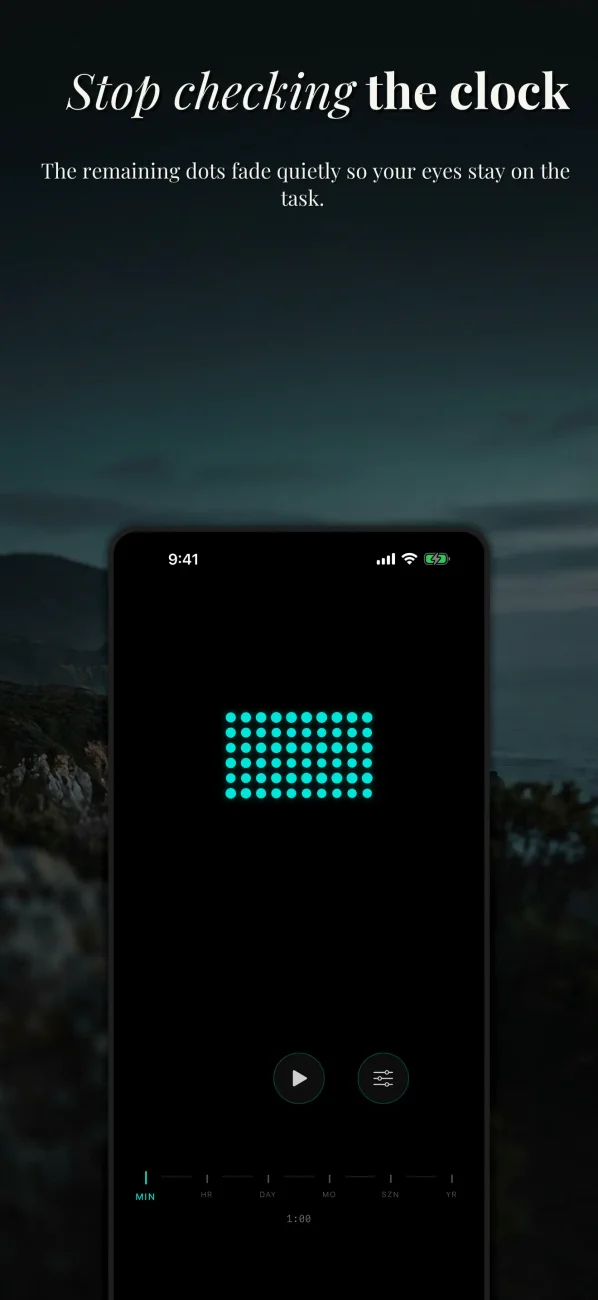
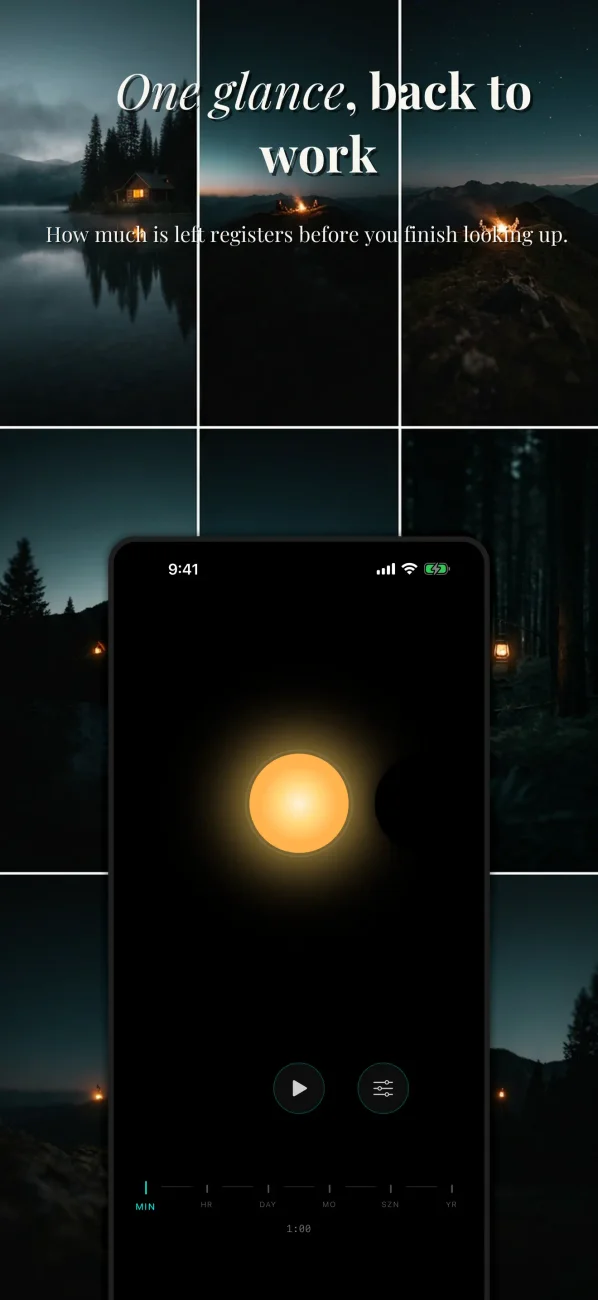
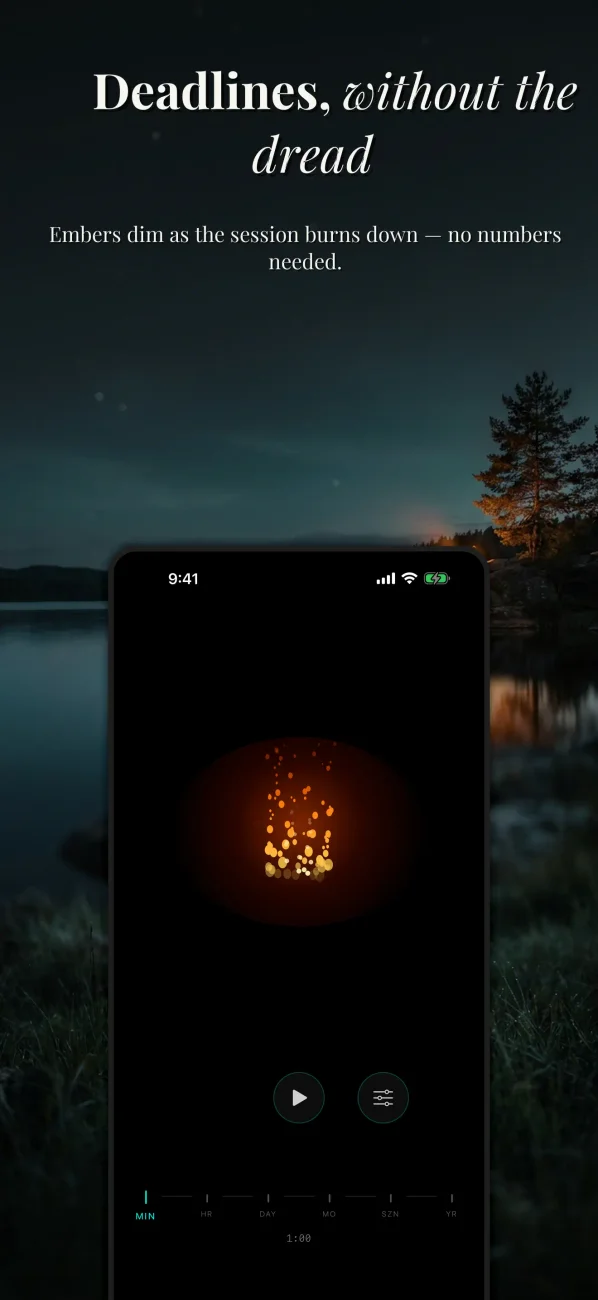
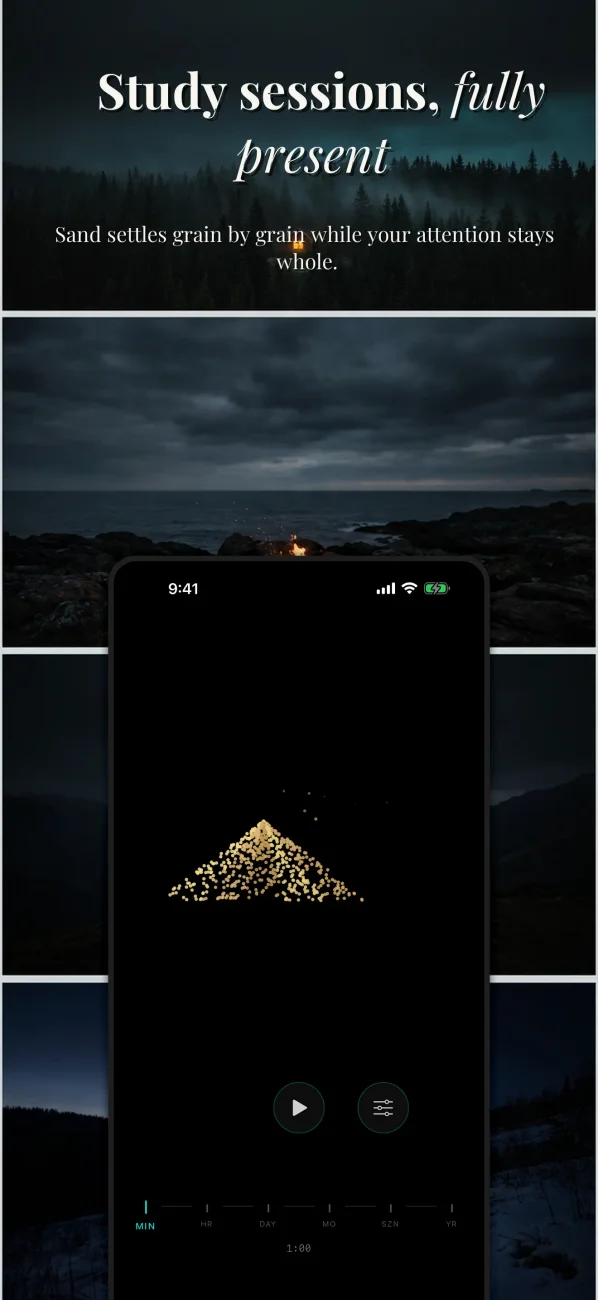
Tempo turns time into something you can watch. A dandelion loses its seeds. An eclipse closes over. A snowman gives in to the sun. Glance at your phone from across the room and you know how much is left — no reading, no math.
BUILT FOR TIME BLINDNESS
Numbers are abstract. If your brain does not track elapsed time on its own, "20 minutes" means nothing until it is already gone. Tempo makes time spatial instead, so you feel it draining rather than having to calculate it.
FROM ONE MINUTE TO ONE YEAR
Most timers stop at an hour. Tempo has six scales:
• MINUTE — a focus sprint or a short break
• HOUR — the meeting, the work block
• DAY — how much of today is actually left
• MONTH — the deadline that still feels far away
• SEASON (Pro) — the three months you keep meaning to use
• YEAR — the one nobody shows you
The longer scales run live against the real calendar. Open Tempo in October and the year is already most of the way gone. That is not a gimmick — for anyone who loses whole weeks, seeing it is the point.
SEVEN VISUALIZATIONS
Dandelion, Dots, Eclipse, Ember, Sand, Snowman, and Thunderstorm. Pick the one your brain actually reads, and set it as your default.
ON YOUR WRIST AND LOCK SCREEN
An Apple Watch app and Lock Screen and Home Screen widgets keep your current scale in view without opening anything — so checking the time stops being the distraction.
BUILT TO STAY QUIET
• No account, no sign-up, no email
• Works entirely offline
• No streaks, no badges, no guilt mechanics
• No ads, ever
Tempo will not fix your relationship with time. It just makes time visible, so the hours stop disappearing without warning.
Free: the Dots visualization and five of the six scales — MINUTE, HOUR, DAY, MONTH, and YEAR. A one-time Pro purchase adds Dandelion, Eclipse, Ember, Sand, Snowman, Thunderstorm, and the SEASON scale. No subscription.
What’s new
Version 2.0.2 · Oct 8, 2026
When Tempo asks how it's going and you say you're enjoying it, it now takes you straight to the App Store to leave a rating or a review. It used to ask iOS for its in-app rating sheet instead, which iOS shows at its own discretion and, for most people, never did.
App privacy
What Foundry24 LLC declares on the App Store about how this app handles data.
-
Data not collected
The developer does not collect any data from this app.
Privacy practices may vary, for example with the features you use or your age.
Information
- Seller
- Foundry24 LLC
- Category
- Productivity
- Version
- 2.0.2
- Updated
- Oct 8, 2026
- Released
- Jan 13, 2026
- Size
- 16.3 MB
- Requires
- iOS 17.0 or later
- Age rating
- 4+
- Price
- Free
- In-app purchases
- Yes
- Languages
- English, French, German, Hindi, Japanese, Portuguese, Spanish
- Copyright
- © Foundry24
You might also like
-
 iWorkUntil: ADHD Visual TimerTime blocks · focus sessions
-
 Chromeo: Visual TimerPomodoro Timer for Creators
-
 Visual Timer - Focus CountdownUltimate app for showing time
-
 Lily pad - visual timerGentle time awareness
-
 Visual Countdown Pixel TimerFor Studying, Workouts, Chores
-
 Timer Machine ProProductivity
-
 Visual Countdown Timer LiquidHourglass for Focus Deep Study
-
 Gentle Timer: Visual CountdownCute, calm timer: focus & kids
-
 Pomodoro — Focus TimerProductivity
-
 Ultimate Focus - Visual TimerPomodoro, Study, App Block