- Age rating4+
- CategoryUtilities
- DeveloperChristopher Dale Stangland
- LanguagesEnglish
- Size1.3 MB
Links to the official App Store page
Download.org hosts no file of Jamroom Audio Editor. The button opens its official App Store page, published by Christopher Dale Stangland. Listing last checked on Nov 15, 2026.
Screenshots

About
Jamroom turns long rehearsal recordings into the songs you actually played.
Drop in a recording from your phone, a dedicated recorder, or a board mix. Scrub through it by eye or by ear. Drop markers, label the sections, and export clean tracks ready for the group chat.
Built for the way bands actually rehearse
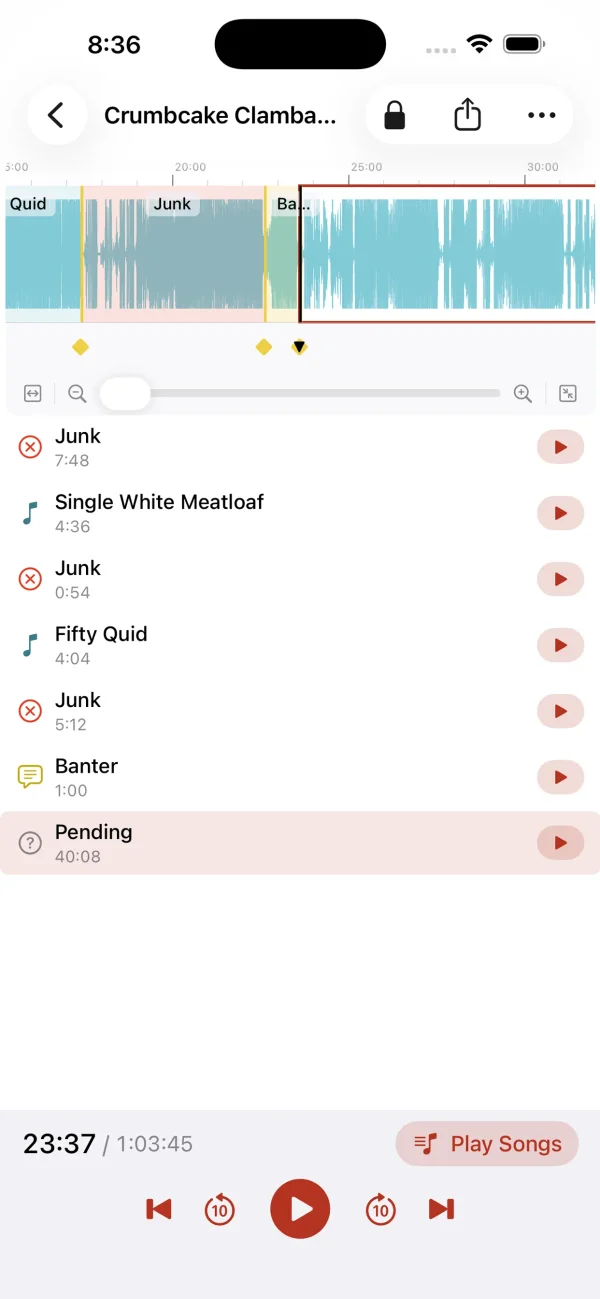
Most rehearsals are 70% music, 30% "That Thing You Do" quotes. Jamroom is built around that reality. Mark each section as a song, banter, or junk. When you export, the noise stays behind.
See the songs, mark the songs
A rehearsal recording has a shape and Jamroom lets you see it. Songs look like songs. Banter looks like banter. The dead air between takes is obvious. Jamroom shows you a clean waveform of the whole session, so you can spot where each tune starts and ends and drop a marker right on the downbeat - usually without even pressing play.
When you do need to confirm a boundary, zoom in and scrub the waveform with your finger and the audio plays at finger speed: slow drag, slow playback; quick drag, fast-forward at pitch. It's the precision tool for the few spots the eye can't quite call.
Mark it. Name it. Done.
- Drop markers anywhere on the waveform - Auto-split into sections you can name and reorder- Tag each section as Song, Banter, or Junk- Lock the session when you're happy with the cuts
Export the way you want
- One song per file, or one full "cleaned rehearsal" with all the junk gone
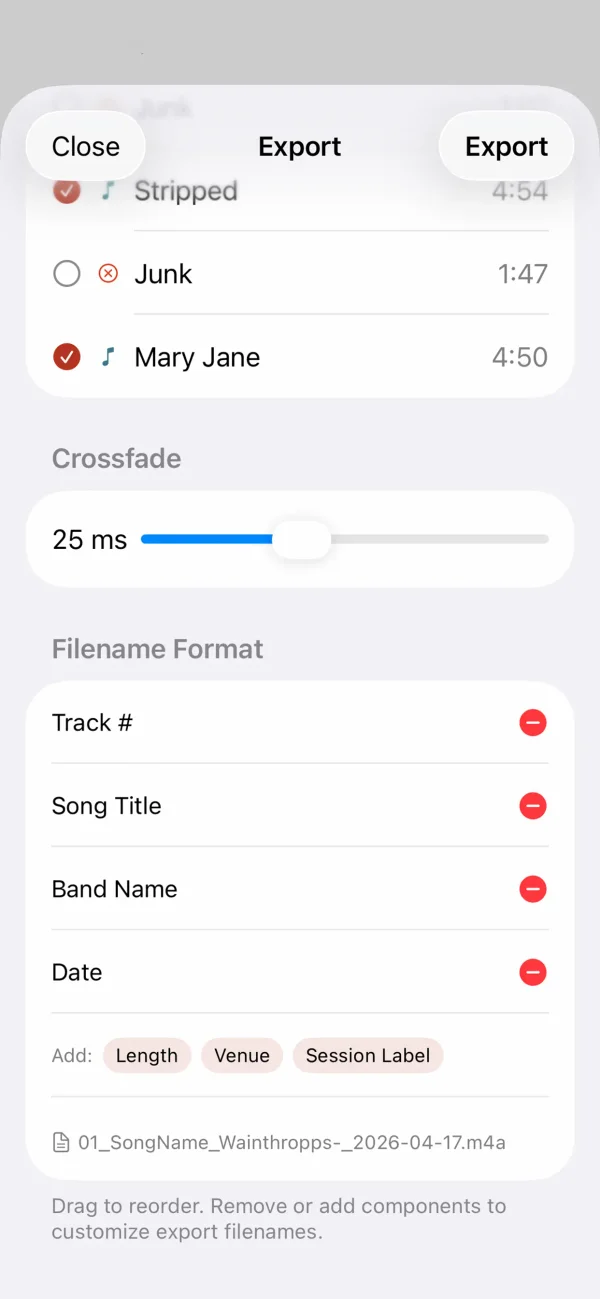
- Configurable crossfades between segments
- Filename templates: band name, venue, date, track number, song title, length. You pick the order
- .m4a output, AirDrop or share-sheet anywhere
What it isn't
Jamroom isn't a DAW. There's no multitrack, no plugins, no mixing. It's the missing step between "we recorded practice" and "here are the takes worth keeping."
Privacy
Your recordings stay on your device. Nothing is uploaded. Jamroom doesn't collect personal data and doesn't track you across other apps.
What’s new
Version 1.1.0 · Apr 30, 2026
1.1.0 Numerous quality of life improvements. Improved error handling and storage cleanup. Bug fixes!
App privacy
What Christopher Dale Stangland declares on the App Store about how this app handles data.
-
Data not collected
The developer does not collect any data from this app.
Privacy practices may vary, for example with the features you use or your age.
Information
- Seller
- Christopher Dale Stangland
- Category
- Utilities
- Version
- 1.1.0
- Updated
- Apr 30, 2026
- Released
- Apr 20, 2026
- Size
- 1.3 MB
- Requires
- iOS 26.0 or later
- Age rating
- 4+
- Languages
- English
- Copyright
- © Christopher Dale Stangland
You might also like
-
 gathr: Family IntercomTalk into their headphones
-
 RayStatus | Phone DiagnosticsBattery, Network & Hardware
-
 Face Flip AIUtilities
-
 AMEV CloudLead your charge!
-
 Compass - Outdoor NavigationLocation, Weather & GPS
-
 mytcemcUtilities
-
 ZUConverterMyanmar Font Converter
-
 Pretty QR Code GeneratorStyle and export with logo
-
 World Clock, Weather & TravelTime Zone Converter & Planner
-
 Harbor LookoutUtilities