
- Age rating4+
- CategoryProductivity
- DeveloperJaewook Jung
- LanguagesJapanese+ 2 more
- Size39.2 MB
Links to the official App Store page
Download.org hosts no file of Jeolmi: Cute Study Timer. The button opens its official App Store page, published by Jaewook Jung. Listing last checked on Nov 25, 2026.
Screenshots


About
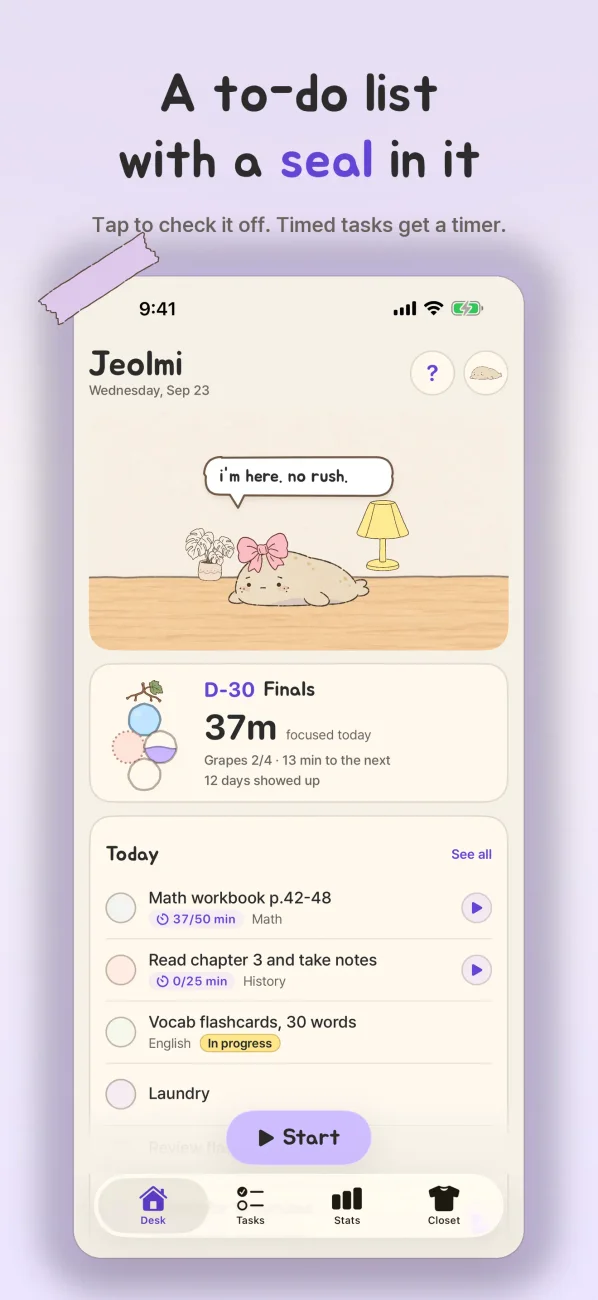
Jeolmi is a focus timer and to-do list with a small paper seal that copies whatever you write.
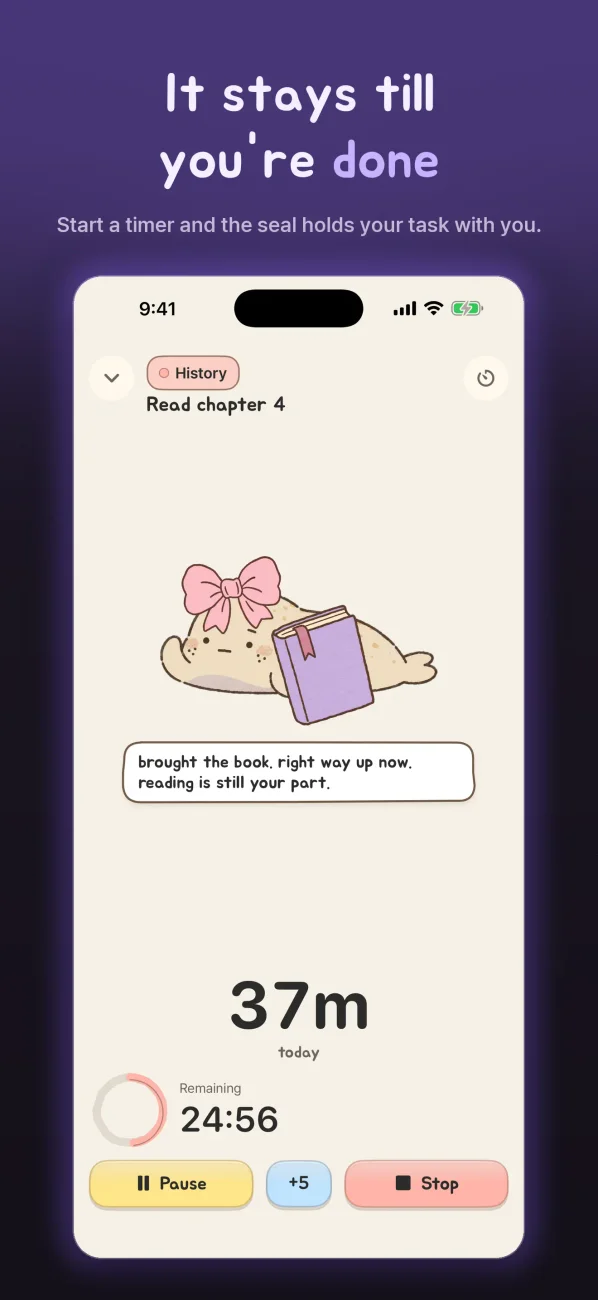
Type "read chapter 4" and the seal picks up a book. Type "pay rent" and it brings a wallet (empty, it apologizes). Tap start, lock your phone, and the seal is on your Lock Screen and in the Dynamic Island, holding the prop next to your task while the timer runs.
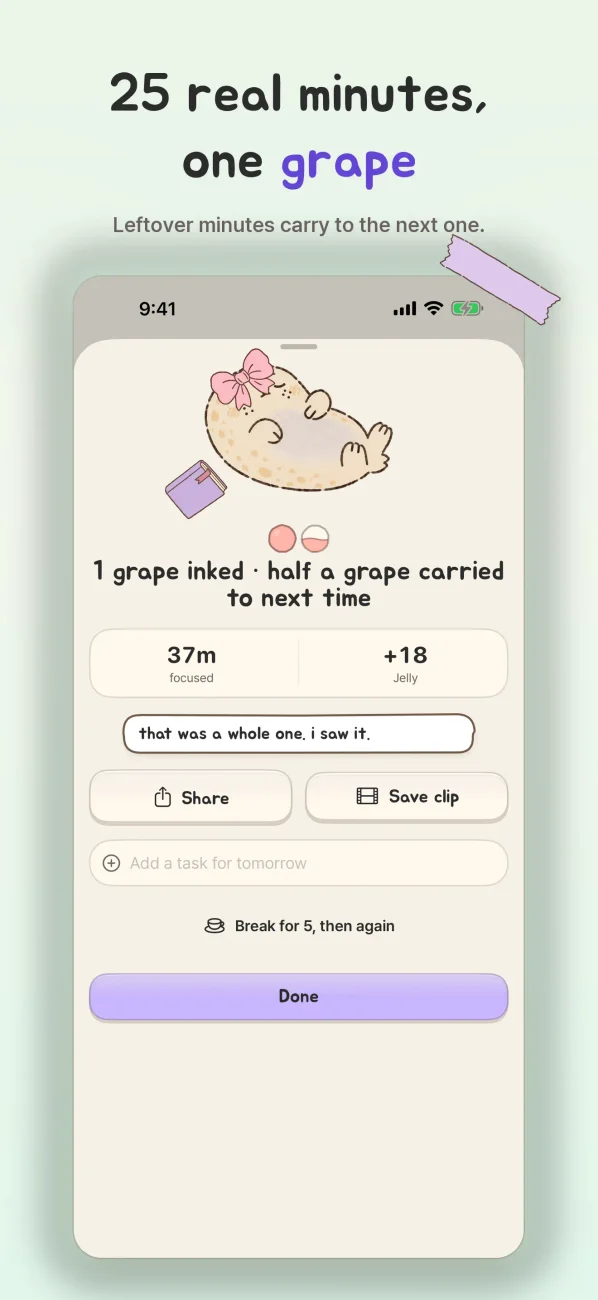
Every real 25 minutes of focus inks one grape on today's bunch. Checked-off tasks add grapes too, drawn dotted so you can tell them apart. Fill the day's grape slots and the seal sits up and claps. Once a day.
What the seal does
· Copies your task with a paper prop, live as you type. There are 32 props to find, and the ones you find stay on your prop shelf.
· Stays on your Lock Screen and in the Dynamic Island while you focus. Done, Pause and +5 work without opening the app.
· Says one dry line per state. It never coaches and never guilts.
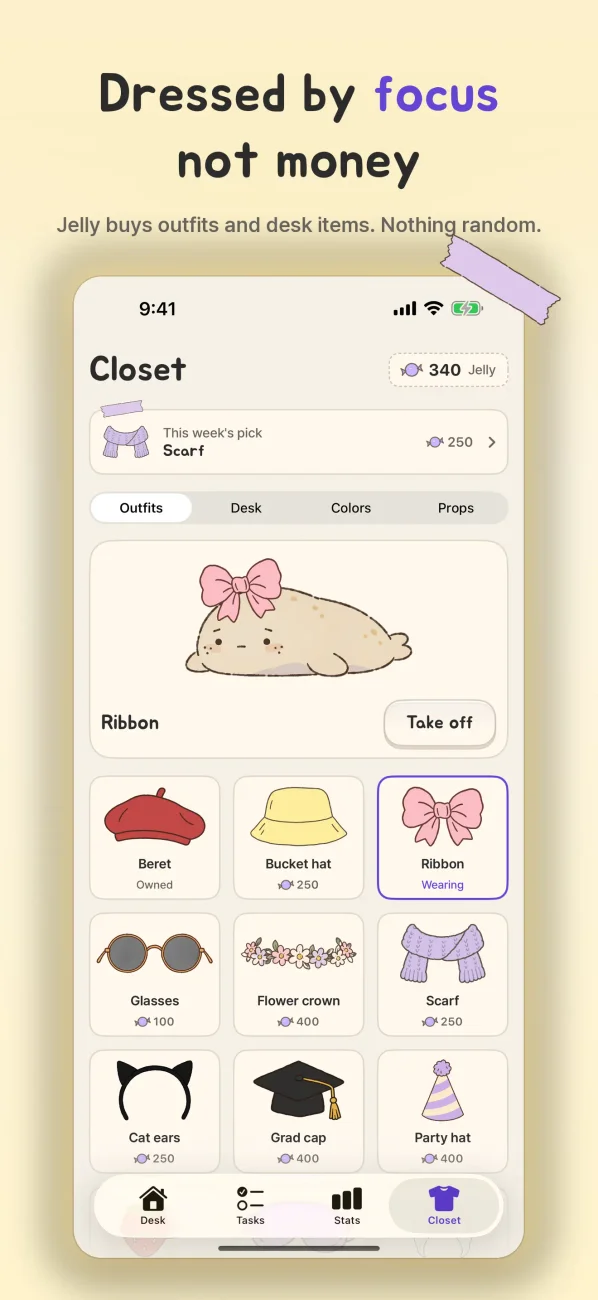
· Wears what you give it: outfits, body colors, a four-slot desk. Outfits, desk items and two of the body colors cost Jelly, which you earn by focusing and finishing tasks. Nothing is random.
· Goes for a swim once today's grapes are filled and comes back with one line. If you take a few days off, it folds you a paper crane. It never counts the days you missed.
Everything below is free
· Timer: count up with no cap, a 25-minute countdown, or any length from 5 to 240 minutes. Keeps running if the app is closed
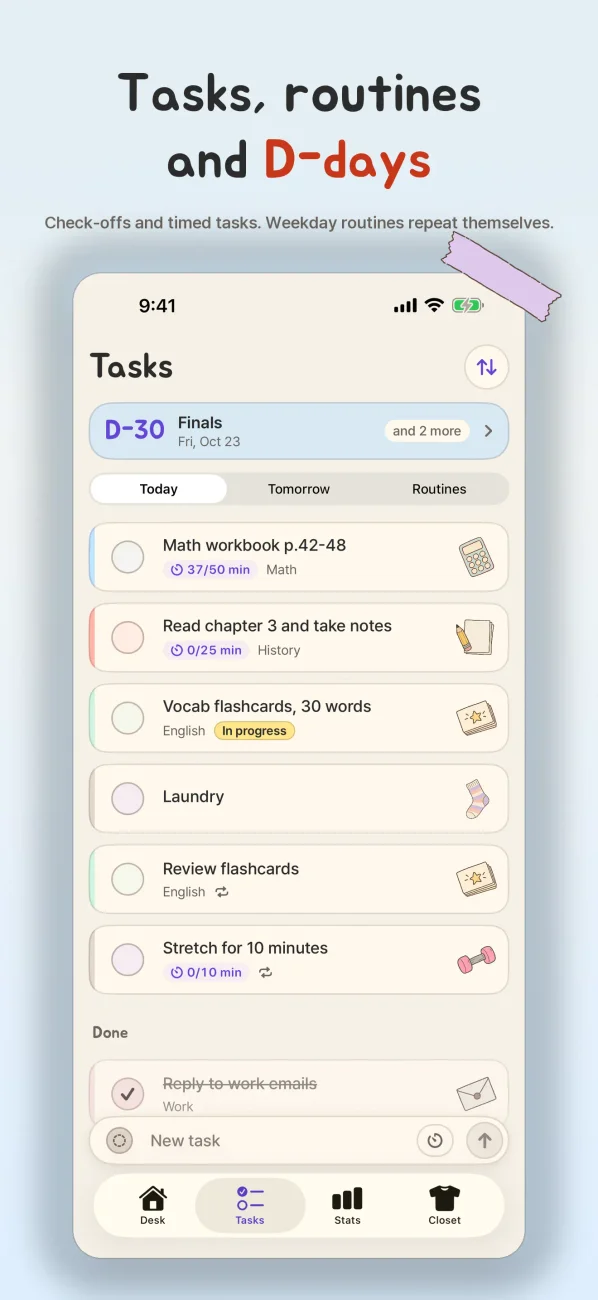
· Tasks: tap to check one off, or make it timed and see today's minutes on it. Today and tomorrow (move a task between them), weekday routines, subjects with colors
· D-day: finals, SAT, ACT, custom dates, D+ after the day
· Widgets: Home Screen and Lock Screen, with today's tasks, grapes and your D-day, up to a large Desk widget. Check tasks off right on the widget
· Live Activity with the seal and your task, also in the Dynamic Island on iPhones that have one
· Stats: a month of grapes, hours per subject, days showed up, lifetime hours
Made for iPad too
Not a stretched phone screen. In landscape, the seal's desk, today's tasks and your grapes share one screen, and the seal copies a task as you type it on the desk. The session screen stands on your desk like a clock and keeps the screen on while you focus (one tap turns that off). Tasks shows today and tomorrow side by side: drag a task across to move it. Keyboard shortcuts, pointer support, and large and extra-large widgets.
Share, if you want
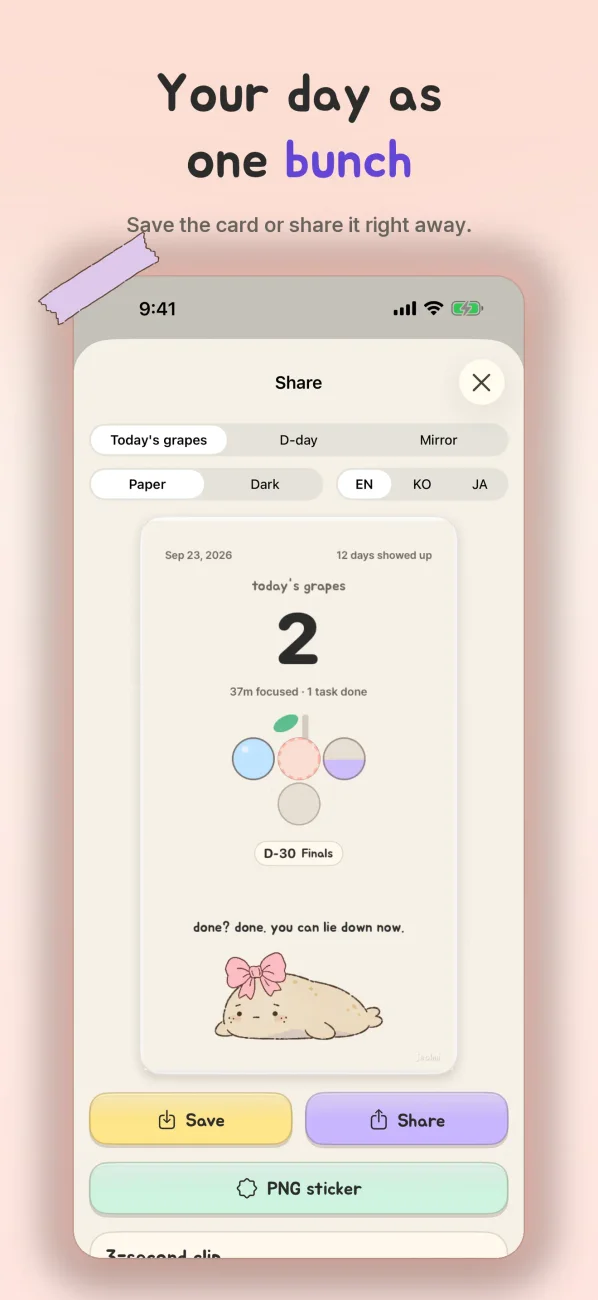
A card of today's grapes, a mirror card with your task and the prop, a transparent sticker of your seal for notes apps and Stories, and a three-second clip of the flop or the clap. Nothing is posted anywhere by itself.
Quiet by design
One note a day at most, in the seal's voice, at a time you pick (8 p.m. unless you change it). A heads-up when a countdown ends. Quiet Mode is one tap. Days showed up are counted, never used against you: two freezes refill on their own, and no message ever says something is at risk.
Stays on your device
Everything stays on your iPhone or iPad. There is no sign-up and no email, and your tasks and records never leave the device unless you share a card yourself. The app sends only anonymous usage statistics, never what you write, to help improve it. Your records are part of the device's own backup (iCloud Backup or a computer backup), so restoring or moving to a new device brings them along. An iPhone and an iPad each keep their own records.
In English, Korean and Japanese: it follows your device's language, and you can switch any time in Settings → Language.
Jeolmi is a spotted seal pup named after injeolmi, the Korean rice cake it resembles. It insists it is a seal, not a sea lion. This matters to it.
What’s new
Version 1.2.0 · Nov 24, 2026
· At the end of the first steps you can choose to get one note a day, at a time you can change in Settings
· "Finish now" shows from the start of the first one-minute try
· The button to the desk stays in view on the last onboarding step
App privacy
What Jaewook Jung declares on the App Store about how this app handles data.
-
Data not linked to you
May be collected but is not linked to your identity.
- Usage data
- Diagnostics
Privacy practices may vary, for example with the features you use or your age.
Information
- Seller
- Jaewook Jung
- Category
- Productivity
- Version
- 1.2.0
- Updated
- Nov 24, 2026
- Released
- Sep 25, 2026
- Size
- 39.2 MB
- Requires
- iOS 26.0 or later
- Age rating
- 4+
- Languages
- Japanese, English, Korean
- Copyright
- © 2026 Studio Jinno
You might also like
-
 Bread Timer: Bake & CollectA Cute Focus Timer for Study
-
 ToDough: Bake & To-Do ListCat To-Do, Habit & Focus Timer
-
 Cat-ToDo - Cute Task ManagerGrow a cat by finishing tasks
-
 Flash Log – Estimate & TrackKnow what fits in today
-
 Dukki: Cozy Focus TimerPomodoro & study with a duck
-
 NightMeow - Cat Study TimerFocus and collect cozy cats
-
 Cat's Study: Focus TimerPomodoro, Stopwatch & Tracker
-
 OIKOMIProductivity
-
 Cat Focus Timer: Nyan LogPomodoro for Study & Work
-
 もくもくドット - 育つドット絵の集中タイマーProductivity