Flash Log – Estimate & Track
Know what fits in today
Designed for iPhone, iPad, Mac
- Age rating4+
- CategoryProductivity
- DeveloperShinichi Nanbu
- LanguagesJapanese+ 8 more
- Size27.4 MB
Links to the official App Store page
Download.org hosts no file of Flash Log – Estimate & Track. The button opens its official App Store page, published by Shinichi Nanbu. Listing last checked on Nov 26, 2026.
Screenshots


About
Flash Log is an app for handling your to-dos simply, so you can move the one in front of you forward.
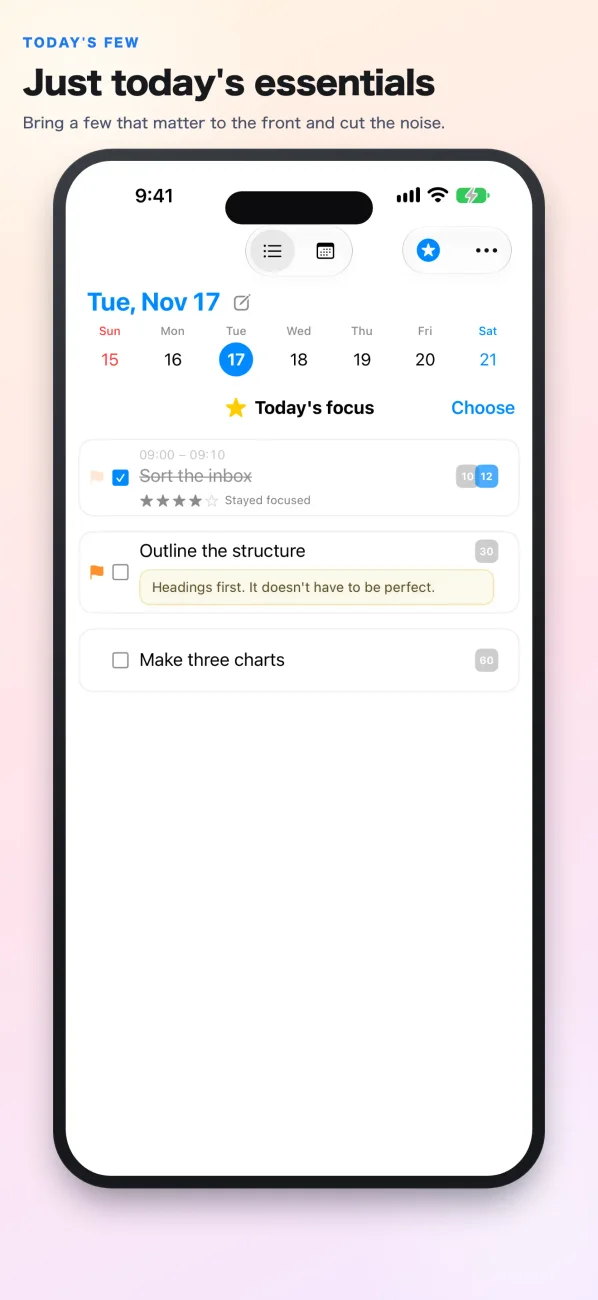
Today's screen shows only today. Write it down, start it, check it off — that's all there is to learn. Finished to-dos tuck themselves away, so the screen always stays quiet.
■ Simple to start
- Write down today's to-dos and check them off. That alone is a complete way to use the app.
- Completed items hide automatically, so you always see only what's ahead.
- Next morning, you choose which of yesterday's leftovers to carry over. Nothing piles up on its own.
■ Focus on doing
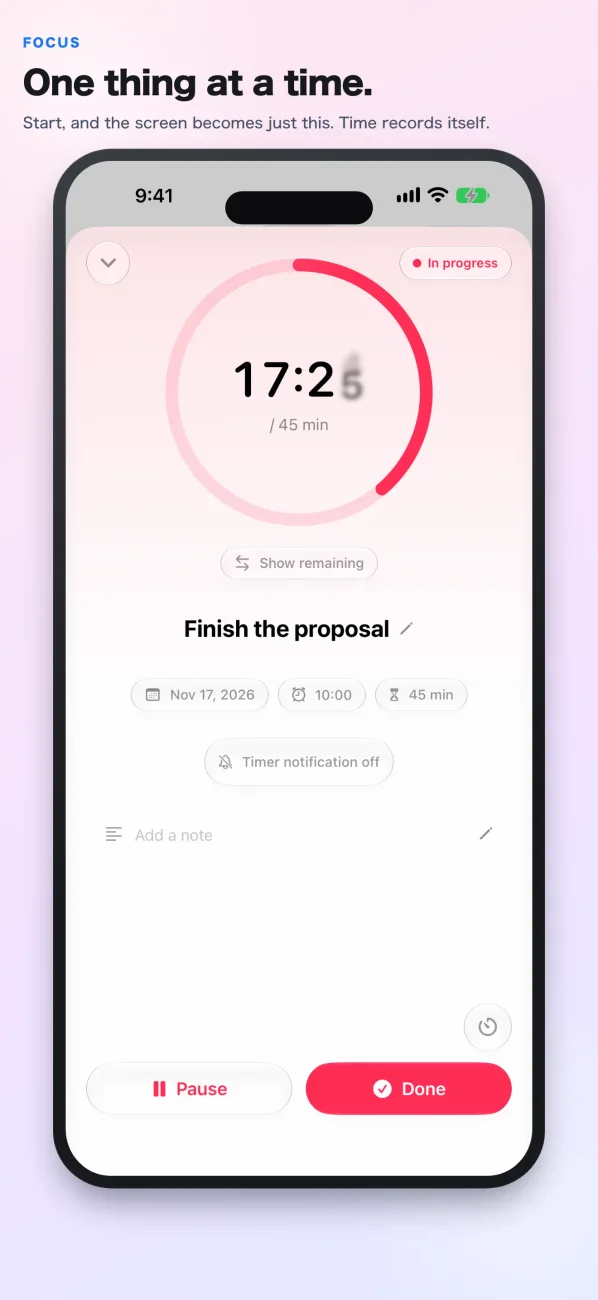
- Start a to-do and it opens in a full-screen focus view — just you and the one thing.
- "Today's focus" — pick the few things that really matter today and show only those.
- While it's running, it also shows on the Lock Screen, in the Dynamic Island, and on Apple Watch, where you can pause or complete it.
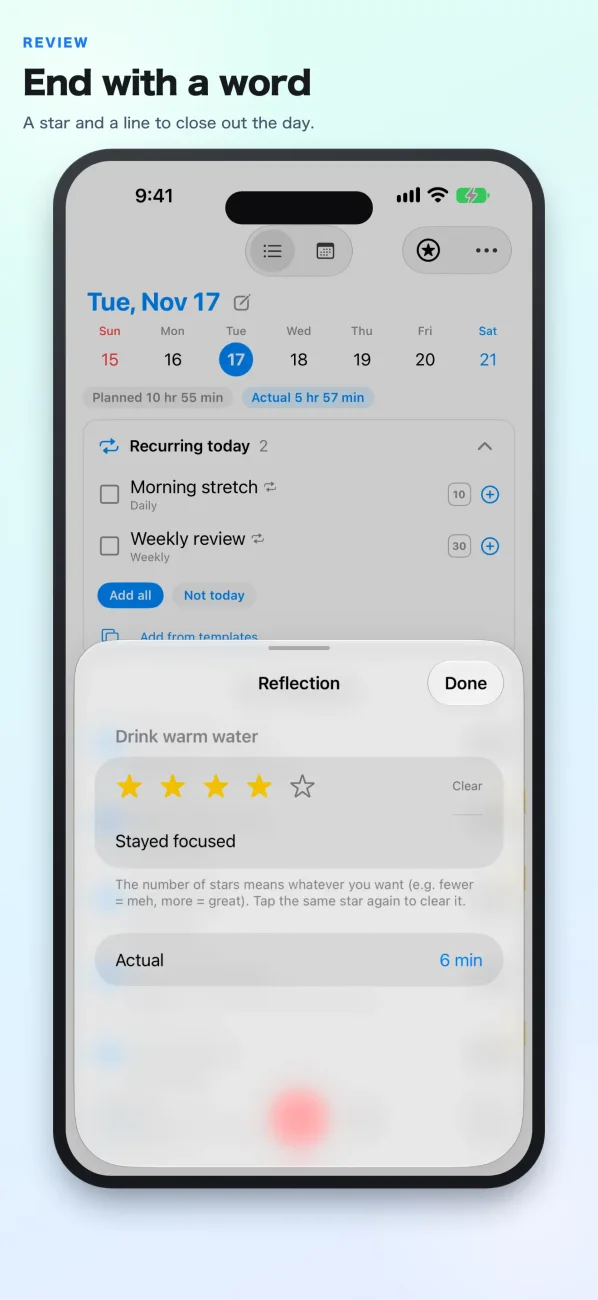
- The time you spend is recorded automatically. Your effort leaves a trace. When you finish, you can leave a star rating and a short note as a reflection (optional, of course).
■ Think in time (only if you want to)
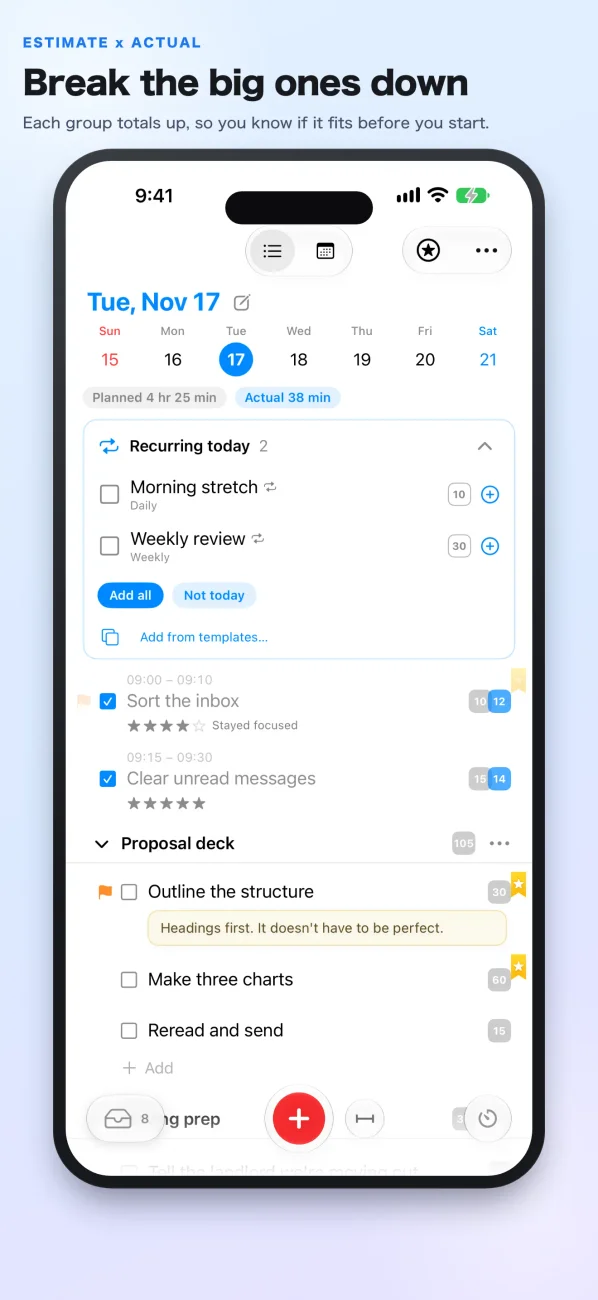
- Give a to-do a time estimate and the day shows its total — you'll know "today is full" before it happens.
- Estimates (gray) and actuals (blue) sit side by side, so you gradually learn what your "30 minutes" really is.
- Estimates are always optional. Everything works beautifully without them.
■ Look back on your day (only if you want to)
- At the end of the day, see what you did in the order you did it. Add things you did that weren't planned.
- Send unfinished things to another day, the Inbox, or a smaller next step — or simply let them go.
- Read each day's actual time and notes across a week or a month.
- Put tags on your to-dos to see the time spent on each project, month by month or week by week. You can export it as a Numbers, .xlsx, or .csv file, too.
■ Your style, your method
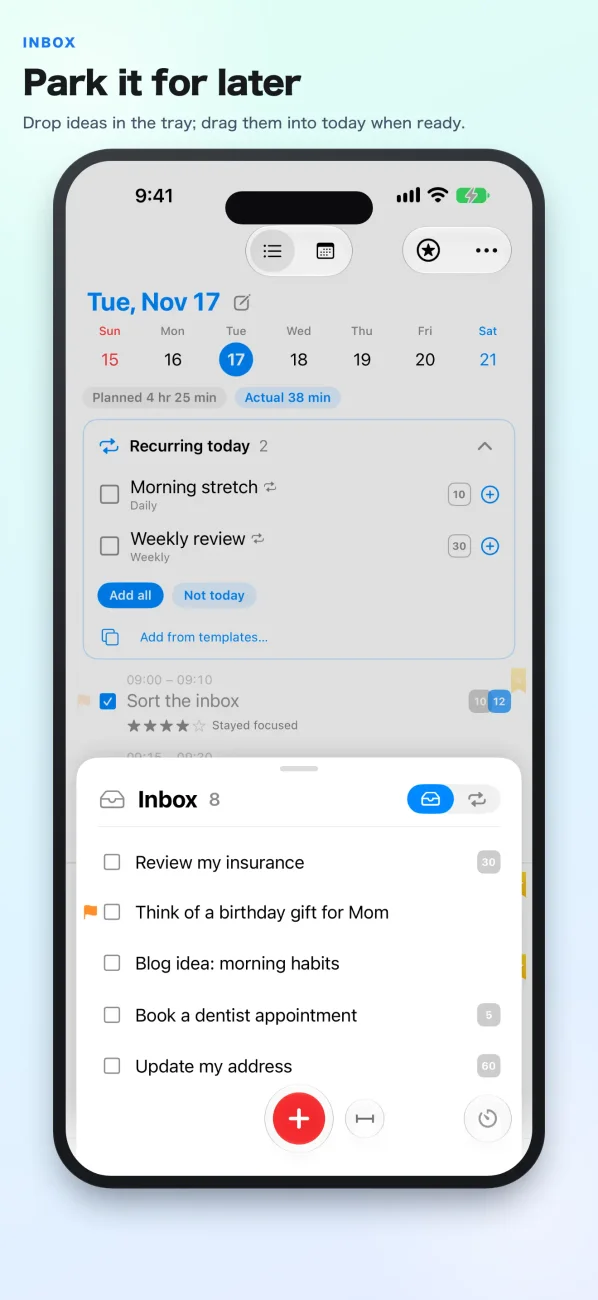
- Capture ideas into the Inbox, then drag them onto a day when you decide. (For GTD fans)
- Drag to-dos onto a timeline in calendar view. (For timeboxing fans)
- Comparing estimates with actuals will feel familiar to TaskChute practitioners.
- Use any method fully, partially — or none at all. A plain to-do list is a perfectly good way to use Flash Log.
■ Recurring to-dos that don't pile up
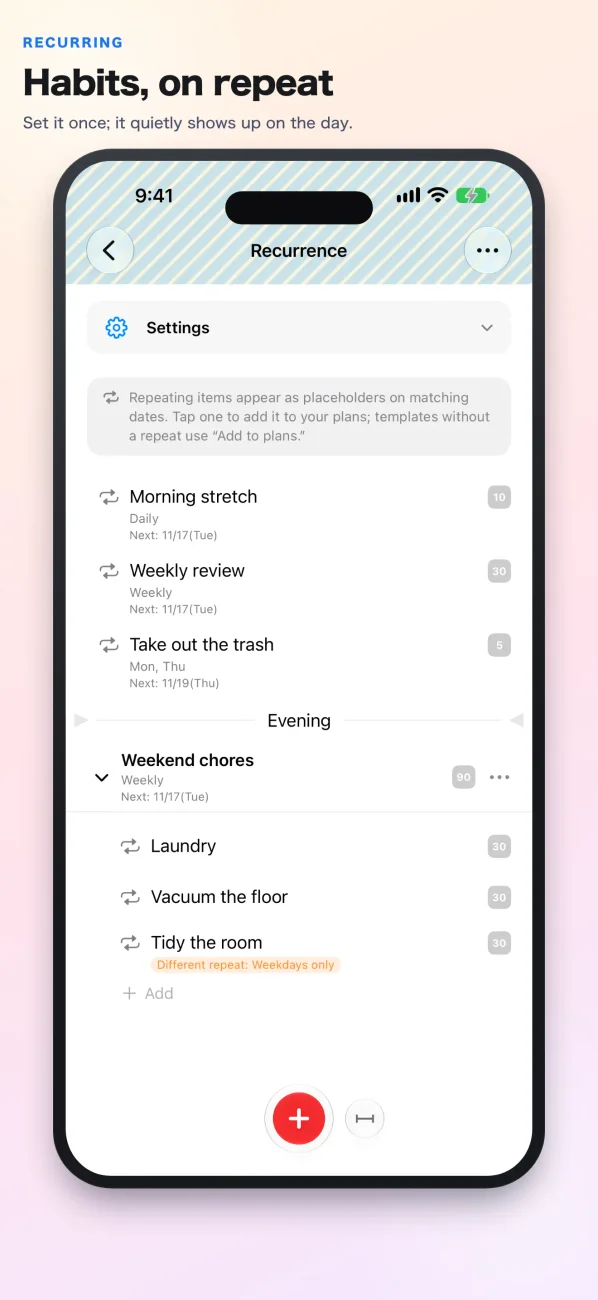
- Daily and weekly to-dos appear each day as a dimmed "tentative" preview.
- Tap the ones you'll actually do — only those become real. Skipped days never stack up.
- If you like, each repeat's estimate can follow the average of your recent actual times — or keep a number you set yourself.
■ An everyday tool
- Add to-dos by voice. Works with Siri, Shortcuts, and Spotlight search.
- Home Screen & Lock Screen widgets, Live Activities, and an Apple Watch app.
- Reminders for start and expected end times, search across every day, and your calendar events overlaid on the timeline.
- Runs on iPhone, iPad, and Mac, with optional iCloud sync — you decide.
- On iPhone Duo, Flash Log uses the whole screen, closed or open. Open it up and the day list and Inbox sit side by side.
■ Easy to trust
- Free. No ads. No account.
- Your data stays on your device; sync only uses your own iCloud, only if you turn it on.
- Add-by-voice speech recognition runs entirely on your device; your voice never leaves it.
- Export your data as plain text anytime. No lock-in.
Not for managing your to-dos — for finishing them.
Flash Log tries to be a tool that never gets in the way of your pace.
What’s new
Version 1.19 · Nov 25, 2026
You can now put tags on your to-dos and look back at the time each tag took. Someone asked to see the time spent on each project, month by month — something I want for my own work too — so here it is. Tags only show up for people who use them: if you never make one, everything looks the same as before.
- Make your first tag from "…" → "Tags…" on a to-do's edit card. Typing "#" in a name brings up suggestions, and with several to-dos selected you can tag them all at once.
- Group tags under headings (for example, Project or Billing). Rename, recolor, merge, or put away tags in Settings → Tags.
- Reflection has a new "Time by tag" section with a pie chart, a trend line, and bars for each heading. You can also pick a calendar month as the period and step through it with "‹ Nov ›".
- Export "Time by tag" as a Numbers, .xlsx, .csv, or .json file, split by heading and rounded to 15 minutes, 30 minutes, or 1 hour if you like.
- "…" → "Filter by tag" on the day list shows only the to-dos with the tags you choose.
- Tags on a repeat come along each time it goes into your plans. Apple Watch, widgets, Shortcuts, adding by voice, and search work with tags too.
- The message after finishing a to-do now has Undo, Duplicate, and Reflect buttons — plus Do it again when you timed it.
- The Done button on the Lock Screen and in the Dynamic Island shows the elapsed time, and the timer now appears there too.
- The Apple Watch "Next to-do" complication now fits the large slot on Modular faces.
- Tapping another to-do's checkbox while editing no longer marks it done; it just closes the editor.
App privacy
What Shinichi Nanbu declares on the App Store about how this app handles data.
-
Data not collected
The developer does not collect any data from this app.
Privacy practices may vary, for example with the features you use or your age.
Information
- Seller
- Shinichi Nanbu
- Category
- Productivity
- Version
- 1.19
- Updated
- Nov 25, 2026
- Released
- Jun 9, 2026
- Size
- 27.4 MB
- Requires
- iOS 26.0 or later
- Age rating
- 4+
- Languages
- Japanese, Italian, Spanish, German, French, Portuguese, Simplified Chinese, English, Korean
- Copyright
- © 2026 Shinichi Nambu
You might also like
-
 TossDay - タスク管理 & タイムラインProductivity
-
 Timlin: Time Blocking&TrackingPlan your day log what you did
-
 DayCraft: ToDo List & TasksProductivity
-
 TaskChute Cloud LiteTime tracking, done simply
-
 Jeolmi: Cute Study TimerTo-do list with a copycat seal
-
 Shitaku - 支度タイマーProductivity
-
 taskru - Restart Overdue TasksReschedule & Task History
-
 Pomodoro Task Manager |TASKARUProductivity
-
 PomoMon - Pomodoro MonsterWork Hard, Hatch Monsters!
-
 TimePilot 24hDesign your day