JetLabel Designer
Barcodes, QR & label printing
Designed for iPhone, iPad, Mac
Free · In-app purchases
- Age rating4+
- CategoryProductivity
- DeveloperMehmet Basbayandur
- LanguagesEnglish+ 39 more
- Size23.7 MB
Links to the official App Store page
Download.org hosts no file of JetLabel Designer. The button opens its official App Store page, published by Mehmet Basbayandur. Listing last checked on Nov 17, 2026.
Screenshots

About
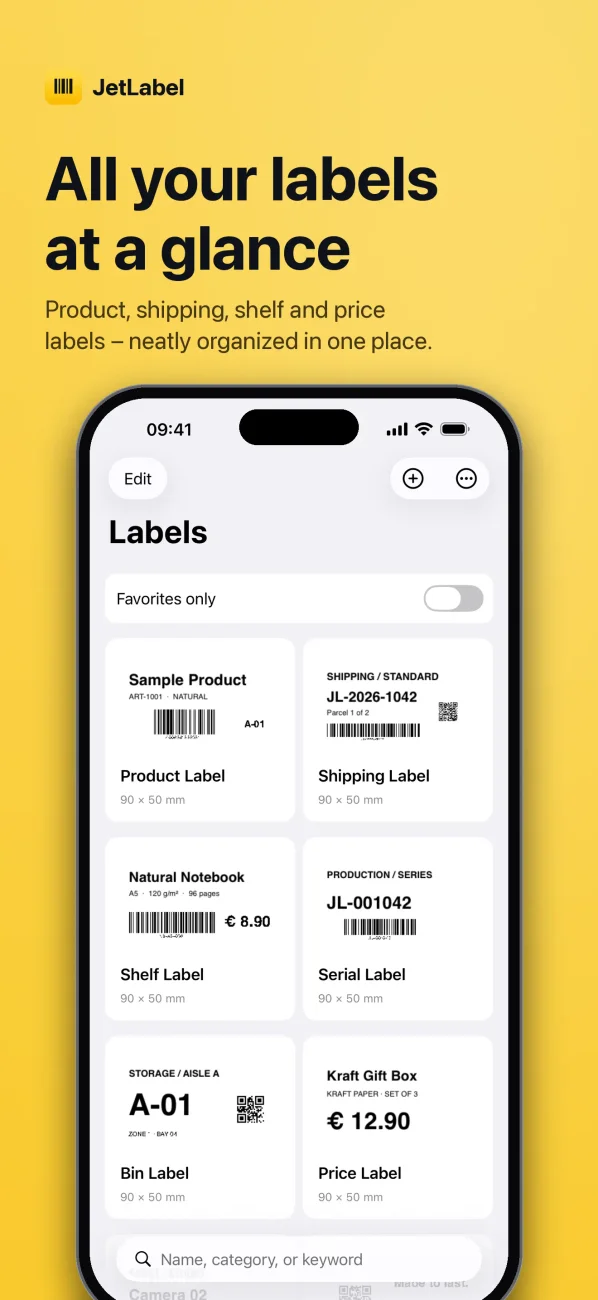
JetLabel Designer turns your iPhone and iPad into a complete label workstation. Design product, shipping, shelf and inventory labels with text, images, barcodes and QR codes – then print them with AirPrint or on a suitably configured network label printer, or export them as PDF.
No account, no sign-in, no tracking. Your labels and data stay on your device.
DESIGN
• Text, images, shapes, barcodes and QR codes on a precise canvas in millimeters
• Text automatically fits its frame
• Starter templates, folders, favorites and search keep your library organized
• GS1 barcode builder, check-digit calculator and mm/pixel converter
• Image tools for label printers: background removal, black-and-white conversion and turning text and barcodes in images into editable objects
DATA & SCANNING
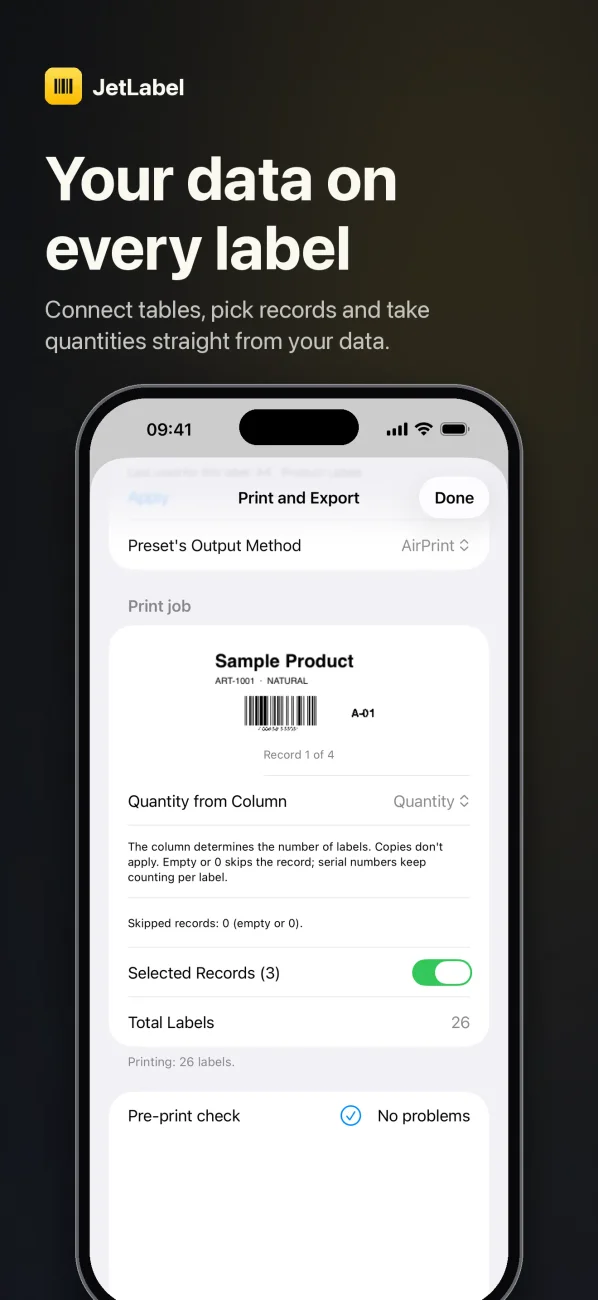
• Connect CSV, Excel and JSON files or online data sources and bind columns to label fields
• Find items by scanning a barcode with the camera or entering a code manually
• Remap missing column bindings and explore everything with built-in sample data
• Serial numbers that continue across print jobs on the same device
• Take print quantities from a table column or print only selected rows
PRINTING & EXPORT
• AirPrint and supported network protocols for suitably configured label printers
• Label sheets: skip already used positions on the first sheet
• Output presets and print offset correction using a reference label
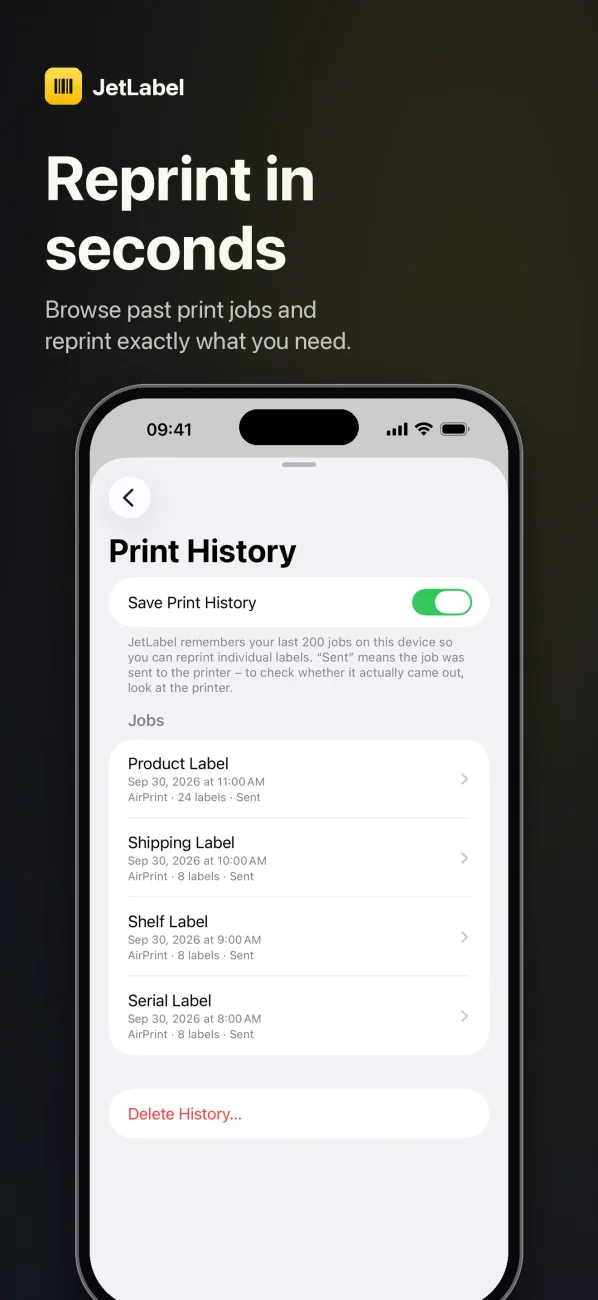
• Batch printing, record ranges and a local print history with targeted reprints
• Export as PDF, PNG and SVG
• Amazon FBA tools for FNSKU labels
AUTOMATION & MORE
• Open labels or export them as PDF with Shortcuts and Siri
• Local backup and restore, trash, VoiceOver support and an interface in 40 languages
TRY IT FREE FOR 7 DAYS, THEN BUY ONCE
Try every JetLabel Pro feature free for 7 days – no account, no subscription. After that, unlock JetLabel Pro permanently with a one-time in-app purchase that applies on iPhone, iPad and Mac. Without a purchase, your labels stay safe and visible: you can still open, view, favorite and delete them; editing, printing and export are locked until you buy.
PRIVACY
JetLabel collects no data and contains no advertising or analytics. Everything is stored locally on your device.
What’s new
Version 1.4.0 · Nov 10, 2026
• Share print file: pass on the printer commands (ZPL, TSPL, EPL or CPCL) as a file, or send them later.
• Barcodes: Code 39 is new, and QR codes have a selectable error correction level.
• Data fields: shift a date (e.g. best-before date), number and currency format, letter case, and “Hide when empty”.
• Shapes: rounded rectangles and adjustable opacity.
• Data: choose the Excel worksheet, read TSV files more reliably, paste a table from the clipboard.
• Find and Replace for the texts on a label.
• More reliable: serial numbers are no longer used up when a print is canceled or fails.
App privacy
What Mehmet Basbayandur declares on the App Store about how this app handles data.
-
Data not collected
The developer does not collect any data from this app.
Privacy practices may vary, for example with the features you use or your age.
Information
- Seller
- Mehmet Basbayandur
- Category
- Productivity
- Version
- 1.4.0
- Updated
- Nov 10, 2026
- Released
- Jun 17, 2026
- Size
- 23.7 MB
- Requires
- iOS 17.0 or later
- Age rating
- 4+
- Price
- Free
- In-app purchases
- Yes
- Languages
- English, Arabic, Bulgarian, Catalan, Croatian, Czech, Danish, Dutch, Estonian, Finnish, French, German + 28 more
- Copyright
- © 2026 Mehmet Basbayandur
You might also like
-
 Label Maker: Sticker & AddressPrinter for Tags, Barcode & QR
-
 Label CodesDesign & print barcode labels
-
 Z1 Label FactoryLabels, smart'n'simple
-
 Label Printer: Address LabelsAvery sheets, tags, barcodes
-
 IGES & STEP ViewerView and export 3D CAD files
-
 CVR Admin. de CondomíniosProductivity
-
 InvenTreeInventory management
-
 Label Printer: Niimbot PhomemoMarklife Thermal Sticker Maker
-
 Easy Cashbook : Simple BudgetExpense tracker with cashbook
-
 EMMA by YellowFoxProductivity