
JSON Viewer, Editor & Format
Parse, Format & Validate Data
Designed for iPhone, iPad, iPod touch
Free · In-app purchases
- Age rating4+
- CategoryEducation
- DeveloperMEHMET CANKER (TR)
- LanguagesEnglish
- Size67.3 MB
Links to the official App Store page
Download.org hosts no file of JSON Viewer, Editor & Format. The button opens its official App Store page, published by MEHMET CANKER (TR). Listing last checked on Nov 12, 2026.
Screenshots

About
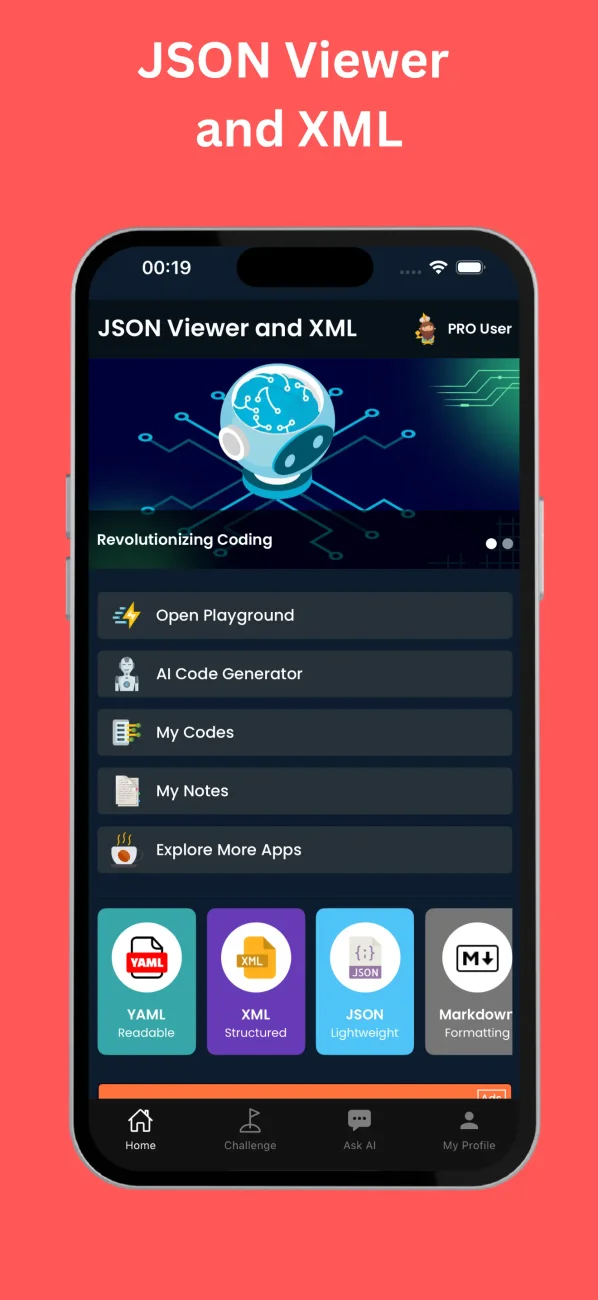
JSON Viewer & JSON/XML Editor is the ultimate mobile tool for developers, analysts, testers, and tech enthusiasts who work with structured data. Whether you're reading API responses, editing configuration files, or formatting complex nested objects, this app provides a powerful and user-friendly experience to view, edit, validate, format, and transform both JSON and XML files directly from your mobile device.
Working with JSON or XML can often become tedious and error-prone, especially when you're on the go or away from your desktop. This app solves that by bringing all the essential tools into one mobile-first experience—with syntax-aware editing, automatic formatting, tree view navigation, and AI-powered utilities—all in your pocket.
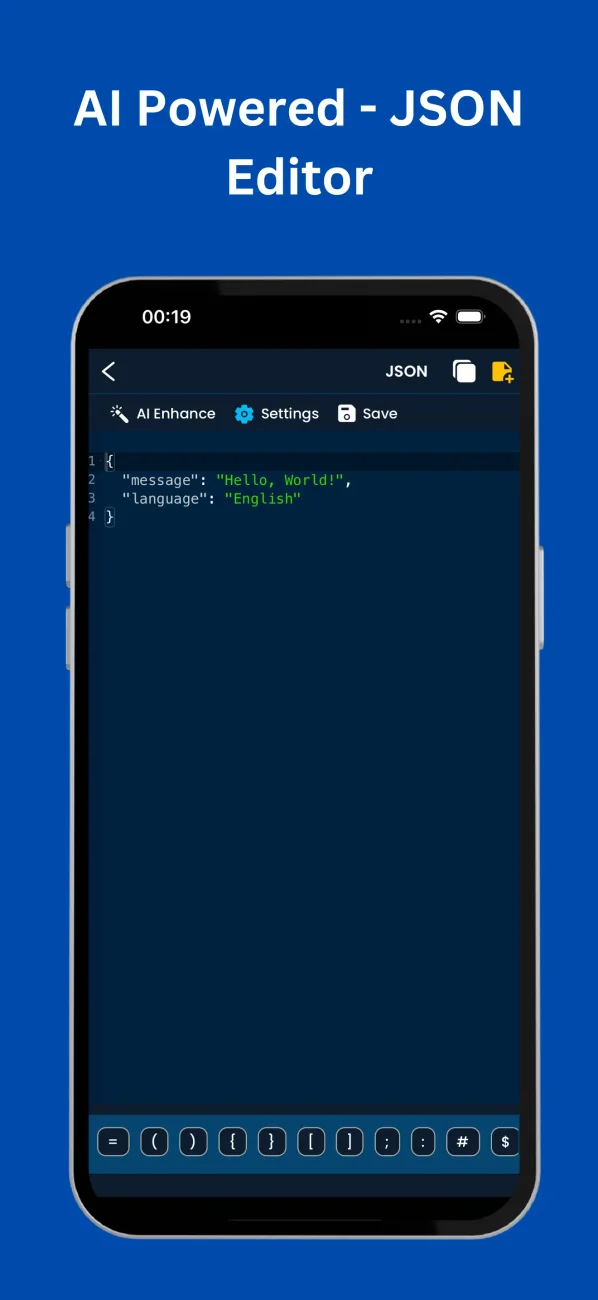
The app features a fast and intuitive JSON Viewer that lets you open any JSON data and see it rendered in a clean, collapsible tree structure. Easily navigate through nested objects and arrays, expand or collapse levels, and copy values or keys with a tap. The viewer supports large JSON files without lag and handles edge cases gracefully.
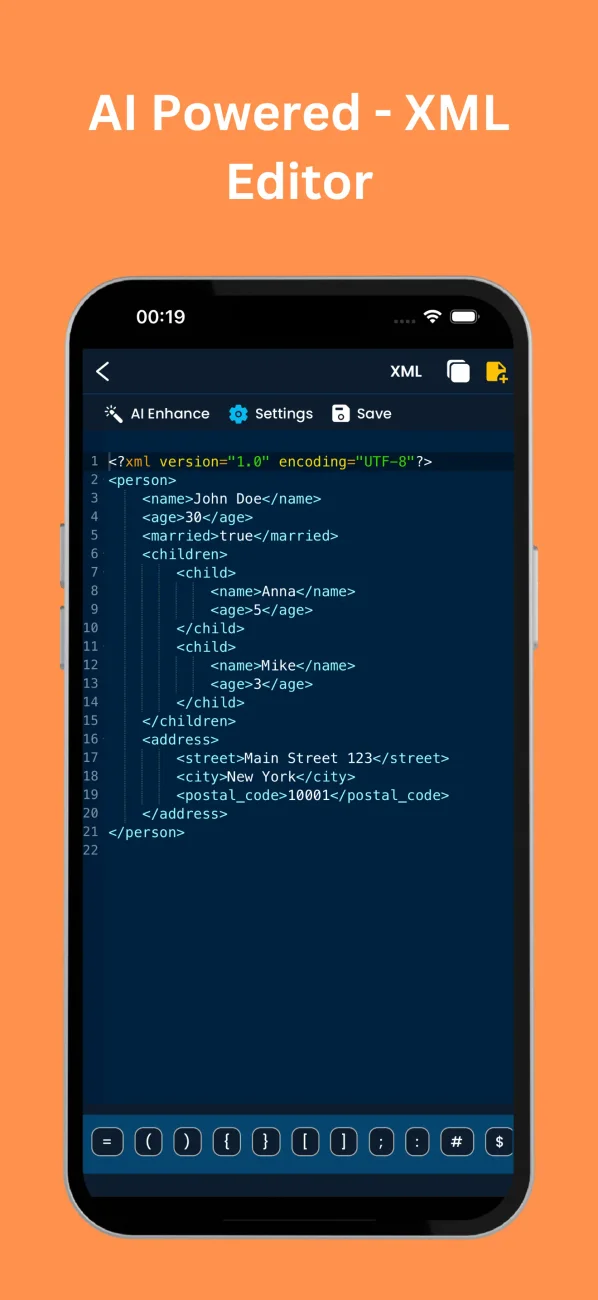
The XML Editor and Viewer offers similar functionality for XML files. View the document structure in a hierarchical layout, inspect nodes and attributes, and edit values in-line. With auto-indentation and closing tag support, editing XML becomes smooth and less error-prone.
Smart Editing Capabilities: Use the integrated code editor to write or modify JSON/XML content with syntax highlighting, bracket matching, line numbering, and error detection. The editor helps you avoid common mistakes by showing you exactly where an issue occurs, such as missing commas, mismatched brackets, or invalid nesting.
Beautify and Minify in One Tap: Format your data instantly using the built-in beautifier for both JSON and XML. Whether your file is a single compressed line or poorly formatted, one tap will turn it into clean, human-readable code. You can also minify it for performance and storage purposes.
AI Assistant for Data Help: Stuck on what to do with a raw JSON or XML structure? Just ask the AI! It can explain what a particular schema represents, suggest how to convert one structure to another, or even generate a sample JSON/XML based on your description like “Create a user profile with name, age, and address.” It’s like having a smart data assistant on demand.
Validate and Fix Errors: Run schema validation on your files to detect syntax errors and structural issues. The app not only shows you where the problem lies but also suggests corrections when possible. Whether you're debugging a malformed API response or validating a config file before deployment, the app gives you confidence that your data is correct.
Convert Between JSON and XML: Effortlessly convert JSON to XML and vice versa using the built-in converter. Preserve formatting, handle nested structures, and avoid manual rewriting. This feature is perfect for developers working across systems, formats, or platforms.
Import and Export Easily: Load data from files, clipboard, URLs, or cloud storage. Export your edited files as JSON or XML, save them to your device, or share them instantly via email or messaging apps. Whether you're debugging mobile APIs or updating app configs, it's all done in a few taps.
Offline Mode: All major functionalities work fully offline, so you're never dependent on an internet connection when editing or reviewing files.
Dark Mode & Custom Themes: For late-night debugging or personal comfort, the app offers dark mode and custom syntax color themes to reduce eye strain and personalize your editing environment.
History and Undo: Track your editing changes with full undo/redo support and access version history for your files. Accidentally made a mistake? Just roll back to a previous version or undo recent changes with ease.
Term of Use
https://www.apple.com/legal/internet-services/itunes/dev/stdeula/
Privacy Policy
https://coddykit.com/terms/privacy-policy
What’s new
Version 82.5.1 · Sep 29, 2026
What's new:
• Attach screenshots when you contact us, so we can help faster.
• Find our answers under Profile → My Requests — you'll get a notification when we reply.
• Design refinements, bug fixes and performance improvements.
App privacy
What MEHMET CANKER (TR) declares on the App Store about how this app handles data.
-
Data used to track you
May be used to track you across apps and websites owned by other companies.
- Usage data
-
Data not linked to you
May be collected but is not linked to your identity.
- Usage data
Privacy practices may vary, for example with the features you use or your age.
Information
- Seller
- MEHMET CANKER (TR)
- Category
- Education
- Version
- 82.5.1
- Updated
- Sep 29, 2026
- Released
- May 7, 2025
- Size
- 67.3 MB
- Requires
- iOS 15.1 or later
- Age rating
- 4+
- Price
- Free
- In-app purchases
- Yes
- Languages
- English
- Copyright
- © 2026 Coddy Tech
You might also like
-
 Linux TutorialCommand Line & Shell Scripting
-
 HTML Master: Code EditorHTML, CSS, JS & Python IDE
-
 Learn WiresharkPacket Capture & Network Guide
-
 HTML CreatorRun HTML Programs
-
 Learn Kali Linux & HackingEthical Hacking & Pen Testing
-
 Intelius SearchIntelius Search
-
 Language Translator by MateFor Safari, Text, Voice, Photo
-
 BeenVerified: People SearchPhone, Email & Family Lookup
-
 Whitepages: People SearchPhone, Address & Email Finder