
- Age rating4+
- CategoryPhoto & Video
- DeveloperMaksim Gorbuk
- LanguagesGerman+ 37 more
- Size3.8 MB
Links to the official App Store page
Download.org hosts no file of KADR Teleprompter. The button opens its official App Store page, published by Maksim Gorbuk. Listing last checked on Nov 12, 2026.
Screenshots



About
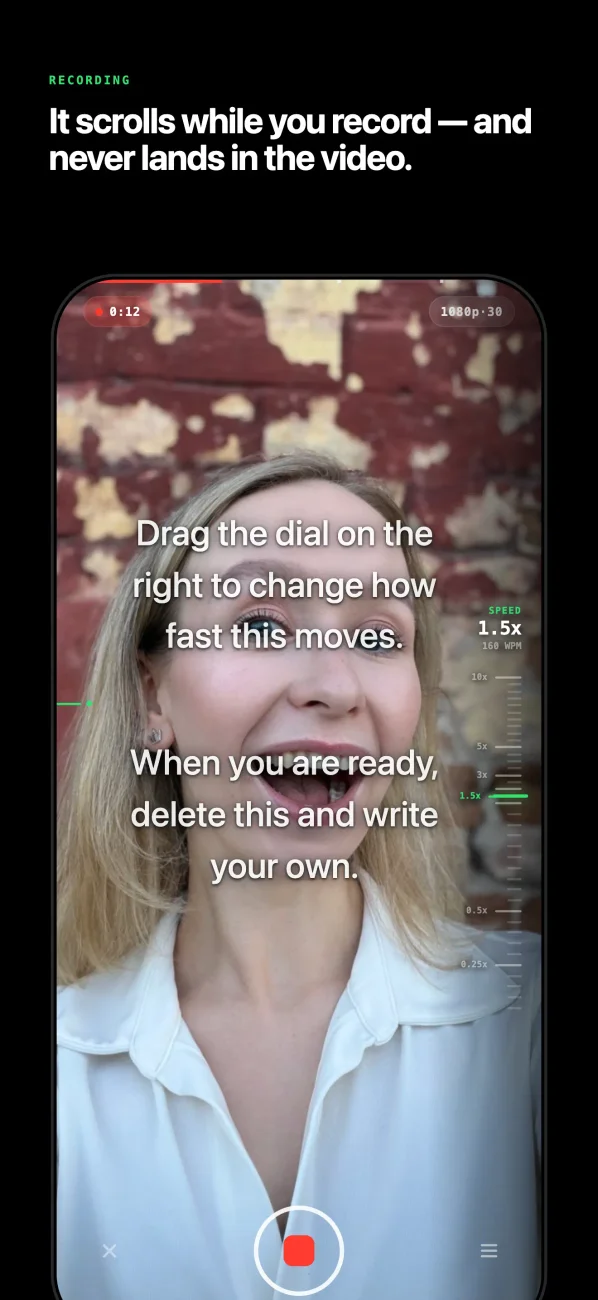
KADR is a teleprompter built for one job: talking-head video. You read your script down the lens, the camera records, and the words never end up in the file.
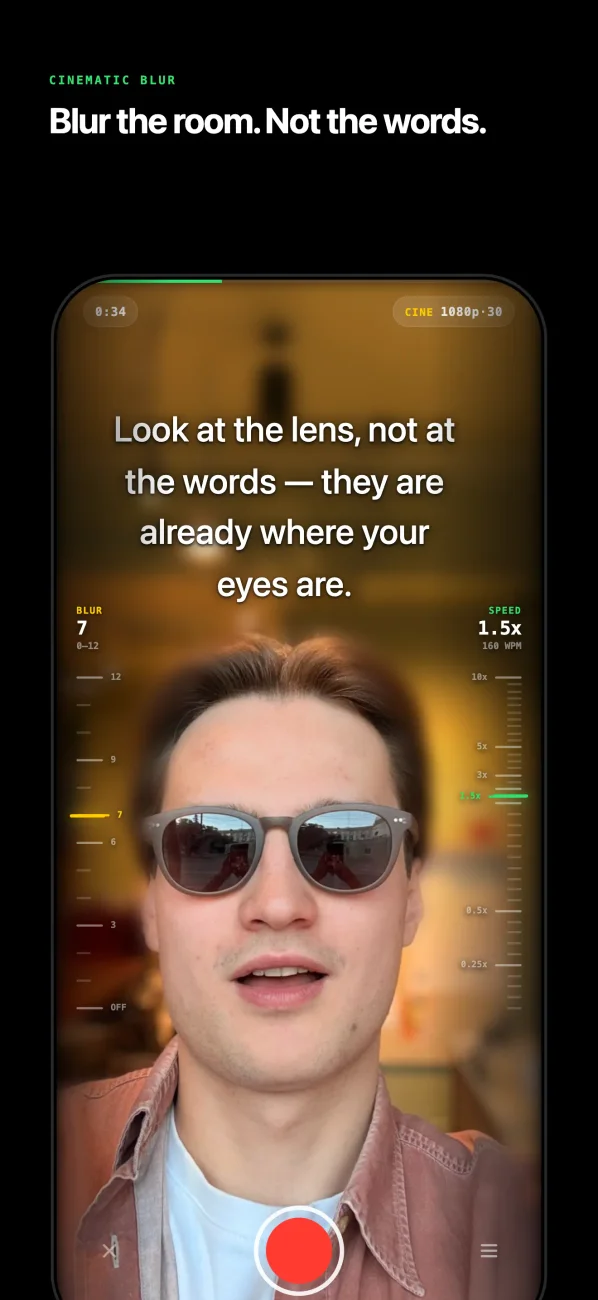
CINEMATIC BACKGROUND BLUR
KADR separates you from the room on every frame and blurs what is behind you. The strength is on a rail you can move mid-take — from off to heavy, without leaving the screen you are reading from. Cinematic mode records at 1080p and below; for maximum resolution, turn it off and shoot 4K.
IPHONE DUO
Unfold it and shoot on the main camera while the whole prompter, speed dial and record button included, runs on the outer screen. Fold it to switch to the front camera. Shooting yourself unfolded? The words sit right under the lens.
IMPORT
Drop in a PDF, RTF or Markdown file. Keep it as one script or split it into several.
YOUR EYES STAY ON THE LENS
Lens strip mode puts the words in a narrow band right under the front camera, so you are looking where the lens is instead of reading down the middle of the screen. Full-screen mode puts the camera behind the words. Rig mode mirrors the text for a beam-splitter.
ONE DIAL
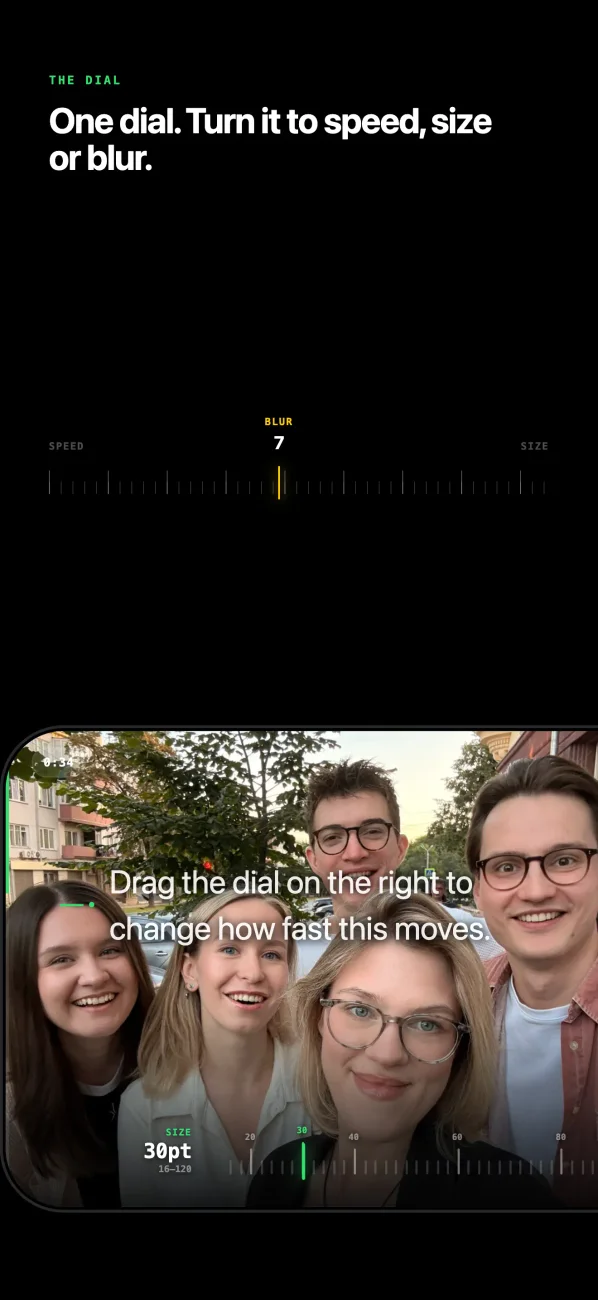
Speed, type size, blur and text opacity live on the same rail under your thumb. Speed goes from 0.05x to 10x in 0.05 steps and snaps back to 1x. The pace readout is in words per minute, counted with a dictionary word-breaker — so Chinese, Japanese and Thai, written without spaces, are counted as words rather than as one.
RECORDING
One button starts the camera and the script together. A self-timer if you need a moment to sit down. Cue points in the margin for the places you will want back. Takes are saved to Photos. The front camera is mirrored in the saved file by default, so what you shot is what you saw — one switch turns that off if there is text in the frame.
NO ACCOUNT, NO SERVER
KADR has no server of its own and collects nothing. Scripts sync through your own iCloud account if you want them on another device; recordings and settings stay on the phone.
FORTY LANGUAGES
The interface is translated into forty languages across twelve writing systems. Your script can be in any language, not only the one the interface speaks.
What’s new
Version 1.1 · Oct 15, 2026
Ready for iPhone Duo.
Unfold it, shoot on the main camera and read your script on the outer screen. Fold it and you're back on the front camera.
Import scripts from PDF, RTF or Markdown.
Front camera tuned for iPhone 17.
App privacy
What Maksim Gorbuk declares on the App Store about how this app handles data.
-
Data not collected
The developer does not collect any data from this app.
Privacy practices may vary, for example with the features you use or your age.
Information
- Seller
- Maksim Gorbuk
- Category
- Photo & Video
- Version
- 1.1
- Updated
- Oct 15, 2026
- Released
- Sep 10, 2026
- Size
- 3.8 MB
- Requires
- iOS 17.0 or later
- Age rating
- 4+
- Languages
- German, Arabic, Bengali, Bulgarian, Danish, English, Finnish, French, Greek, Hebrew, Hindi, Indonesian + 26 more
- Copyright
- © 2026 Maksim Gorbuk
You might also like
-
 Agave TeleprompterSpeak naturally on camera
-
 Telemo: Video TeleprompterPrompter for Video Creators
-
 GoPromptVideo Teleprompter & Recorder
-
 PersonaCamLive Background Camera
-
 talktrack telepromptera teleprompter for all of us.
-
 Scrollio: Skript TeleprompterRead the text while filming
-
 Dual Camera Recorder: OmnishotVlog, react & capture together
-
 Simple Sufler: TeleprompterAuto Scroll Script Tool
-
 Teleprompter: Script & CameraVoice Scroll Video Prompter
-
 Offcue: Teleprompter for VideoScript Reader & Video Recorder