
talktrack teleprompter
a teleprompter for all of us.
Designed for iPhone, iPad
Free · In-app purchases
- Age rating4+
- CategoryPhoto & Video
- DeveloperLucas Hurd
- LanguagesEnglish
- Size3.2 MB
Links to the official App Store page
Download.org hosts no file of talktrack teleprompter. The button opens its official App Store page, published by Lucas Hurd. Listing last checked on Nov 12, 2026.
Screenshots

About
talktrack is a teleprompter that actually respects you.
No insane price tag. No monthly subscription bleeding your wallet. No bloated "video suite" with features you'll never touch. Just a sharp, focused teleprompter built for people who create things.
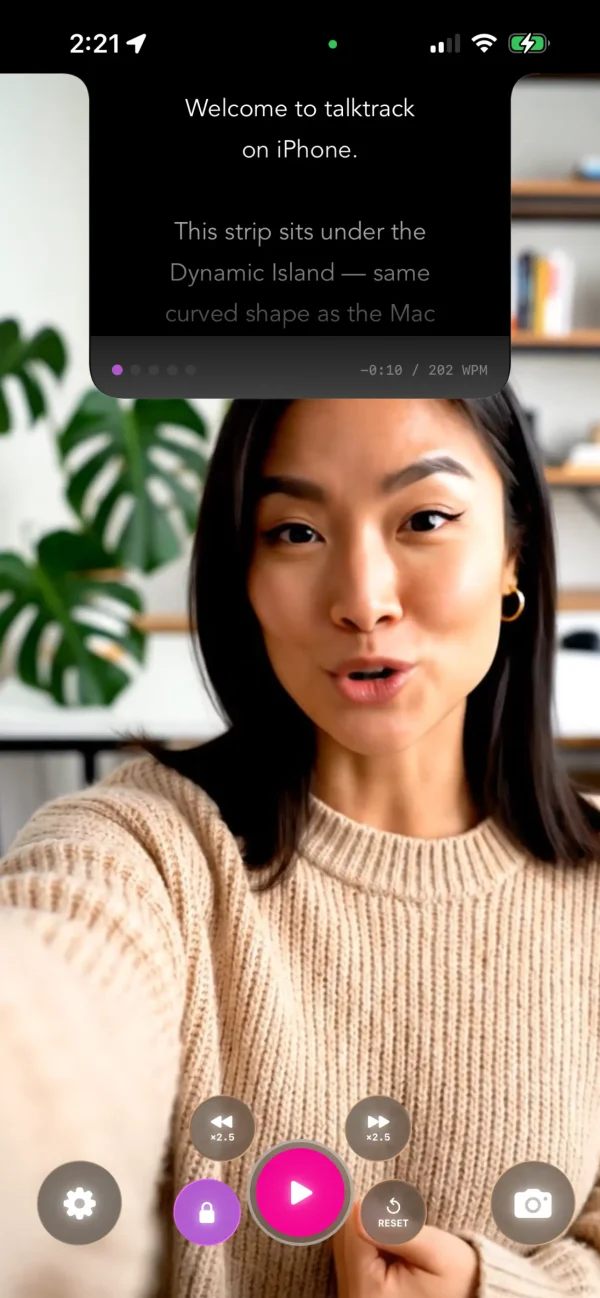
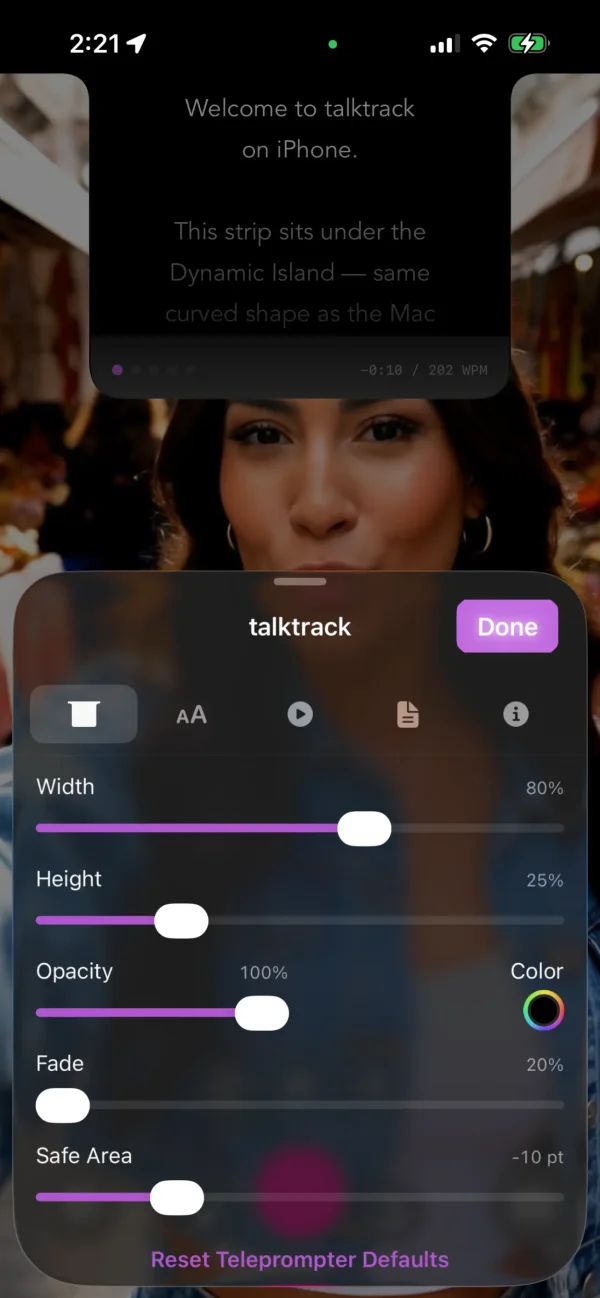
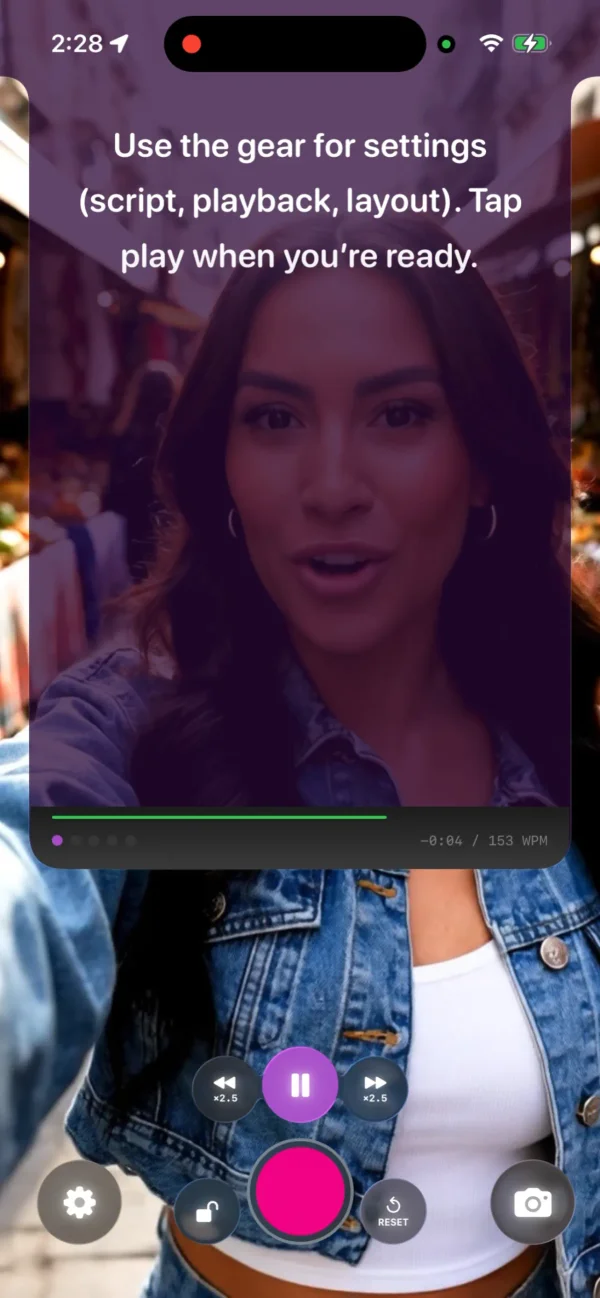
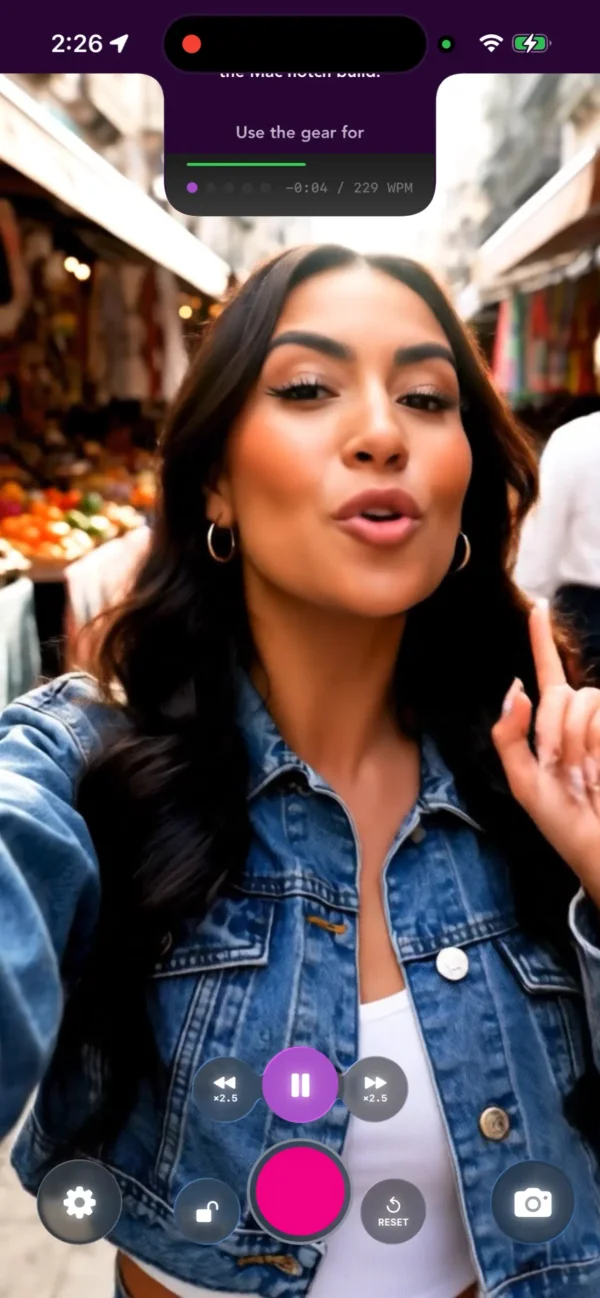
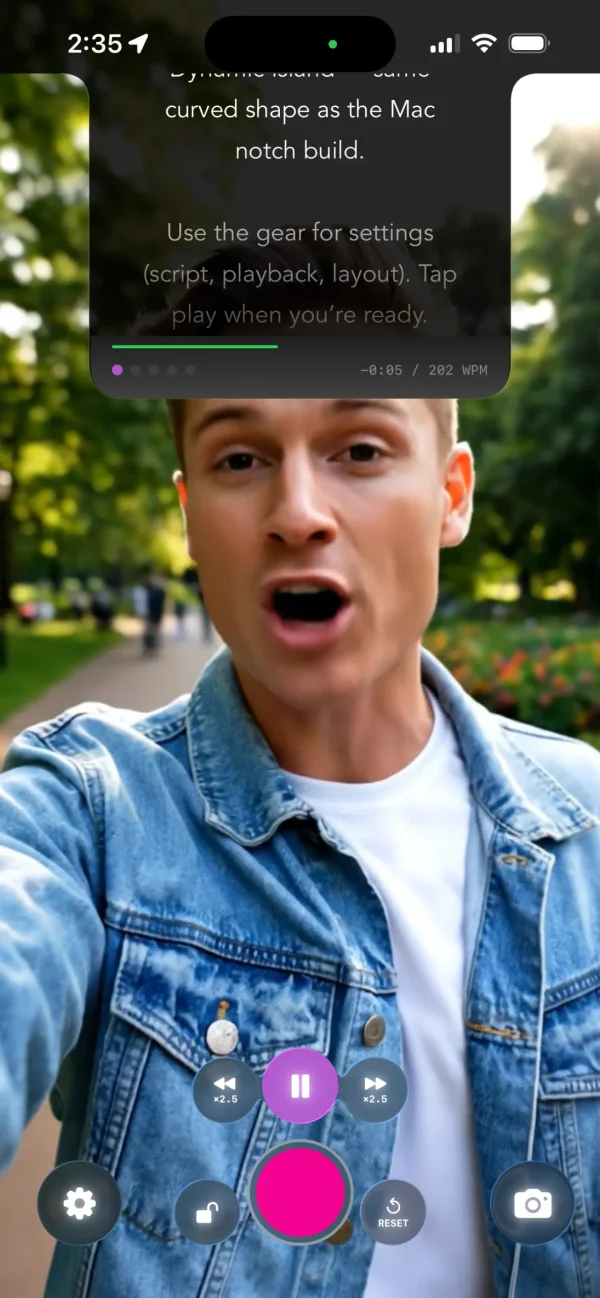
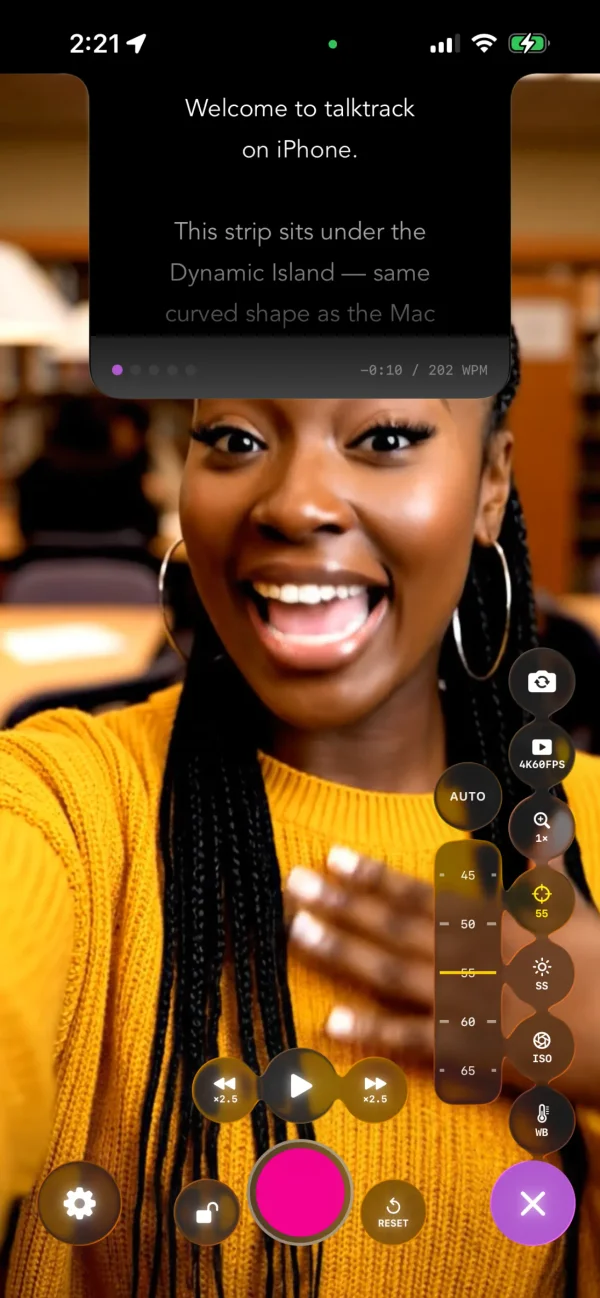
Your script sits right under the camera lens in a floating panel, so you stay on message without breaking eye contact. Hit record. Read your words. Save to your camera roll. Done.
Three ways to use your scripts:
Timed scroll lets you set a speed and go. Simple.
Voice-activated scroll listens to your voice and moves when you talk, pauses when you stop. Hands-free.
Speech-tracked scroll (experimental / iOS 26+) actually follows along with your words in real time using on-device speech recognition. It knows where you are in the script and keeps pace with you, not the other way around. You can go off-script and come back, the teleprompter will pick up where you left off.
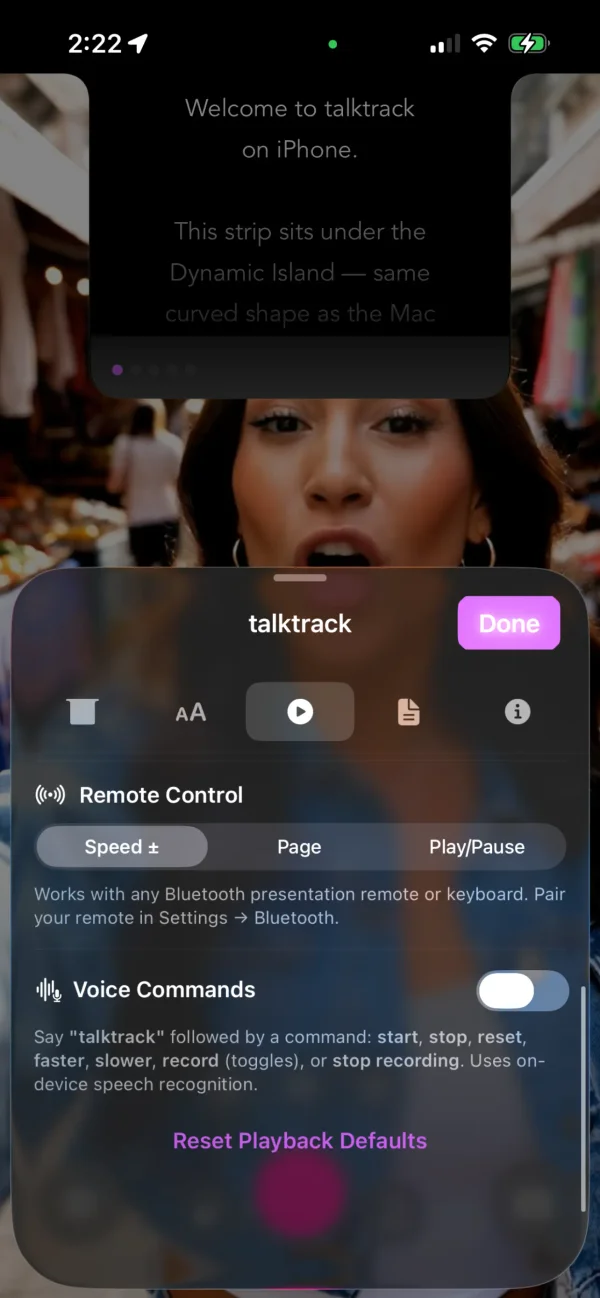
You can also control talktrack with your voice. Say "talktrack start" and it rolls. Say "talktrack stop" and it holds. "Faster," "slower," "reset," "record." No tapping, no swiping, no interrupting your flow. No remote needed (but we support those too).
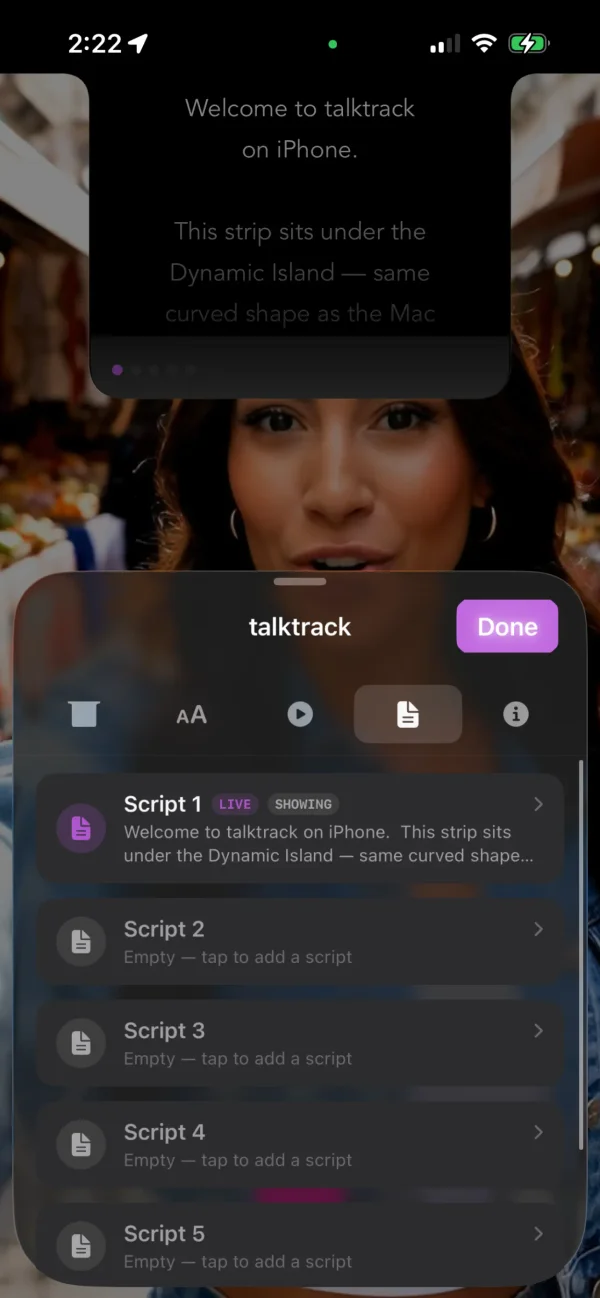
Five script slots so you can prep multiple takes or segments without copy-pasting between apps. Import scripts from .txt, .docx, .pdf, or .rtf files. Toggle slots in and out of the prompter on the fly.
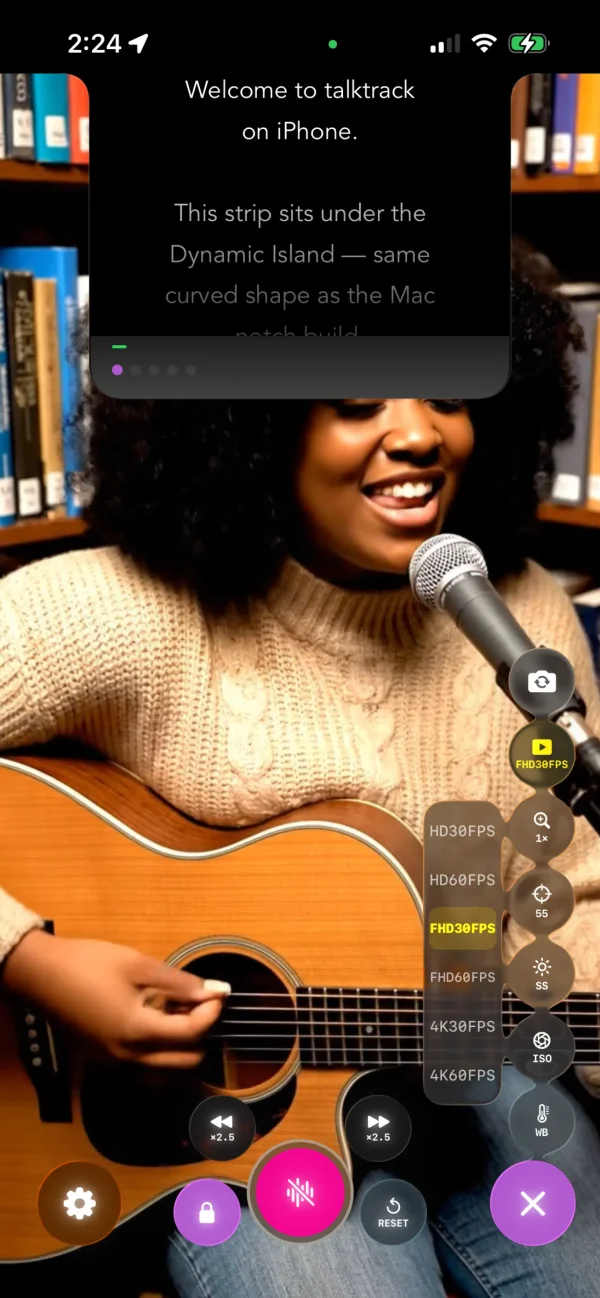
Full manual camera controls. Exposure, white balance, ISO, shutter speed, focus, video quality. Front or back camera. Pinch to zoom. Tap to focus. Everything saves straight to your Photos library.
Record in both portrait and landscape at the same time (rear camera only).
Works with Bluetooth presentation remotes and keyboards for hands-free control from across the room. Enable mirroring for use with beam-splitter teleprompter rigs.
Built with Liquid Glass on iOS 26. Looks gorgeous. Runs smooth.
talktrack is a one-time price. Once. Forever. Every feature, every update. No accounts, no subscription, no tier gating, no "pro unlock" that holds your own words hostage. Try it free for 3 days before you decide.
Made for creators, students, musicians, podcasters, teachers, preachers - literally anyone who has something to say and wants to say it well.
This is a teleprompter for the rest of us.
What’s new
Version 1.19 · Apr 29, 2026
What's New in 1.19
Fixed a rotation bug that affected some iPhone Pro models on iOS 26, where the camera preview or recording could appear rotated 90° from portrait.
Cinematic mode is back with full controls — input is swapped automatically to a Cinematic-capable lens, and the simulated-aperture wheel works again.
Picture-in-Picture is more flexible: on iPhone Pro you can now switch between W+UW, W+T, and UW+T lens pairs from the camera HUD without leaving PiP. PiP toggling is also smoother and no longer hangs or briefly collapses the bottom controls.
Stereo audio + better recording quality: video recordings now use the built-in mic array's stereo pattern at 192 kbps AAC, 48 kHz — matching the iOS Camera app instead of the previous mono ~88 kbps default. This applies to both single-camera and PiP recordings.
Voice commands work the first time you enable them. Previously you had to toggle Voice Commands off and back on (or relaunch) after granting Speech permission before the recognizer would start listening.
Voice commands stay alive across audio route changes (camera flips, Bluetooth/headset connect/disconnect, Cinematic input swaps) — they no longer silently go deaf after a route change.
Voice commands and Auto Listen no longer poison recorded audio with a noise floor; they now share the same .videoRecording audio mode the camera uses.
More UI polish
Extra love!
App privacy
What Lucas Hurd declares on the App Store about how this app handles data.
-
Data not collected
The developer does not collect any data from this app.
Privacy practices may vary, for example with the features you use or your age.
Information
- Seller
- Lucas Hurd
- Category
- Photo & Video
- Version
- 1.19
- Updated
- Apr 29, 2026
- Released
- Apr 23, 2026
- Size
- 3.2 MB
- Requires
- iOS 17.6 or later
- Age rating
- 4+
- Price
- Free
- In-app purchases
- Yes
- Languages
- English
- Copyright
- © 2026 Luke Hurd
You might also like
-
 Teleprompt OverlayRead scripts over your camera
-
 QCam: Pro Teleprompter CameraLog, LUTs, Voice-Synced Script
-
 Telepromter for VideoScrolling Text Auto Captions
-
 CueCam: AI Video TeleprompterScript, Record & Auto Caption
-
 TelepromptrVideo Scripts & Mirror Text
-
 Teleprompter AutomaticSmooth Speech with Auto Scroll
-
 Verba: AI Edits, Video ReelsTeleprompter, Caption Maker
-
 Teleprompter: Floating NotesAI Prompter, Script & Autocue
-
 Teleprompter for VideoRead script, record & caption
-
 BIGVU Teleprompter Captions AIAI Photo to Video & Subtitles