KaiCam: Pose Camera & Remote
Pose guide, hands-free shutter
Designed for iPhone, iPad, iPod touch
Free · In-app purchases
- Age rating4+
- CategoryPhoto & Video
- DeveloperNguyen Hai Phong
- LanguagesEnglish
- Size124.3 MB
Links to the official App Store page
Download.org hosts no file of KaiCam: Pose Camera & Remote. The button opens its official App Store page, published by Nguyen Hai Phong. Listing last checked on Nov 24, 2026.
Screenshots

About
Strike the pose, and KaiCam takes the shot.
Pick a pose and KaiCam lays its outline over the live camera. Step into it, and the shutter fires by itself the moment you match. No timer to race, no stranger to ask. Prop your phone on a wall, a rock or a tripod and get the solo travel shot, the couple photo or the group shot with the photographer in it.
• A live pose guide: match the outline and the photo takes itself
• Pose packs for couples, street, beach and little ones, plus poses you clone from any photo or import from the share sheet
• A second phone as your remote: watch the live view and fire the shutter from the other phone (both phones on the same Wi-Fi or a hotspot)
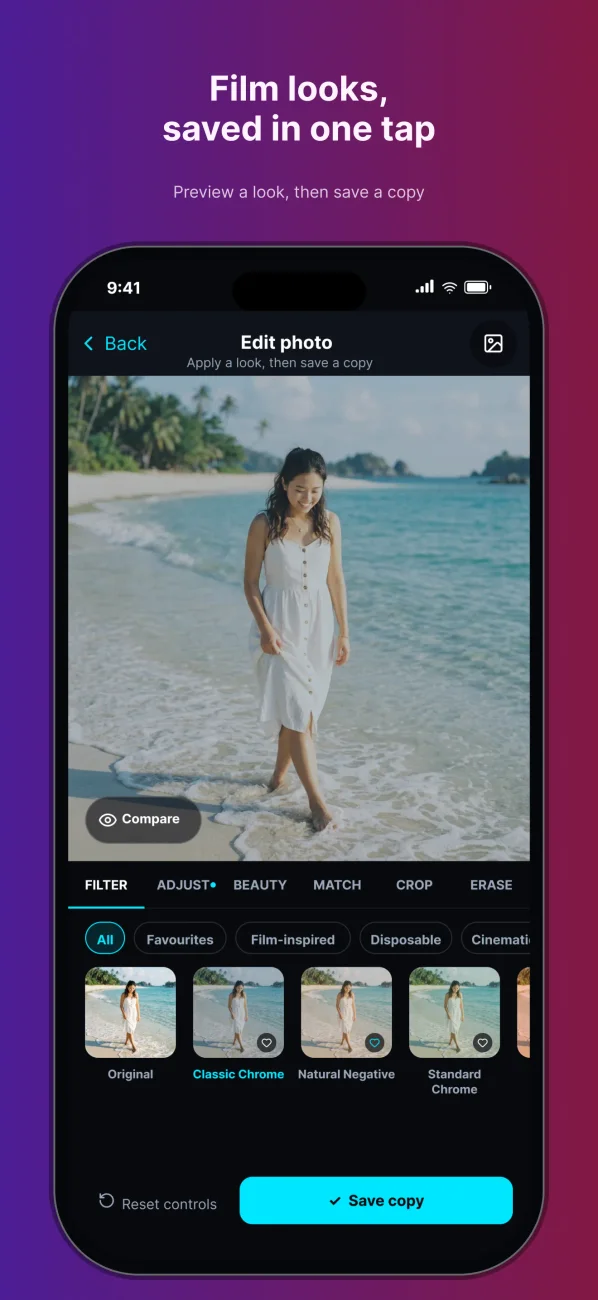
• Grids, self-timer, film-style looks you apply with one tap, and an editor with Color Match
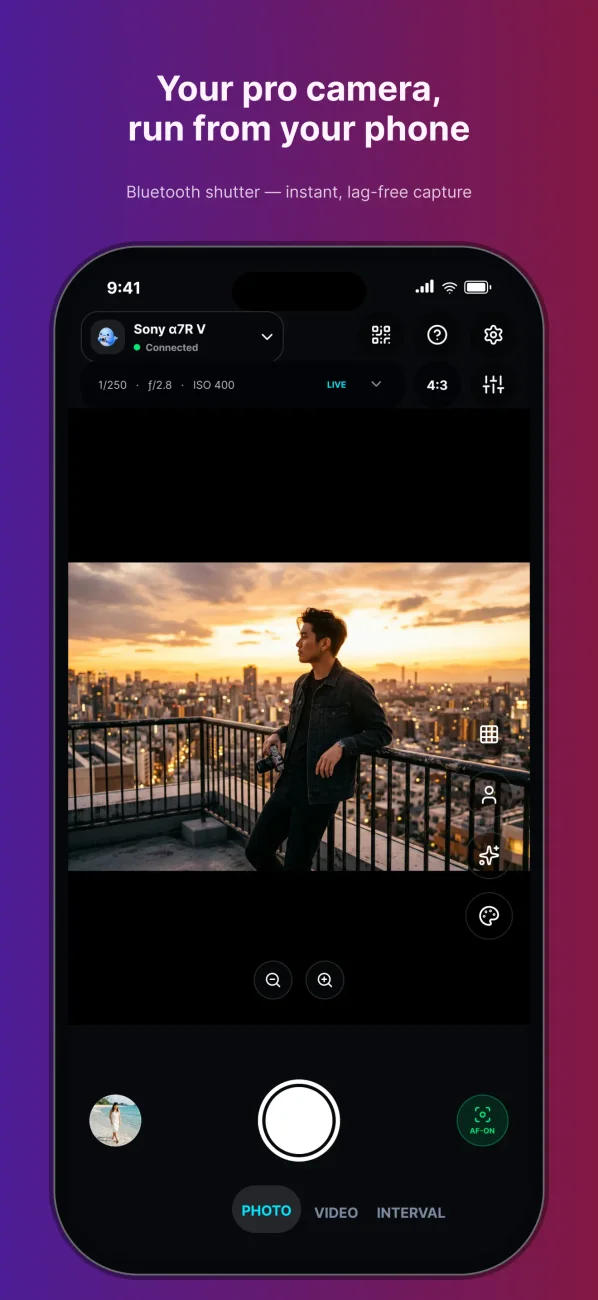
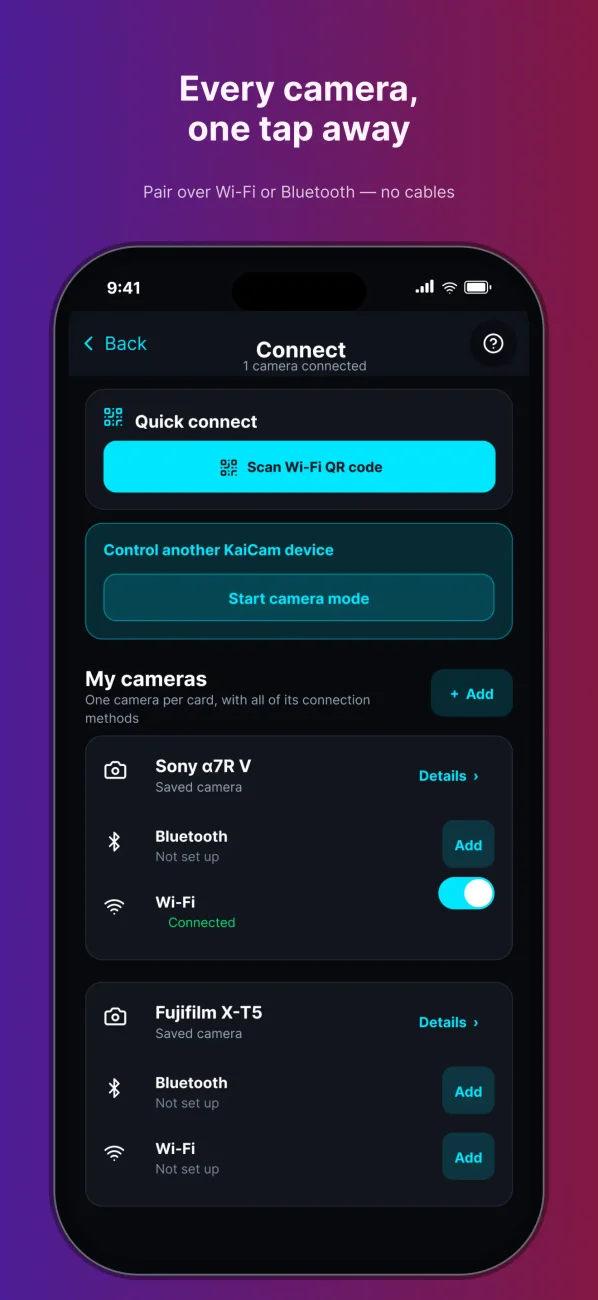
Shooting with a dedicated camera? KaiCam is also a fast, offline remote for compatible cameras over Bluetooth and Wi-Fi: trigger the shutter, start and stop recording, run intervalometer time-lapses and bulb exposures, pull focus, and bring shots over Wi-Fi.
No account and no cloud. Your photos and your camera connection details stay on your device.
Free: the pose outline guide and the free pose packs, manual shutter, self-timer, volume-key shutter, the second-phone remote shutter, the camera remote shutter and recording, single-photo transfer and the photo editor. Free also includes 5 pose auto-captures a day, 3 live view sessions on the second-phone remote, interval runs up to 10 frames and bulb exposures up to 30 s.
KaiCam Pro removes those limits: unlimited pose auto-capture, unlimited live view on the remote, longer interval runs and bulb exposures, plus premium film looks, premium layouts and pose packs, and online pose search.
Dual camera shoots front and back (on supported phones), or your camera and phone, in one picture-in-picture photo: 5 free a day, unlimited with split layouts in Pro.
KaiCam Pro is offered as a one-time Lifetime purchase or as an auto-renewing yearly subscription. Payment is charged to your Apple ID at confirmation of purchase. The subscription renews automatically unless cancelled at least 24 hours before the end of the current period; manage or cancel it in your Apple ID account settings.
Compatibility: works with selected Sony Alpha and GoPro Hero models. KaiCam is independent software. Sony and GoPro are trademarks of their respective owners, who neither sponsor nor endorse KaiCam.
Terms of Use (EULA): https://www.apple.com/legal/internet-services/itunes/dev/stdeula/
Privacy Policy: https://kaifuz.com/privacy
What’s new
Version 1.1.1 · Nov 23, 2026
Improved pose library: a cleaner, curated set of pose guides. Small fixes and polish.
App privacy
What Nguyen Hai Phong declares on the App Store about how this app handles data.
-
Data not linked to you
May be collected but is not linked to your identity.
- Purchases
- Search history
- Identifiers
- Diagnostics
Privacy practices may vary, for example with the features you use or your age.
Information
- Seller
- Nguyen Hai Phong
- Category
- Photo & Video
- Version
- 1.1.1
- Updated
- Nov 23, 2026
- Released
- Nov 6, 2026
- Size
- 124.3 MB
- Requires
- iOS 15.1 or later
- Age rating
- 4+
- Price
- Free
- In-app purchases
- Yes
- Languages
- English
- Copyright
- © Kaifuz 2026
You might also like
-
 FrameOne - LUT CameraPhoto, video & custom color
-
 CineRelayCamera control & auto upload
-
 Remora — Camera RemoteWi-Fi & USB camera remote
-
 Antethr - Wireless TetheringClient monitor & live rating
-
 CameraRC: Remote & TransferLive view & control for Sony
-
 Relay Camera TransferOriginal RAW and JPEG, direct
-
 PlugView: Camera Field MonitorLUTs, Scopes & Focus over USB
-
 Lumo: AI Real Estate CameraPhoto Editor & Virtual Staging
-
 TetherDropPhoto & Video
-
 MakeHDR: Ultra HDR Photo+VideoBuy once. Convert on device.