
Kaizen - Tasks & Calendar
AI Planner, Tasks & Time Block
Designed for iPhone, iPad, iPod touch
Free · In-app purchases
- Age rating4+
- CategoryProductivity
- DeveloperLennard Zieten
- LanguagesEnglish
- Size131.5 MB
Links to the official App Store page
Download.org hosts no file of Kaizen - Tasks & Calendar. The button opens its official App Store page, published by Lennard Zieten. Listing last checked on Nov 15, 2026.
Screenshots
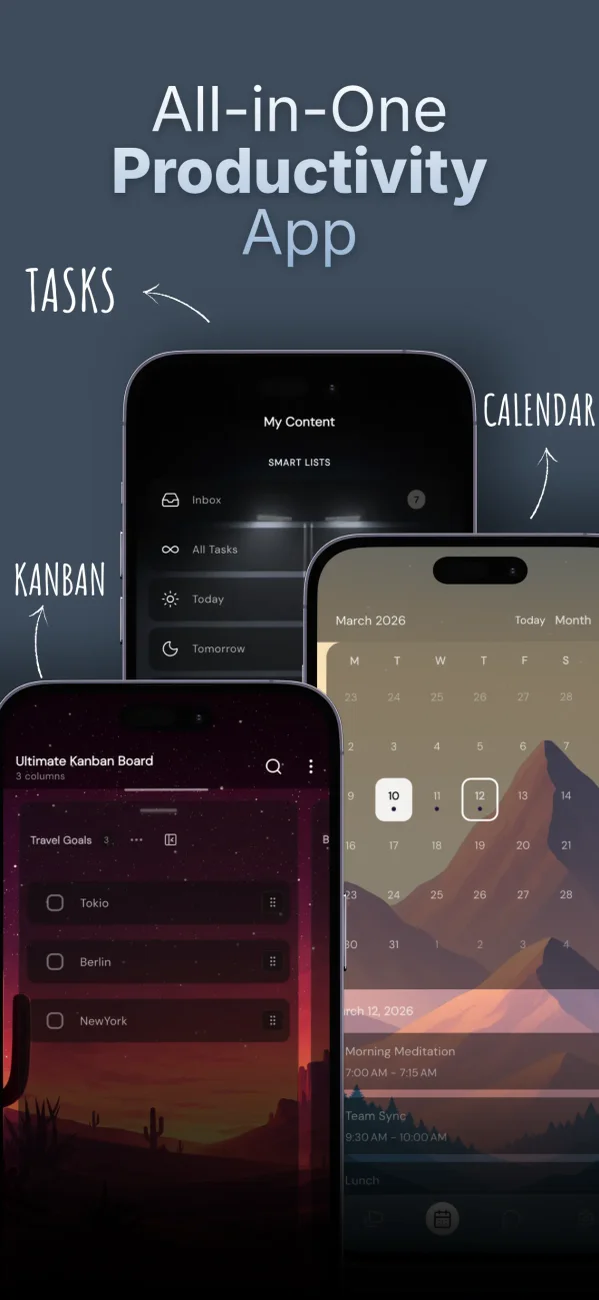
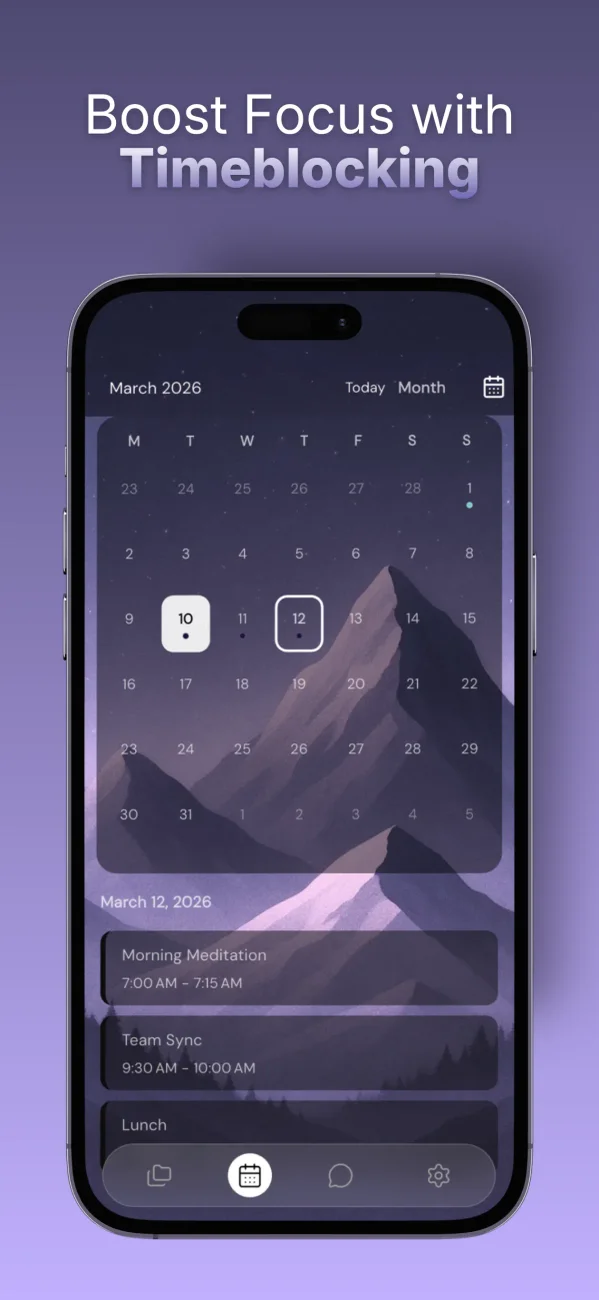
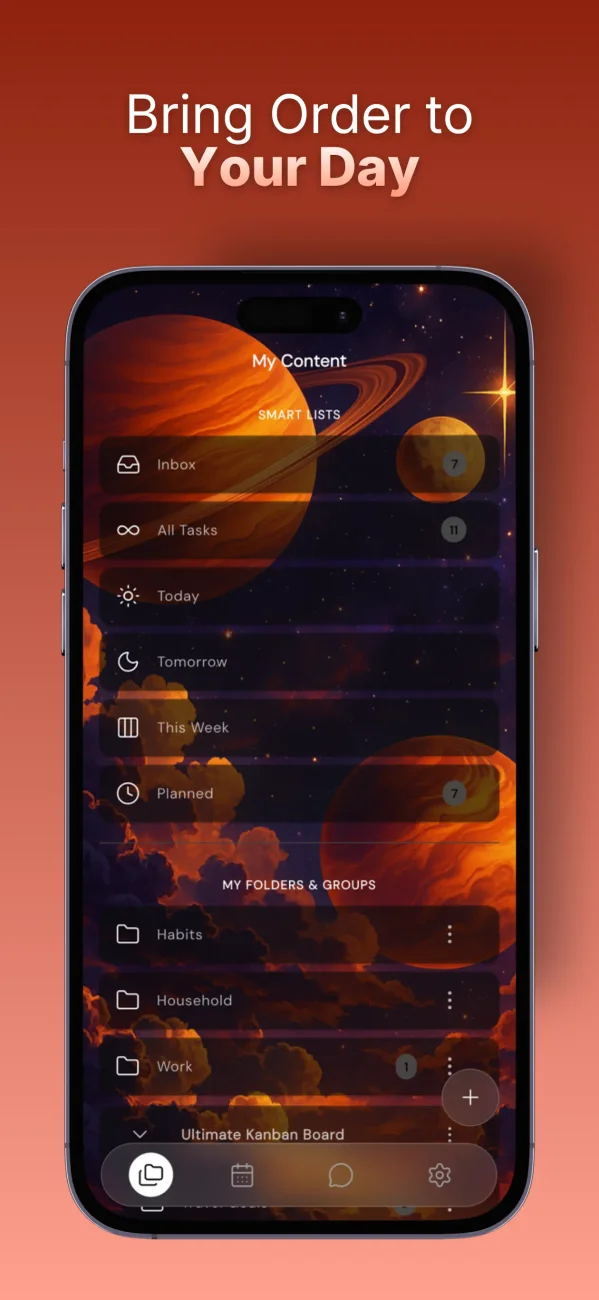
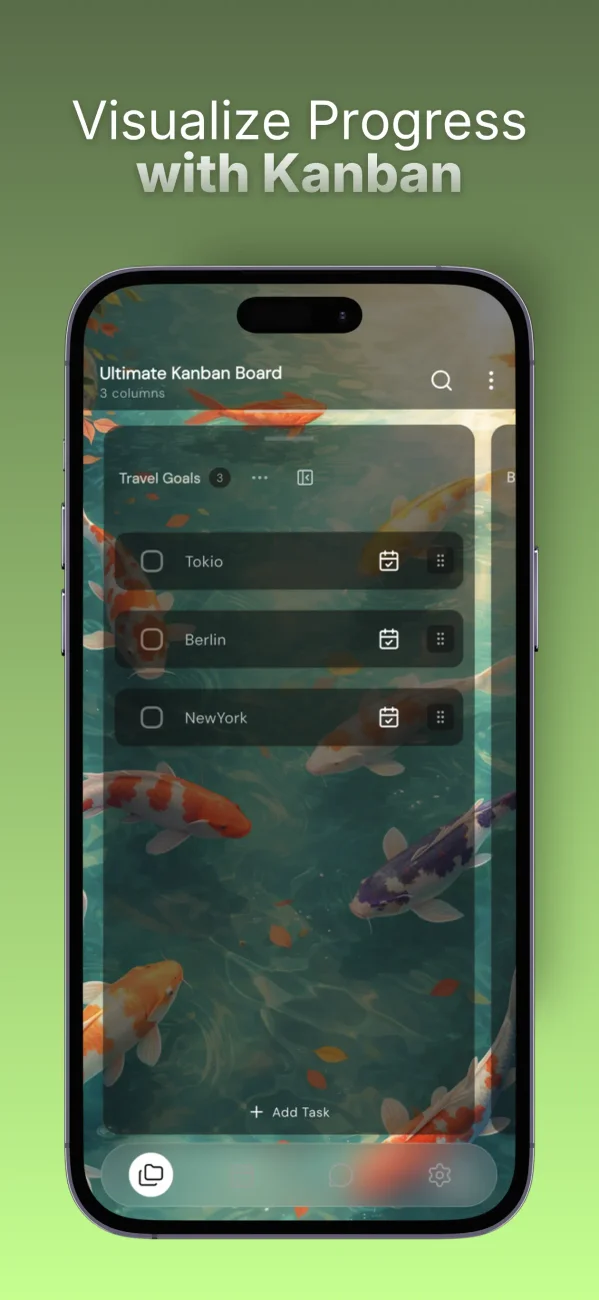

About
End your day feeling done — not buried.
88% of people go to bed feeling unaccomplished. Not because they didn't work hard, but because their tools fight them: a to-do list in one app, a calendar in another, a Kanban board in a third, and an AI chat in a fourth. Nothing talks to anything.
Kaizen brings it all into one app that you actually want to open.
→ TIME-BLOCK YOUR DAY, NOT JUST LIST IT
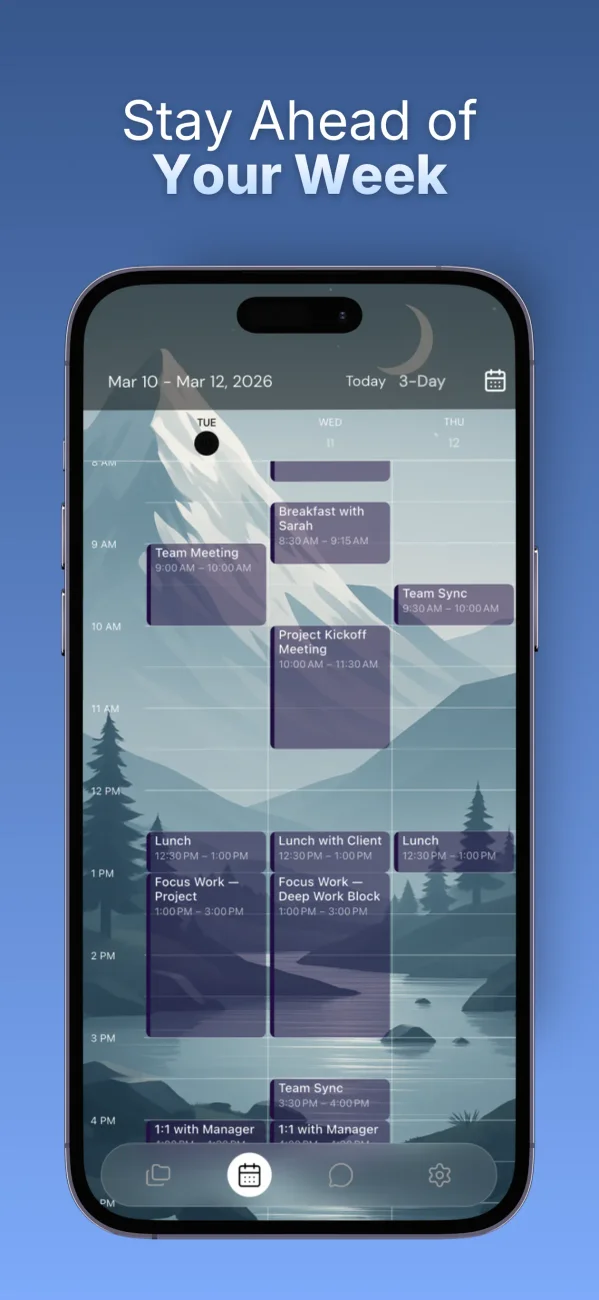
Drag tasks straight onto your calendar. See your real day — to-dos AND time blocks — side by side on a split screen (iPad/large screens). No more "I have 17 to-dos and 6 hours, what now?" — Kaizen shows you when, not just what.
→ AI THAT ACTUALLY KNOWS YOU
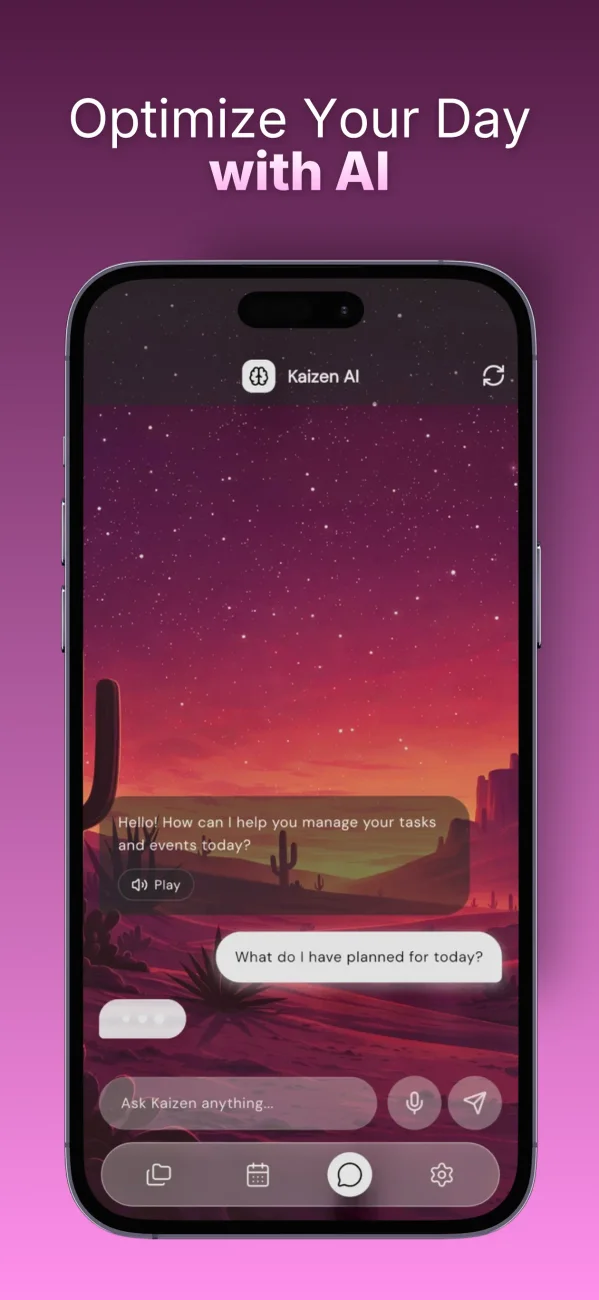
You can use Kaizen's build in AI assistant or work with frontier models through MCP. Set persistent instructions ("Be blunt", "Push me on my side project", "Cut me slack on Fridays") and the AI shapes itself around you instead of you adapting to it. Brain-dump out loud, get a structured plan back.
→ KANBAN WHEN A LIST ISN'T ENOUGH
Every project gets a board view. Drag tasks through Backlog → Doing → Done. Perfect for side projects, course work, and creative work where a flat list doesn't fit.
→ LIFE TIERLIST: SEE WHAT ACTUALLY MATTERS
Hidden behind a long-press on the calendar icon: rank the areas of your life — Career, Health, Family, Learning, Side Project, ... — into a visual hierarchy. When you don't know what to work on, your tierlist answers for you. No other planner does this.
→ MAKE IT YOURS — REALLY YOURS
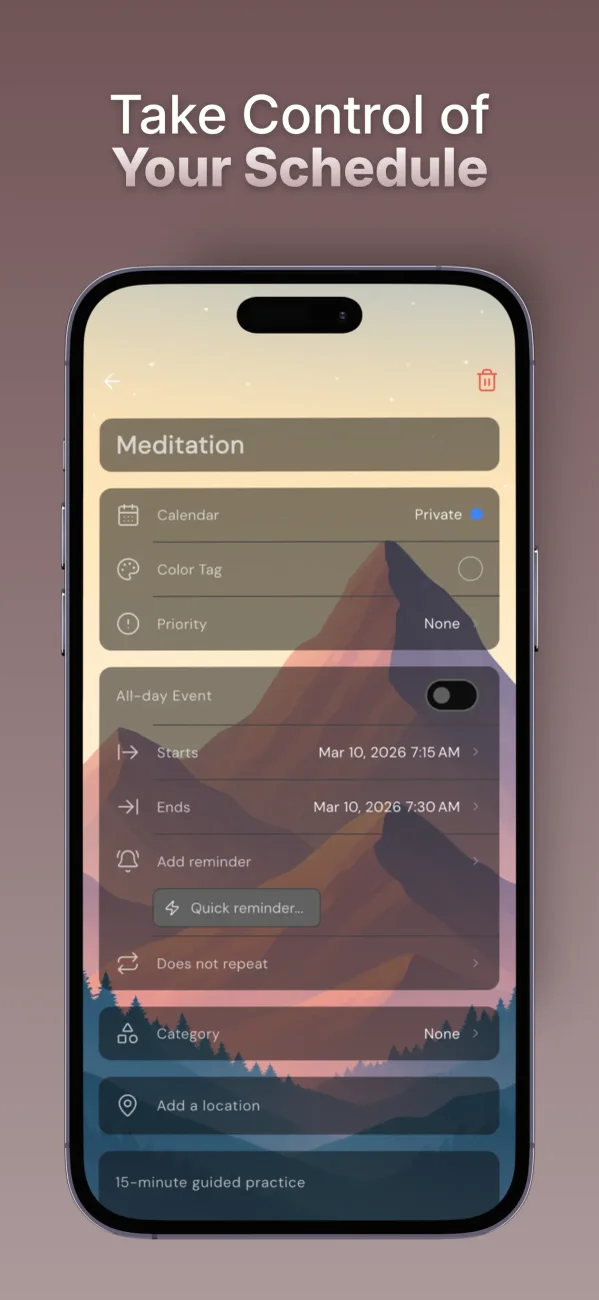
Backgrounds per page. Custom fonts, sizes, icons. Opacity and blur per element. Custom colors. Windowed mode on larger devices. Most planners give you "dark mode and three theme colors." Kaizen gives you a workspace that feels like it was built for your brain.
WHO IT'S FOR
• Employees juggling work, life and a side project
• Founders and freelancers who can't afford a messy day
• Students whose calendar and homework live in different worlds
• Anyone who's tried five planners and bounced off all of them
WHAT YOU GET WITH UNLIMITED
- Unlimited tasks, folders, and task lists
- Calendar with day, week, month views
- Drag-and-drop time blocking
- Kanban board per project
- Habit-style recurring tasks and reminders
- iOS, Android, and Web — synced
- Life Tierlist
- Deep customization (backgrounds, opacity, blur, custom fonts)
- Import/export your data anytime
AI UNLOCKS
- Kaizen AI with persistent instructions + MCP for Claude/ChatGPT
- Speech task creation
WHY "KAIZEN"
Kaizen (改善) is the Japanese practice of getting 1% better, every day. Not a productivity hack. A way of building a life that compounds.
START TODAY
Spend 60 seconds importing your existing tasks. Block tomorrow morning. Notice the difference by Friday.
Have an idea? Tap "Suggest a feature" in settings — we read every one.
What’s new
Version 8.6.0 · Sep 28, 2026
What's new in 8.6.0:
→ Create tasks and now also events by voice with Kaizen AI dictation
→ Reworked haptic feedback: crisp, precise and consistent across the app
→ Smoother calendar: events appear, move and delete instantly
→ Design refinements throughout the app
→ A fresh round of bug fixes and performance tweaks
Thanks for using Kaizen.
App privacy
What Lennard Zieten declares on the App Store about how this app handles data.
-
Data used to track you
May be used to track you across apps and websites owned by other companies.
- Identifiers
-
Data linked to you
May be collected and linked to your identity.
- Purchases
- Contact info
- User content
- Identifiers
- Usage data
- Diagnostics
-
Data not linked to you
May be collected but is not linked to your identity.
- Identifiers
Privacy practices may vary, for example with the features you use or your age.
Information
- Seller
- Lennard Zieten
- Category
- Productivity
- Version
- 8.6.0
- Updated
- Sep 28, 2026
- Released
- Jun 19, 2025
- Size
- 131.5 MB
- Requires
- iOS 15.6 or later
- Age rating
- 4+
- Price
- Free
- In-app purchases
- Yes
- Languages
- English
- Copyright
- © 2025 Kaizen Development
You might also like
-
 Altus: Daily Planner & CoachPlanner, To-Do List & Coach
-
 Kaizen: ToDo & ProductivityTasks, Habits & Focus
-
 Beck: AI Assistant for WorkMeeting Notes, Calendar, Tasks
-
 Meli: Personal AIAI that follows through
-
 DayDo CalendarCalendar, reminders and tasks
-
 Habit & Goal Tracker - ClayRoutines, Fitness & Learning
-
 Arkyv Tiles AppCard-based archival tool
-
 Flipnotes - Digital NotebookThe Fastest Notes App.
-
 Together: Organize LifeShared Family Calendar & Lists
-
 Paso: Timeline PlannerFlexible tasks & notes planner