Kami Grid
Drawing, sketch & trace guide
Designed for iPhone, iPad, iPod touch
In-app purchases
- Age rating4+
- CategoryGraphics & Design
- DeveloperGALLERYG.LLC
- LanguagesEnglish+ 43 more
- Size32.8 MB
Links to the official App Store page
Download.org hosts no file of Kami Grid. The button opens its official App Store page, published by GALLERYG.LLC. Listing last checked on Nov 20, 2026.
Screenshots

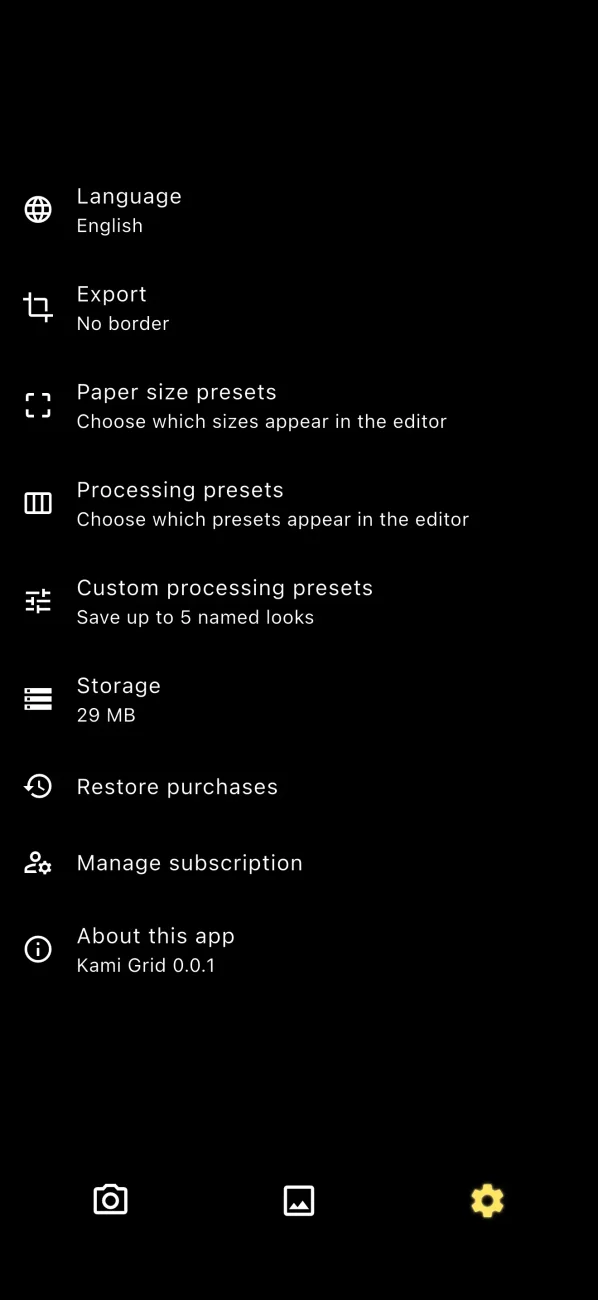
About
The 500-year-old technique, finally done right
Dürer used a grid. So did Alberti, Vermeer, and every atelier student who ever squinted through a cardboard viewfinder taped with thread.
Kami Grid puts that tool on your phone, and then pushes it far past what a piece of plastic could ever do.
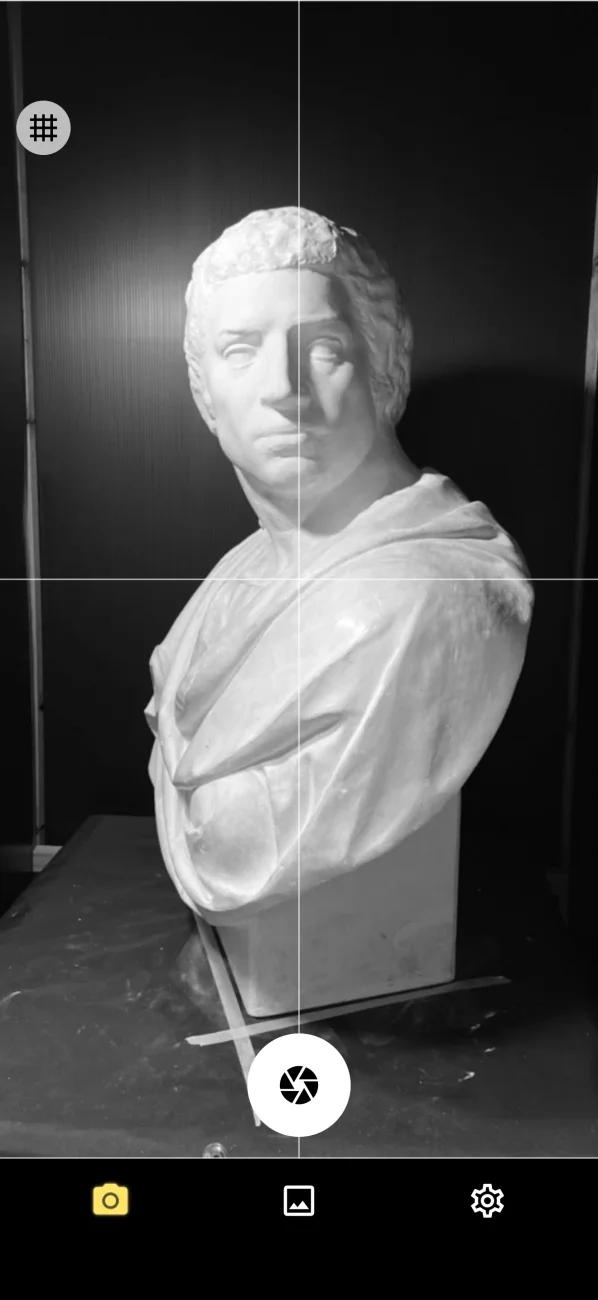
One app replaces the whole kit: camera, composition control, image correction, and a fully adjustable grid overlay.
Built for atelier students, foundation-course and art-school students, portfolio builders, commission painters, illustrators, and anyone who wants their proportions right before they commit charcoal to paper.
The interface was designed like an art tool, not a utility app. Everything is one gesture away. Nothing gets between you and the subject.
Free
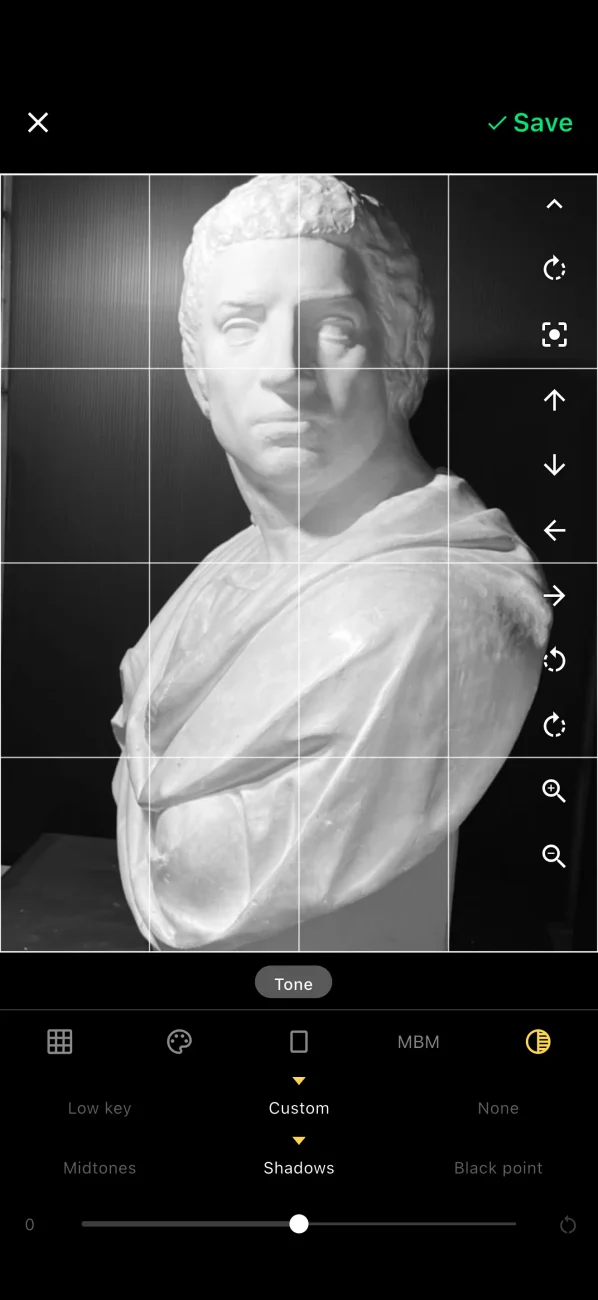
Precise image control. Zoom, rotate, and nudge your reference pixel by pixel. Fine-tune the angle until the composition sits exactly where you want it.
Brightness and contrast. Crush the midtones to reveal the shadow shapes underneath. See value structure instead of detail.
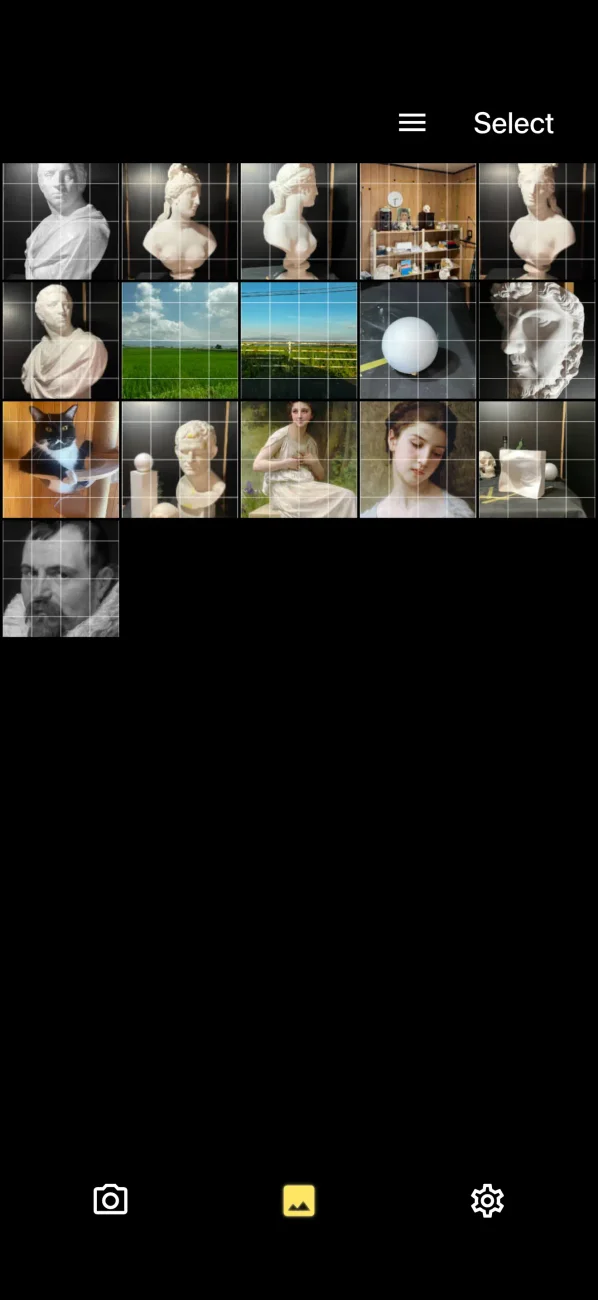
Import your own photos. Bring in DSLR shots, phone photos, or reference images and drop a grid straight over them.
Export. Save with or without borders. Print it, share it, send it to your tablet.
Full-screen mode. Double-tap. Every control disappears and it's just you and the subject.
Pro Plan
Complete grid customization. Set position and density freely. A single center cross for gesture work, a fine mesh for a detailed cast drawing, anything in between.
Professional color control. Beyond brightness: saturation, highlights, and color temperature. Dial in a reference you can actually paint from.
Every format you work at. A-series paper sizes, standard canvas ratios, square, and custom dimensions. Your grid always matches your surface.
Unlimited saved images.
Costs less than a stick of vine charcoal each month, and it lasts considerably longer.
How artists use it
Charcoal and graphite drawing
Fold your paper in half, then in half again, and mark the creases lightly. Connect them to lay in a grid that matches the app.
Shoot the setup in Kami Grid. Adjust the framing and push the contrast until the value structure reads clearly.
Pick your paper format and drop the matching grid over the photo with one tap.
Turn off auto-lock, go full screen, and draw with the finished composition sitting right next to you.
Gesture and life drawing
Set the grid to a simple center cross. Rule the same cross in your sketchbook and use it as your plumb line. The time you normally burn on blocking in disappears, and you spend it on the drawing instead.
Still life and color studies
Switch to color, raise the contrast, and the color planes separate visually. Combine with saturation and temperature adjustments and you have a working reference for painting, not just a photo.
Oil painting from reference
Import the photo you want to work from.
Choose your canvas ratio and grid spacing, then correct the color and contrast to the key you're painting in.
Export and print it as large as you need.
Work with it beside the easel.
Murals and large-format work
Grid the reference, grid the wall, scale up with confidence. The math is already done.
Get your proportions right the first time
Download Kami Grid and stop redrawing the same head three times.
Terms of Use (EULA): https://www.apple.com/legal/internet-services/itunes/dev/stdeula/
What’s new
Version 1.01 · Sep 11, 2026
• Added a reset button to the edit screen.
• Updated the UI design.
App privacy
What GALLERYG.LLC declares on the App Store about how this app handles data.
-
Data not linked to you
May be collected but is not linked to your identity.
- Purchases
Privacy practices may vary, for example with the features you use or your age.
Information
- Seller
- GALLERY G LLC
- Category
- Graphics & Design
- Version
- 1.01
- Updated
- Sep 11, 2026
- Released
- Sep 8, 2026
- Size
- 32.8 MB
- Requires
- iOS 15.0 or later
- Age rating
- 4+
- In-app purchases
- Yes
- Languages
- English, Arabic, Bengali, Catalan, Croatian, Czech, Danish, Dutch, Finnish, French, German, Greek + 32 more
- Copyright
- © GalleryG, LLC
You might also like
-
 SketchGrid: Grid DrawingDraw With Grids & Guides
-
 Gridline: Grid & Value StudyDrawing Grid & Notan for Art
-
 Studio Grid: Drawing GridGrid photos to your paper size
-
 Grid Art DrawingDrawing Grid & AR Reference
-
 Drawing Grid GuidePhoto Grid for Artists
-
 Traceva: AR Draw & SketchTrace Any Photo onto Paper
-
 Grid Maker: Drawing ReferenceAdd grid to image & sketch
-
 Framehop: Draw 2D AnimationFlipbook, GIF & sticker maker
-
 Grid Drawing Tool - ArtGrideLearn to Draw from References
-
 Tracely: AR Draw & SketchTrace, learn & draw anything