
Gridline: Grid & Value Study
Drawing Grid & Notan for Art
Designed for iPhone, iPad
Free · In-app purchases
- Age rating4+
- CategoryGraphics & Design
- DeveloperSangwon Kim
- LanguagesEnglish+ 6 more
- Size5.9 MB
Links to the official App Store page
Download.org hosts no file of Gridline: Grid & Value Study. The button opens its official App Store page, published by Sangwon Kim. Listing last checked on Nov 23, 2026.
Screenshots
About
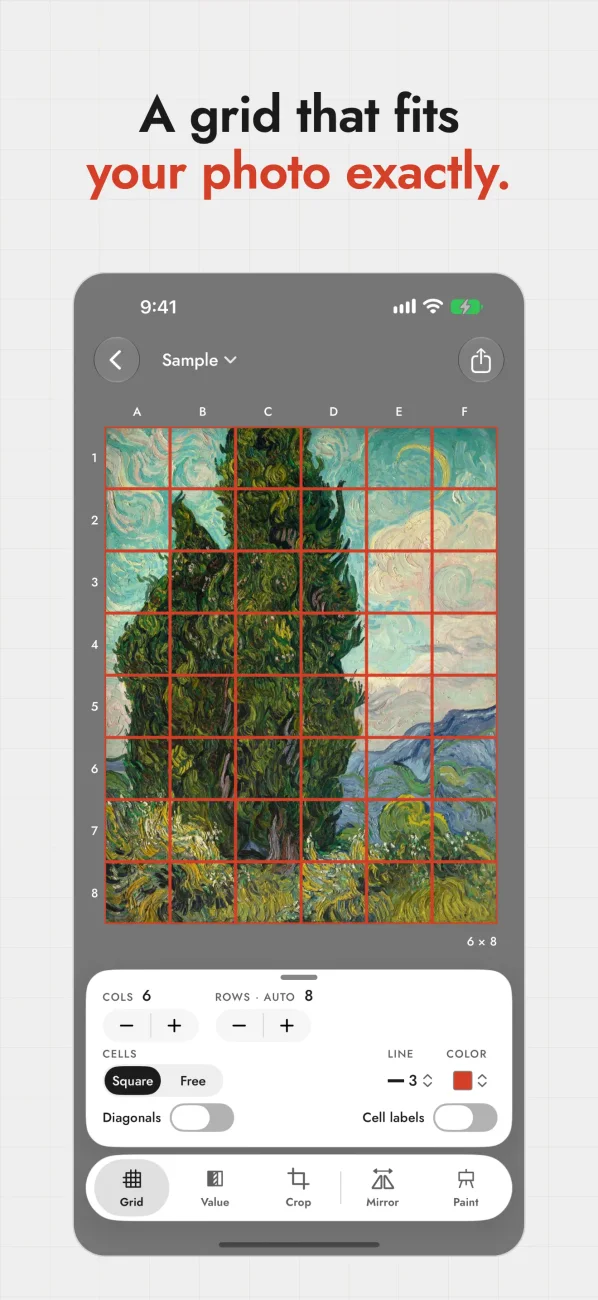
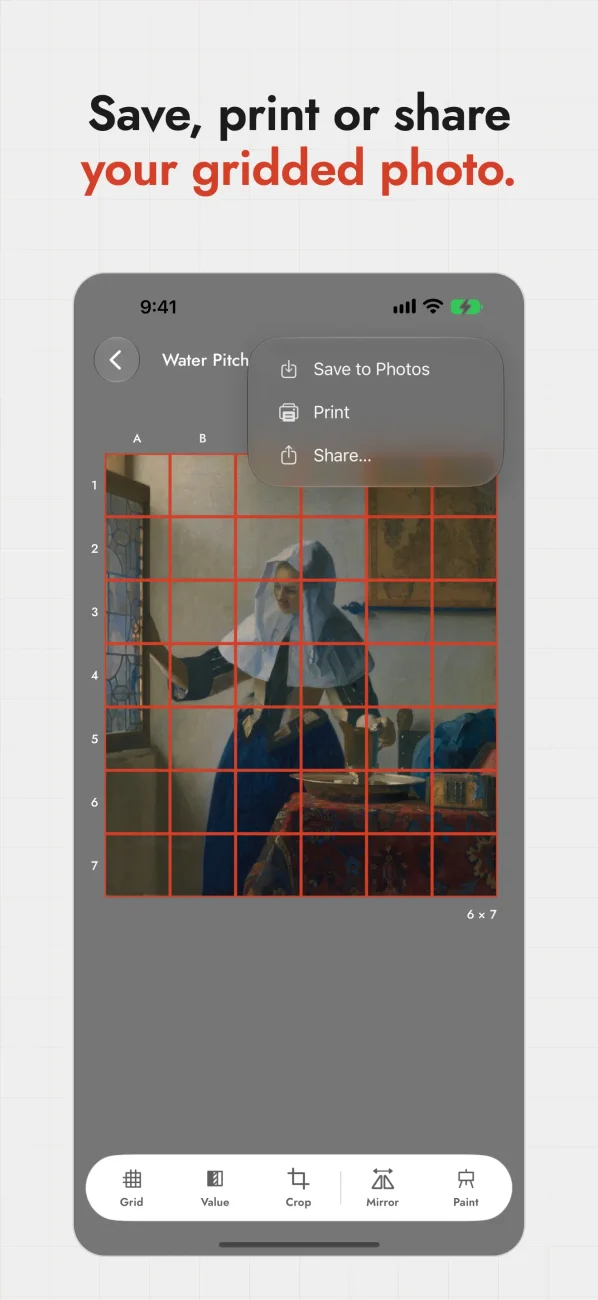
Put a grid over any reference photo and check its values on the same screen.
Gridline is a drawing grid for painters, illustrators and art students who work from reference photos. Import a picture, set up the grid, switch to grayscale or a notan when you need to judge values, and paint with your iPhone or iPad beside the easel.
■ Free
• Import from your photo library, the camera, the Files app, or paste an image
• Try it first with a sample: a public-domain Van Gogh is ready on first launch
• Square or rectangular cells, with any number of columns and rows
• Diagonals, cell labels, line color and line thickness
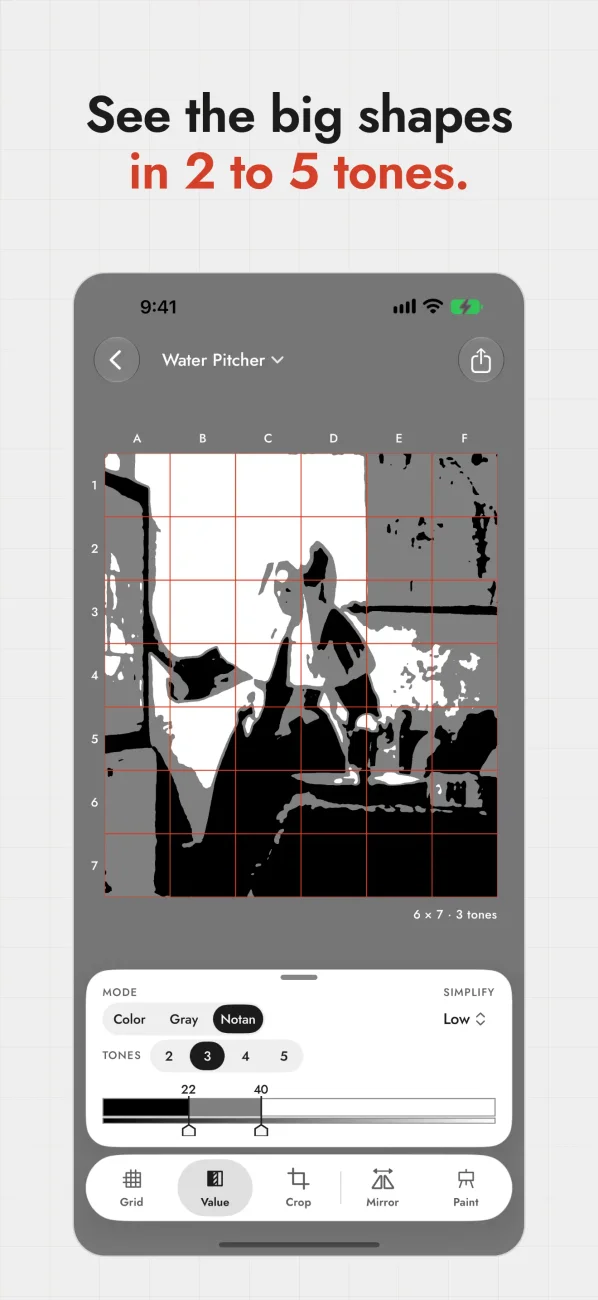
• Grayscale view, a 2-tone notan, and mirror
• Save the gridded image to Photos, print it, or share it
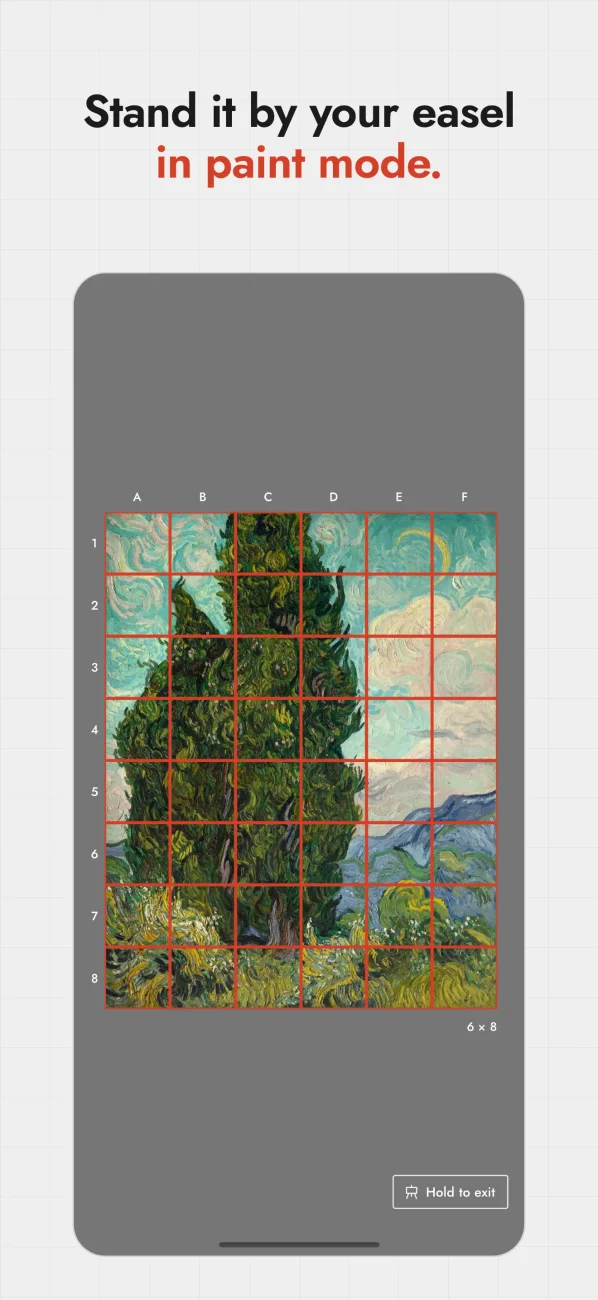
• Paint mode: the tools disappear, touches are ignored and the screen stays awake, so the device can stand by your easel. Press and hold to leave
• Built for iPad too, with the settings in a side panel
• Unlimited projects, each one reopening with the settings you left
■ Gridline Pro (one-time purchase)
• Notan in 3, 4 or 5 tones: drag the split points on the value scale and simplify the small details
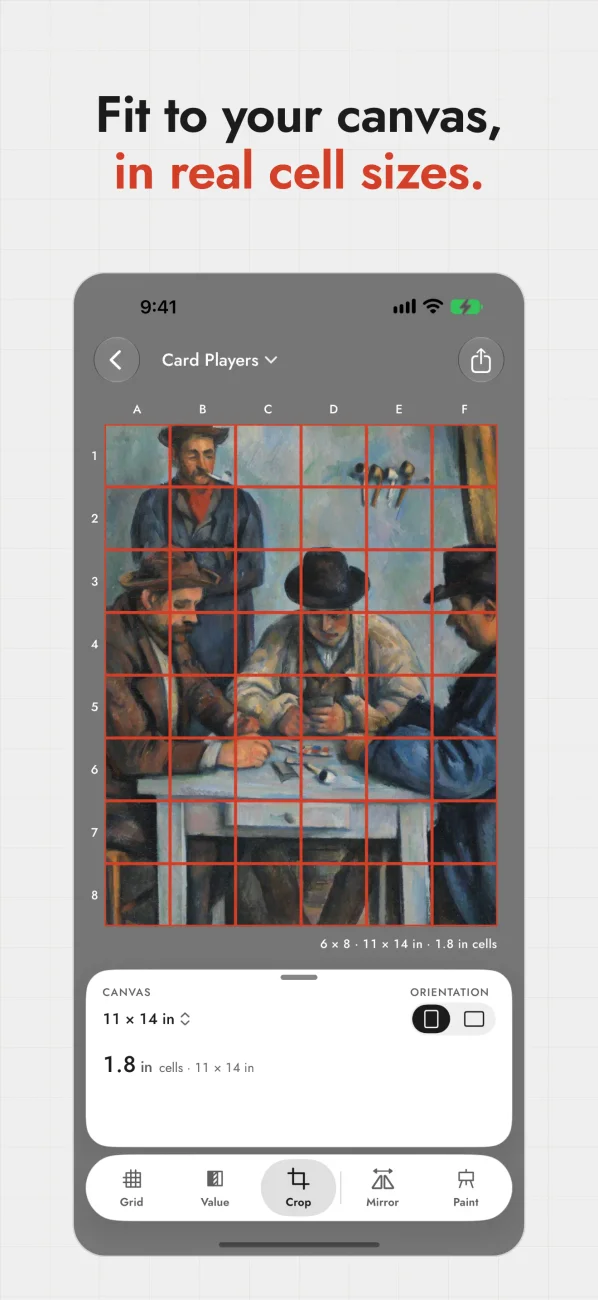
• Fit to canvas: crop to A4, 8×10, 9×12, 11×14 or 16×20 in, or square, in portrait or landscape, and see the real cell size in cm or inches
• No ads
Pro is a single purchase, not a subscription. You can restore it on other devices signed in with the same Apple Account.
■ About ads
The free version shows one banner ad at the bottom of the project list. The editor, where you look at your reference, has no ads.
■ Your photos stay on your device
Gridline keeps its own copy of each reference inside the app. There is no account or sign-up, and your images are never uploaded. Nothing leaves the device unless you save, print or share it.
What’s new
Version 2.1.0 · Nov 18, 2026
Gridline is now in Japanese, French, German, Spanish and Portuguese, alongside English and Korean. Settings shows what Gridline Pro includes at a glance.
App privacy
What Sangwon Kim declares on the App Store about how this app handles data.
-
Data used to track you
May be used to track you across apps and websites owned by other companies.
- Location
- Identifiers
- Usage data
- Diagnostics
-
Data linked to you
May be collected and linked to your identity.
- Location
- Identifiers
- Usage data
- Diagnostics
-
Data not linked to you
May be collected but is not linked to your identity.
- Diagnostics
Privacy practices may vary, for example with the features you use or your age.
Information
- Seller
- Sangwon Kim
- Category
- Graphics & Design
- Version
- 2.1.0
- Updated
- Nov 18, 2026
- Released
- Oct 14, 2026
- Size
- 5.9 MB
- Requires
- iOS 17.0 or later
- Age rating
- 4+
- Price
- Free
- In-app purchases
- Yes
- Languages
- English, French, German, Japanese, Korean, Portuguese, Spanish
- Copyright
- © 2026 Vyvflo
You might also like
-
 Art Reference: Value StudySee light and shadows
-
 Drawing Grid Maker: GridValueArt Photos Reference Tool App
-
 Grid Artist: Draw by SquaresTurn photos into drawing grids
-
 SketchlineDraw Like It's Real Paper
-
 Studio Grid: Drawing GridGrid photos to your paper size
-
 Artherapy Adult Colouring BookEasy Relaxing Painting Lessons
-
 PoseTimeTimed Drawing for Artists
-
 refs.draw with references
-
 PaintStepsYour photos to painting tutos!
-
 Drawing Grid GuidePhoto Grid for Artists