Kanban Board: Task & Projects
Scrum, Gantt & Work Planner
Designed for iPhone, iPad
Free · In-app purchases
- Age rating4+
- CategoryProductivity
- DeveloperNextPixel apps
- LanguagesEnglish+ 11 more
- Size38.2 MB
Links to the official App Store page
Download.org hosts no file of Kanban Board: Task & Projects. The button opens its official App Store page, published by NextPixel apps. Listing last checked on Nov 25, 2026.
Screenshots
About
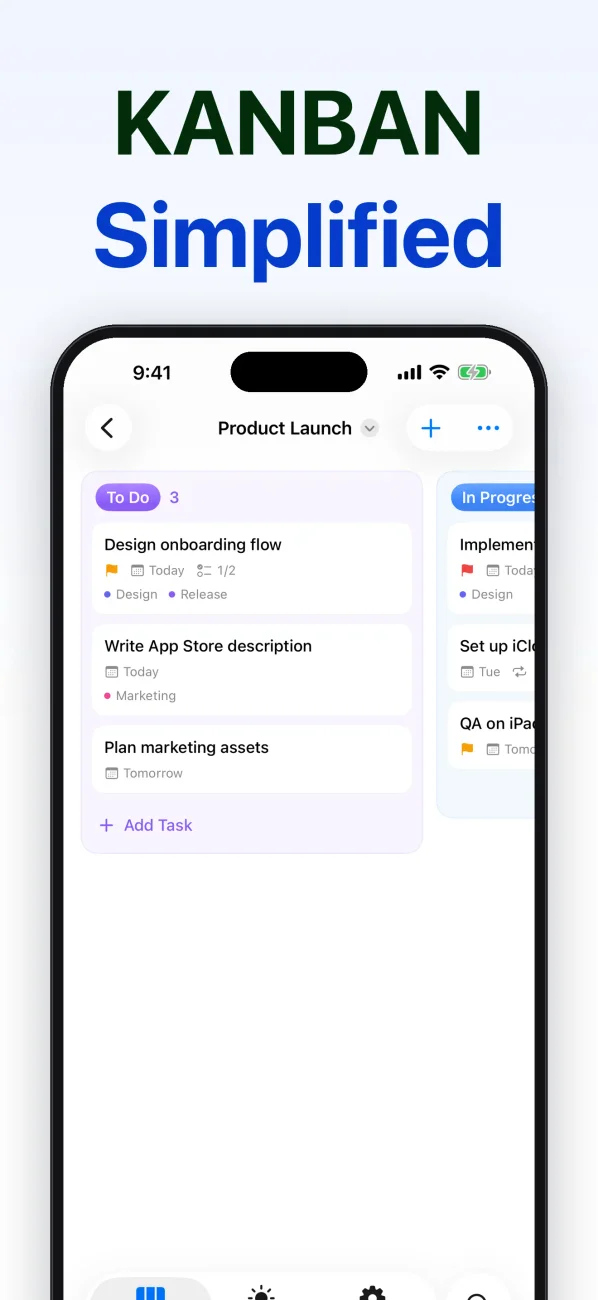
Kanban is flexible task and project management for iPhone, iPad and Apple Watch. Plan your day, move work forward on beautiful boards, and switch to Scrum, Gantt or Scrumban when a project needs more structure.
WORK THE WAY YOU WANT
• Kanban: drag-and-drop boards with custom columns and colors
• List: clean, table-style task lists
• Scrum: sprints, backlog and story points. Assign any card to a sprint
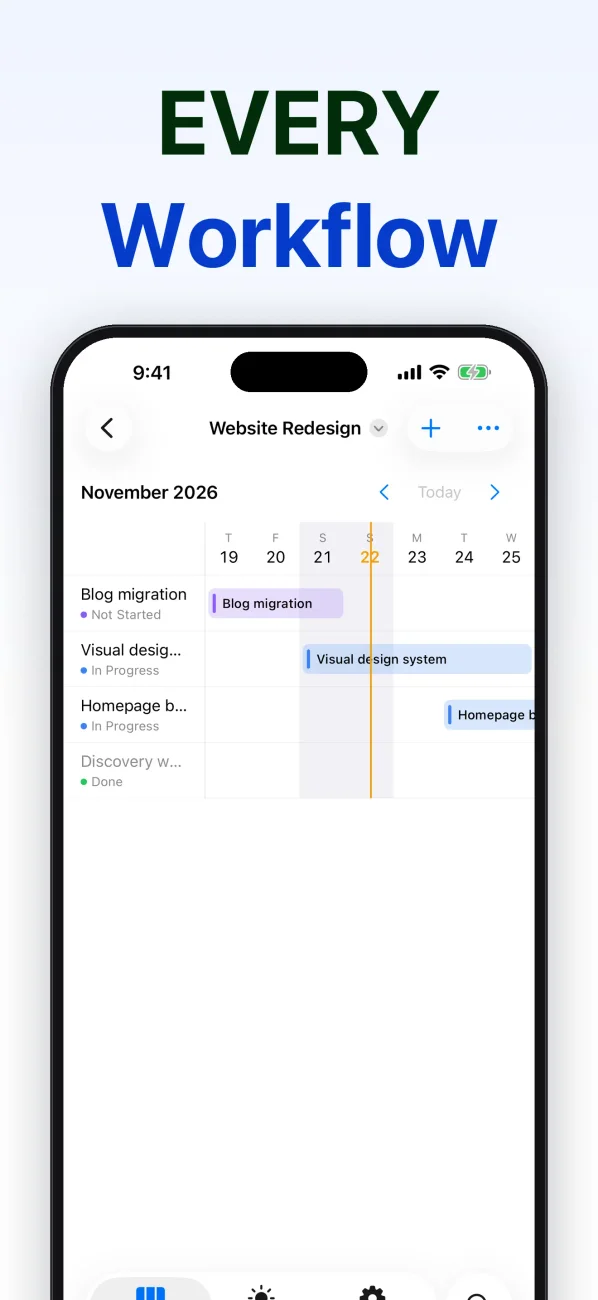
• Gantt: a timeline of scheduled work you can adjust by dragging
• Scrumban: a ready queue with WIP limits that keep work flowing
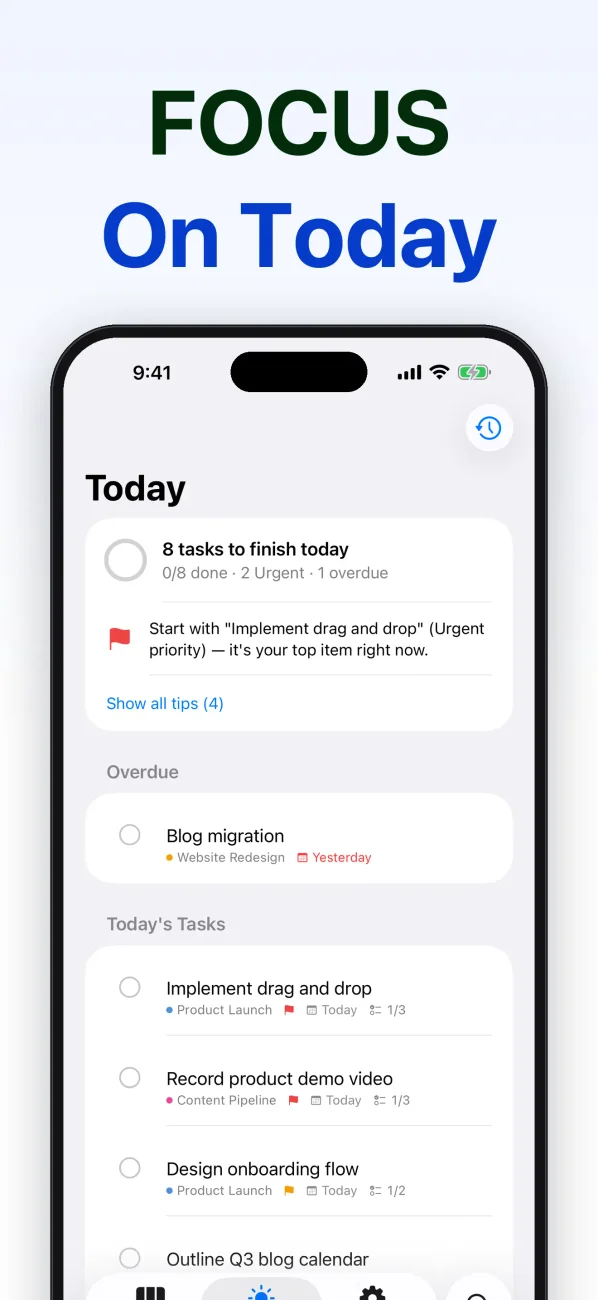
PLAN YOUR DAY
Today brings due tasks, priorities and helpful tips into one focused view, so you always know what needs attention now and what can wait.
CAPTURE TASKS IN SECONDS
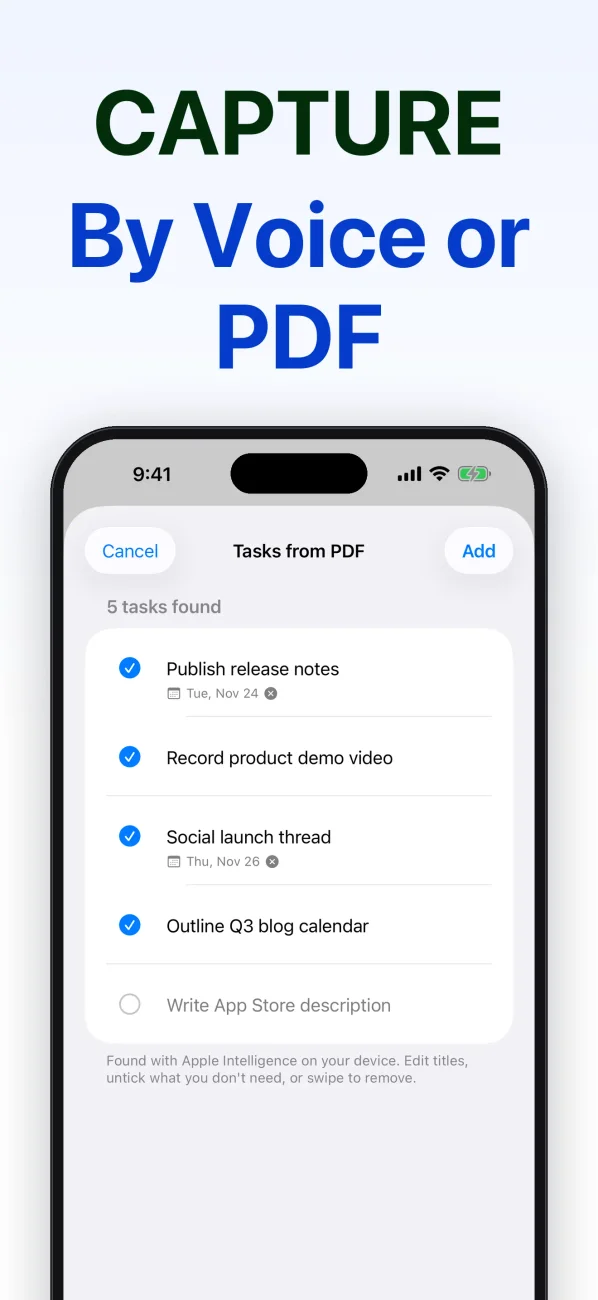
• Voice notes: talk through your plans and get a clean task list
• PDF to tasks: turn a brief, spec or meeting notes into tasks
• Share extension: save from other apps straight into a board
• Import boards from other apps
APPLE INTELLIGENCE
On supported devices, Kanban uses on-device Apple Intelligence:
• AI Project Summary: progress, risks and next steps at a glance
• Generate Tasks: turn an idea into a practical plan
RICH TASK DETAIL
• Subtasks and acceptance criteria
• Priorities, tags and story points
• Due dates, reminders and repeating tasks
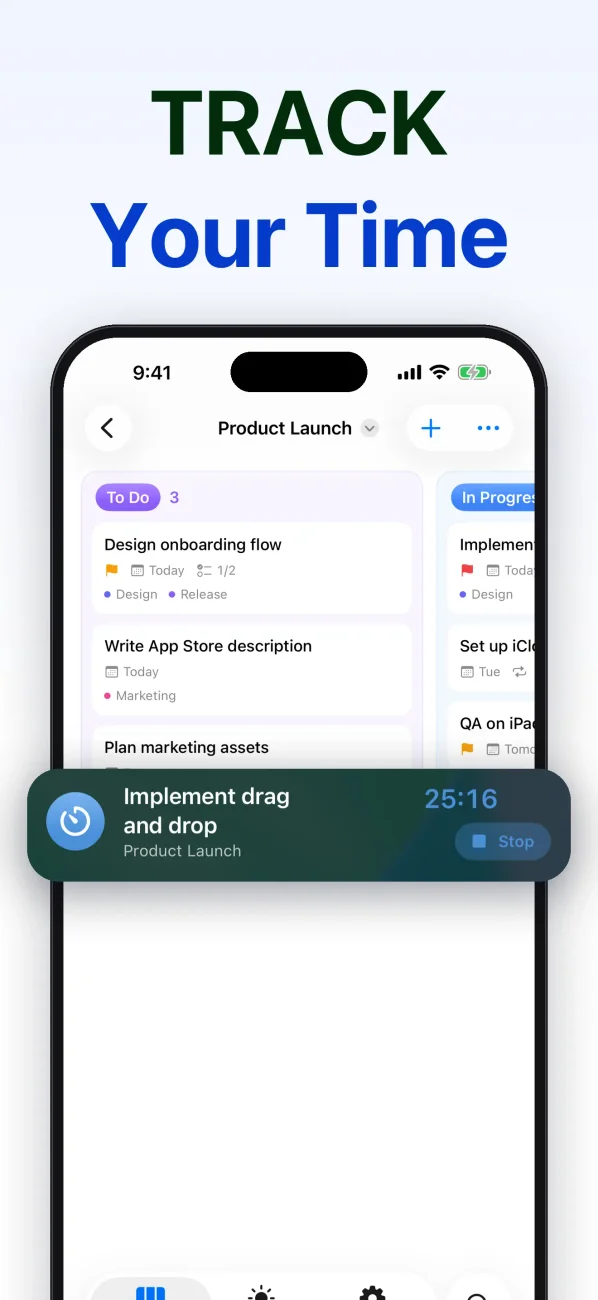
• Time tracking with a Live Activity on your Lock Screen
• Photos, files and PDF attachments
• Activity timeline, search, smart lists and PDF export
ACROSS ALL YOUR APPLE DEVICES
• iCloud sync keeps every board up to date on iPhone, iPad and Apple Watch
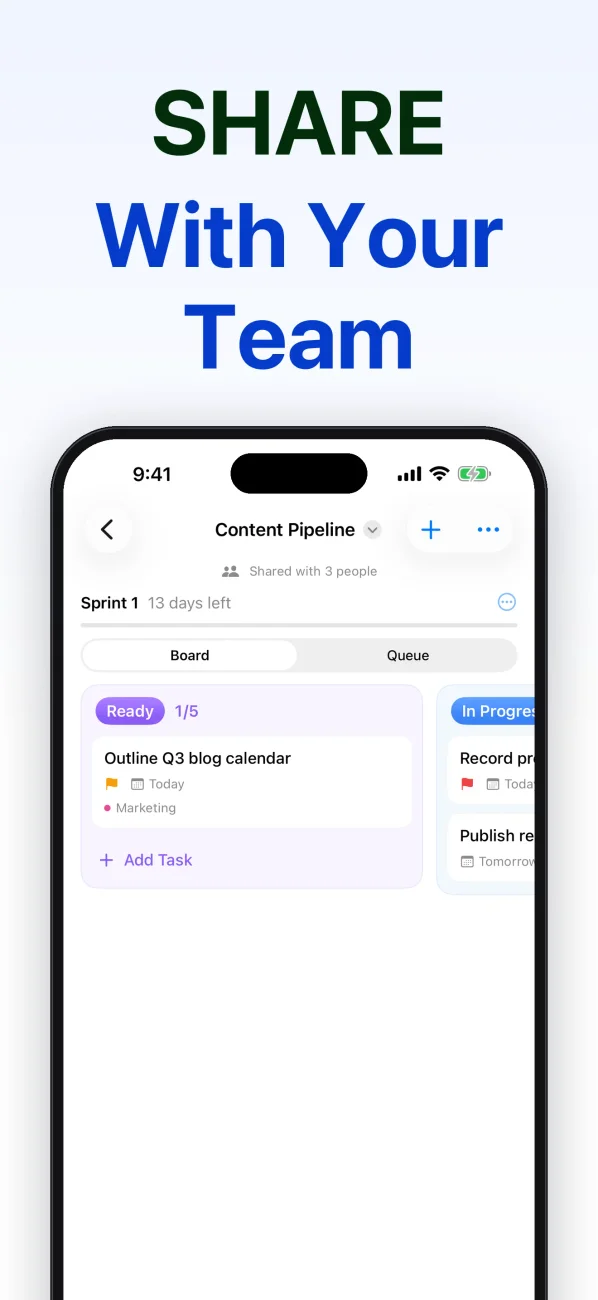
• Share a project with others and plan together
• Home Screen widgets for Today and your boards
• Apple Watch app: start and finish tasks from your wrist, with complications
• Siri and Shortcuts: add tasks, start a timer or check Today by voice
• Available in 12 languages
PRIVATE BY DESIGN
Your tasks stay on your device and in your own iCloud account. No sign-up and no ads, and we never see your content.
KANBAN PRO
Kanban boards, List, Today, widgets, iCloud sync, sharing and the Apple Watch app are free. Kanban Pro adds Scrum, Gantt and Scrumban, voice and PDF to tasks, Apple Intelligence features, time tracking with Live Activity, and import from other apps.
Kanban Pro is available as a monthly or yearly auto-renewable subscription, or as a one-time Lifetime purchase. Eligible new subscribers can start with a free trial on the yearly plan. Prices are shown in the app and may vary by country.
Payment is charged to your Apple Account at confirmation of purchase. Subscriptions renew automatically unless cancelled at least 24 hours before the end of the current period, and your account is charged for renewal within 24 hours before the period ends. You can manage or cancel your subscription in your Apple Account settings at any time.
Terms of Use: https://sites.google.com/view/kanbanboardapp/terms
Privacy Policy: https://sites.google.com/view/kanbanboardapp/projects
What’s new
Version 1.3 · Nov 23, 2026
Kanban 1.3 is our biggest update yet.
THANK YOU, EARLY SUPPORTERS
Kanban Pro is here. If you've been using Kanban before this update, you get every Pro feature free for 3 months as a thank-you. Your existing projects stay yours, always.
NEW
• Kanban Pro: unlimited projects, Scrum, Gantt and Scrumban, voice and PDF to tasks, AI planning and time tracking
• Voice notes and PDF to tasks: turn your plans or documents into a clean task list
• Plan sprints from any card
• Optimized for iPhone Duo: boards, Gantt and Settings adapt beautifully whether it's folded or open
• Apple Watch: start and finish tasks from your wrist, plus new complications
• Siri and Shortcuts support
• Settings now has its own tab
• New languages: French, Portuguese (Brazil) and Indonesian
IMPROVED
• iCloud sync is now on by default
• Better sprint backlog, iPad layouts and overall stability
Thank you for your feedback. It shaped this update.
App privacy
What NextPixel apps declares on the App Store about how this app handles data.
-
Data not linked to you
May be collected but is not linked to your identity.
- Purchases
Privacy practices may vary, for example with the features you use or your age.
Information
- Seller
- NEXTPIXEL APPS LLP
- Category
- Productivity
- Version
- 1.3
- Updated
- Nov 23, 2026
- Released
- Jun 24, 2026
- Size
- 38.2 MB
- Requires
- iOS 18.0 or later
- Age rating
- 4+
- Price
- Free
- In-app purchases
- Yes
- Languages
- English, Dutch, Filipino, French, German, Indonesian, Italian, Japanese, Malay, Portuguese, Spanish, Thai
- Copyright
- © NEXTPIXEL APPS LLP
You might also like
-
 Hense: Kanban Board & PlannerWeekly To-Do List & Deadlines
-
 Truly Simple KanbanTo Do, In Progress, Done
-
 Forward — Kanban BoardSimple Kanban. No distractions
-
 Kanban: Organize anythingVisual Task & Project Manager
-
 Kanban PlannerTask boards & weekly planning
-
 KanGoBanProductivity
-
 Reminq - Reminder KanbanReminders as Kanban Board
-
 iKanbanKanban for Reminders
-
 Kanba: ADHD Planner & KanbanTo Do List & Task Manager
-
 Kanban - DoneitAI task manager, to do app