Keepfolio: Family Docs & Dates
Passports, birthdays & trips
Designed for iPhone, iPad
Free · In-app purchases
- Age rating4+
- CategoryProductivity
- DeveloperAtsunori Mori
- LanguagesEnglish+ 1 more
- Size11.9 MB
Links to the official App Store page
Download.org hosts no file of Keepfolio: Family Docs & Dates. The button opens its official App Store page, published by Atsunori Mori. Listing last checked on Nov 25, 2026.
Screenshots
About
Everything important, in one place
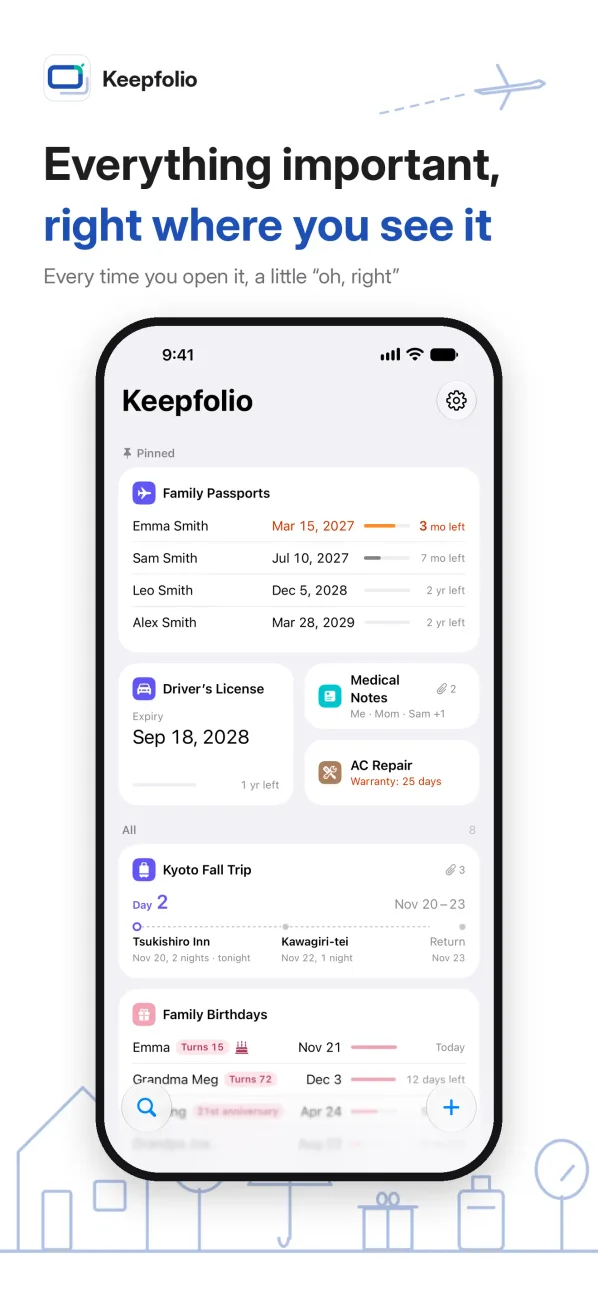
Keepfolio keeps the information you need, but rarely think about, as cards on a single screen.
You open it to check how old your mother is turning, and the card next to it tells you that your daughter's passport expires in three months. The things you never set out to remember, noticed naturally. That small "oh, right" is what Keepfolio is made for. And you only put in what matters.
■ Dates come into view as they get closer
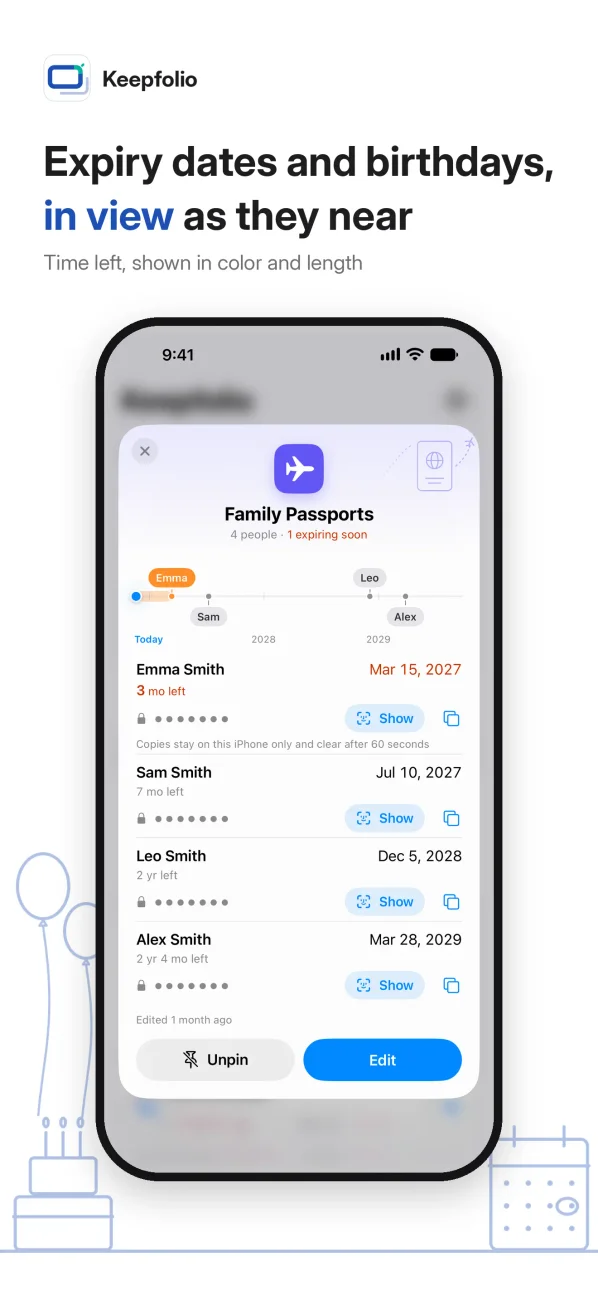
• Passport, license and card expiry dates, with the time left and a bar that fills as the day nears
• When a date gets close, its color changes and a small number appears on the app icon. No sounds, no banners
• Keep the family's passports, or everyone's birthdays, on one card
• Birthdays and anniversaries show the age or anniversary coming up
■ That old filter's part number, saved with the device
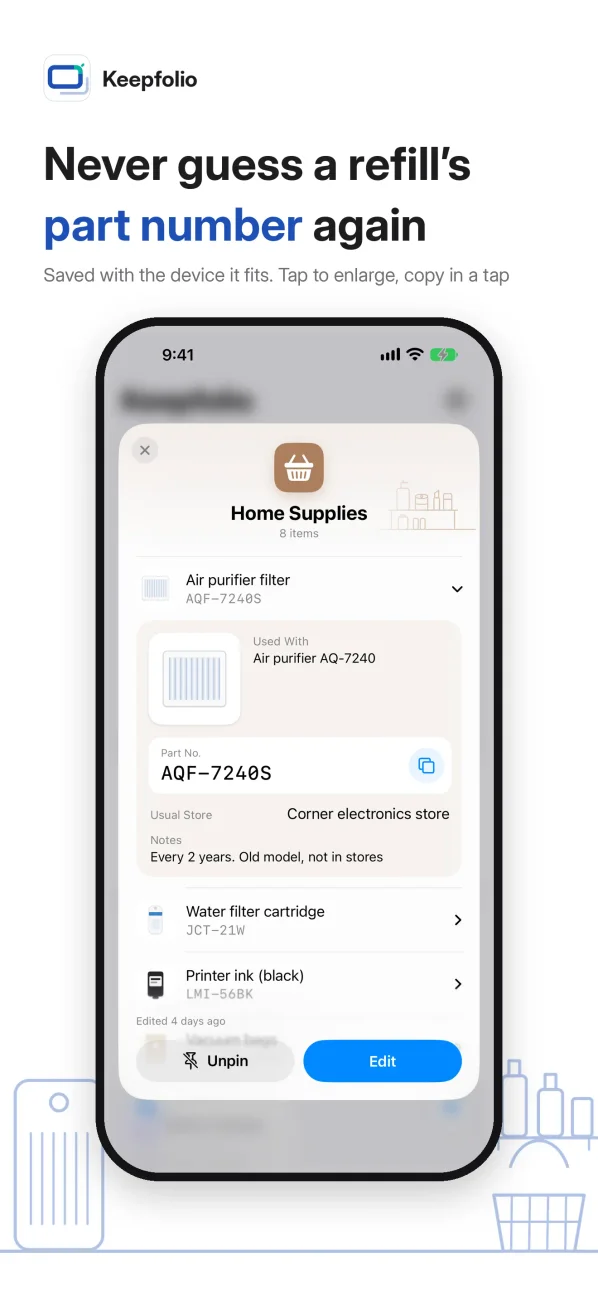
• Keep part numbers for replacements you rarely buy, like air purifier filters, water filter cartridges and printer ink, with the device they fit
• Scan part numbers with the camera, copy in a tap, or hold one to show it large in the store
• Everyday items fit too, with a photo. Pin them to see them large on Home
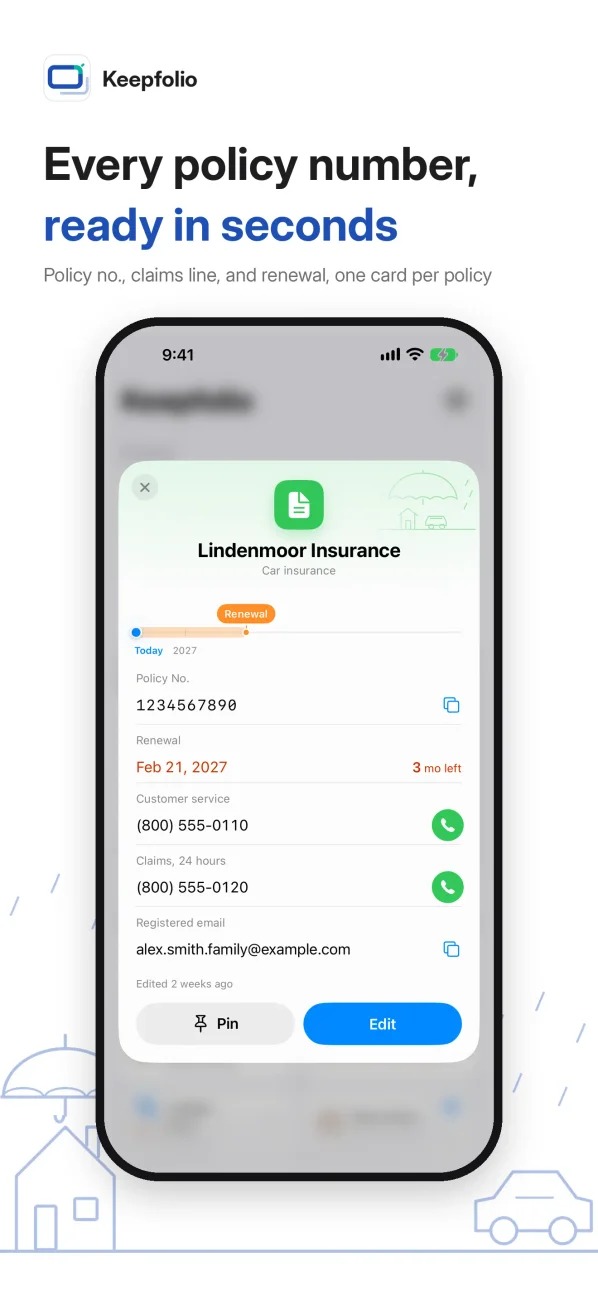
■ Your policy number and claims line, ready after an accident
• One card per policy: life and medical, auto, home, travel, with the policy number, everyday contact, claims line and renewal date
• Scan the policy number with the camera. As the renewal date gets close, its color changes
• Several policies stack into one on Home
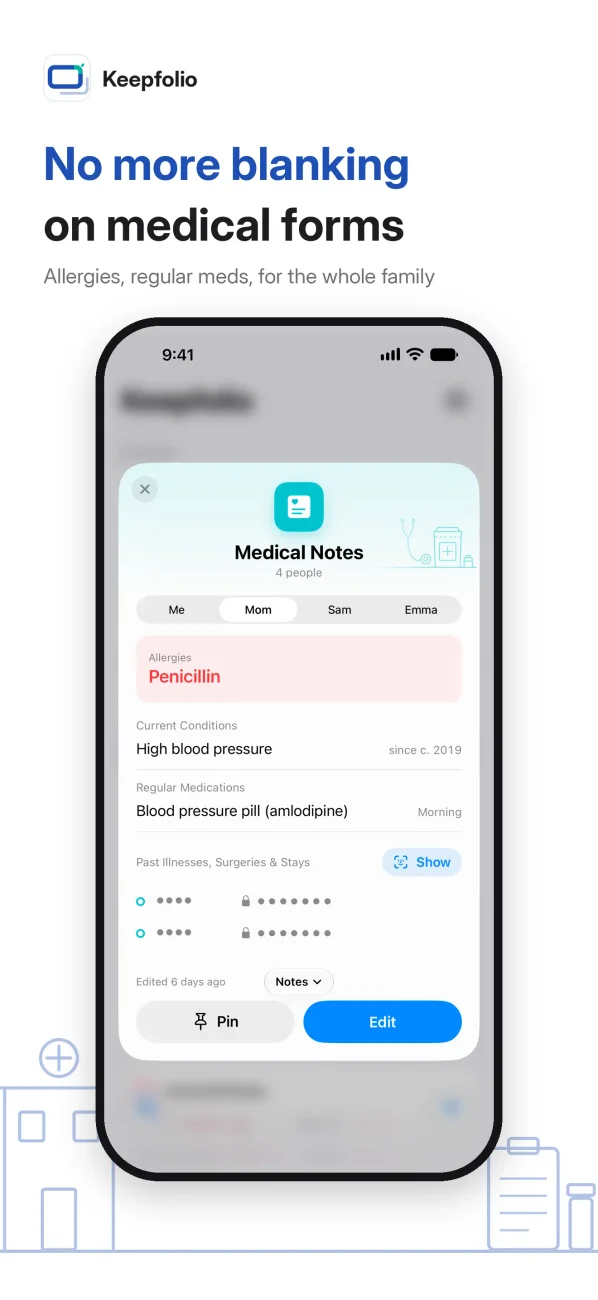
■ No more blanking on medical forms
• Allergies, regular medications, and past illnesses, surgeries and hospital stays with the age at the time, for the whole family on one Medical Notes card
• Allergies come first. Past illnesses are protected with Face ID or Touch ID
• A Clinic Card for each clinic keeps the patient ID, phone and your visits
• Works alongside Medical ID in the Health app: Medical ID is for others in an emergency, Keepfolio is for you
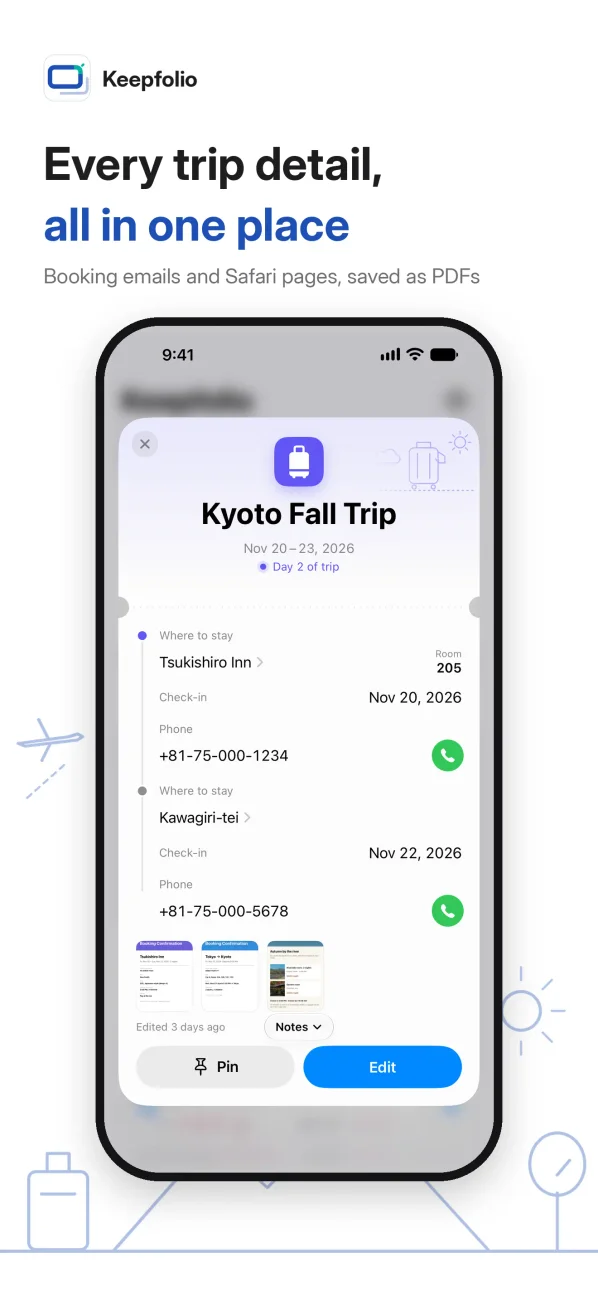
■ Your booking confirmations, on the trip's own card
• One card per trip, with dates, stays and phone numbers
• Tap your stay to show it large for a taxi driver, and note your room number there
• Attach hotel and flight confirmations as PDFs or photos
※ Save an email (Print, Share) or a Safari page (≡, Share) to a card as a PDF
■ From passports to your favorite restaurant
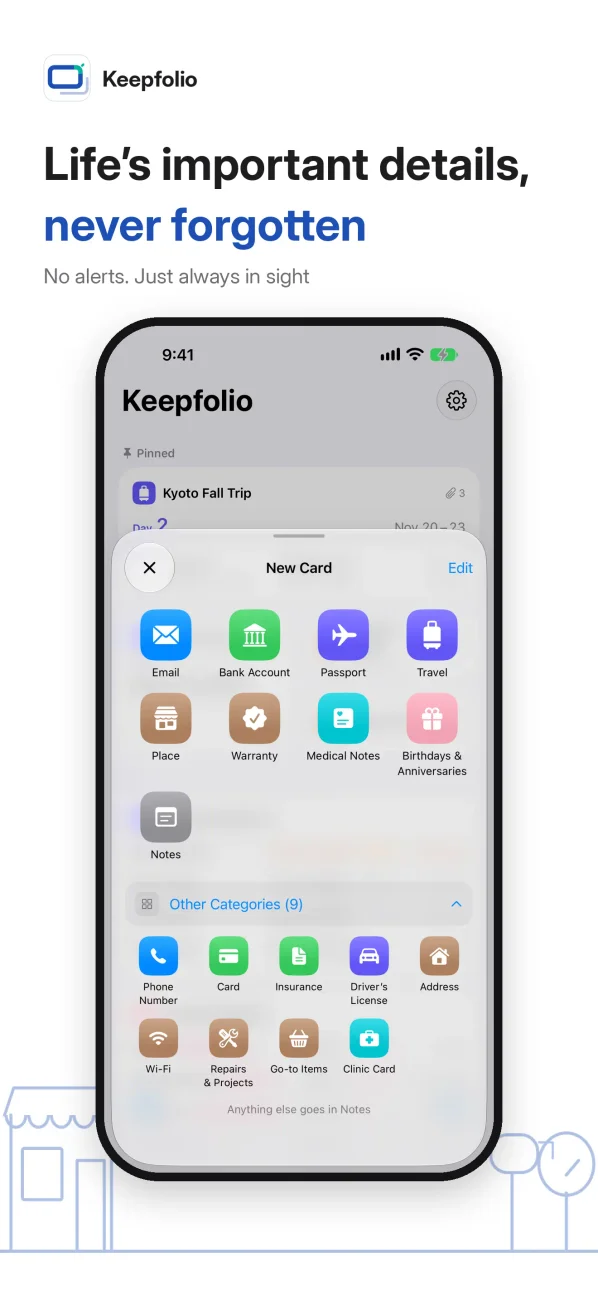
• Templates for passports, bank accounts, cards, travel, places, Wi-Fi, warranties, repairs, go-to items, insurance, medical notes, clinic cards, birthdays and more
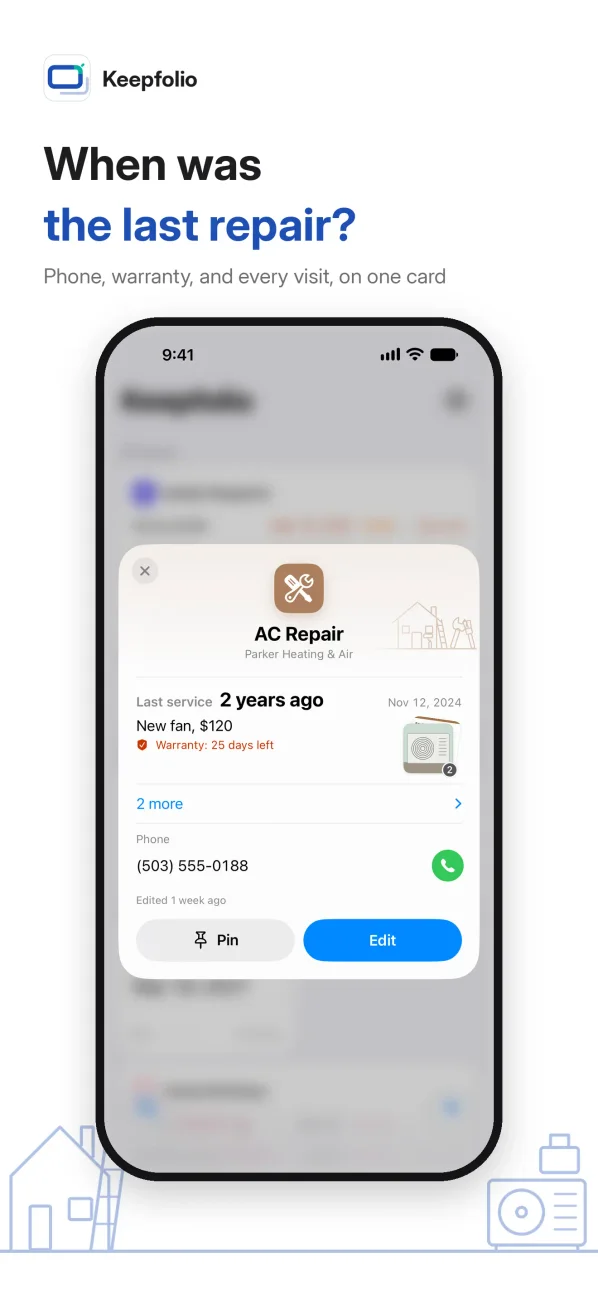
• For the home, three cards:
Warranties: one per product, with the warranty and manual attached
Repairs: one per job, with the contractor, their number and each visit. Home shows "Last: 2 years ago" and "Warranty: 25 days"
Go-to items: what you buy again, by part number
• Fill in only what matters to you. Empty fields stay hidden
• Every card takes a short note. Tap a line to copy, tap a number to call, and search inside attached PDFs
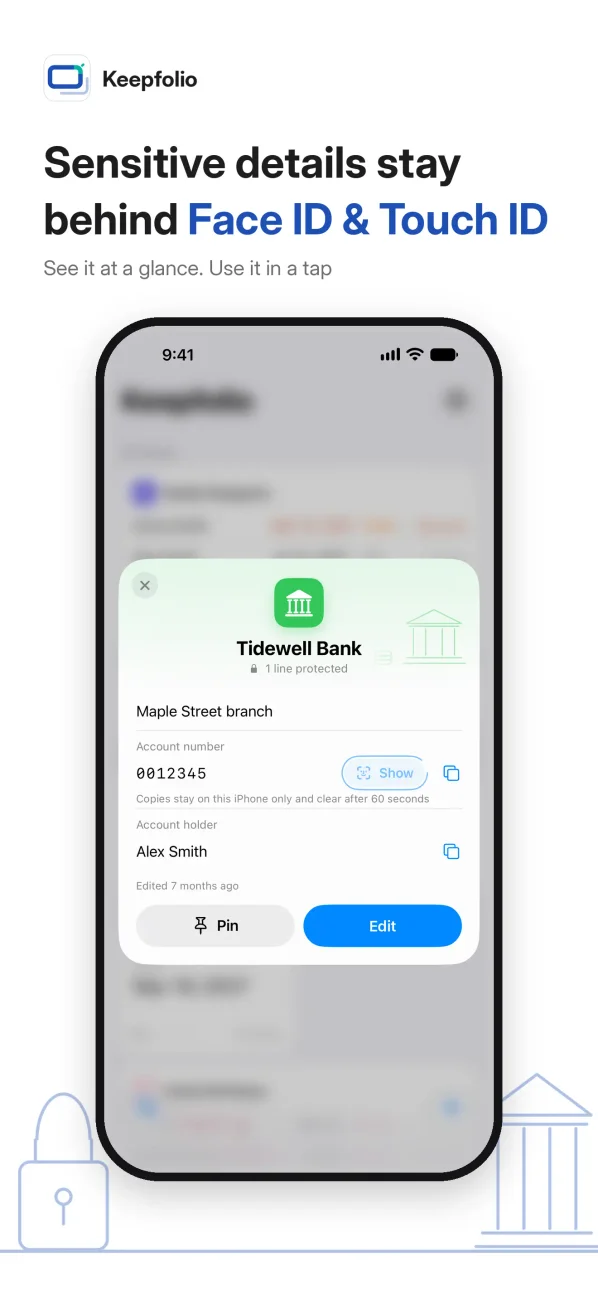
■ Protected with Face ID or Touch ID
• Passport, license, card and account numbers are protected automatically
• Keepfolio sends nothing to the developer. No ads, no account
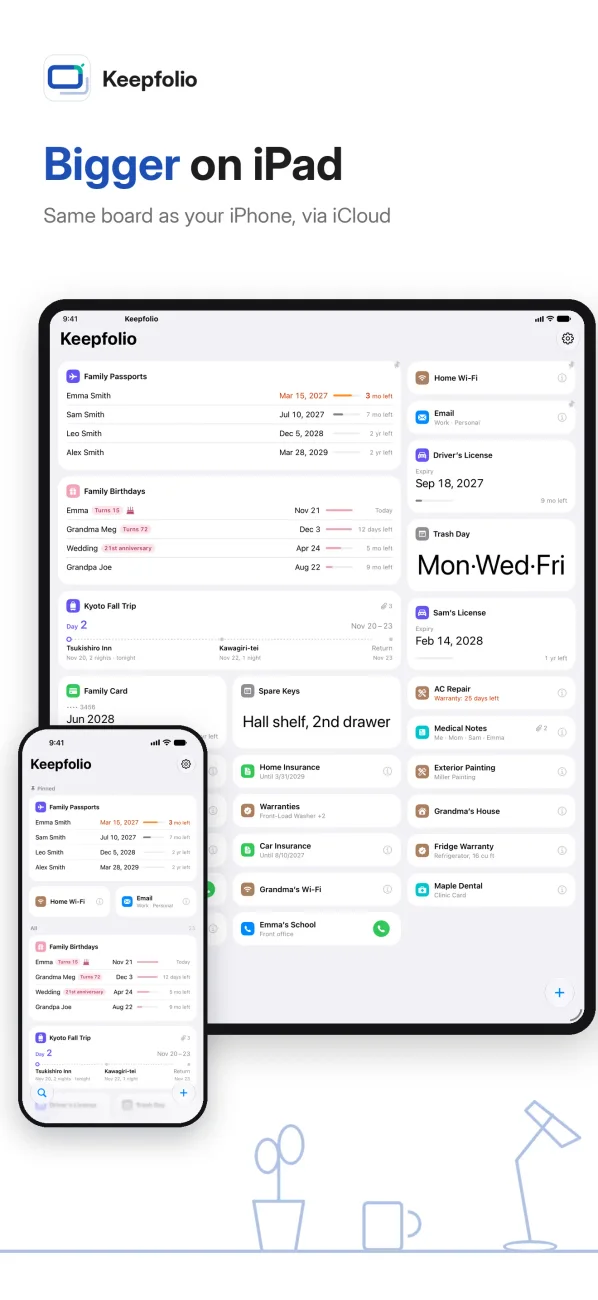
■ Bigger on iPad
• From iPad mini to the 13-inch, your board fills the screen
• Turn on Sync with iCloud to see the same cards on iPhone and iPad, stored only in your own iCloud
■ Made for iPhone Duo
• Open it like a book, stand it like a tablet, close it and it's an iPhone
■ Pricing
• Free for up to five cards, with every feature, including iCloud sync
• A single one-time purchase removes the card limit. Family Sharing supported
• No subscription
■ Please note
• Keepfolio is not a password manager. Keep passwords in a dedicated app such as Apple's Passwords
• Medical Notes is a reference for forms, not medical advice. In an emergency, others should use Medical ID
• Without iCloud sync, nothing is stored in the cloud; your data is in your iPhone backup. If you don't back up, use Export in Settings
Keepfolio: a small extension of human memory.
What’s new
Version 2.1 · Nov 25, 2026
New category: Go-to Items. Keep the part numbers of replacements you buy only once in a while, like air purifier filters or water filter cartridges, together with the device they fit. Everyday items can be saved too, with a photo and part number. Part numbers can also be scanned with the camera.
Pin your Go-to Items to see them large on Home, with photos and names — handy when you shop.
New category: Insurance. Life and medical, auto, home, travel and more, one policy per card. Keep the policy number, the everyday contact, the claims line and the renewal date together, so they are right there after an accident or a hospital stay.
Fill in only what matters to you. Empty fields stay hidden.
When you add more policies, they stack into one on Home. Tap to fan them out, with lapsed and soon-to-renew ones first. Choose how cards are grouped in Settings.
On Home, finished trips and canceled policies now turn gray and move to the bottom.
Minor fixes.
App privacy
What Atsunori Mori declares on the App Store about how this app handles data.
-
Data not collected
The developer does not collect any data from this app.
Privacy practices may vary, for example with the features you use or your age.
Information
- Seller
- Atsunori Mori
- Category
- Productivity
- Version
- 2.1
- Updated
- Nov 25, 2026
- Released
- Nov 3, 2026
- Size
- 11.9 MB
- Requires
- iOS 26.0 or later
- Age rating
- 4+
- Price
- Free
- In-app purchases
- Yes
- Languages
- English, Japanese
- Copyright
- © 2026 Atsunori Mori
You might also like
-
 Kryven Vault - ID & Doc WalletEncrypted ID & Document Safe
-
 あわめもProductivity
-
 Ginger for CreatorsProductivity
-
 消えるメモ|FADEProductivity
-
 Plana - Handwriting PlannerHandwritten planner & calendar
-
 住宅営業マンのための金利電卓-住宅ローンの逆算で商談が変わるProductivity
-
 Air - Unlock Creative FlowCreative Operations
-
 GenTeamAI Team Chat
-
 Tax & Receipt CalculatorJapanese consumption tax
-
 Keep It MobileNotebook & Document Organizer