
Kiki: Draw with AI
Image generation as you paint
Designed for iPad
Free · In-app purchases
- Age rating12+
- CategoryGraphics & Design
- DeveloperDONALD MATTHEW PINKUS
- LanguagesEnglish
- Size108.5 MB
Links to the official App Store page
Download.org hosts no file of Kiki: Draw with AI. The button opens its official App Store page, published by DONALD MATTHEW PINKUS. Listing last checked on Nov 23, 2026.
Screenshots
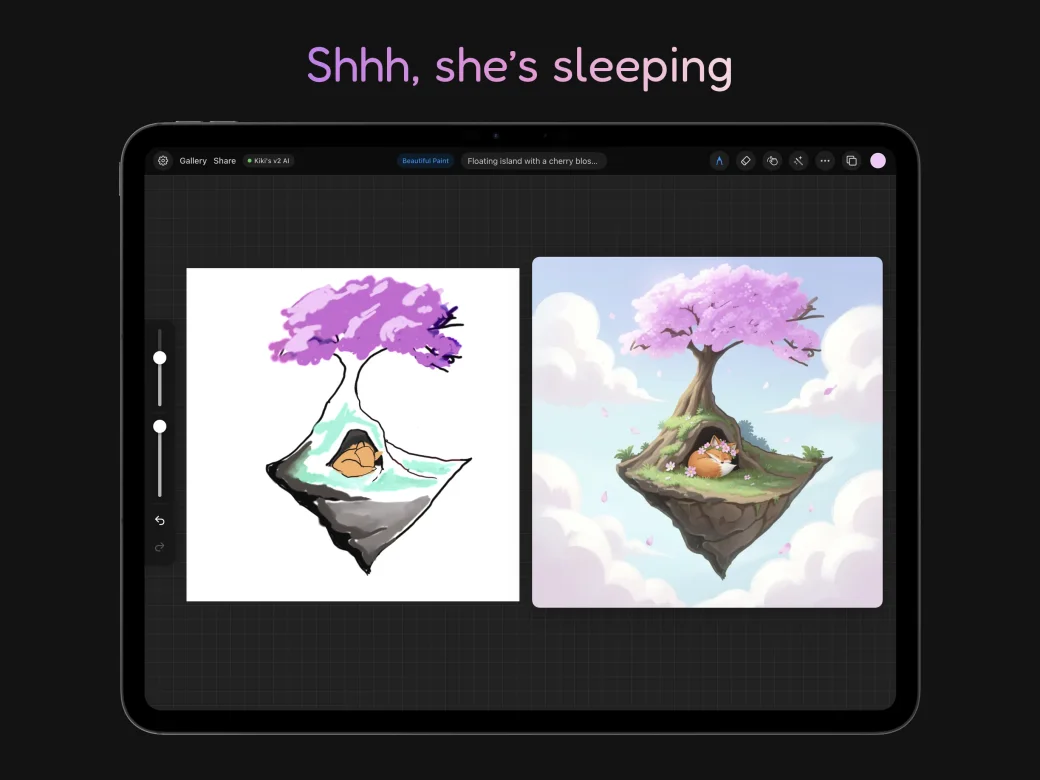

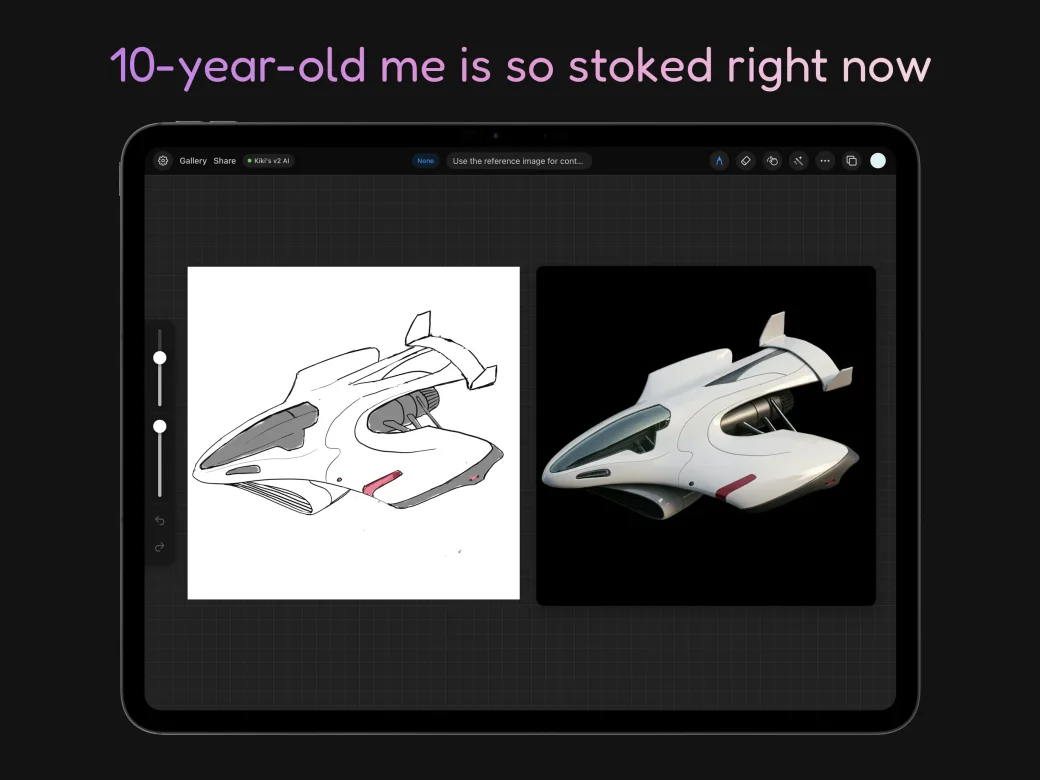
About
You draw, Kiki dreams. In real time.
Kiki Draw turns your sketch into a finished picture while you are still drawing it. Put down a line with Apple Pencil and the image on the right redraws itself in under a second. Keep going: add a horizon, a figure, a dragon, and Kiki keeps up. Describe what you want in a sentence, pick a style, and the same sketch becomes a watercolor, an oil painting, a comic panel or a photo.
A REAL DRAWING APP
• A 120 Hz Metal canvas built for Apple Pencil: pressure, tilt, stabilization
• Pencils, inks, markers, airbrush and a set of wet painting brushes that mix like real paint
• Layers with blend modes, opacity, lock and alpha-lock
• Lasso and automatic selection, move, copy, paste
• Pan, zoom and rotate the canvas with two fingers
AI THAT PAINTS WITH YOU
• Live generation: every stroke updates the picture, no Generate button
• Styles: pick a look and the whole picture changes instantly
• AI Edit: circle part of your drawing and describe a change
• Posable 3D figure for reference: drop a mannequin, pose it, draw over it
• Extract: lift an object out of a generated image into a 3D model you can place at any angle
• Objects library: save cut-outs and pin them so the same character shows up consistently
SHARE THE PROCESS
• Speed-paint replay: Kiki records your drawing and renders a side-by-side video of your sketch and the generated picture, ready for Instagram or Photos
MADE FOR iPAD
Landscape, full screen, Apple Pencil first. Works on iPad Pro, iPad Air and iPad mini with iPadOS 18.2 or later.
FREE TO START
Every account gets a free monthly generation allowance. Kiki Pro is an optional auto-renewing monthly subscription that removes the limit. Price is shown in the app; manage or cancel any time in your Apple ID subscription settings.
PRIVACY
Your sketches and prompts are sent to our servers to generate the image, and we tell you exactly where they go before you start. Nothing is used to train AI models. Delete your account from inside the app at any time.
Privacy Policy: https://kiki-backend-production-eb81.up.railway.app/legal/privacy
Terms of Use: https://kiki-backend-production-eb81.up.railway.app/legal/terms
What’s new
Version 1.0.3 · Nov 14, 2026
Polish and improvements under the hood.
App privacy
What DONALD MATTHEW PINKUS declares on the App Store about how this app handles data.
-
Data linked to you
May be collected and linked to your identity.
- Purchases
- Contact info
- User content
- Identifiers
- Usage data
- Diagnostics
Privacy practices may vary, for example with the features you use or your age.
Information
- Seller
- DONALD MATTHEW PINKUS
- Category
- Graphics & Design
- Version
- 1.0.3
- Updated
- Nov 14, 2026
- Released
- Nov 6, 2026
- Size
- 108.5 MB
- Requires
- iOS 18.2 or later
- Age rating
- 12+
- Price
- Free
- In-app purchases
- Yes
- Languages
- English
- Copyright
- © 2026 Donald Pinkus
You might also like
-
 Draw ComicsDrawing, Panels & Lettering
-
 LocalMuse: Offline AI ArtPrivate AI Image Studio
-
 AI Art Generator: DRAWPOP!Make drawings come live
-
 Realtime AI Drawing : ArtistrySketchbook Image Upscale Draw
-
 ArmorPaint3D Texture Painting
-
 Meld - 3D Modeling3D Modeling on the Go
-
 Mosaiq - Animate Your WorldCreate beautiful animations
-
 Realtime Drawing : Turbo PaintSketch,Doodle to Create AI Art
-
 DotShakeAnimated Drawing & GIF Art
-
 Conjure: Offline AI ImagesPrivate AI Image Generator