Klava Keyboard
Themes! Gestures! Privacy!
Designed for iPhone, iPad
Free · In-app purchases
- Age rating4+
- CategoryUtilities
- DeveloperNikita Shimkus
- LanguagesEnglish
- Size81.5 MB
Links to the official App Store page
Download.org hosts no file of Klava Keyboard. The button opens its official App Store page, published by Nikita Shimkus. Listing last checked on Nov 18, 2026.
Screenshots

About
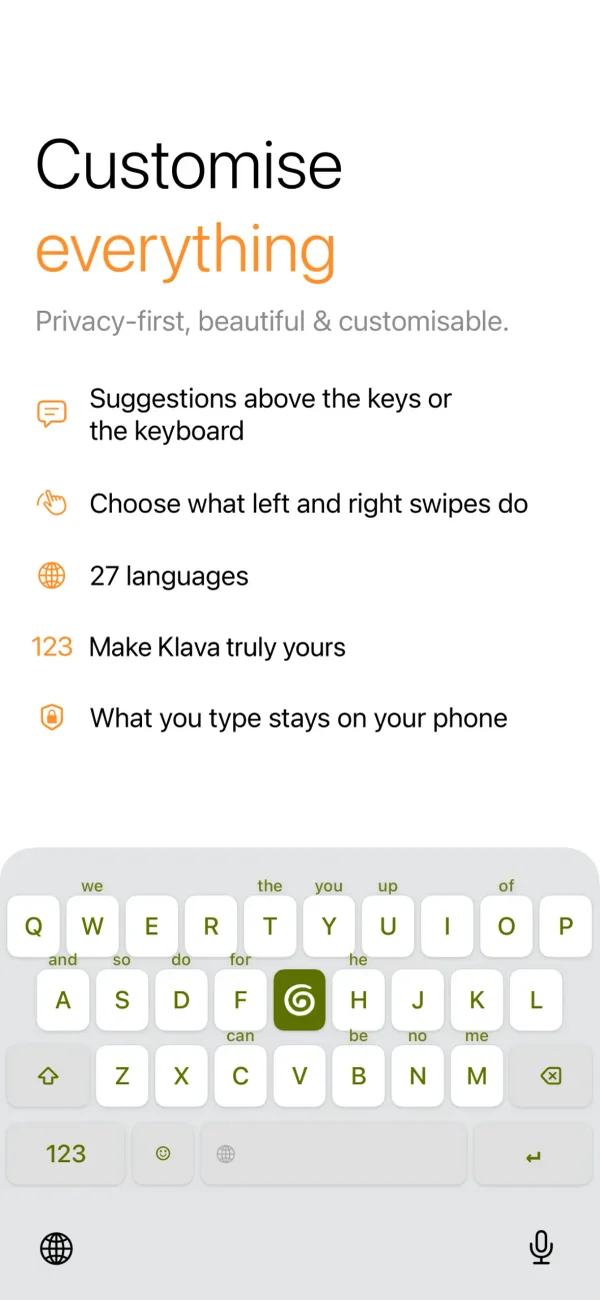
Many keyboards are boring. Some track what you type. Plenty just don't work. Klava ain’t any of that. Klava keyboard brings together smart above-key predictions, stunning themes, sick features and rock-solid privacy. And a bunch of other cool stuff (that you can customise or turn on / off).
What Klava has that others don’t:
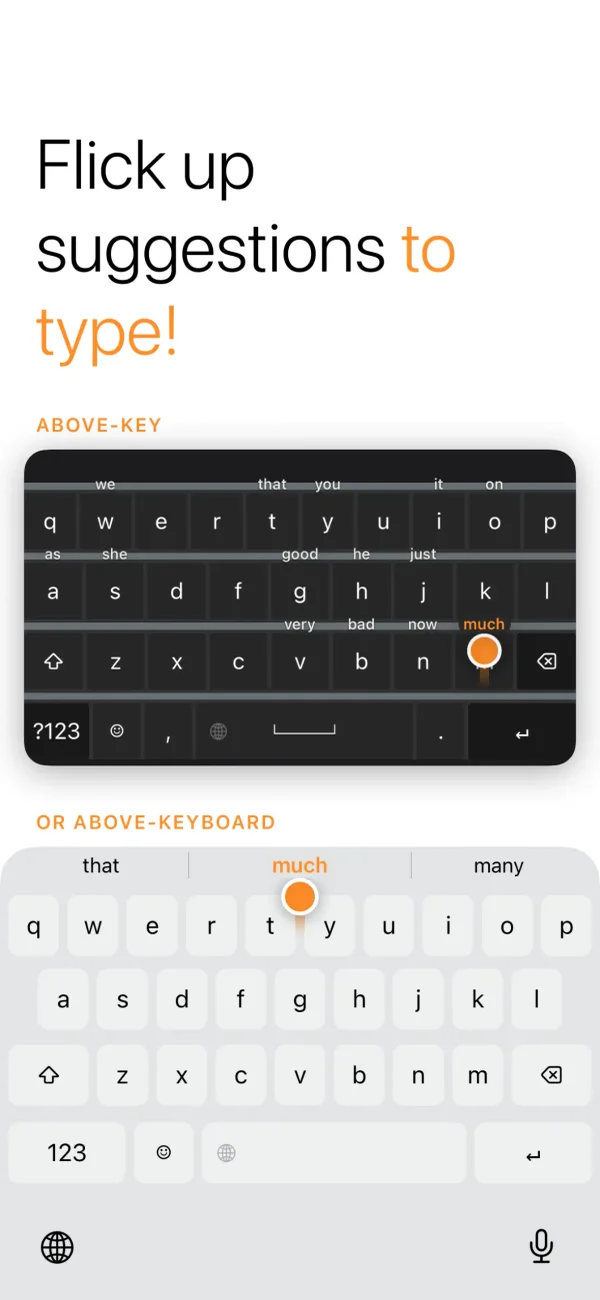
- Smart above-key and above-keyboard suggestions that you can flick up. Like the good ol’ BlackBerry days
- Privacy. Klava learns as you type, but what you type doesn’t ever leave the device. As it should be. Keep what's yours, we don't want to know that!
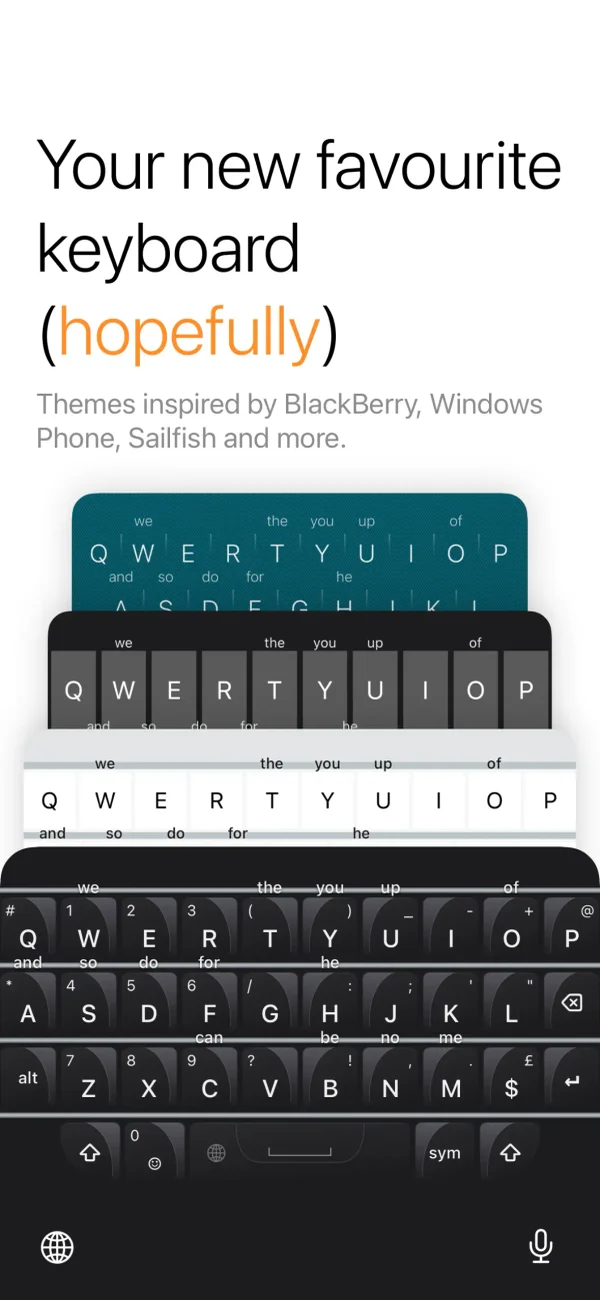
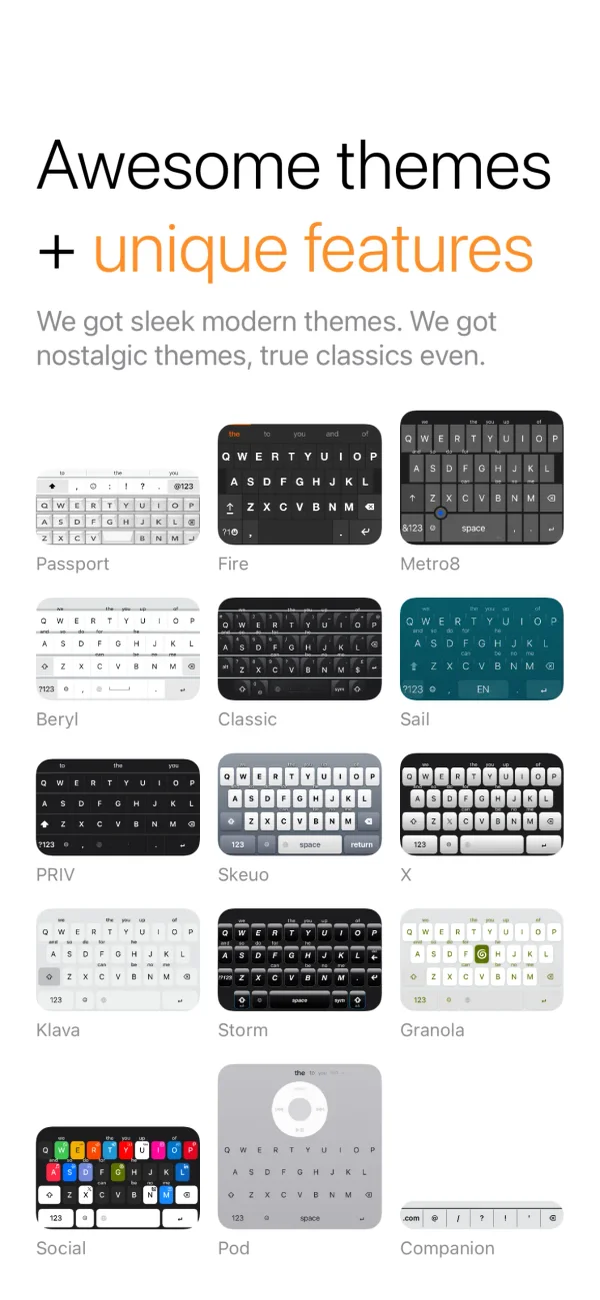
- Beautiful themes, each with unique features. We got sleek modern themes. We got nostalgic themes, true classics even. We got more themes cooking as you are reading this
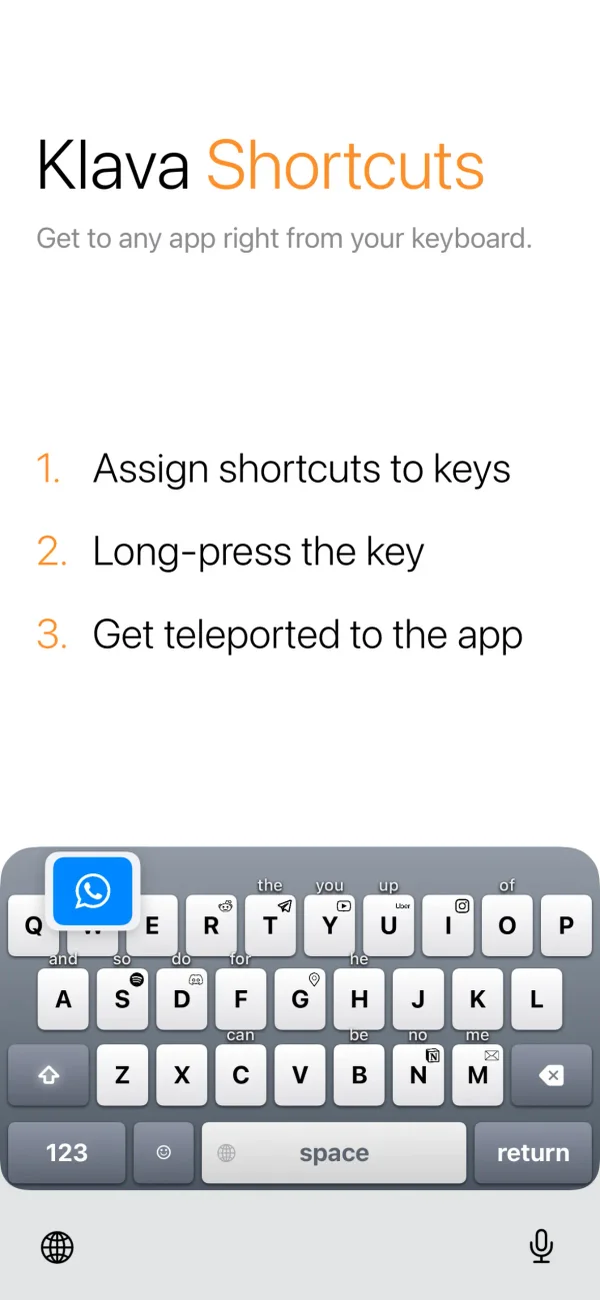
- App shortcuts, a true revolution! Assign apps to keys & then jump to the app of your choice by simply long-pressing the key
- High personalisation. Customise font size, colours, buttons and so on. Make Klava what you want it to be
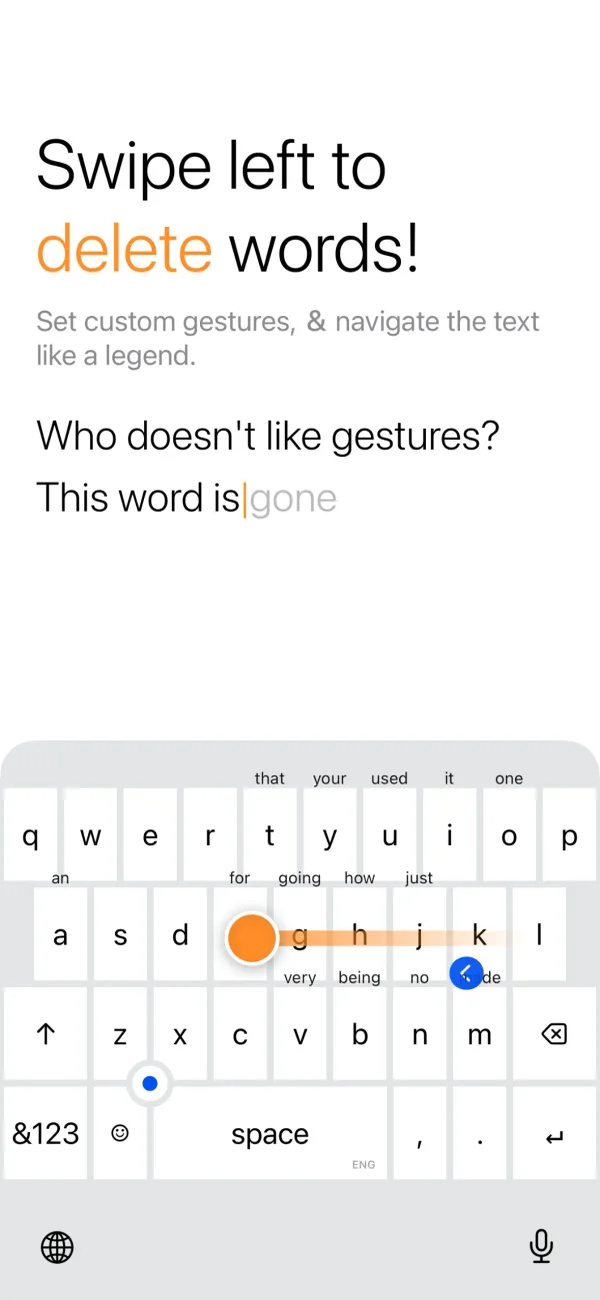
- Gestures that feel awesome. Our favourite: swipe left across the keyboard to delete words. Or set a custom action to the 'swipe left / right' gestures!
- Autocorrect is here, plus text navigation with Cursor Mode via WASD or a joystick in some themes. It’s super nice
- Built-in emojis. What’s more, type things like :) or :phone to get an instant emoji suggestion. Truly :fire (can't put emojis here, imagine one!)
- You can switch keyboard layouts by simply holding the spacebar, smooth as heck
- We could go on, but that’s probably enough for the App Store page. Last thing: we are releasing major updates for Klava at least every month, so expect more themes, features, languages and just plain new & nice stuff regularly
Klava currently supports 25+ languages with more in the making:
- English (US/GB)
- Spanish (Español)
- French (Français)
- German (Deutsch)
- Dutch (Nederlands)
- Italian (Italiano)
- Portuguese (Português)
- Russian (Русский)
- Finnish (Suomi)
- Hungarian (Magyar)
- Polish (Polski)
- Romanian (Română)
- Swedish (Svenska)
- Bulgarian (Български)
- Indonesian (Bahasa Indonesia)
- Czech (Čeština)
- Vietnamese (Tiếng Việt)
- Arabic
- Danish (Dansk)*
- Croatian (Hrvatski)*
- Norwegian (Norsk)*
- Turkish (Türkçe)*
- Greek (Ελληνικά)*
- Serbian (Српски)*
- Ukrainian (Українська)*
- Hebrew*
- Thai (ไทย)*
*These languages don't support predictions above keys just yet, but you can type in your favourite themes in your language's layout!
If you have ideas, feedback, want to say hi or give us a scolding (only if well-deserved!), drop a message to type@klava.space
Terms of Use: https://www.klava.space/terms
What’s new
Version v1.9.1 · Nov 13, 2026
Autumn delivered, and it was well worth the wait - a good way to celebrate 1 year since Klava development began! Some build on top...
TL;DR: two new themes, a much smarter and sleeker Klava, plus more customisation than ever! Swipe down for symbols on every theme, autocorrect undo over the space bar, an optional number row, English and German rebuilt from scratch, fixes for six more languages, a faster keyboard and a bunch of bug fixes.
What’s new:
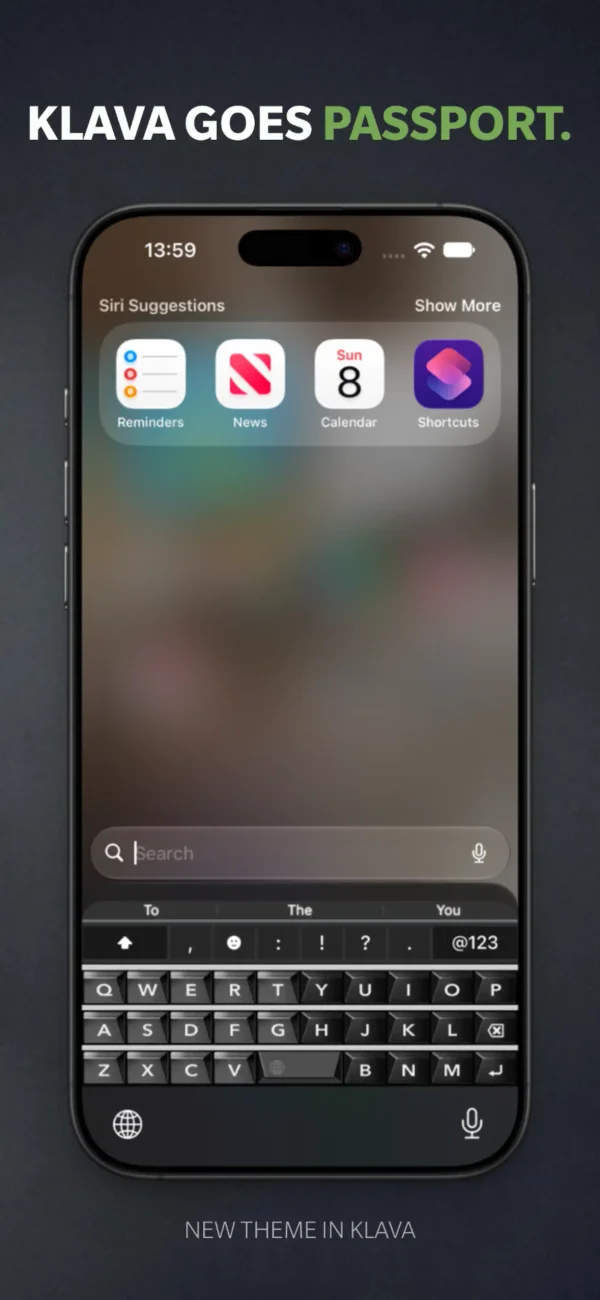
- Passport Theme: inspired by one of the most unique keyboards out there. Three rows of sculpted keys, a virtual row above them, and an intuitive symbols grid that opens above the keys or instead of them. Nice & square
- Fire Theme: modelled after the not-so-fire phone, it offers five word suggestions above the keys. Maybe this keyboard will finally be fire
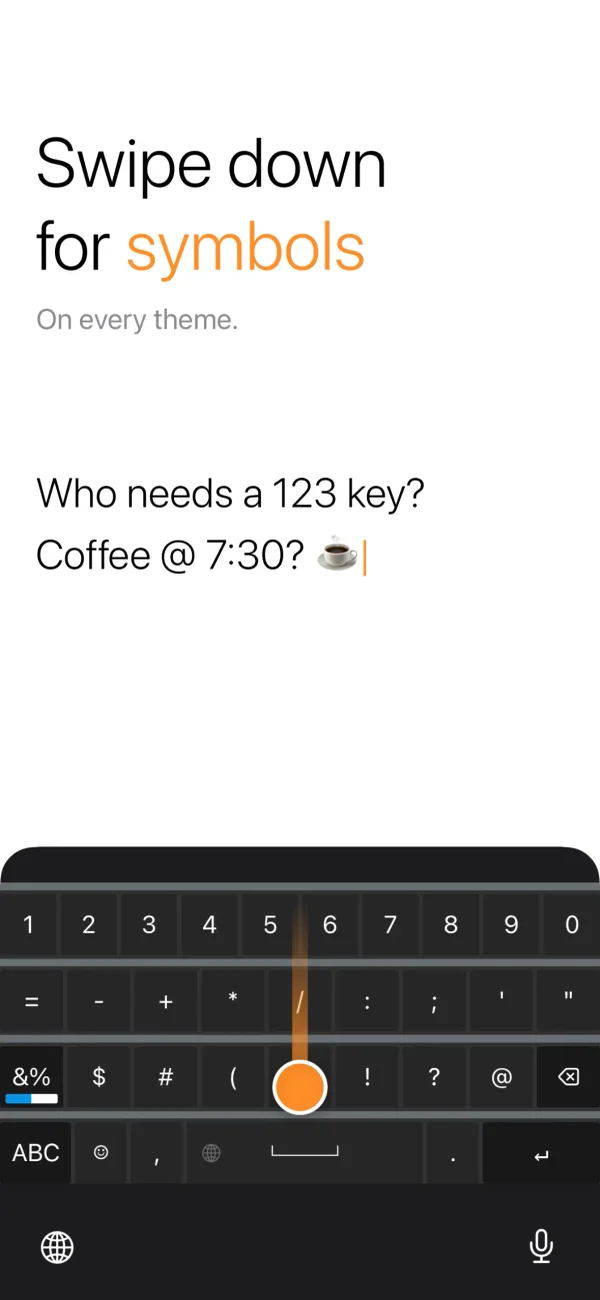
- Swipe Down for Symbols: now on every theme, not just Beryl and PRIV. Swipe again for more symbols, once more for letters. Not a fan? Switch it off in the Features tab
- Autocorrect Undo: the corrected word now shows over the space bar. Flick the space bar up to get it back, and Klava remembers it for next time
- Number Row: after many requests, an optional row of digits above the letters, styled by your theme. Find it in the Features tab
- Swipe Left to…: delete words & more. It’s now customisable just like swipe right, and swipe right can delete words too. When we say make Klava truly yours we mean it
- PRIV Theme Colours: pick any colour you like, by popular demand
- English and German Engine Updates: English and German rebuilt from scratch with 3x and 2.5x the words respectively. German also has proper capitalisations for most nouns now. Wunderbar
- More Languages: Polish, Romanian, Russian, Swedish, Hungarian, and virtually most other engines got an update, a fix, or some sort of improvement
- iPhone Duo: Klava is ready for the foldable, folded or open. Damn it looks sick
- Sleekest Onboarding: rebuilt again, it’s such a pleasant intro to Klava now!
- Theme Store: every card shows its keyboard, and theme pages got a fresh look
- Speed & Fixes: the keyboard opens up faster, tall themes (hi Metro8) no longer jump on open, landscape keys now fill the keyboard, globe key on iPad / Duo / old iPhones looks better, key labels are actually the Medium size the app always said they were, Arabic marks no longer type a stray dotted circle, plus heaps of bug fixes and performance improvements
App privacy
What Nikita Shimkus declares on the App Store about how this app handles data.
-
Data not collected
The developer does not collect any data from this app.
Privacy practices may vary, for example with the features you use or your age.
Information
- Seller
- Nikita Shimkus
- Category
- Utilities
- Version
- v1.9.1
- Updated
- Nov 13, 2026
- Released
- Jan 26, 2026
- Size
- 81.5 MB
- Requires
- iOS 17.6 or later
- Age rating
- 4+
- Price
- Free
- In-app purchases
- Yes
- Languages
- English
- Copyright
- © 2026 Nikita Shimkus
You might also like
-
 keyboard2Private autocorrect & swipe
-
 EFKey – Swipe & AI KeyboardTranslate, dictate, gestures
-
 NuKeyA keyboard with character
-
 Keyz KeyboardUtilities
-
 Quick Kibo: Custom KeyboardFast Typing, Clipboard, Themes
-
 MarAI KeyboardSmart keyboard for Polyglots
-
 MyKeyboard LegacyClassic Keyboard
-
 RGBoard: Animated keyboardAnimated typing feedbacks
-
 Quiche BrowserPrivate, Fast, Customizable
-
 Clipboard Manager - OneTapCopy Paste History & Shortcuts