knoself
Time Tracker & Micro-journal
Designed for iPhone, iPad, Mac
Free · In-app purchases
- Age rating12+
- CategoryProductivity
- Developerhu chundong
- LanguagesEnglish+ 2 more
- Size110.9 MB
Links to the official App Store page
Download.org hosts no file of knoself. The button opens its official App Store page, published by hu chundong. Listing last checked on Nov 22, 2026.
Screenshots


About
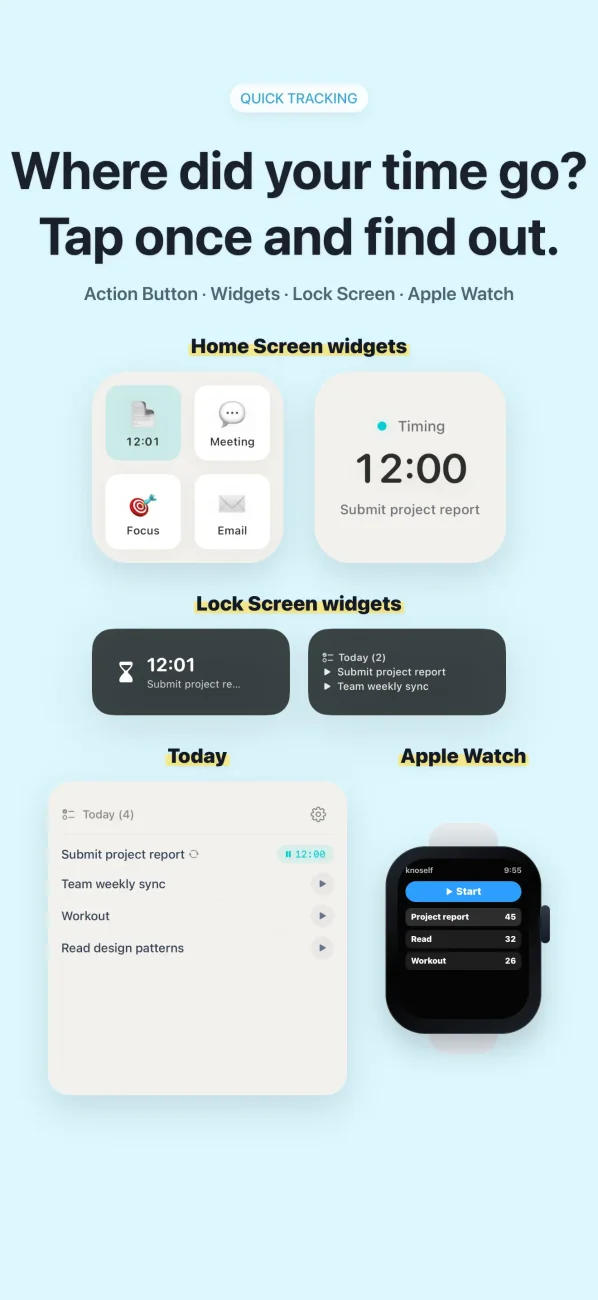
Where did your time go? knoself captures it as it happens: tap to start, add a line when you stop, and every stretch of real effort becomes a card you can look back on.
It is not another to-do list. knoself records time you already spent — and what you were thinking, feeling, and taking away. A week later, that reads far clearer than "I remember being busy."
Start in three steps
1. Tap: start a timer from the Action Button, a widget, the Lock Screen, Apple Watch, or inside the app
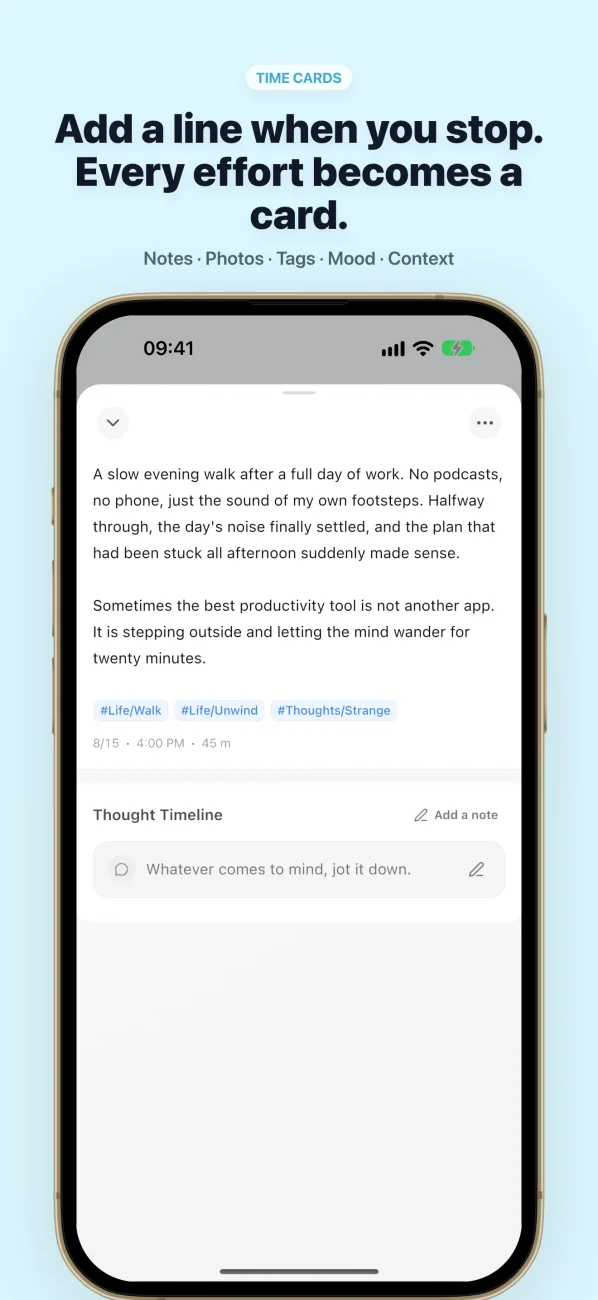
2. Add a line: note your thoughts, mood, and context while it runs or after, with # tags and photos
3. Look back: see your rhythm in the journal timeline, 24-hour chart, and tag stats
What makes knoself different
【Start Anywhere】No need to open the app first. Begin from the Action Button, Home Screen widgets, Lock Screen, Apple Watch, the Today Reminders widget, a task, or a calendar event. On Mac, press ⌘T.
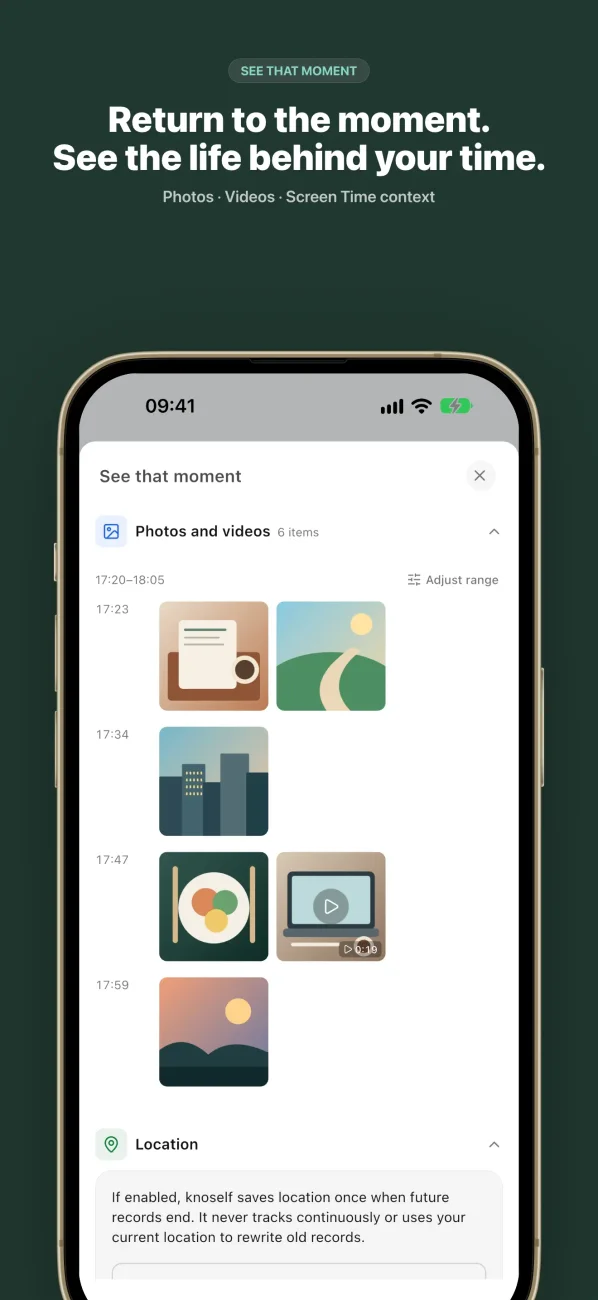
【Time Cards】Every finished timer is saved as a card. Along with the duration, it keeps your notes, ideas, mood, context, and takeaways. Bring up photos and videos from that period to revisit the moment.
【Journal Timeline】The home timeline groups entries by day with date dividers, so timers and journals read as one day. An all-day journal entry captures the day without counting as focused time.
【Daily Rhythm Heatmap】A compact 6×4 heatmap sits before each date: darker cells mean more logged, split into night, morning, afternoon, and evening — the day's rhythm at a glance.
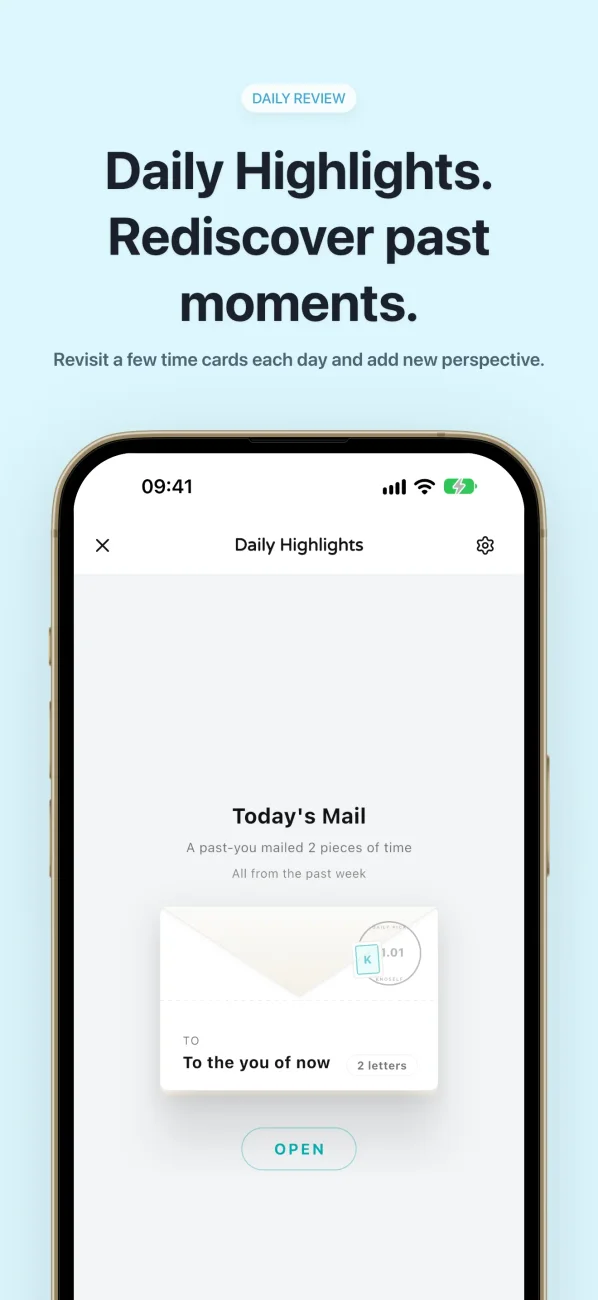
【Daily Highlights】Each day, knoself picks a few cards from your past and walks you through them. Add a fresh line as you go, or exclude tags you would rather not revisit.
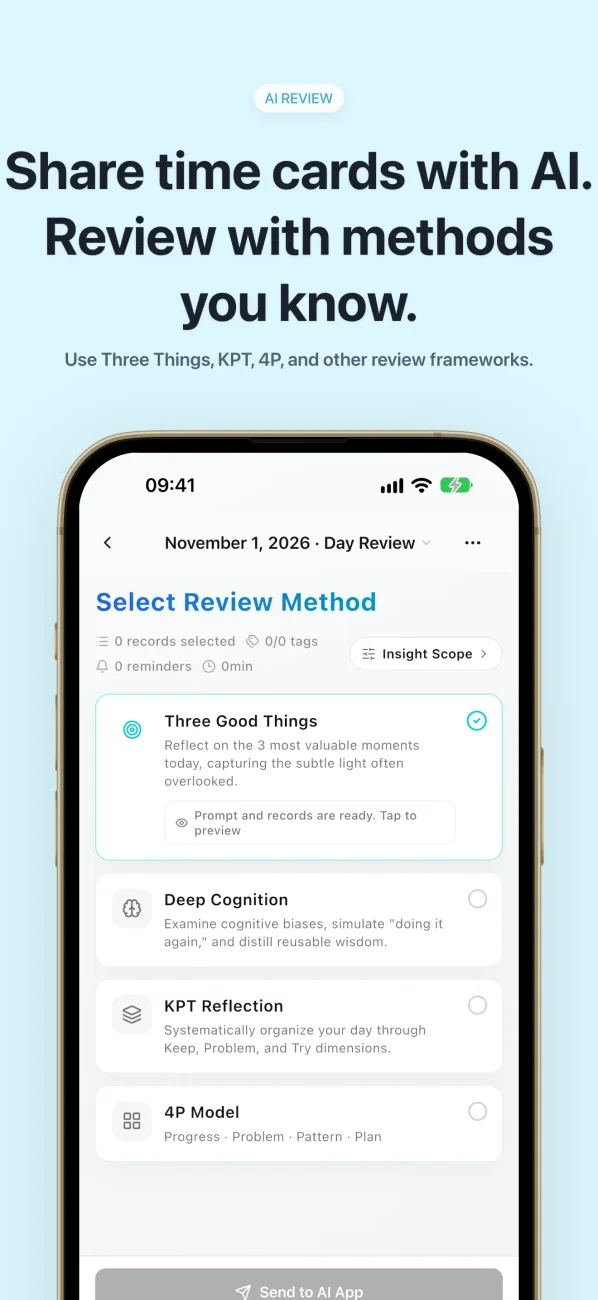
【Let AI Review It With You】Share time cards with an AI and analyze them with Three Things, KPT, or 4P. On Mac, a local MCP service lets your AI assistant query records or start and stop timers after you confirm — no account, nothing uploaded.
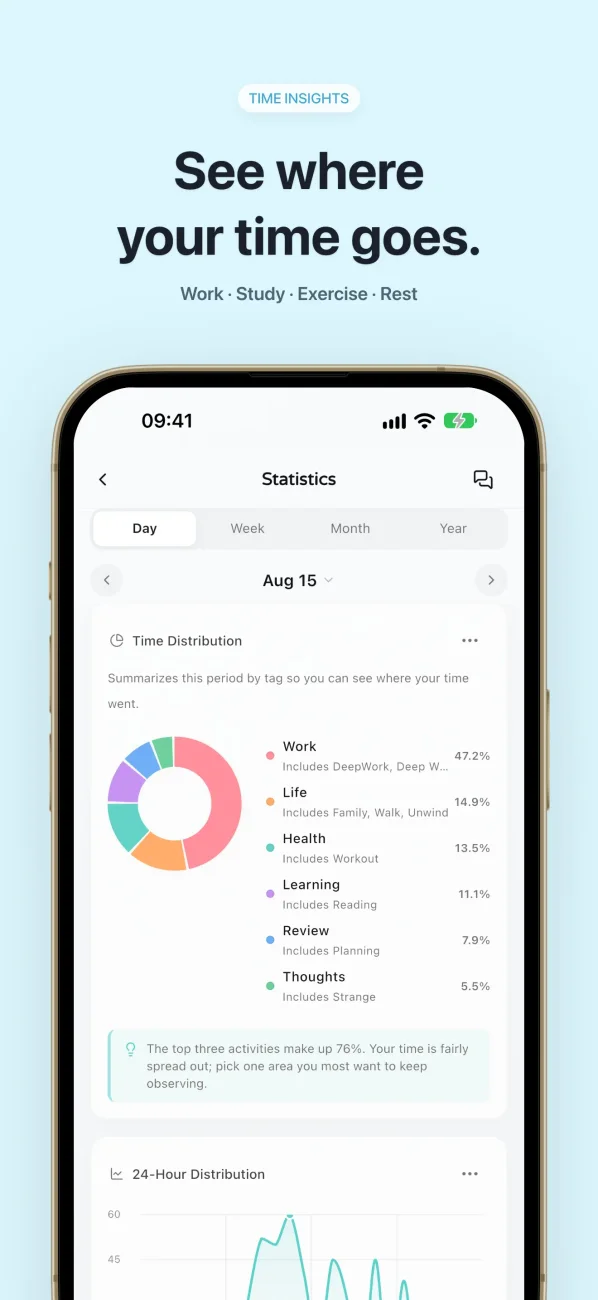
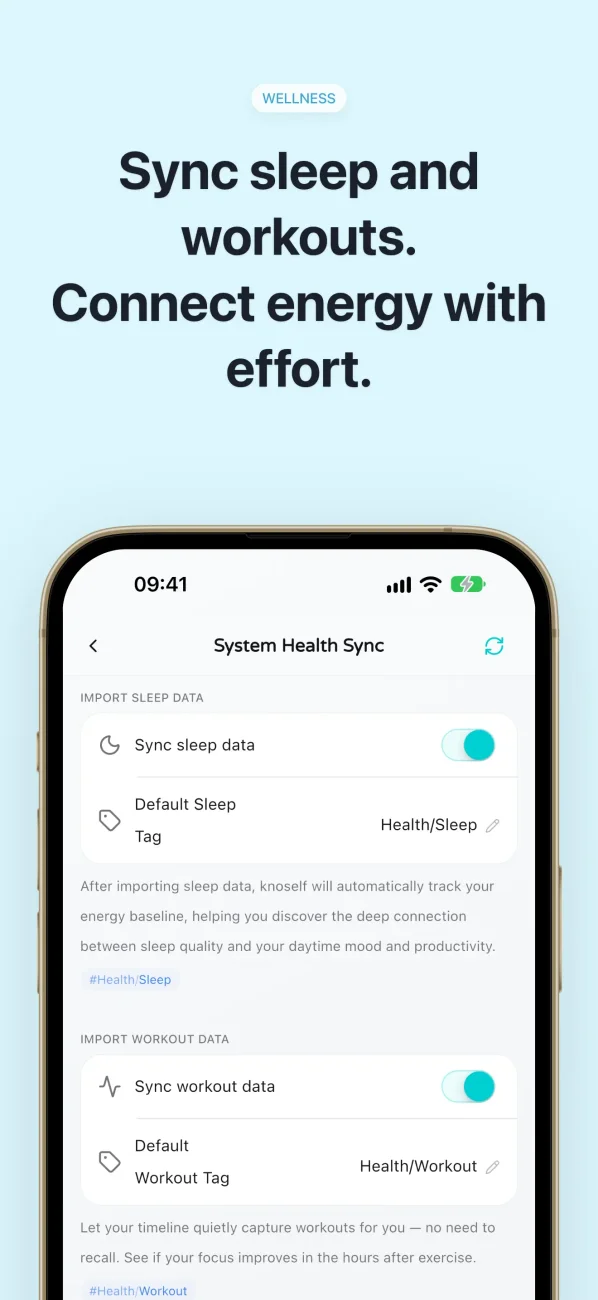
【Tags and Statistics】Mark projects, contexts, state, energy, and mood with # tags. Time composition, a 24-hour chart, a year heat map, and tag statistics show what consumed your time and when focus comes easiest. Mindfulness, sleep, and workouts from Apple Health sit alongside your own records.
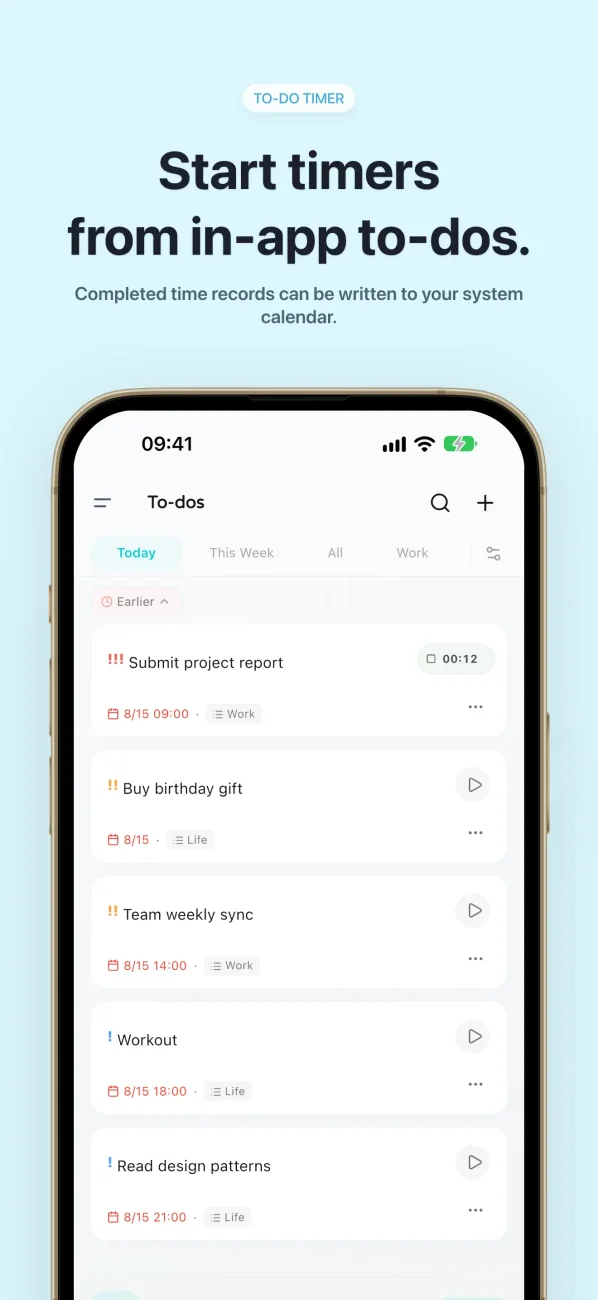
【Tasks and Calendar】Create tasks with dates, times, repeats, alerts, photos, and tags, and lay out the week as an agenda or a board. Share an image, text, or link and let on-device recognition fill in the details before you save. With Calendar access, view events, start timing from one, and write finished records back when you choose.
【Multi-device, Local First】Works on iPhone, iPad, Mac, and Apple Watch. Records stay on your device by default, iCloud sync is optional, and you start every share and export yourself.
Who uses knoself
- Freelancers and consultants: capture time scattered across clients and projects, so month-end is not guesswork
- Students: see the hours actually spent at the desk, not the feeling of all-day study
- Creators and researchers: log when ideas and flow tend to arrive, and find your own high-focus window
- Anyone slowing down: revisit a past day with Daily Highlights and leave yourself one new line
What it does not do
knoself is built for personal records — no team timesheet approval, no client billing or invoicing, no full calendar and meeting management, and no monitoring of the apps or websites you use in the background.
Privacy and data
- Records stay on your device by default
- Text recognition happens on device
- iCloud sync is optional; no account needed to start
- Sharing and export only happen when you start them
What you get is not a string of minutes. It is real evidence about your attention, mood, habits, and the rhythm of your days.
The first minute you record today is the one you can revisit next week.
Agreements
Auto-renewable subscription terms: https://knoself.com/en/iap_policy/
Privacy policy: https://knoself.com/en/privacy/
Terms of use: https://knoself.com/en/terms/
What’s new
Version 2.11.0 · Nov 2, 2026
Starting a record and revisiting one both got smoother: press ⌘T on Mac to start timing right away, and the home timeline is now a single journal flow where a day of timers and journals reads as one piece.
New
- ⌘T on Mac: start timing as soon as the window has focus, no hunting for the entry point
- Quick tags on the timer page: suggestions now include a Recent row, and tags carried by a linked task show up too
- Week view shows the ISO week number, so plans across weeks are clear at a glance
- More reliable Notion export: fields are filled in on connect, and deletions propagate
Improved
- The home timeline is now journal flow only, with no view switching
- Task details became a single sheet that connects the body and your thought trail
- Long entries support inline "… More" expansion, and the expanded state survives scrolling
- When a Mac stops a timer, the iPhone widget, Lock Screen, and Apple Watch stop with it
- More reliable iCloud sync: low device storage is reported clearly, and temporary files no longer count toward device backups
- Fixed tag completion, photo selection, and image deletion in the viewer, among other details
Thanks for using knoself. The first minute you record today is the one you can revisit next week.
App privacy
What hu chundong declares on the App Store about how this app handles data.
-
Data not linked to you
May be collected but is not linked to your identity.
- Identifiers
- Diagnostics
Privacy practices may vary, for example with the features you use or your age.
Information
- Seller
- hu chundong
- Category
- Productivity
- Version
- 2.11.0
- Updated
- Nov 2, 2026
- Released
- Feb 26, 2026
- Size
- 110.9 MB
- Requires
- iOS 16.6 or later
- Age rating
- 12+
- Price
- Free
- In-app purchases
- Yes
- Languages
- English, Simplified Chinese, Traditional Chinese
- Copyright
- © 2026 huchundong
You might also like
-
 SentinoteProductivity
-
 Tempo: ADHD Planner & FocusEnergy forecast & calm routine
-
 PACT - ADHD Friendly TimerPomodoro timer for ADHD brains
-
 Blocks: Budget Time BetterPrivate Time Budget & Timer
-
 HabiTamer - ADHD Focus TimerCombat Time Blindness & Focus
-
 takt. Aesthetic Focus TimerPomodoro Study & Deep Work
-
 Resonote - Save QuotesCommonplace Book & Reflections
-
 Focus Blocks: Pomodoro PlannerPlan. Focus. Own your day.
-
 Koku - Focus TimerFocus timer for deep work
-
 Daily Routine Planner FocusBFFVisual Schedule & Time Block