
타닥타닥 - Korean Typing
Practice Hangul on a Keyboard
Designed for iPhone, iPad, iPod touch
Free · In-app purchases
- Age rating4+
- CategoryUtilities
- DeveloperDongcheon Jeong
- LanguagesKorean
- Size68.9 MB
Links to the official App Store page
Download.org hosts no file of 타닥타닥 - Korean Typing. The button opens its official App Store page, published by Dongcheon Jeong. Listing last checked on Nov 20, 2026.
Screenshots



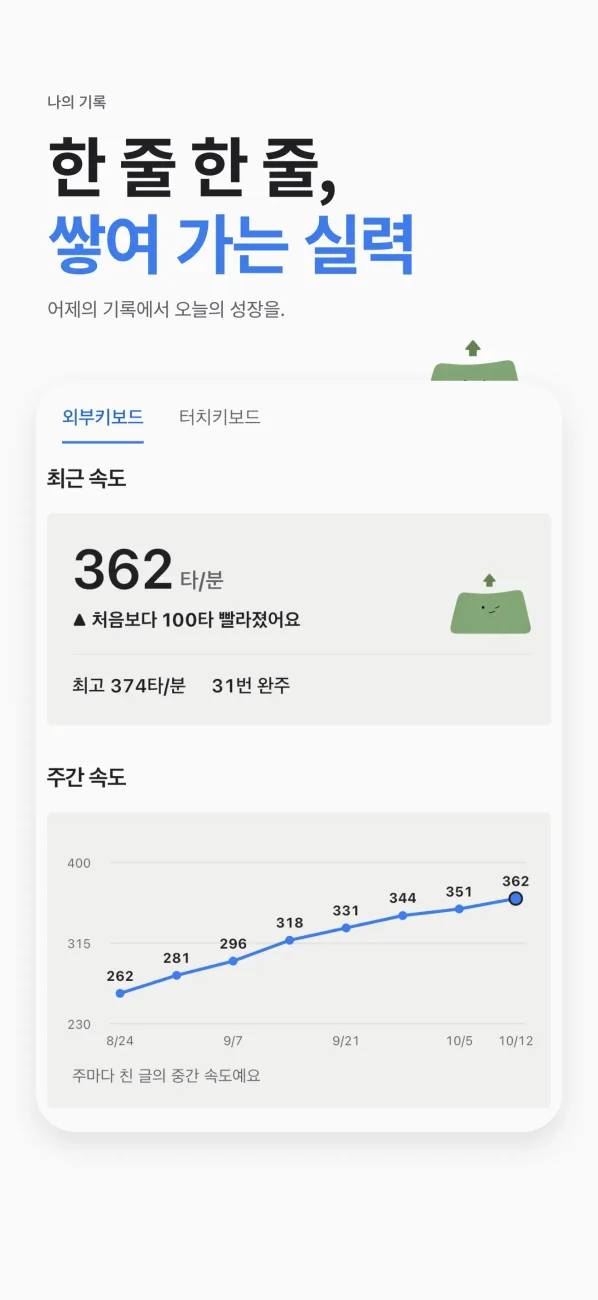
About
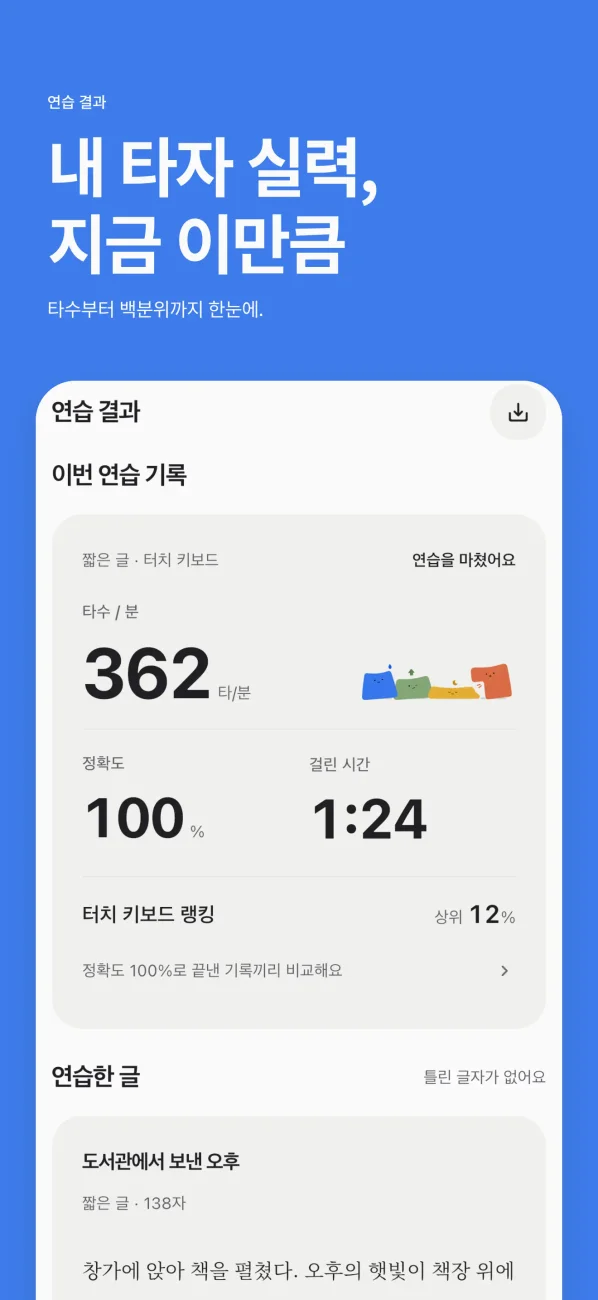
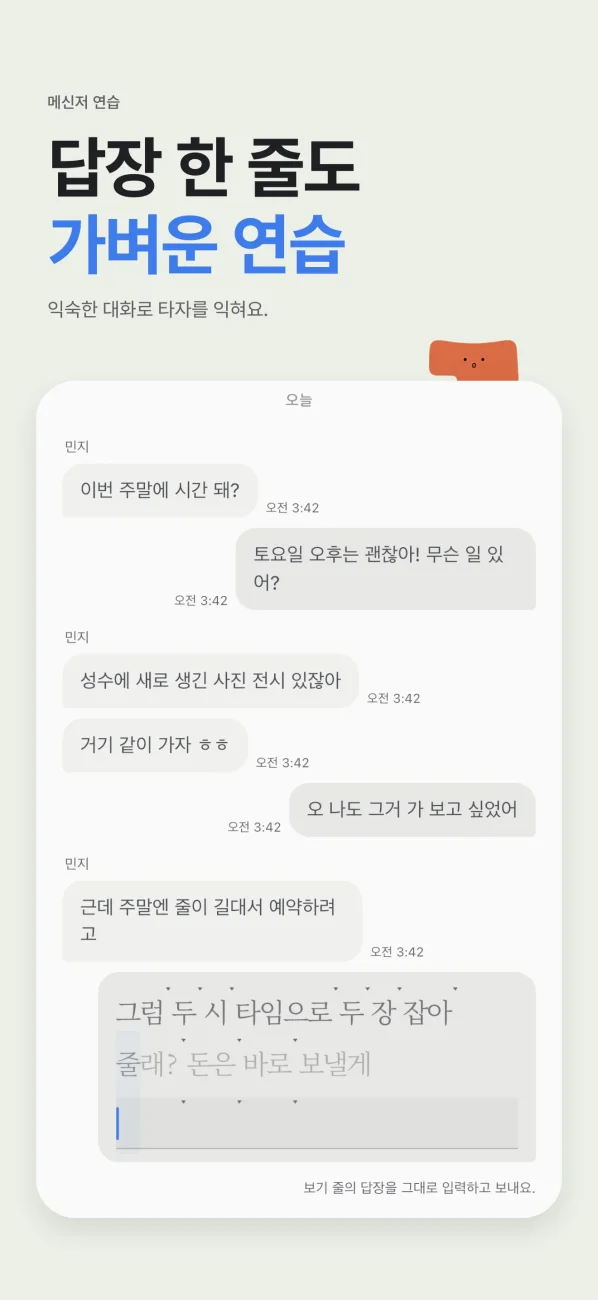
TADAK is a Korean (Hangul) typing practice app. Practice with the kind of Korean you actually write every day - messenger replies and work emails - and build speed and accuracy together.
Note: the app's practice content is in Korean. It is designed for people who type in Korean, including Korean learners who already know Hangul.
■ Real-life practice
· Messenger - type along with Korean chats with friends, family and coworkers, bubble by bubble.
· Email - complete Korean work emails one sentence at a time.
· Idioms & proverbs, a dictionary and a daily encyclopedia - six modes with new texts every day.
· My scenarios - describe your situation and AI creates a chat or email for you.
■ AI Writing
· Pick a suggested topic or write your own, and AI writes a 200-800 character Korean practice text.
· Your texts are private and ready to practice right away.
■ Tickets & milestones
· AI Writing uses one ticket. Sign in to get 5 tickets as a welcome gift.
· Earn more by passing keystroke milestones (1,000, 5,000, 10,000...) and finishing missions.
■ My Records
· See your speed change since you started, weekly trends and frequently mistyped characters.
■ Basics
· Key position and word drills on the Korean keyboard layout.
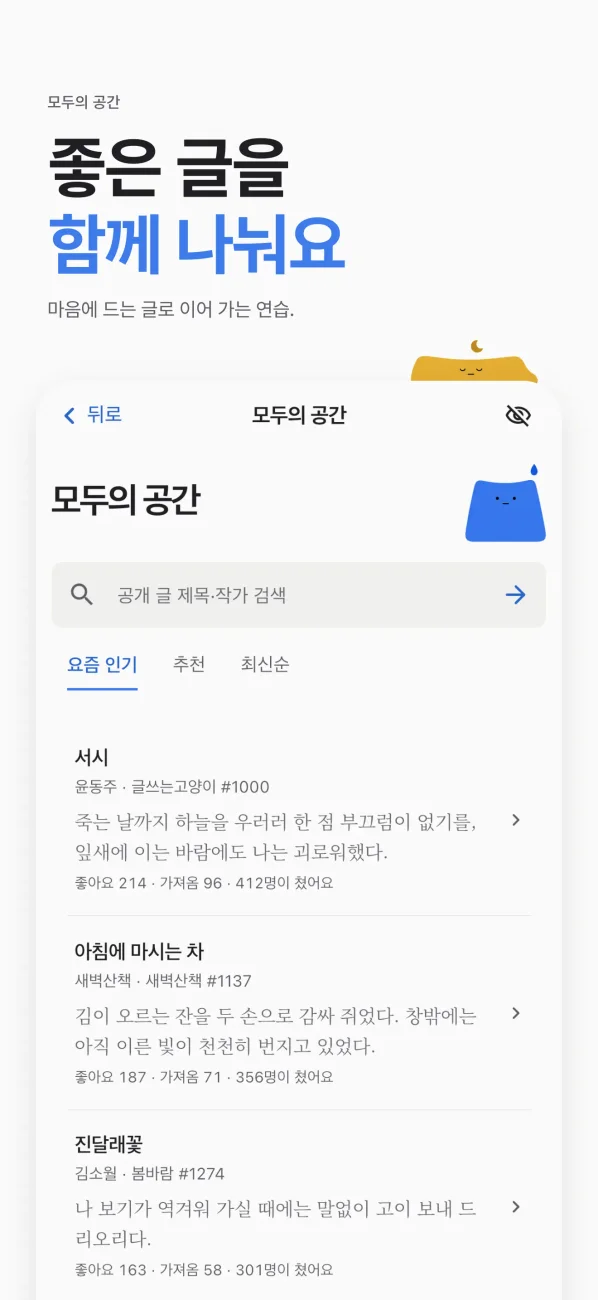
· Practice with built-in texts, texts shared by others, or your own writing.
■ Make it yours
· Six themes including Cyberpunk and Sweet Candy, plus several fonts.
The app contains ads. Ad removal is available as a one-time in-app purchase.
Terms: https://eastlooo.github.io/tadak-legal/en/terms.html
Privacy: https://eastlooo.github.io/tadak-legal/en/privacy.html
What’s new
Version 3.6.0 · Nov 14, 2026
- A fresh Home. On phones, switch between Today, Practice, and Spaces with the new bottom tabs.
- Pick anything from short sentences to long texts and start right away.
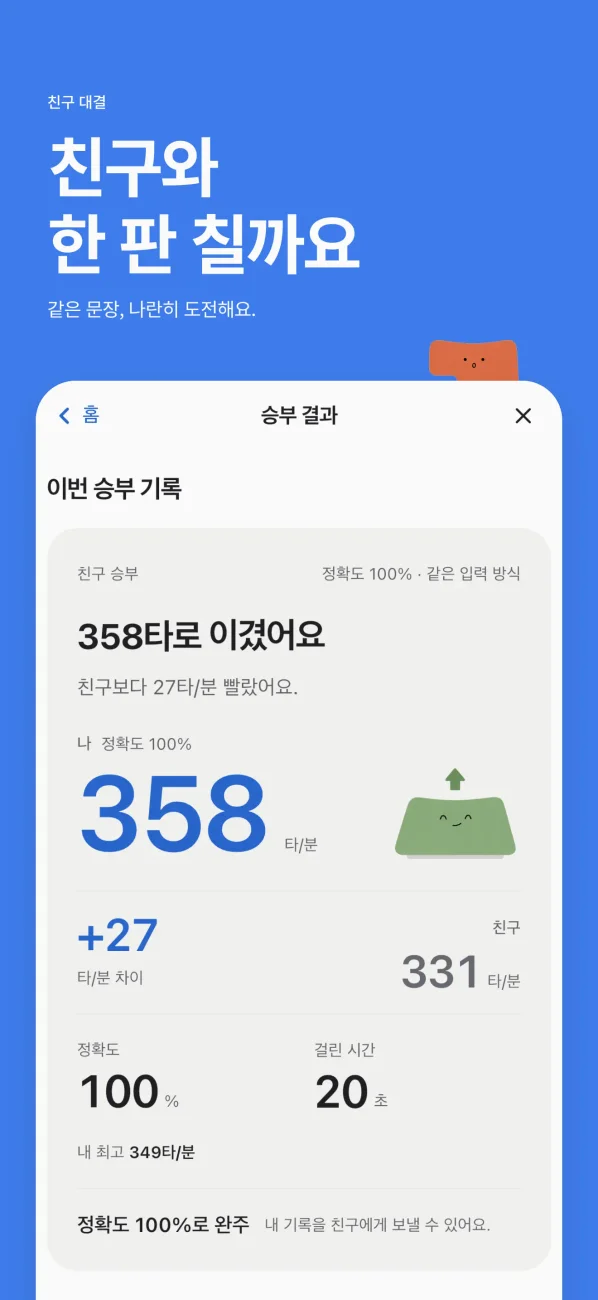
- See your rank and the gap to the next rank on Home, plus nearby ranks on the leaderboard.
- Weak-spot practice tells you its focus once at the start and marks tricky letters inside the sentence.
- Proverbs and dictionary: check the meaning on each card, then press Return. Email shows only the sentence you're typing.
- A clearer results screen with your progress, records, and what to practice next.
- Touch-typing course: a new external keyboard setup screen, and you can go back from every step.
- Fixed letters being marked wrong before you finished typing a Korean syllable.
- Sound effects are now off by default. Your saved setting is kept.
- My Space, shared texts, and author pages share one clean list style.
- Send feedback from Settings again. Plus fixes for duplicate titles, text overflow, and more.
App privacy
What Dongcheon Jeong declares on the App Store about how this app handles data.
-
Data used to track you
May be used to track you across apps and websites owned by other companies.
- Identifiers
-
Data linked to you
May be collected and linked to your identity.
- Purchases
- Location
- Contact info
- User content
- Identifiers
- Usage data
- Diagnostics
-
Data not linked to you
May be collected but is not linked to your identity.
- Identifiers
- Diagnostics
Privacy practices may vary, for example with the features you use or your age.
Information
- Seller
- Dongcheon Jeong
- Category
- Utilities
- Version
- 3.6.0
- Updated
- Nov 14, 2026
- Released
- Oct 5, 2022
- Size
- 68.9 MB
- Requires
- iOS 15.0 or later
- Age rating
- 4+
- Price
- Free
- In-app purchases
- Yes
- Languages
- Korean
- Copyright
- © OMILSOFT
You might also like
-
 한글타자왕Utilities
-
 캐시키보드 - 돈 버는 키보드, 앱테크Utilities
-
 Taja - Korean TypingPractice Korean Typing Daily
-
 Typing Practice MasterImprove Speed & Accuracy
-
 Keypad Typing Practice :MasterImprove your typing speed
-
 Typing Speed CheckCheck typing speed in mobile
-
 어썸 LED 전광판광고없는 LED 전광판
-
 네이버 스마트보드 - Naver Smartboard검색,번역,맞춤법 기능을 키보드에서 한 번에!
-
 더치트 - 사기피해 정보공유 공식 앱Utilities
-
 KollusPlayerUtilities