
Label & Note Print-A4PrintFast
Flexible layout, save paper
Designed for iPhone, iPad
In-app purchases
- Age rating4+
- CategoryProductivity
- Developer云涛 贾
- LanguagesJapanese+ 3 more
- Size11.7 MB
Links to the official App Store page
Download.org hosts no file of Label & Note Print-A4PrintFast. The button opens its official App Store page, published by 云涛 贾. Listing last checked on Nov 12, 2026.
Screenshots
About
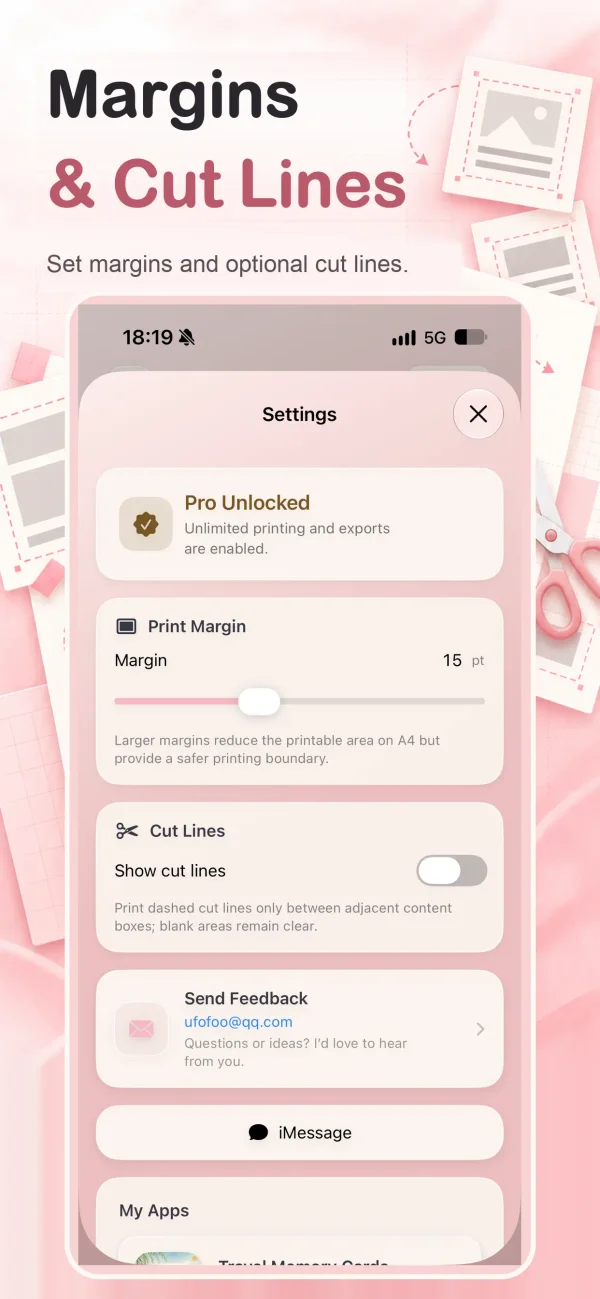
Print only what you need and make better use of every A4 sheet.
A short note, screenshot, or a few lines of text may take up only a small part of a sheet, leaving a large blank area unused.
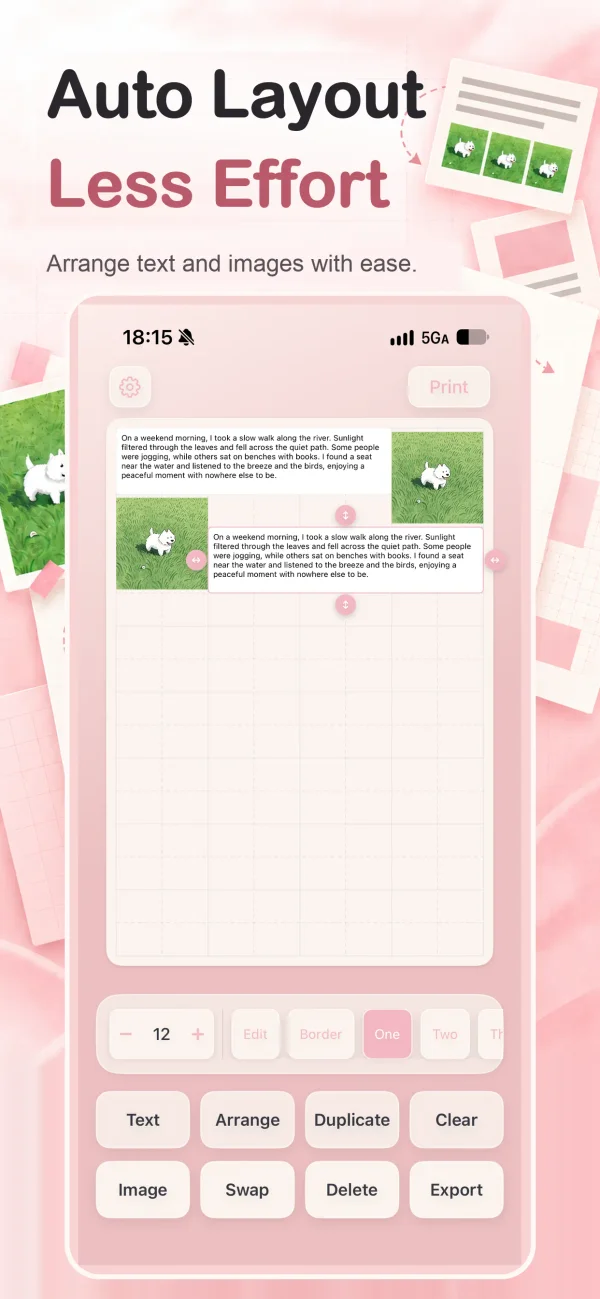
This app is designed for small-format printing. Place text, screenshots, and images precisely anywhere on an A4 page. After printing, cut out the used section and keep the remaining blank paper for another print job.
Key Features
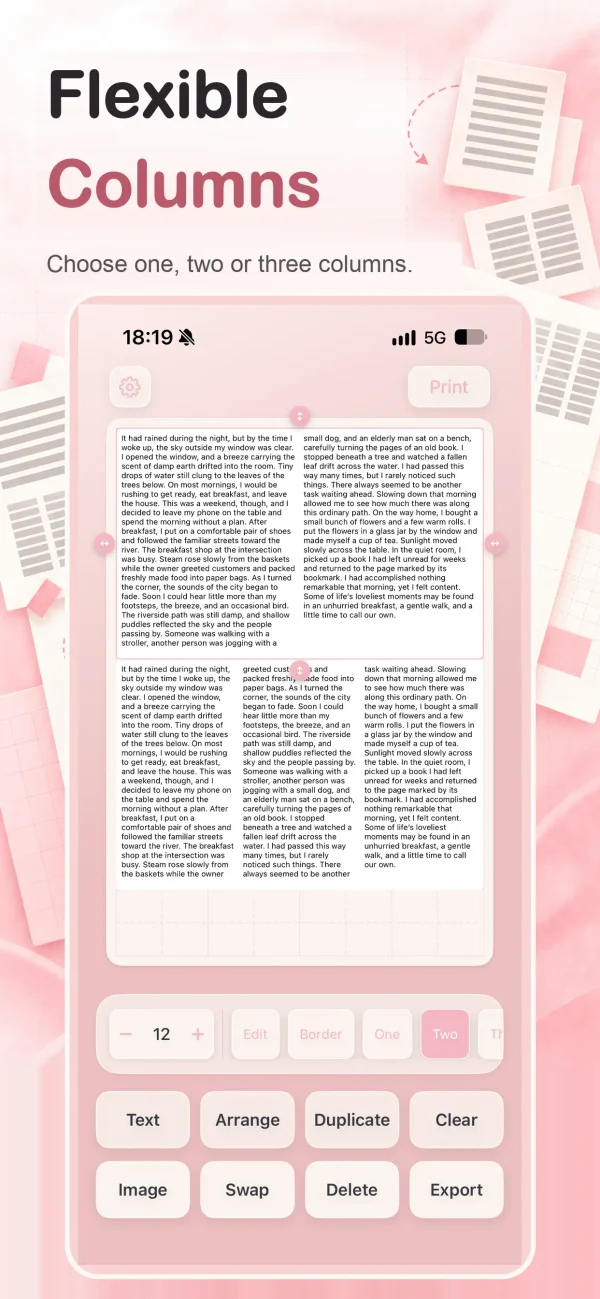
• Flexible Print LayoutPlace content in any corner or position on the page, then adjust its exact size and placement.
• Real-Time Print PreviewSee the actual position and scale of your content before printing, helping prevent positioning errors and unnecessary reprints.
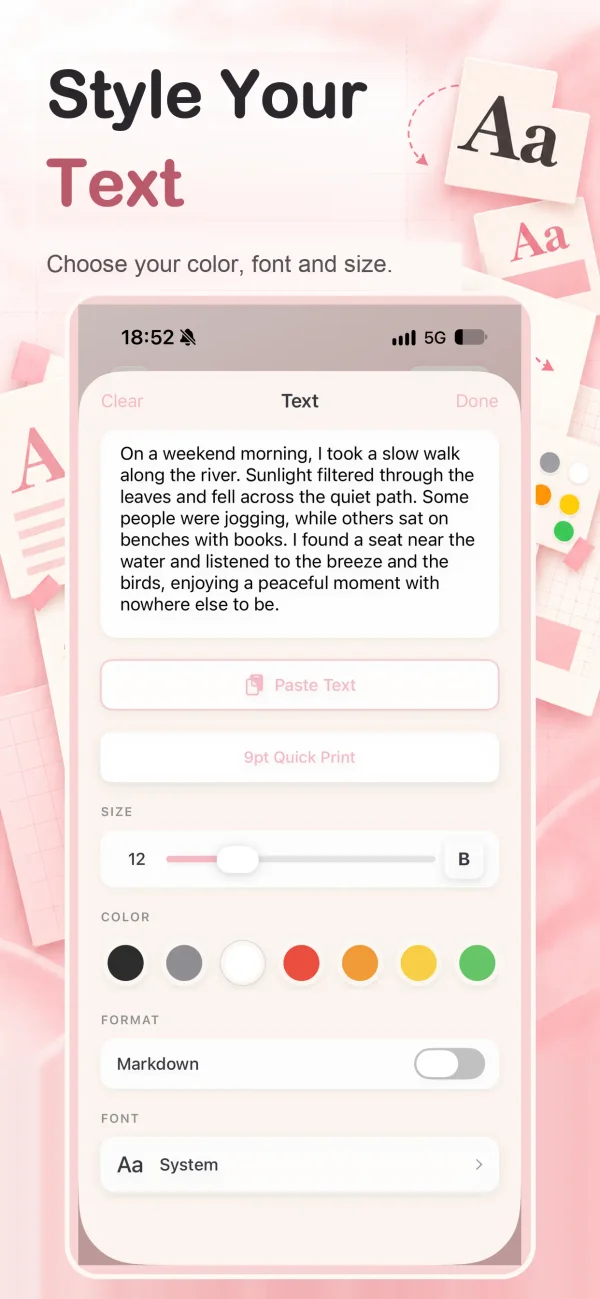
• Flexible Text EditingAdjust fonts, sizes, colors, alignment, bold text, italics, and other text styles.
• Custom Font ImportChoose from built-in fonts or import TTF, OTF, and TTC font files.
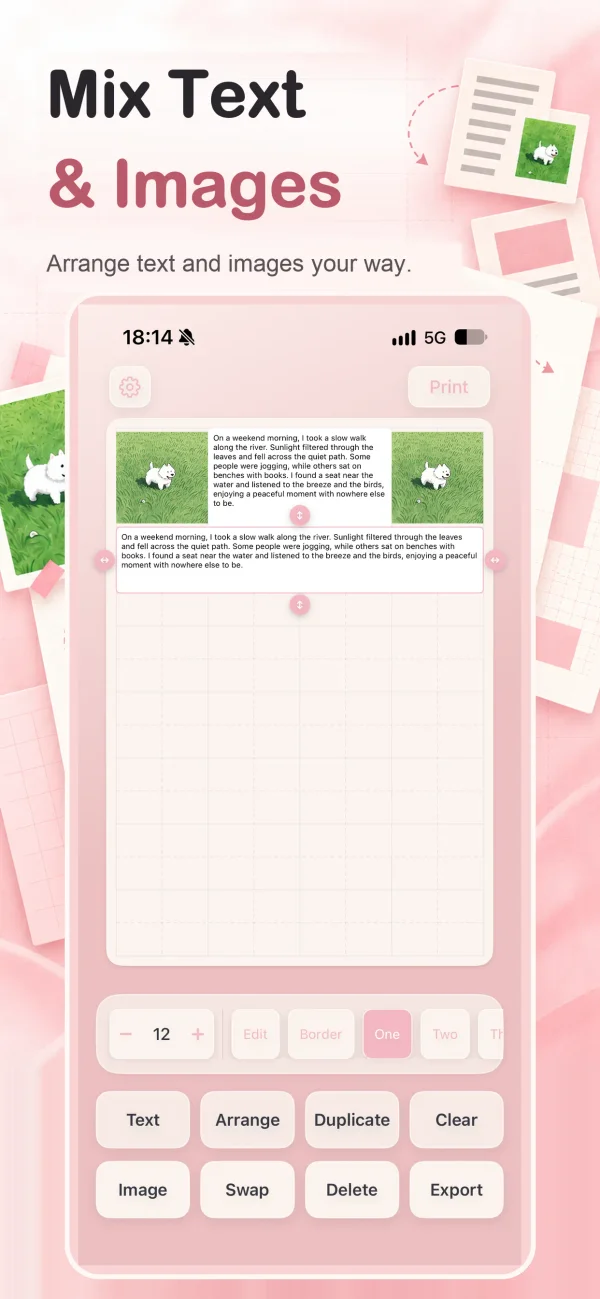
• Mix Text and ImagesCombine screenshots, photos, labels, and text freely on the same page.
• Reuse Blank PaperKeep content within a small area of the sheet, cut out the printed section, and save the remaining paper for later use.
Great for:
• Short notes and reminders• Screenshots with titles• Address and shipping labels• Receipts and office notes• Flashcards and study cards• Small images and text snippets
Use only the space you need, reduce unnecessary paper waste, and make small-format printing easier.
What’s new
Version 1.9 · Oct 3, 2026
Fixed known bugs and improved app stability.
App privacy
What 云涛 贾 declares on the App Store about how this app handles data.
-
Data not collected
The developer does not collect any data from this app.
Privacy practices may vary, for example with the features you use or your age.
Information
- Seller
- 云涛 贾
- Category
- Productivity
- Version
- 1.9
- Updated
- Oct 3, 2026
- Released
- May 12, 2026
- Size
- 11.7 MB
- Requires
- iOS 17.6 or later
- Age rating
- 4+
- In-app purchases
- Yes
- Languages
- Japanese, Simplified Chinese, Traditional Chinese, English
- Copyright
- Copyright © 2026 浅水鱼
You might also like
-
 Markdown Reader & Editor: MDRead, write & highlight
-
 SuguMemo - Voice & ReminderSave ideas before forget
-
 TodoDoodleHand-drawn To-Do & Pomodoro
-
 VoiceStream: AI Voice NotesRecord, transcribe, organize
-
 TaskBit: Gamified To-Do ListBuild Habits, Grow Your Room
-
 Shitaku - 支度タイマーProductivity
-
 Friend Gram - 相関図作成ツールProductivity
-
 Print Size ProExact Photo & PDF Printing
-
 Print 2 ShipCrop & print shipping labels
-
 Work Notes-Daily Insight LogSimple Quick Capture & Recall