Label Printer • Print Labels
Address & Mailing Labels
Designed for iPhone, iPad
Free · In-app purchases
- Age rating4+
- CategoryUtilities
- DeveloperRichard McKenna
- LanguagesEnglish
- Size195.8 MB
Links to the official App Store page
Download.org hosts no file of Label Printer • Print Labels. The button opens its official App Store page, published by Richard McKenna. Listing last checked on Nov 20, 2026.
Screenshots


About
Print address and mailing labels directly from your iPhone or iPad with Label Printer. Create and print entire sheets of labels using addresses from your Contacts — no computer, Word document or complicated mail merge required.
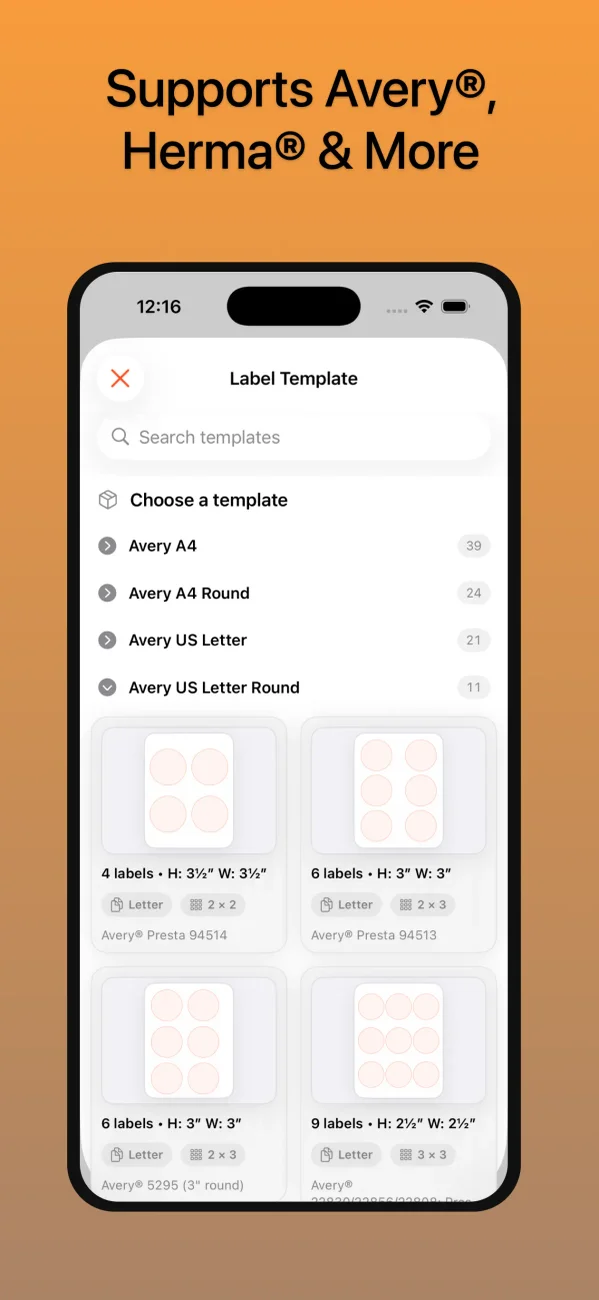
Perfect for Christmas cards, holiday cards, invitations, return address labels, parcels, business mailings and everyday post. Label Printer supports popular Avery®, Herma and Unistat label sheet sizes.
EASY ADDRESS LABELS
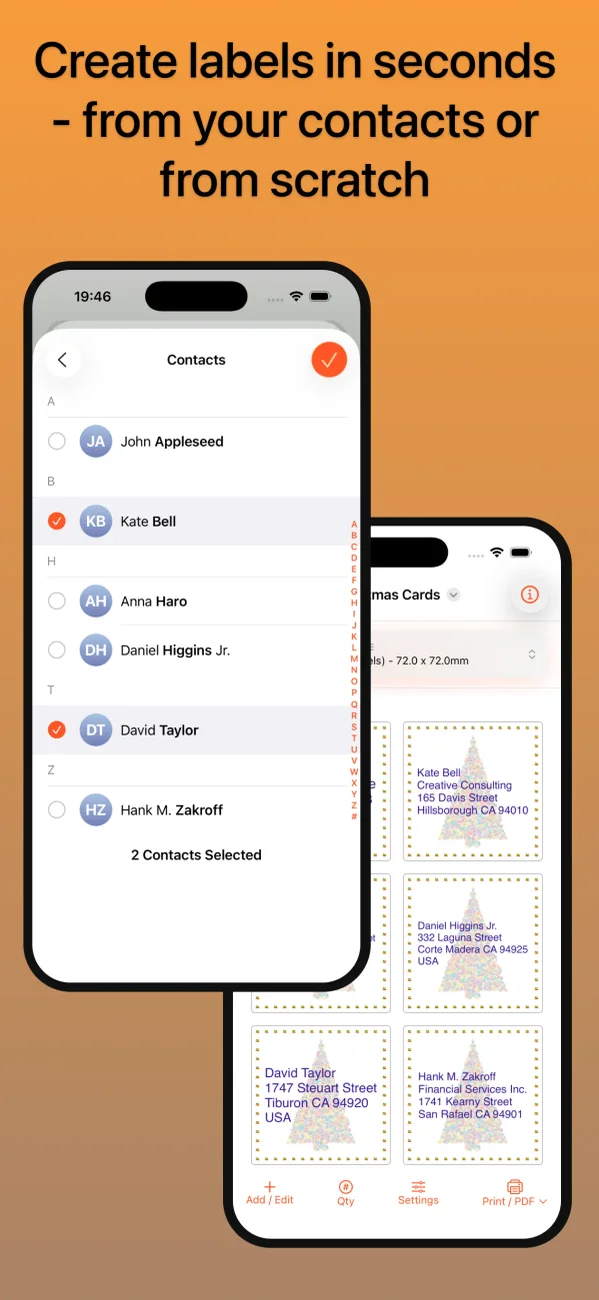
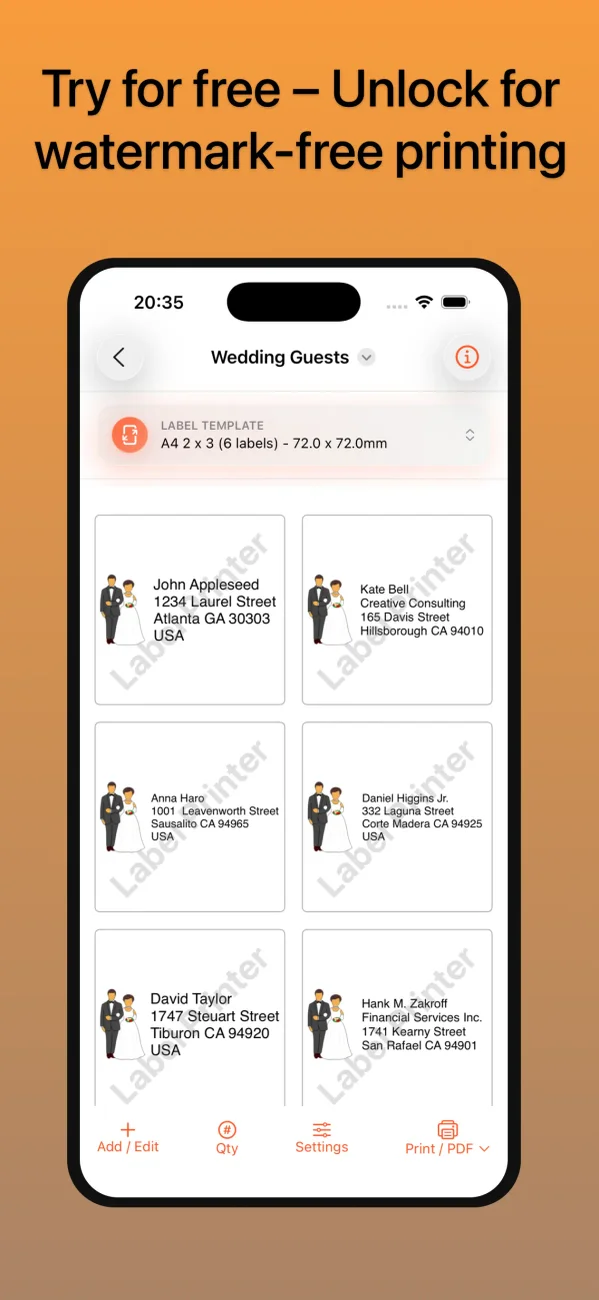
Select people directly from your iPhone or iPad Contacts and quickly turn their addresses into ready-to-print labels. Edit individual labels where needed and create a whole mailing list in minutes.
PERFECT FOR CHRISTMAS CARDS
Save time addressing Christmas and holiday cards. Choose the people you want from Contacts, create your address labels and print an entire sheet at once.
WORKS WITH POPULAR LABEL SHEETS
Choose from a wide range of common Avery®, Herma and Unistat label formats.
USE EVERY LABEL ON THE SHEET
Already used part of a sheet? Choose where printing should start so you can use the remaining labels rather than wasting the whole sheet.
MORE THAN JUST ADDRESS LABELS
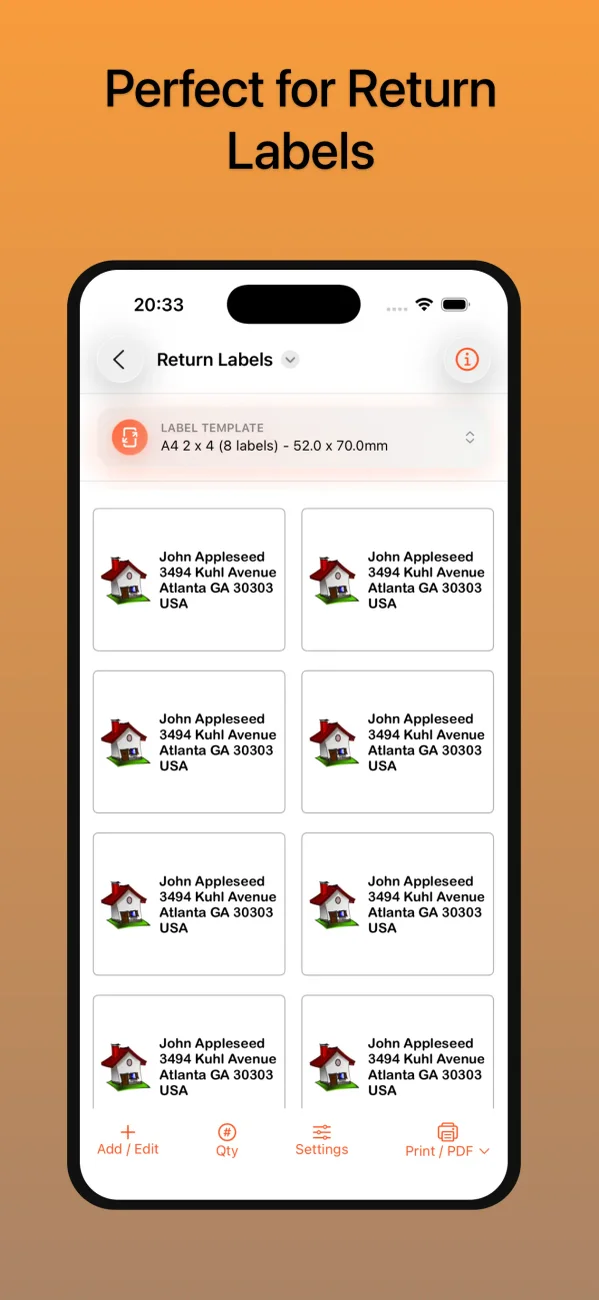
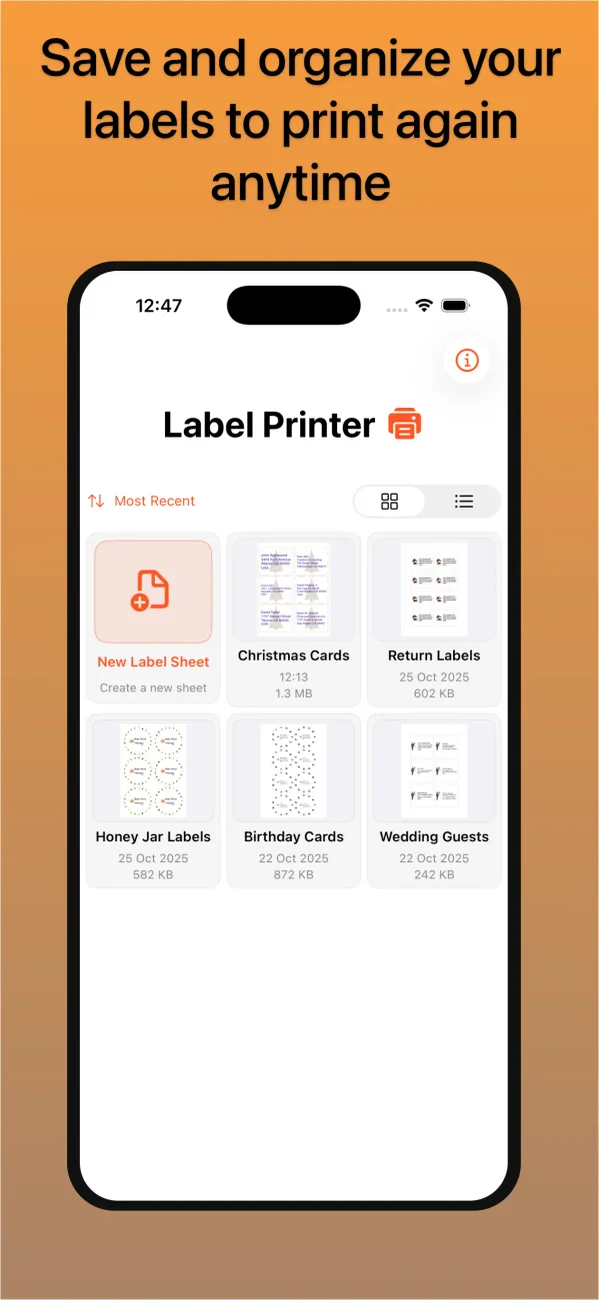
Create labels containing your own text and images for organising, products, boxes, name labels, return addresses and much more. Save reusable designs and templates for labels you print regularly.
PRINT OR SAVE AS PDF
Print directly from your iPhone or iPad using an AirPrint-compatible printer, or create a PDF that you can save, share or print elsewhere.
SIMPLE, FLEXIBLE LABEL DESIGN
• Add and format text
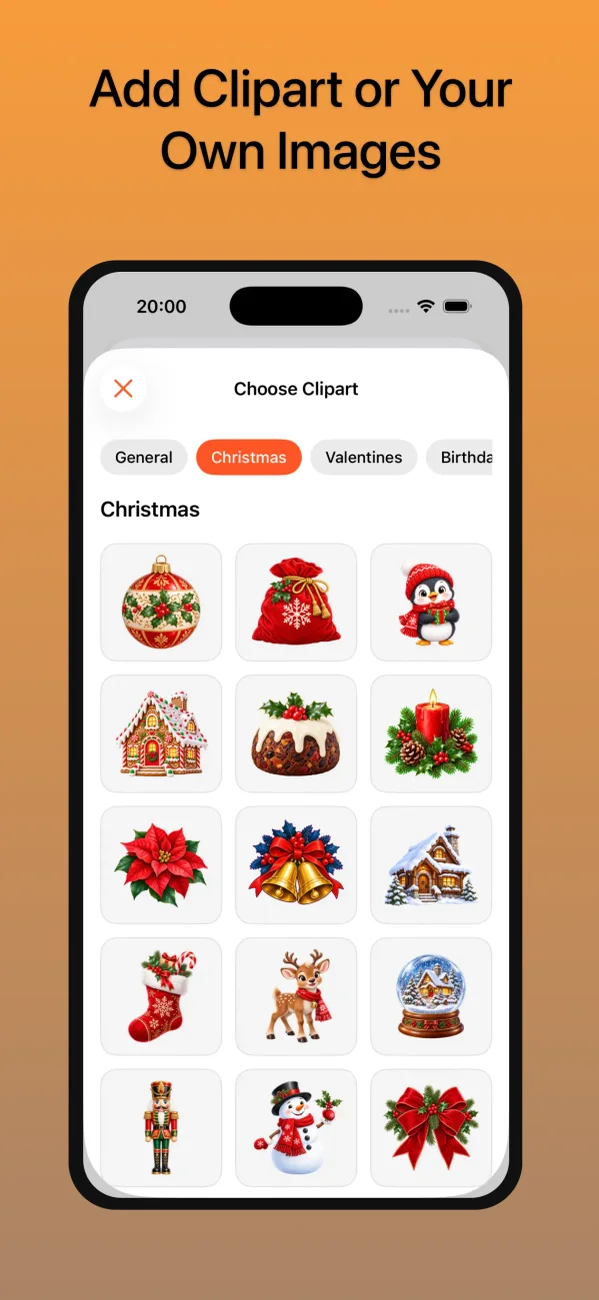
• Add a photo or one of the included clipart images
• Import names and addresses from Contacts
• Create reusable label templates
• Choose from popular label sheet sizes
• Print full or partially used sheets
• Print multiple copies
• Preview before printing
• Print with AirPrint
• Save and share as PDF
NO COMPUTER REQUIRED
Everything can be done directly on your iPhone or iPad. Whether you're printing a few return address labels or hundreds of Christmas card labels, Label Printer makes printing label sheets quick and straightforward.
Label Printer is an independent app and is not affiliated with or endorsed by Avery, Herma or Unistat. Avery, Herma and Unistat are trademarks of their respective owners.
What’s new
Version 2.12 · Oct 6, 2026
Modernised the clipart selector and refreshed the clipart.
Improved navigation when returning to your label files.
Label Printer now also has an optional tip jar for anyone who’d like to support its continued development. Thank you for using the app—and for any support you choose to give.
App privacy
What Richard McKenna declares on the App Store about how this app handles data.
-
Data not collected
The developer does not collect any data from this app.
Privacy practices may vary, for example with the features you use or your age.
Information
- Seller
- Richard McKenna
- Category
- Utilities
- Version
- 2.12
- Updated
- Oct 6, 2026
- Released
- Jan 22, 2016
- Size
- 195.8 MB
- Requires
- iOS 17 or later
- Age rating
- 4+
- Price
- Free
- In-app purchases
- Yes
- Languages
- English
- Copyright
- © 2026 Richard McKenna
You might also like
-
 Print-LabelSimple to use label editing
-
 Address Labels & EnvelopesMail & Christmas List Printing
-
 Epson Label Editor MobileUtilities
-
 Label ExpertProfessional label solutions
-
 Label Maker - Print Master ProZebra, Dymo, Brother & Thermal
-
 Thermal PrinterUtilities
-
 Address Label Maker & EnvelopeCustomize Labels & Stickers
-
 MLabelLabel,Bluetooth print label
-
 Eleph-labelCloud label editing software
-
 EzlabelUtilities