LabelMint: Storage Box Labels
Find anything. Print on paper.
Designed for iPhone, iPad
Free · In-app purchases
- Age rating4+
- CategoryProductivity
- DeveloperZHENZHOU SHI
- LanguagesEnglish+ 2 more
- Size2.2 MB
Links to the official App Store page
Download.org hosts no file of LabelMint: Storage Box Labels. The button opens its official App Store page, published by ZHENZHOU SHI. Listing last checked on Nov 17, 2026.
Screenshots

About
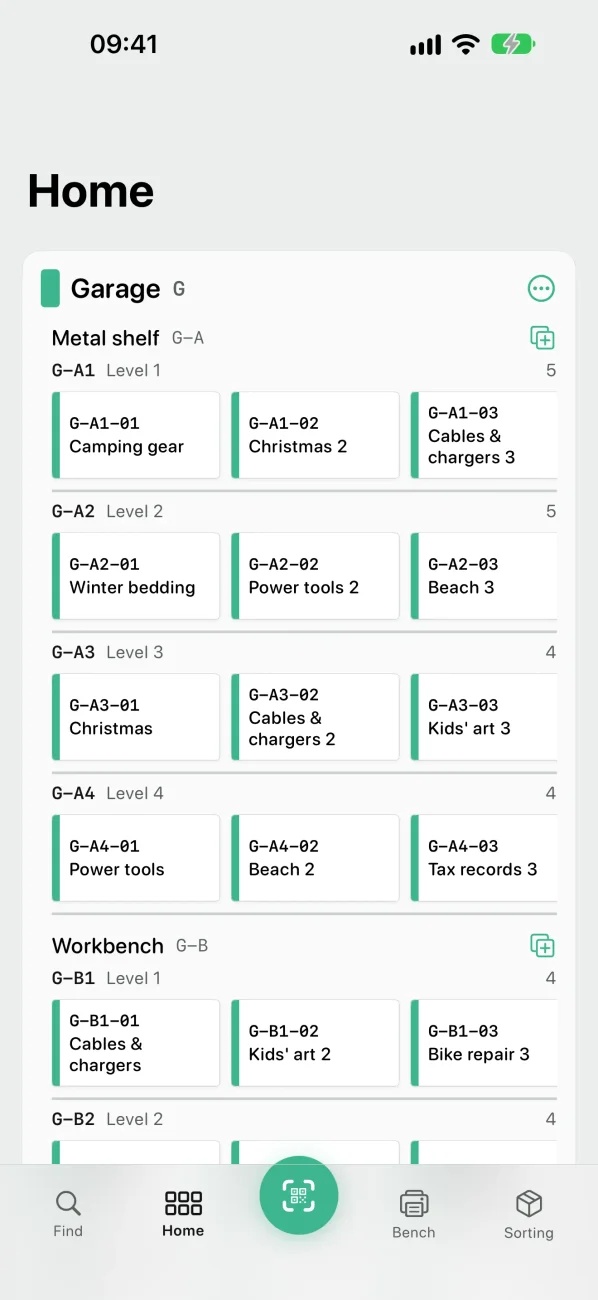
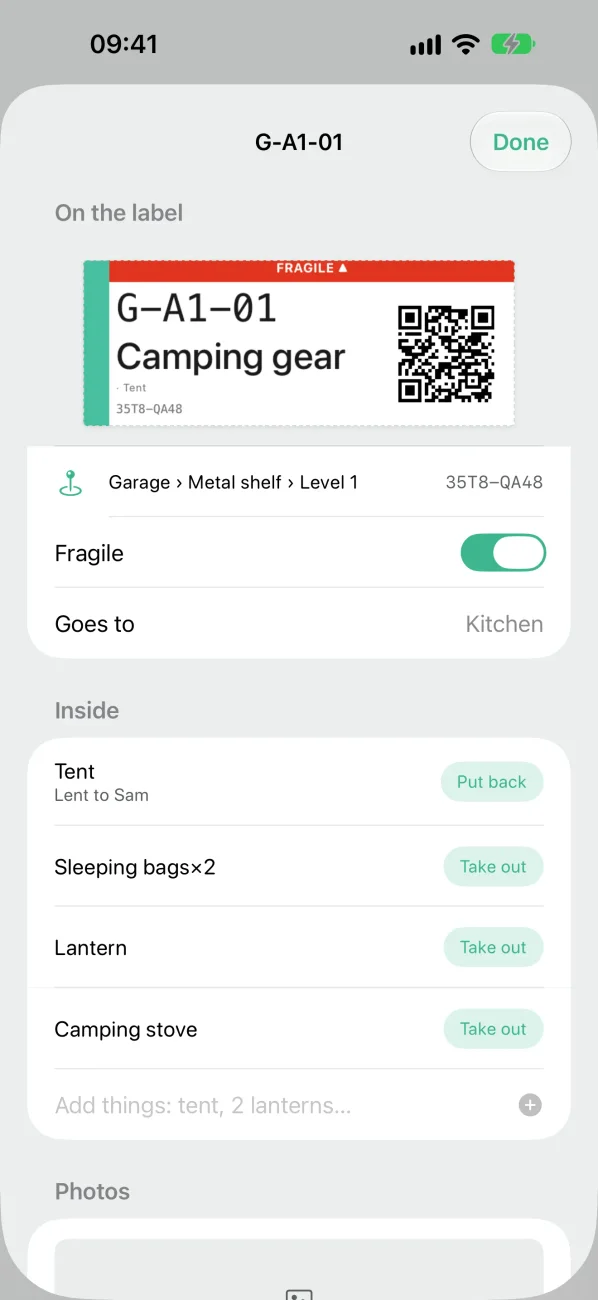
LabelMint is a label system for your home. Every box, drawer and jar gets a label with a location code you can read aloud — G-B3-07 means Garage, shelf B, level 3, slot 7 — and a code any phone can scan. Search a word, ask Siri or scan the box, and you know where it is.
STICK ONE
- Photograph what goes in. Text in the photos is read on your device and stays searchable.
- Tick the suggestions, type a list or just say it: "Christmas lights ×2, star, extension cord".
- Choose where it lives. The label joins the bench queue.
FIND IT AGAIN
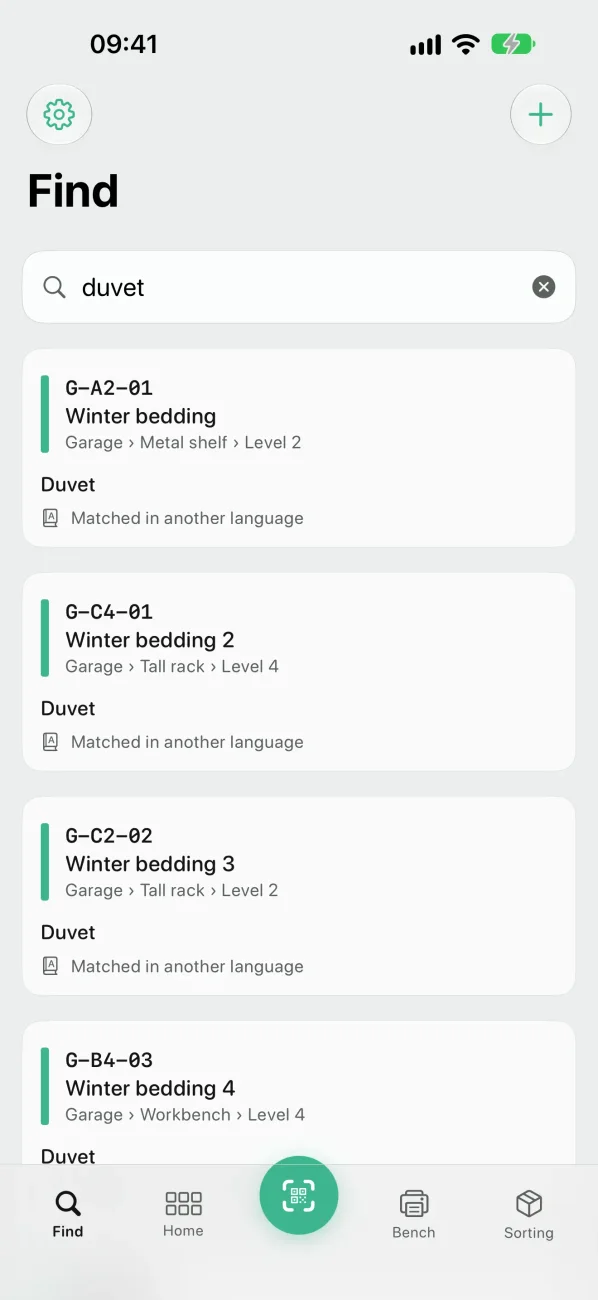
- One search across items, photo text, location codes and rooms.
- Works across languages: duvet = 棉被 = 布団.
- "Out and not back" shows what's taken out or lent.
THE LABEL BENCH
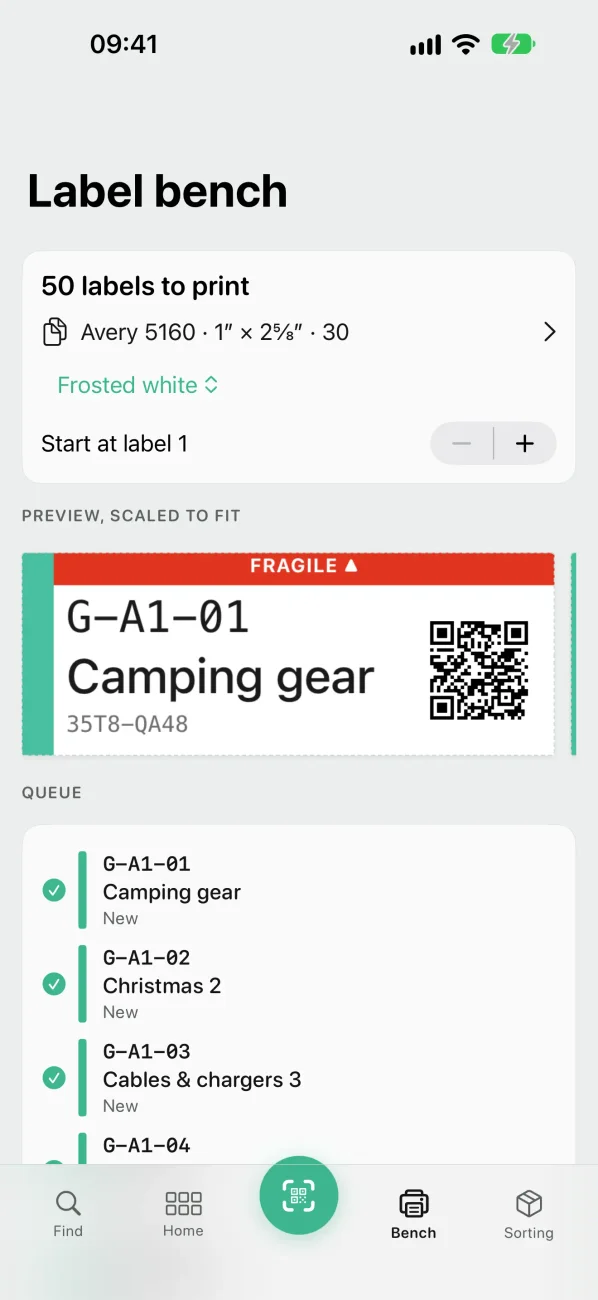
- Print on what you already have: Avery Letter sheets (5160, 5163, 5164, 5167, 22806) and A4 sheets (L7160, L7163, L7165, L7159 and more), by AirPrint.
- Don't know your sheet? Count the labels and LabelMint finds it.
- Start at any label on a half-used sheet. Calibrate if your printer prints a little off.
- Send single labels to your label maker's app as PNG or PDF at tape or thermal size.
- Titles are never cut off. Codes are always big enough to scan.
- Pre-printed code pages: stick first, scan to say what's inside later.
- Move a box and its label goes back in the queue.
SORTS
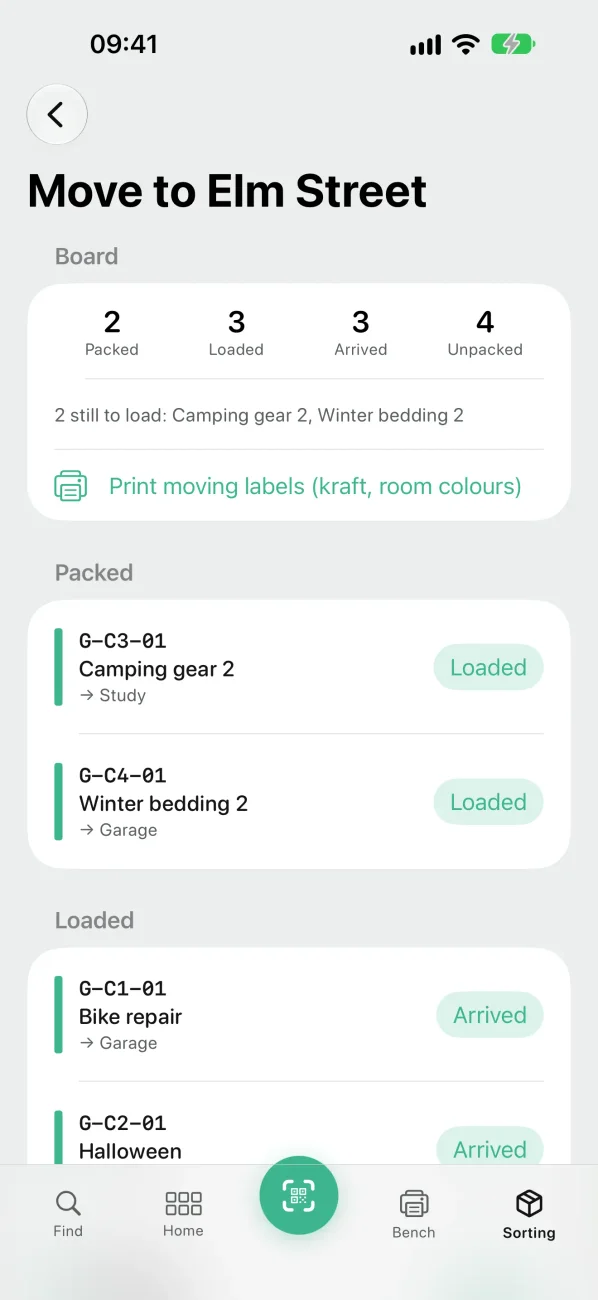
- Moving: packed → loaded → arrived → unpacked, with kraft labels in room colours and a FRAGILE stripe.
- Seasons: what to take out now, and a nudge to put it back.
- Audit: check every box is where the list says.
PRO, FOR ORGANISERS
- A separate home for each client, offline. Hours, supplies, before and after.
- Your name on labels, and a hand-off PDF: where things live, every label, how to keep it.
Free keeps 15 boxes and unlimited jar and display labels. Household ($24.99 once) removes the limit for the whole home. Pro is $14.99 a month or $119 a year.
Everything stays on your device. No account, no ads, no tracking.
Terms of Use (EULA): https://www.apple.com/legal/internet-services/itunes/dev/stdeula/
What’s new
Version 2.0 · Nov 16, 2026
LabelMint 2.0 is rebuilt from the ground up.
- A home map: rooms, shelves and levels, each box with a location code like G-B3-07.
- Stick one: photograph the contents; text is read on your device.
- Search in English, Chinese or Japanese: "duvet" finds 棉被.
- Label bench: Avery and A4 sheets, AirPrint, label-maker export, pre-printed code pages, calibration.
- Sorts: moving board, seasons, audits.
- Pro for organisers: client homes and hand-off PDFs.
App privacy
What ZHENZHOU SHI declares on the App Store about how this app handles data.
-
Data not collected
The developer does not collect any data from this app.
Privacy practices may vary, for example with the features you use or your age.
Information
- Seller
- ZHENZHOU SHI
- Category
- Productivity
- Version
- 2.0
- Updated
- Nov 16, 2026
- Released
- May 21, 2026
- Size
- 2.2 MB
- Requires
- iOS 17.0 or later
- Age rating
- 4+
- Price
- Free
- In-app purchases
- Yes
- Languages
- English, Japanese, Simplified Chinese
- Copyright
- © 2026 Zhenzhou Shi
You might also like
-
 Patch AssistProductivity
-
 Expiryloom: Document DatesCatch Expiration Before Cost
-
 Anomalor - Password ManagerGenerator, Vault & AutoFill
-
 My2Do - Tasks & HabitsPlan your day, your way
-
 Prompto: Best AI promptsReady-to-Use Prompts for AI
-
 Iris: Bot for Apple WatchTalk to Grok from your wrist
-
 42 PDF Editor: Sign & AnnotateFill, sign, edit & scan PDFs
-
 NameSpark: Never Forget NamesName Recall for Every Meeting
-
 Flipclock-Focus timer trackerFlip clock & focus timer
-
 中文数字键盘 - 计算器输入法大写金额转换工具Productivity